

Starlink VPN for More Private Satellite Internet
Boost security into the stratosphere when you connect to the constellation with a VPN for Starlink
- Add a layer of protection to your satellite connection
- Choose from any of our 148 locations across the globe
- Get advanced privacy features to increase data protection
- 30-day money-back guarantee for new subscribers

How to Set Up a VPN for Starlink in 3 Simple Steps
You don’t need to be a rocket scientist to set up PIA VPN on Starlink – anyone can do it
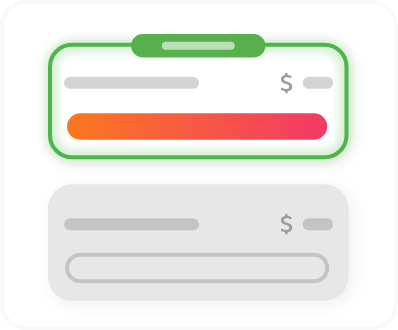
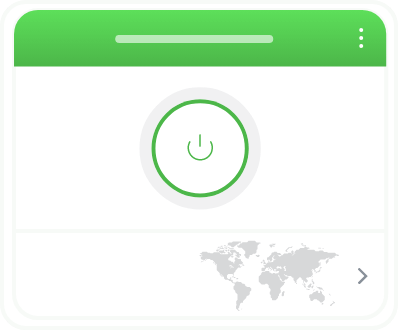
Step 3
Connect to a server and get extra protection for your Starlink connection.
What Is a Satellite VPN for Starlink?
A satellite VPN is software that adds privacy and security to your satellite internet connection. Like any internet connection, satellite internet can expose some of your online activity to your ISP, network operators, or anyone attempting to monitor unsecured traffic.
A VPN encrypts your internet traffic, helping protect sensitive data and making your online activity more difficult to monitor. It also masks your IP address with one from the VPN server you connect to, giving you more privacy when you connect to websites and services.


Satellite Internet and Its Security Gaps
Because data is transmitted wirelessly between satellites, ground stations, and user terminals, certain satellite communications can be intercepted without proper encryption.
Modern satellite providers like Starlink use security measures and encrypted network protocols to help protect customer traffic. Even so, your online activity can still be visible to apps, your ISP, or anyone monitoring your connection. A VPN adds another layer of encryption, making it more difficult for third parties to monitor your online activity.
Enjoy Safer Surfing with a Satellite VPN
Boost Your Privacy Online
Mask your real IP address and other sensitive data. Every time you visit a website, you share details such as your location, browsing habits, and searches. This can be used to track you across the internet and serve targeted ads to you.
PIA helps reduce your digital footprint, so you can browse without others peeking over your shoulder. Plus, we adhere to a strict no-logs policy and don’t store your browsing data on our servers.


Shield Your Passwords and Financial Information
Add extra protection to your personal information on Starlink to reduce the chance of data theft. PIA uses top-grade AES 256-bit encryption to help shield your data from third-party exposure. Even if someone monitors your satellite traffic, they can’t easily read encrypted data packets, so you can keep shopping and banking online with added peace of mind.
Change Your IP Address on Demand
Avoid repeated CAPTCHAs and other verification checks caused by shared CGNAT IP addresses on your Starlink connection. With PIA, you can change your IP address in seconds and continue browsing as you normally would, only with fewer interruptions. For even more control, you can add a Dedicated IP address to your subscription that’s assigned only to you.


Defend Against Malware and Phishing
Block known malicious and fake websites before they even load. If your satellite connection is intercepted, you could be redirected to a site that looks legit but actually hosts malware, or is part of a phishing scam. PIA MACE helps block known phishing and malware domains at the DNS level, helping to stop dangerous connections before they reach your device.
Add Protection to In-Flight Wi-Fi Connections
In-flight Wi-Fi via Starlink gives you a whole new way to pass the time while traveling, but also comes with risks. Like on any wireless network, one bad actor can intercept your data with a few low-cost tools and potentially snoop on your activity. Encrypting your connection with PIA VPN is a great way to add a strong layer of protection to your sensitive data, so you can surf in confidence until you’re safely back on the ground.

How to Get a Greek VPN for Privacy and Security in 3 Steps
How to Set Up PIA on a Router for Starlink
Since Starlink routers don’t support VPN clients, you’ll need your own router to handle the VPN connection.
The easiest option is to get a router with PIA VPN pre-installed (subscription required),
but you can also follow the steps below to set up PIA on a compatible router:


Step 3
Enable Bypass Mode in the Starlink
app and connect your router to the Starlink terminal via Ethernet.

Step 4
Connect devices to your Starlink
network and verify that your IP matches the VPN server location.
All the Features You Need in One VPN for Starlink

Global Server Network
Connect to our network of NextGen servers in 90 countries around the world and switch locations anytime you want.

Strong Security Features
Boost your online privacy and safety with PIA’s strong encryption, DNS leak protection, and advanced Kill Switch.

Fast Speeds
Maintain stable VPN connections for all your online activities, including streaming and gaming via our 10-Gbps servers.

Unlimited Bandwidth
Stream, download, and game via an encrypted connection as much as you want with no VPN bandwidth or data limits.

Unlimited Devices
Skip complicated router setup. PIA has user-friendly apps for all popular devices, with no limit on how many you can connect at once.

24/7 Support
Get help with setting up your Starlink VPN connection and ask for advice on the best settings for your setup at any time of day or night.
FAQ
Yes, VPNs work with Starlink connections, but not on the Starlink router itself. You can use PIA through a separate VPN-enabled router or install it directly on your devices. PIA allows unlimited simultaneous connections, so your entire household can stay covered with a single subscription.
It only takes a couple of minutes to set up PIA for Starlink, and you don’t need any technical knowledge. Sign up for PIA, download the VPN app, install it on your device, connect to a server, and start browsing with enhanced protection. You can also install PIA on a compatible router to boost protection on VPN-incompatible devices connected to your satellite network.
Most premium VPNs are compatible with satellite internet. However, satellite networks can sometimes struggle with the additional load, resulting in increased latency. If you’re still unsure, PIA offers a 30-day money-back guarantee for new users, so you can find out if it meets your needs before making a commitment.
If you use Starlink on a pay-per-GB subscription, encrypting your data with a VPN may increase the cost. However, it shouldn’t affect your residential subscription rate. A VPN can also increase latency on Starlink, so you’ll need a high-speed VPN to keep your connection as fast as possible. PIA uses 10-Gbps infrastructure and efficient protocols like WireGuard to help keep latency low and your speeds high.
Starlink routers don’t include built-in VPN features, but you can easily install PIA on a VPN-compatible router to connect to Starlink. With a compatible third-party router as your main traffic controller, you can boost protection for all devices using your satellite internet connection.
This is actually very common as Starlink uses CGNAT. Due to system requirements and server loads, Starlink doesn’t guarantee that you will be connected within your state or country, even if there’s a ground station in your location. To get around this, connect to a VPN server in your desired location to get an IP address from that area. PIA VPN covers 148 locations around the globe, including all 50 US states.
Trusted By Millions Of Satisfied Customers
Here's a small sample of our most positive user reviews. All Trustpilot reviews are available here.
{"tweetsBtnText":"{Tweets}","userBtnText":"{User Reviews}","influencersBtnText":"{Influencers}","techReviewsBtnText":"{Tech Reviews}"}TRUSTED AND RECOMMENDED BY:


Choose The Plan That's Right For You
 All Plans Are Covered By Our 30-Day Money-Back Guarantee
1 Month
$11.95/mo3 Years + 3 Months
$1.33/mo1 Year
$3.33/mo Covered By Our 30-Day Money-Back Guarantee*
All amounts are shown in USD, and any discounts reflect a reduction based on the current monthly service pricing at $11.95 per month.
*The 30-day money-back guarantee is available to new subscribers only; for subscriptions purchased via third-party app stores (e.g., Apple App Store), refunds are subject to their respective terms and conditions.
Don’t Let the Past
Haunt You®
Try PIA Risk-Free
New users are covered by our 30-day money-back guarantee.
If you’re not satisfied, request a refund.

Per our Terms of Service, using PIA VPN for illegal purposes is prohibited.