Cash App Scams: Common Types and What to Look For
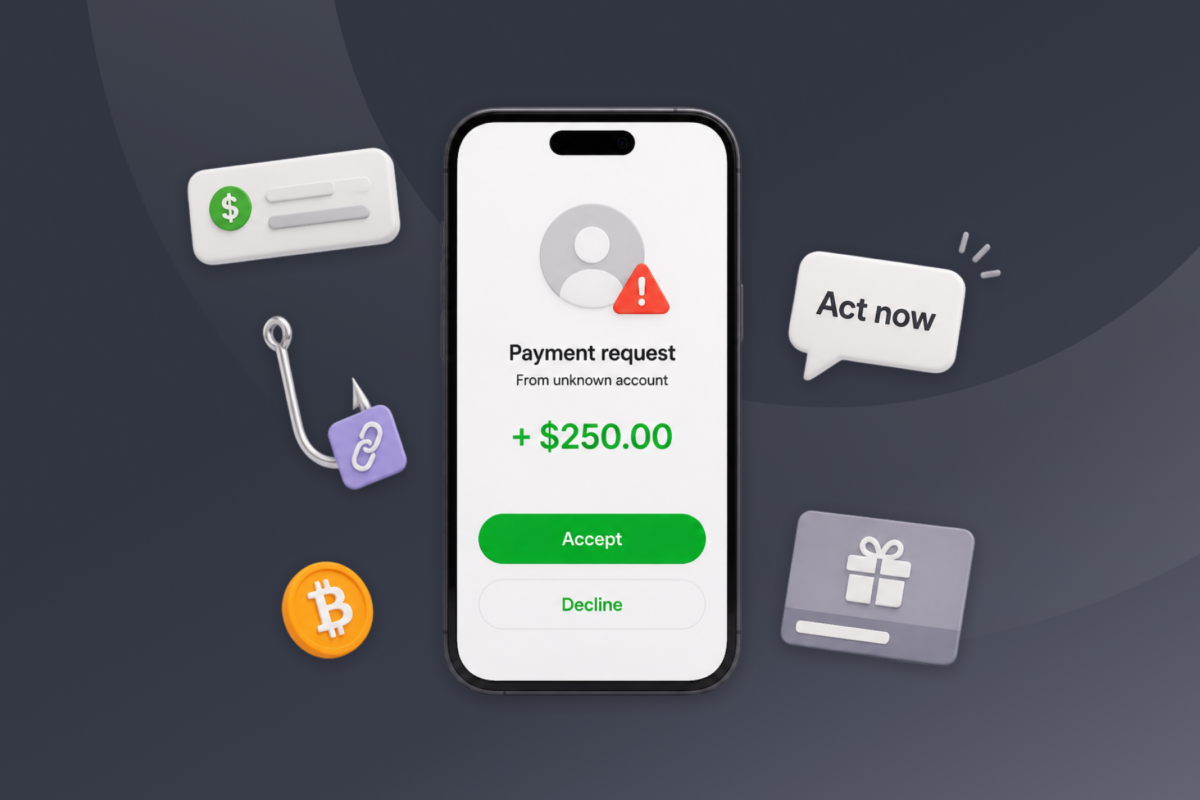
Cash App makes sending money nearly as easy as sending a message. Unfortunately, that speed can become a problem when the person receiving the payment is a scammer. Completed payments may be difficult to reverse, giving you little time to recognize the mistake and respond.
While we can’t cover every eventuality, this guide explains how Cash App scams work, what they typically look like, and the steps to take if you’ve already paid a scammer.
How Do Cash App Scams Work?
Most Cash App scams rely on social engineering. Instead of attacking Cash App’s systems, the scammer manipulates you into doing an act to benefit them.
A typical scam follows four stages:
- Contact: Scammers might use Facebook, TikTok, email, text messages, a marketplace listing, or a fake customer support number.
- Convincing story: They may offer an investment, claim you won a prize, advertise an inexpensive product, or warn that your account is at risk.
- Pressure to act: They ask you to send money, buy a gift card, disclose a sign-in code, or follow a link immediately.
- Theft or account takeover: After receiving what they want, the scammer may disappear, take over your account, or invent another fee you must pay.
Cash App itself is a legitimate financial platform. But because payments move quickly between users, recovering money from a scammer can be difficult.
What Do Cash App Scams Look Like?
Cash App scams take different forms, but many share the same warning signs. Be suspicious if someone:
- Promises guaranteed returns or free money
- Asks you to pay a fee to receive a payment or prize
- Pressures you to act immediately
- Requests your Cash App PIN or sign-in code
- Sends a payment screenshot that doesn’t match your Activity tab
- Claims you must upgrade your account to receive money
- Asks you to return an unexpected payment as a new transaction
- Tells you to contact Cash App through an unofficial phone number
- Requests payment through both Cash App and gift cards
- Refuses to meet before you pay for a product, pet, or rental
- Sends a link to a website or app you don’t recognize
Poor spelling can be a warning sign, but professionally written messages can also be fraudulent. Verify the request itself instead of judging a message only by its appearance.
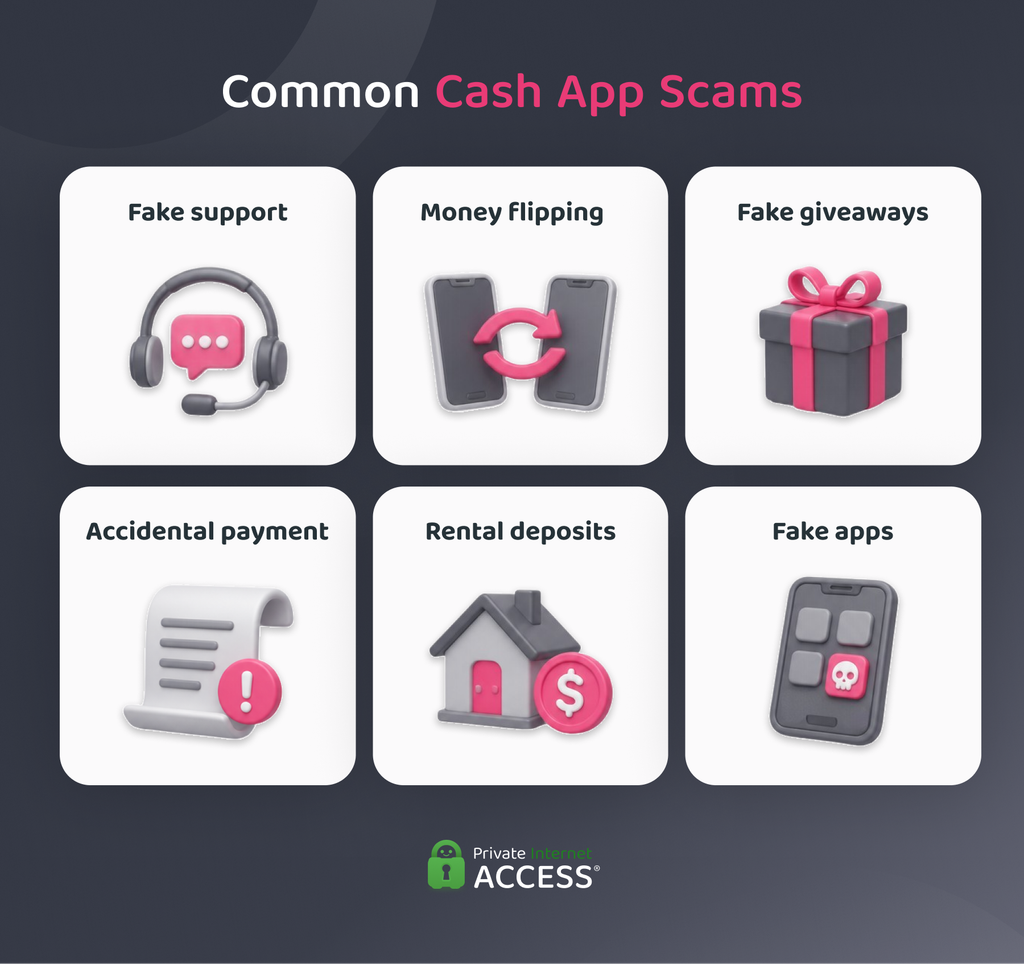
Common Cash App Scams
Most Cash App scams rely on trickery, false promises, or urgent requests for money. The following common tactics can help you spot suspicious messages and payments before responding.
Catfishing Scams
Catfishing scams often develop slowly. Someone creates a false identity, often using stolen photos and invented personal details, then spends time building trust with their target. Eventually, they introduce a financial emergency or another reason they need money through Cash App.
Before sending anything, search their profile photo online and check whether their story is consistent. If they refuse live video calls or keep making excuses to avoid meeting, they may not be who they claim to be. If you’re uncertain, show the messages to someone you trust for a second opinion.
Survey Scams
Fake surveys offer incentives like gift cards or cash rewards in order to collect email addresses, phone numbers, financial details, and other personal information. Of course, these rewards never actually materialize.
Some surveys also require a small Cash App payment before you can claim the advertised reward. Don’t pay to participate or provide sensitive details such as your Social Security number. If the survey comes from a familiar company, visit its official website to see whether it lists the promotion there.
Giveaway Scams
You shouldn’t have to pay to receive a legitimate prize, but giveaway scammers demand a processing, verification, or release fee before sending your supposed winnings.
The offer may use Cash App’s branding or impersonate a company, government agency, celebrity, or influencer. Check the account’s username, history, and verification status, then look for the giveaway on the organization’s official channels. Don’t rely on links or contact details supplied in the original post or message.
Money Flip Scams
The offer starts with a victim sending a small payment based on a promise to return much more. A scammer may even send an initial profit to make their money-flipping system appear genuine. Once you trust the process, they ask for a larger investment and disappear with it.
Other versions claim a Cash App glitch or secret technique can produce guaranteed returns. There’s no legitimate method for multiplying a payment, and genuine investments don’t promise risk-free profits. Treat any request to send money for a guaranteed Cash App return as a scam.
Apartment or Rental Deposit Scams
You find an attractive rental at a below-market price, but the owner says several other people are interested. To secure it, you need to send a deposit through Cash App before you can view the property.
This pressure is the core of a rental deposit scam. Someone may have copied the listing from a legitimate advertisement, and the person requesting payment may have no connection to the property. Visit the home, confirm the owner or agent’s identity, and review the rental agreement before paying. An owner who keeps avoiding a viewing is a major warning sign.
Customer Support Impersonation Scams
“Your account is locked” and “We detected a suspicious payment” are common openings for fake support messages. The warning creates urgency, while the supposed representative offers to fix the problem.
Their solution may involve following a link, calling an unofficial number, sharing a sign-in code, or completing a test transaction. Cash App support won’t ask for your password, PIN, or sign-in code, and it won’t require payment to resolve an account issue. End the conversation and contact support through the official Cash App app or website.
Cash App Glitch Scams
A Cash App glitch scam may promise free money or claim that a technical problem requires a special version of the app. The download is actually a fake app designed to capture your login information.
Cash App should only be downloaded from Apple’s App Store or Google’s Play Store. Don’t install apps or files sent through texts, emails, or social media, even if the sender claims the download fixes an urgent problem. If you entered your details into a fake app, change the affected credentials, review your security settings, and remove unfamiliar devices from your account.
Pet Deposit Scams
Stolen photos of puppies and kittens make pet deposit scams especially convincing. The scammer claims you need to pay through Cash App to reserve the animal, but the pet doesn’t exist or doesn’t belong to them. After the first payment, they may add fees for delivery, vaccinations, insurance, or a special carrier.
Search the advertised photos online and research the breeder’s name, address, and business history. Avoid sellers who won’t arrange an in-person meeting or live video call showing the animal. The Better Business Bureau also provides information about pet scams and reported sellers.
Accidental Payment Scams
If an unfamiliar person says they sent you money by mistake, don’t immediately pay them back. First, open Cash App and confirm that the payment appears in your Activity tab. A screenshot, email, or message isn’t proof that money reached your account.
Even a real payment may have come from a stolen card or compromised account. Instead of creating a separate payment, use Cash App’s refund option on the original transaction or contact support if it looks suspicious. You can also block payment requests from people outside your contacts.
How to Avoid Scams on Cash App
These scams rely on the victim making a mistake, so the following habits can help you avoid them:
Only Send Money to People You Trust
The main purpose of Cash App is to send money to people you know. Payments to strangers may not offer the same dispute and purchase protection options as credit card transactions. If you’re buying something from an unfamiliar seller, use a payment method that provides appropriate buyer protection.
Check Every Payment in the App
Someone can fake screenshots, emails, and text messages. Open Cash App and check your Activity tab to confirm that there’s a record of a sent or received payment. Don’t ship an item, issue a refund, or pay a supposed account fee based on evidence supplied by the other person.
Never Pay to Receive Money
Cash App won’t ask you to send money to release an incoming payment. Claims that you need to pay an upgrade, processing, clearance, or verification fee are common signs of a scam. If a payment doesn’t appear in your account, contact Cash App Support instead of following the sender’s instructions.
Keep Your Sign-In Information Private
Never share your password, PIN, or one-time sign-in code, even with someone claiming to represent Cash App. A scammer with these details can access your account.
Enable Security Lock and Notifications
Security Lock requires your face, fingerprint, or PIN before you can complete a payment. Turn on account notifications as well so you receive timely alerts about transfers, purchases, and account activity. If an alert shows something you don’t recognize, open Cash App and review it.
Verify Urgent Requests Separately
Scammers often use urgency to stop you from checking a story. If a friend, relative, employer, or organization unexpectedly asks for money, contact them through a phone number or channel you already trust. Don’t verify the request using contact details included in the suspicious message.
Use the Original Transaction to Issue Refunds
If you receive an unexpected payment, don’t return it by creating a new transaction. It may have come from a stolen card or compromised account and the scammer could reverse it later. Use the refund option attached to the original transaction or contact Cash App Support if the payment looks suspicious.
Use Official Cash App Support
Fake support numbers can appear in search advertisements, social media comments, emails, and text messages. Access support through the Cash App app or type the official Cash App website into your browser. A legitimate representative won’t ask you to transfer money or disclose your sign-in credentials to fix an account issue.
Protect Your Email and Phone Accounts
Someone could use your email address or phone number to access or recover your Cash App account. Secure them with unique passwords and multi-factor authentication where available and add a PIN to your mobile carrier account. Review connected devices and account recovery details often so you can remove anything you don’t recognize.
What to Do if You Were Scammed on Cash App
Act quickly, but don’t let the scammer pressure you into sending more money. Recovery services that demand an upfront payment may be another scam.
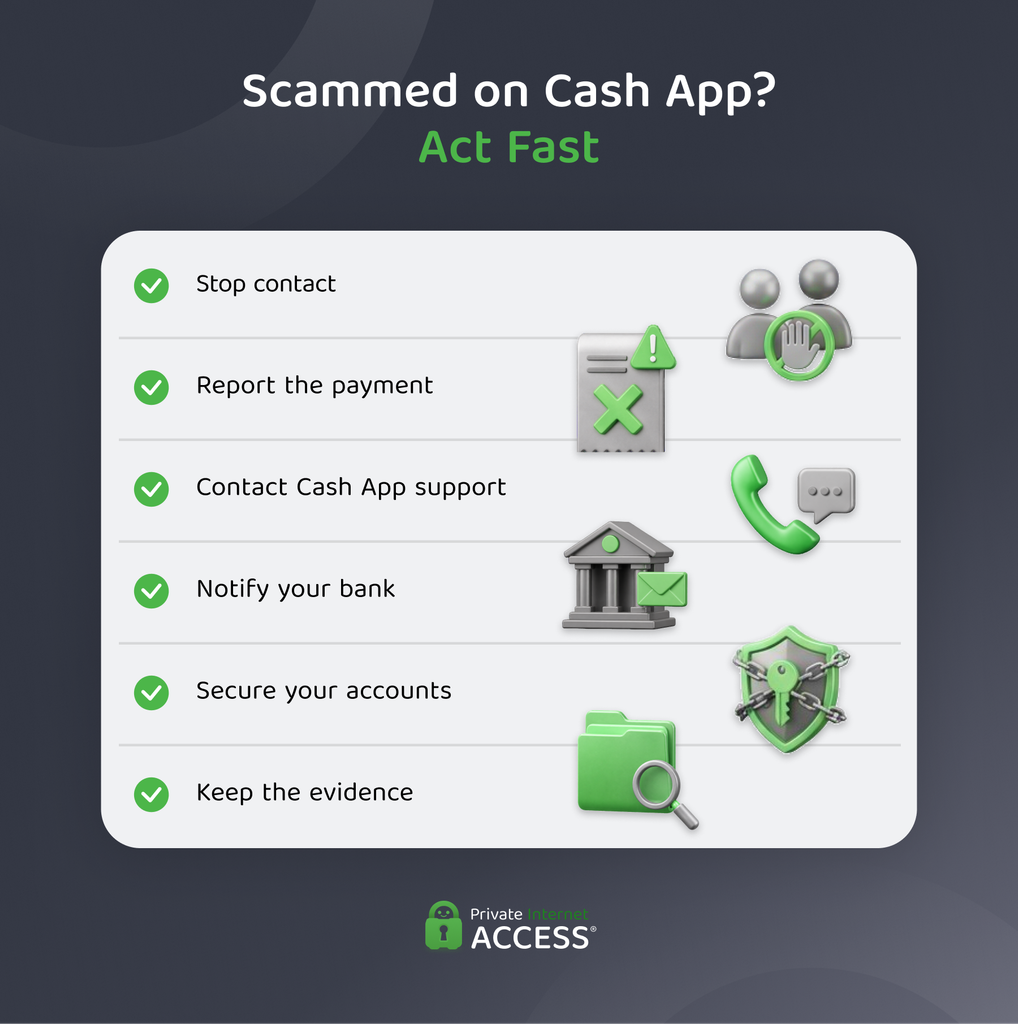
If You Sent Money to a Scammer
- Go to the Activity section and tap on the payment to view details.
- Report the payment as a scam if that option is available.
- Request a refund from the recipient.
- Contact Cash App Support through the app.
- Notify the bank or card issuer connected to the payment.
- Save messages, emails, usernames, receipts, and transaction details.
- Report the incident to the FTC and, for significant losses, local law enforcement.
Cash App can’t guarantee a refund, but reporting the transaction promptly notifies Cash App and your financial institution that they should review it.
If Someone Accessed Your Account
Secure the email account associated with Cash App first, particularly if you reuse passwords. Review active sessions, change exposed credentials, and remove any unfamiliar devices.
Contact Cash App Support, lock your Cash App Card, and review recent activity for unauthorized transfers or purchases. Notify your bank or card issuer about transactions you don’t recognize.
If You Clicked a Suspicious Link
If you only opened the page and didn’t download anything or provide information, close it and avoid interacting with it again. If you entered a password, PIN, sign-in code, or payment details, assume a cybercriminal compromised your information.
Change affected credentials from a trusted device, secure the connected email account, check for unfamiliar sessions, and contact Cash App Support. Run a reputable security scan if you downloaded a file or installed an app.
Does Cash App Refund Scam Payments?
Cash App doesn’t guarantee refunds for payments you authorized and sent to a scammer. You can report the transaction and ask the recipient to issue a refund, but CashApp generally can’t cancel completed person-to-person payments.1
Report unauthorized transfers from a compromised account to Cash App immediately. Unauthorized Cash App Card charges may qualify for separate zero-liability protections under the card network’s rules and federal law, subject to Cash App’s reporting requirements.
A canceled payment is different from a scam refund. If Cash App cancels a potentially fraudulent payment before it completes, Cash App says it automatically returns the funds to your balance or linked bank account.
Does Cash App Protect Against Scams?
Cash App uses various security measures, including encryption, fraud monitoring, payment warnings, identity verification, and account notifications to help identify suspicious activity and prevent some unauthorized transactions.
They can’t prevent every scam, particularly when an account holder sends money after a scammer deceives them. You’ll still need to verify recipients and treat unexpected requests, investment offers, and payment links cautiously.
FAQ
Can I be scammed if someone sends me money on Cash App?
Yes, receiving money can be part of a refund or accidental payment scam. The sender may ask you to return the money as a separate transaction before Cash App reverses the original payment. Don’t spend the money or send a new payment. Instead, use the refund option on the original transaction or contact Cash App Support.
How do you tell if someone is a Cash App scammer?
Cash App scammers follow different patterns, but many share common signs. They may promise guaranteed profits, demand upfront fees, create a false sense of urgency, or ask for your PIN or sign-in code. They may also provide payment screenshots that don’t match your Cash App Activity tab. Verify the person and transaction before sending money.
Can I get scammed if I give someone my Cash App tag?
Your $cashtag alone generally lets someone find your profile and send or request money but it doesn’t give them direct access to your account. However, a Cash App scam can use it to send fraudulent requests, impersonate you, or make a broader scheme appear convincing. Never share your PIN, sign-in code, or password.
Can someone steal your information from Cash App?
Cash App encrypts data in transit and uses fraud monitoring. These measures can’t catch everything, though, and they can’t protect data that a scammer tricks you into handing over.
Does Cash App refund scams?
Cash App doesn’t guarantee a refund when you authorize and send a payment to a scammer. You can report the payment, request a refund from the recipient, and contact Cash App Support. Report unauthorized transfers and Cash App Card charges immediately because different protections and investigation requirements may apply.
Does Cash App offer any scam protection?
Cash App uses fraud monitoring, transaction warnings, encryption, and other account controls to help reduce fraud. That said, no system can identify every scam, especially when a user authorizes a payment. Once you send the money, Cash App can’t usually refund it.
How can I spot Cash App scams?
Cash App scams often look like giveaways, investment opportunities, account warnings, fake payments, refund requests, or urgent messages from someone you know. Common signs include demands for upfront fees, guaranteed profits, unofficial links, and requests for sensitive login information. Check all payment claims inside the official Cash App rather than trusting screenshots or emails.
References:
