Data Center Cross-Connect: A Complete Guide
Sending critical data over the public internet is a lot like driving in rush hour. You don’t know when a sudden traffic jam or detour will slow you down.
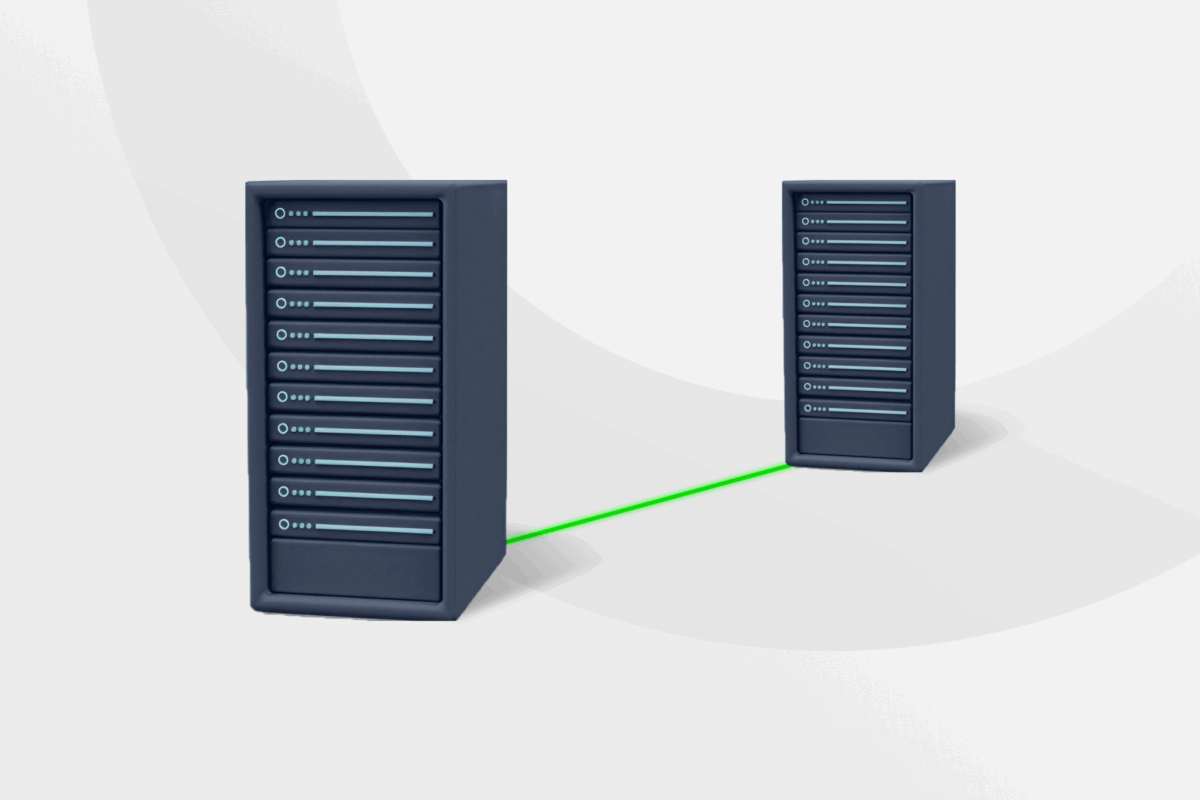
A cross-connect solves this by building a private, physical bridge between your servers and the network. You bypass the open web entirely, creating a direct link.
In this article, we will look at how cross-connects work, their different types, benefits, and limitations, as well as how they compare to interconnects and work with VPNs.
What Is a Cross-Connect in a Data Center?
A cross-connect in a data center is a type of physical connection between two endpoints at the same facility. Network systems use them to move data faster, more securely, and more reliably without routing through the public internet.
How Does a Data Center Cross-Connect Work?
Technicians install a cable that runs directly from your private server rack to another endpoint within the facility.
This connection typically involves three main components:
- Point A: Your private server cabinet or cage where your equipment lives.
- Point B: The network or service you want to connect to (such as a cloud platform or ISP).
- The bridge: A dedicated fiber or copper cable that runs through the data center’s meet-me room (MMR) – a central hub where different networks can interconnect.
Here is the typical workflow of setting up and using a cross-connect:
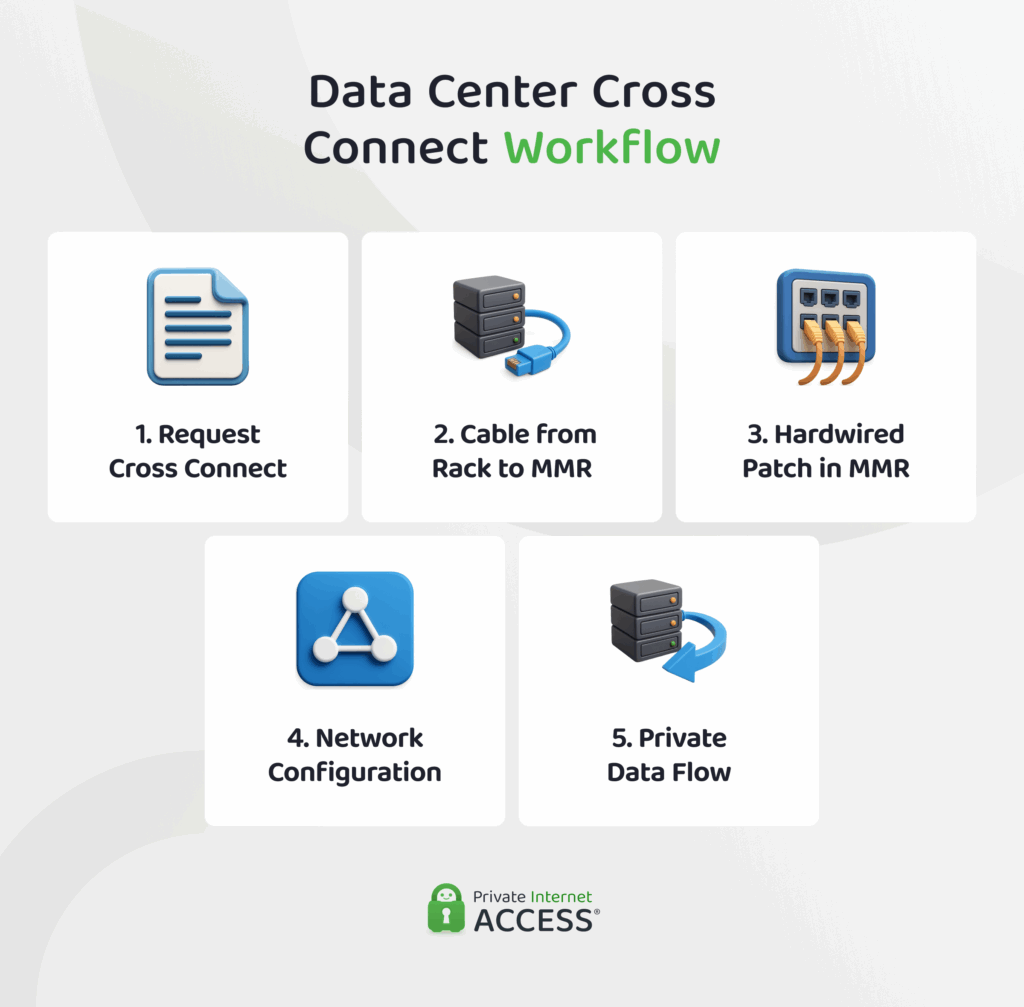
- You identify the partner: First, you decide who you need to reach. This could be a cloud platform, a specific ISP, or a financial network. Most data centers let you submit this request through their online portal.
- Technicians prepare the physical path: Data centers use structured cabling instead of running new cables for every request. A panel in your rack connects to the meet-me room through permanent infrastructure.
- The connection gets patched: Inside the MMR, a technician plugs a short fiber or copper cable between your panel and your provider’s panel. This creates the physical link between your hardware and their network.
- You configure the network: Once the cable is in place, you handle the network configuration on your end. This includes configuring IP addresses, VLANs (virtual LANs), and routing protocols such as BGP. The data center provides the physical connection, but you control how your traffic flows through it.
- Data flows more privately: With everything configured, your data moves exclusively over this dedicated line. It goes from your server, through the MMR, and straight into your partner’s network.
Because this path bypasses the public internet completely, your data is more secure, and you’ll usually experience lower latency. You also avoid competing with public traffic for bandwidth, which means more consistent performance.
Benefits of Cross-Connects in Data Centers
Direct physical connections offer distinct advantages for performance-critical networks. Here is why companies invest in them:
- Enhanced security: Your traffic bypasses the public internet, significantly reducing the attack surface. By directly cabling your hardware to a provider, you minimize the risk of traffic interception and man-in-the-middle attacks common on public routes.
- Improved reliability: You get a dedicated lane for your data rather than sharing bandwidth on a public network. This minimizes the congestion and packet loss that often occur on standard internet connections during peak usage times.
- Lower latency: Data travels faster when the physical path is short and direct. Connecting within the same building eliminates the multiple hops across public routers that typically slow down connection speeds, ensuring near-instant response times.
- Reduced operational costs: High-volume data transfers are often cheaper over a direct link. While setup fees exist, bypassing standard internet ISPs allows you to avoid potential fees associated with moving large amounts of data.
- Hybrid cloud capability: You can link private servers directly to public cloud providers like AWS or Azure. This allows your internal infrastructure to interact with cloud resources as if they were on the same local network, which is ideal for disaster recovery.
Challenges of Cross-Connects in Data Centers
While powerful, physical cross-connects are not the right solution for every deployment. Consider these factors before ordering one:
- Higher monthly overhead: Dedicated performance comes with a premium price tag. Unlike standard internet access, cross-connects usually carry a significant Monthly Recurring Charge (MRC) for the fiber line itself, which can be prohibitive for smaller setups.
- Physical proximity requirements: You must be in the same facility as the provider you want to reach. You cannot run a standard cross-connect to a partner in a different city; both parties must be present in the data center’s meet-me room.
- Slower implementation time: Establishing a link requires physical labor. A technician must manually run a cable between racks, meaning the process can take days or weeks compared to the swift activation of software-defined solutions.
- Technical complexity: You are responsible for configuring the connection protocols. Unlike a plug-and-play internet connection, managing a cross-connect often requires knowledge of BGP (Border Gateway Protocol) and VLAN tagging to route traffic correctly, which may be challenging if your team doesn’t have this tech knowledge.
Real-World Use Cases: Who Uses a Cross-Connect?
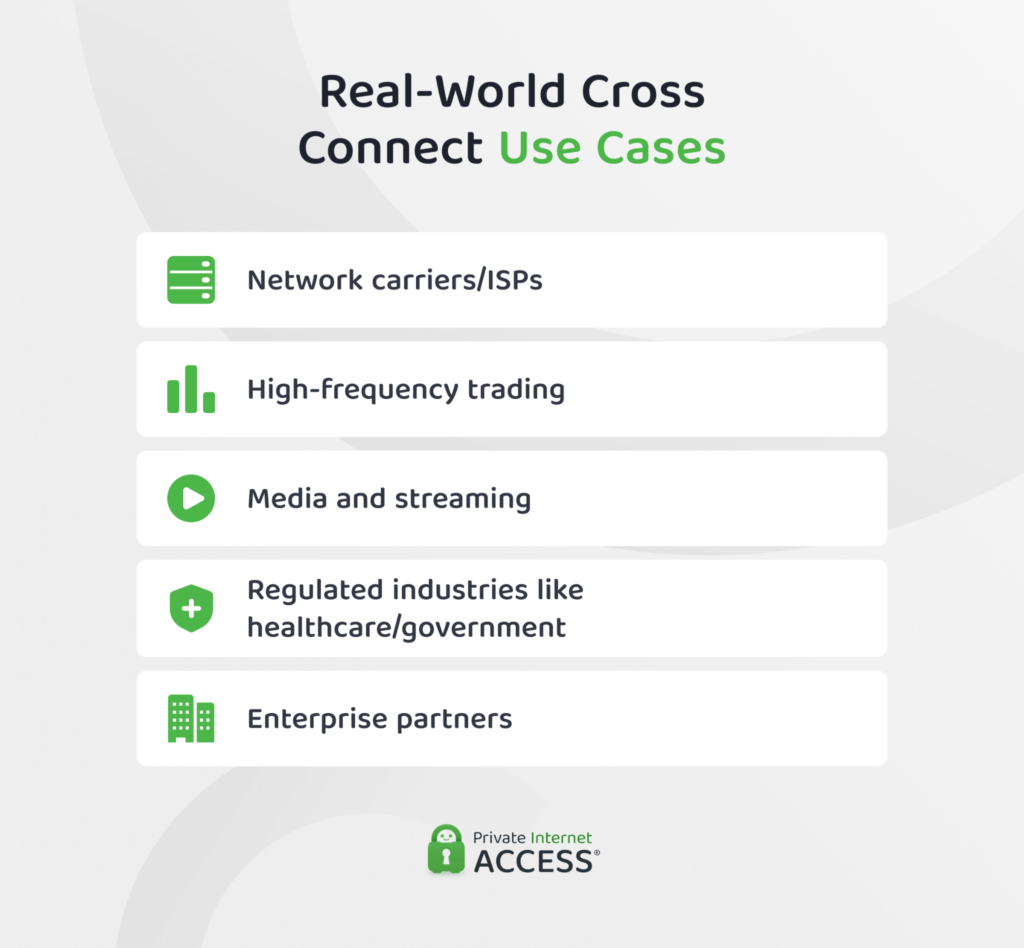
While any business can use one, certain organizations rely on cross-connects as the backbone of their infrastructure. Here is how different groups use this technology to solve specific problems:
- Network carriers and ISPs: Internet providers use massive numbers of cross-connects to exchange traffic with each other. This allows them to hand off data efficiently, so your home internet connects easily to servers around the world.
- High-frequency trading: In the stock market, milliseconds cost millions. Traders often link their servers directly to the exchange’s matching engine to cut out the lag of standard internet travel, so they can execute trades faster.
- Media and streaming: Streaming platforms need to deliver 4K video to millions of viewers with minimal or no buffering. A cross-connect provides the massive, dedicated bandwidth needed to push heavy content to Content Delivery Networks (CDNs) without getting bogged down by local traffic.
- Regulated industries (healthcare, government, legal): For organizations handling sensitive data (like patient records or government secrets), leaks are a legal disaster. Cross-connects allow them to meet strict compliance rules by keeping data entirely off the public internet.
- Enterprises with partners: Modern business often requires deep integration with suppliers, so companies use cross-connects to build private B2B networks. This helps them to share massive inventory databases securely, as if they were in the same building.
What Are the Types of Cross-Connects?
The type of cross-connect you need depends on your hardware setup, how much bandwidth you require, and your budget. Data centers often offer three options:
Fiber Cross-Connects
Fiber cross-connects use light to transmit data, which usually means faster speeds, lower latency, and the ability to cover longer distances. Since fiber isn’t affected by electromagnetic interference, your connection stays stable even in busy data center environments.
You’ll find fiber used for critical connections, like links to cloud providers, ISPs, and carrier networks. If your hardware has optical ports, fiber is usually the way to go.
Copper Cross-Connects
Copper cross-connects send data using electrical signals through Ethernet cables like Cat6 or Cat6a. They don’t reach the same speeds or distances as fiber, but they’re still common in data centers for certain use cases.
Copper works well for short-range connections like management ports or systems that don’t need massive bandwidth. It’s also more affordable when you don’t need fiber-level performance.
Virtual Cross-Connects
Virtual cross-connects (VXCs) take a different approach. Instead of running a new physical cable each time, they use software to create logical connections over the data center’s existing infrastructure.
This means you can set up connections to cloud providers or network partners in minutes rather than days. You can also scale bandwidth up or down as your needs change. Some VXCs may still depend on physical cross-connects underneath the surface, but the data center manages that part for you.
What’s the Difference Between Cross-Connect and Interconnect?
While both describe ways to link networks together, they serve different purposes and operate on different scales.
The Cross-Connect (Internal Link)
As we covered, a cross-connect is local. It is a physical cable running between two termination points within the same data center.
Think of it like running a network cable between two computers in the same room. It is a passive, hardware-based connection used to link your private server directly to another entity (like a cloud provider) that is sitting just down the hall.
The Interconnect (External Link)
An interconnect typically refers to a connection between two different networks or carriers. It is the bridge that links your private infrastructure to the outside world.
While a cross-connect stays inside the building, an interconnect allows you to exchange traffic with external ISPs or other global networks. It is the gateway that lets your data leave the facility and travel across the wider internet.
Quick Comparison: Cross-Connect vs. Interconnect
| Cross-Connect | Interconnect | |
| What is it? | A dedicated, physical link between two specific points. | A network framework that connects multiple parties or networks. |
| Connection style | One-to-one (direct link). | One-to-many (network exchange). |
| Privacy level | Maximum. Your traffic is physically isolated on its own wire. | Standard. Traffic is often shared or managed via software, meaning less physical isolation. |
| Performance | Consistent. You don’t have to compete for bandwidth. | Variable. Performance can vary based on overall network load. |
| Scalability | Limited (per cable/port) | High (designed to scale) |
| Setup process | Manual. Technicians must physically run a new cable. | Fast. Often configured quickly via software. |
| Best used for | Secure backups, private cloud links, and sensitive data transfers. | General internet access, accessing multiple cloud services, and peering. |
The Role of VPNs in Cross-Connect Security
Physical isolation is a strong security control, but modern networks rely on layers of protection. While a cross-connect helps secure the physical path by isolating it from the public internet, a VPN helps secure the actual data moving across that path through encryption.
This added layer of encryption is often essential for regulatory compliance, even on private circuits. It helps keep sensitive data protected in transit, regardless of where the traffic flows or who might have access to the physical lines.
VPNs also help solve the challenge of accessibility for a distributed workforce. They provide a safer way for engineers to remotely access and manage infrastructure while reducing exposure of administrative interfaces to the public internet.
FAQs
What is a cross-connect in a data center?
A cross-connect is a direct physical cable that links two different networks or hardware units within the same data center. Instead of sending data over the public internet, it creates a private, hardwired bridge between your servers and a service provider, enabling higher security and more consistent performance.
How does a data center cross-connect work?
It works by physically running a fiber or copper cable from your server rack to a central meet-me room. Technicians plug this cable directly into your partner’s equipment, creating a closed loop that allows data to travel faster, without passing through public routers.
What is the difference between a cross-connect and an interconnect?
The main difference is the scope. A cross-connect is a private link between two parties inside the same building (like connecting your server to a specific cloud provider). An interconnect typically links your network to the outside world, allowing you to exchange traffic with global carriers and the broader internet.
Why do businesses use cross-connects in colocation facilities?
Businesses use them to bypass the unpredictability of the public internet. Cross-connects create a dedicated lane for traffic, reducing congestion and the risk of cyber threats. This makes them essential for businesses that handle real-time applications or sensitive data.
How do cross-connects improve performance and reliability?
They improve performance by greatly shortening the physical path your data travels. Because the connection is local and dedicated solely to you, it offers near-zero latency. You also avoid the packet loss and jitter that frequently occur on shared public connections.
Can VPNs be used alongside cross-connects for added security?
Yes, and they are often recommended as a complementary measure. While the cross-connect provides physical isolation (keeping traffic off the public web), a VPN provides logical encryption (scrambling the data itself). This helps keep your information private and secure, even if it moves between different private networks.
