What Is GPS Spoofing and How Does It Work?
Some apps and games use your phone’s location to decide what content or features you can see. If you want an app to think you’re somewhere else, you might find Global Positioning System (GPS) spoofing apps that claim to change the coordinates your phone reports.
GPS spoofing doesn’t always work as advertised, though. Apps may detect the altered location, restrict your account, or receive conflicting data from your device. An untrustworthy spoofing app could also put your privacy or security at risk.
The term can also refer to attacks that use counterfeit satellite signals to mislead navigation systems. This guide focuses mainly on consumer GPS spoofing apps, including how they work, why people use them, and the risks to consider.
- GPS Spoofing At a Glance
- The Mechanics of GPS Spoofing
- Types of GPS Spoofing
- Why Do People Use GPS Spoofing Apps?
- What Are the Risks of GPS Spoofing Apps?
- How Do Apps Detect GPS Spoofing?
- GPS Spoofing vs. GPS Jamming
- How to Reduce the Risks of GPS Spoofing
- Is GPS Spoofing Illegal?
- Can a VPN Change Your GPS Location?
- FAQ
GPS Spoofing At a Glance
GPS spoofing manipulates location data to make a device or service behave as if you’re somewhere you aren’t. The term covers two main techniques:
App-based GPS spoofing: Software replaces the coordinates reported by a phone or app.
Signal-based GPS spoofing: A radio transmitter broadcasts or rebroadcasts signals that imitate legitimate navigation satellites.
App-based spoofing usually affects one phone or software environment. Signal-based spoofing can potentially affect multiple GPS receivers in the same area.
Technically, GPS is the satellite-navigation system operated by the United States. Global Navigation Satellite System (GNSS) is the broader category that includes GPS, Galileo, GLONASS, and BeiDou. Despite that distinction, people commonly use “GPS spoofing” to describe location manipulation involving any of these systems.
The Mechanics of GPS Spoofing
Most apps don’t communicate directly with GPS satellites. They request location information from the phone’s operating system, which may calculate the device’s position using GPS, Wi-Fi networks, cellular signals, Bluetooth, and built-in sensors.
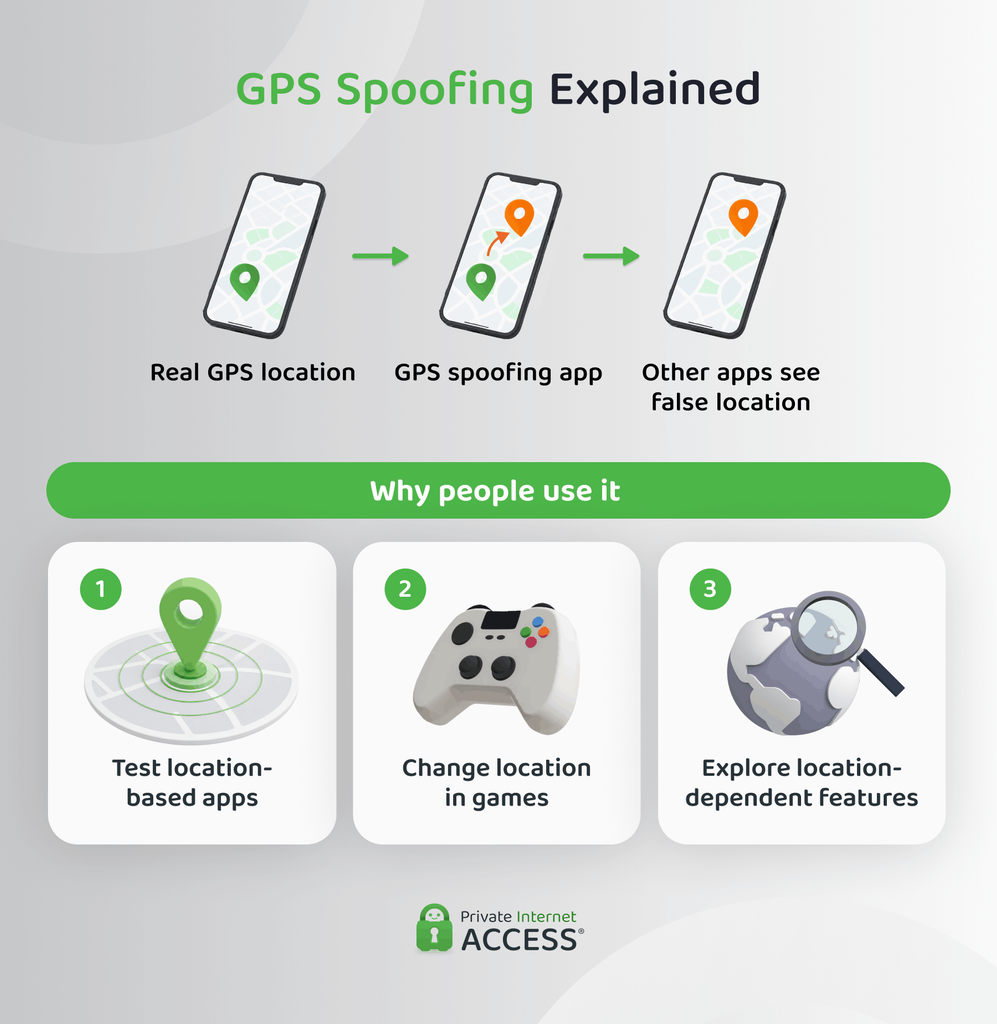
A GPS spoofing app inserts mock coordinates into that process. Other apps may then receive the simulated coordinates instead of the phone’s actual location.
Android officially supports mock locations as a development feature,1 and Apple’s Xcode offers similar simulated-location tools for app testing.2
Outside a controlled testing environment, the results vary. Some apps accept the simulated coordinates, while others compare them with signals like IP geolocation, Wi-Fi, and cellular data. A spoofed GPS location won’t necessarily match all of them, and a GPS spoofing app doesn’t change every way a service can estimate your location.
Types of GPS Spoofing
Not every method marketed as GPS spoofing alters a satellite signal. The term covers several technologies that change, simulate, or falsify location.
GPS Spoofing Apps
A GPS spoofing app changes the coordinates a phone reports. It may use an operating system’s mock-location tools, a developer environment, or deeper device modifications.
Developers sometimes use these apps for legitimate software testing, such as checking whether a delivery app handles different addresses correctly or confirming that location-based features appear in the intended regions.
Other uses can violate a service’s rules. Location-based games, workplace systems, delivery platforms, and other apps may prohibit false coordinates.
Emulator and Developer-Tool Spoofing
Mobile emulators and official development tools can simulate a device in another location. These features help test regional functions, location permissions, routes, and other app behavior.
This is a controlled form of location simulation rather than an attack on GPS. The legality and acceptability depend on how someone uses it and whether it affects services or systems without authorization.
Why Do People Use GPS Spoofing Apps?
GPS spoofing has legitimate testing uses, but people also use it to mislead apps and services.
Test Apps and Location Features
Developers use simulated locations to verify maps, regional features, location alerts, routes, and permissions without traveling to every location.
Limit Location Sharing
Some people consider GPS spoofing because they don’t want an app to know their precise location. However, installing another app with broad location permissions isn’t always a good privacy solution.
The phone’s built-in permission controls are generally a better starting point. Depending on the operating system, you may be able to deny location access, provide only an approximate location, or allow access only while using the app.
Use Location-Based Services
Some services change their features according to a device’s coordinates. People may attempt to use spoofed coordinates to see information associated with another place.
This may not work if the service cross-checks GPS against your IP address, network connection, or payment information. It may also violate the service’s terms.
Manipulate Games, Check-Ins, or Tracking
People can use GPS spoofing apps to fake movement, attendance, deliveries, or visits to particular places. These uses can disadvantage other users, undermine workplace or service records, and lead to account penalties. Using false location data to obtain money or services dishonestly may also have legal consequences.
What Are the Risks of GPS Spoofing Apps?
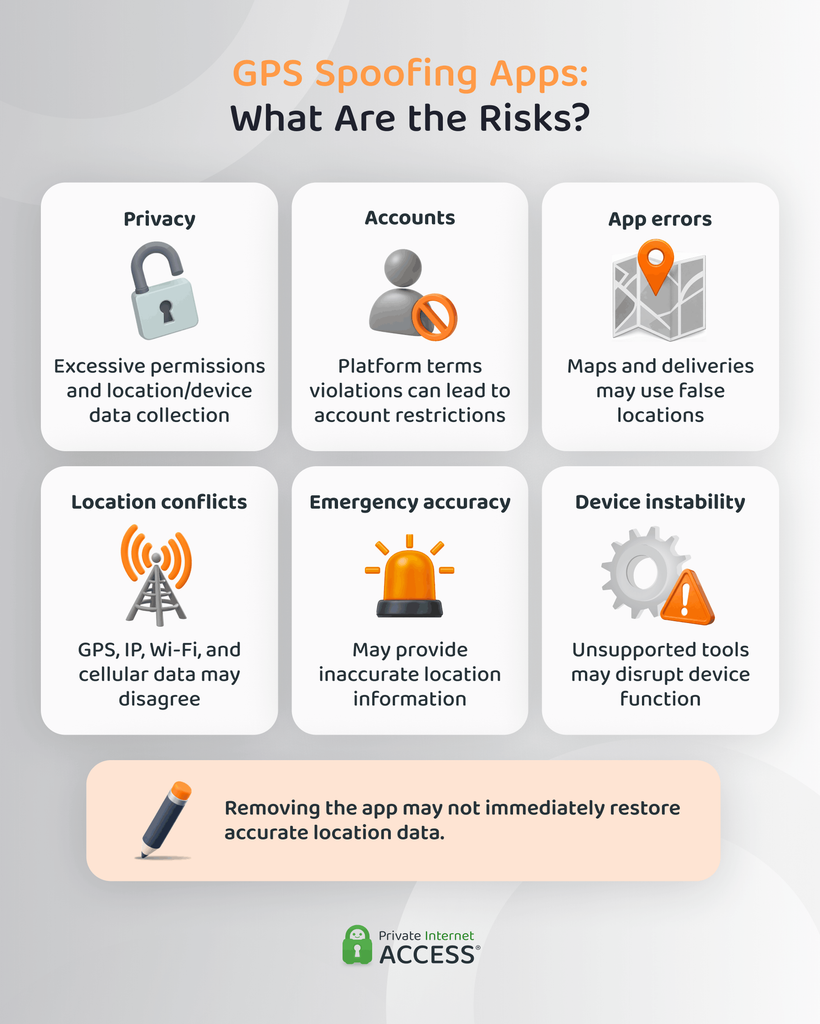
An unfamiliar GPS spoofing app can create privacy and security risks. These apps may request access to precise coordinates, files, network activity, or other device functions. An app from an untrustworthy source could misuse those permissions or collect more information than expected.
Other risks include:
- Account restrictions: Services may suspend accounts that submit mock or manipulated locations.
- Incorrect app behavior: Maps, reminders, deliveries, and other location-dependent features may use the false coordinates.
- Conflicting information: GPS, IP, Wi-Fi, and cellular data may point to different places.
- Unreliable emergency information: A device may supply inaccurate coordinates to features that depend on its current location.
- Device instability: Modified operating systems and unsupported tools can interfere with normal location services.
- Terms-of-service violations: An action can break a platform’s rules even when it isn’t independently illegal.
- Privacy risks: Some unofficial spoofing apps may request excessive permissions or collect location/device data.
Removing the spoofing app may not immediately fix every location problem. Cached coordinates, modified settings, or device changes may continue affecting apps until you restore the location settings.
How Do Apps Detect GPS Spoofing?
GPS spoofing detection usually combines several checks. No single sign proves that a location is fake because legitimate technical issues can also cause inaccurate or inconsistent readings.
Check for Mock Locations
Android identifies locations that apps submit through its mock-location system. Apps can use the platform’s isMock() function to determine whether coordinates came from a mock provider.
Android also notes that users may have valid reasons for simulating their location. Its documentation recommends rejecting mock locations only when genuine coordinates are essential to the app’s purpose.
Compare Different Location Sources
An app may compare GPS coordinates with IP geolocation, nearby Wi-Fi networks, cellular signals, Bluetooth devices, or account history. Large inconsistencies can suggest that one source is wrong or manipulated.
A mismatch isn’t automatic proof of spoofing. VPN use, mobile routing, weak GPS reception, and inaccurate IP databases can all produce different location estimates.
Look for Implausible Movement
Services can flag a device that jumps between distant places, travels at an impossible speed, or changes location while its sensors indicate that it’s stationary.
Ordinary GPS errors can also cause sudden movement on a map. Apps need to consider accuracy and signal quality before treating an unusual reading as deliberate spoofing.
Examine the Device Environment
Some services look for emulators, developer settings, modified operating systems, or apps associated with mock locations. These checks may help identify manipulation, but they can also flag legitimate developers and testers.
Location anomalies generally call for verification rather than serving as absolute proof of wrongdoing.
GPS Spoofing vs. GPS Jamming
GPS spoofing and GPS jamming both affect satellite navigation, but in different ways.
| GPS Spoofing | GPS Jamming |
| Supplies false location or timing information | Blocks or overwhelms legitimate signals |
| A receiver may appear to work normally | A receiver may lose its position |
| Attempts to change reported location | Attempts to disrupt location services |
| Can produce a believable but incorrect result | Usually creates a more obvious failure |
This comparison refers mainly to signal-based GPS spoofing. A GPS spoofing app doesn’t broadcast counterfeit signals or block satellite reception. It changes the coordinates one device or software environment reports.
US federal law prohibits using, selling, or marketing GPS jamming devices, according to the Federal Communications Commission (FCC).3 Jamming targets protected GNSS frequencies that military and civilian infrastructure depend on, which is why it carries federal penalties. Software-based location spoofing doesn’t interfere with those signals, so it typically falls under the terms of service of each platform or app you use instead.
How to Reduce the Risks of GPS Spoofing
If your device reports an incorrect location, don’t immediately assume that someone is targeting it. Weak GPS reception, reflected signals, mapping errors, app bugs, and incorrect settings are more common explanations.
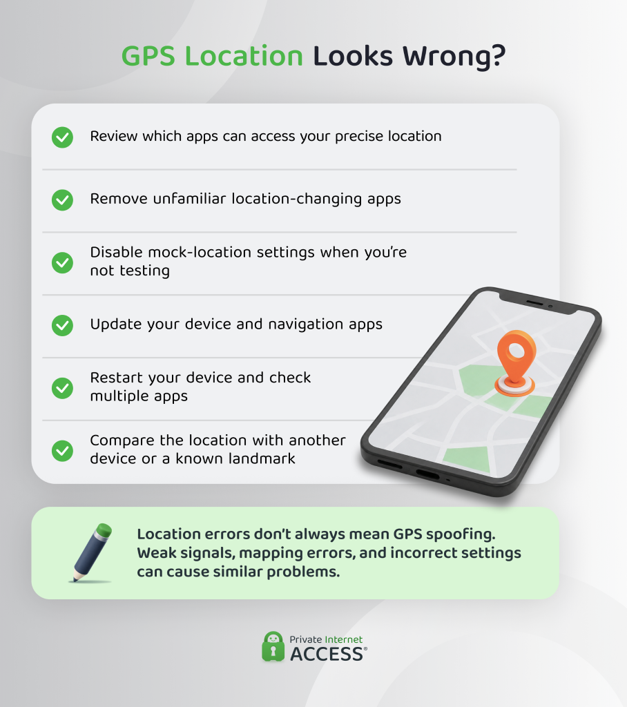
Useful steps include:
- Reviewing which apps can access your precise location.
- Removing unfamiliar location-changing or device-modification apps.
- Turning off mock-location settings when you no longer need them for testing.
- Keeping the operating system and navigation apps updated.
- Restarting the device and check whether the problem affects multiple apps.
- Comparing suspicious coordinates with another device or a familiar landmark.
- Avoiding reliance on one consumer device for safety-critical navigation.
Businesses and other organizations may need stronger GPS spoofing detection. They can compare GPS data with independent sensors, monitor for impossible movement, and maintain backup sources of position or time.
Anti-spoofing in GPS systems is also improving. Galileo’s Open Service Navigation Message Authentication lets compatible receivers verify that navigation data came from Galileo and wasn’t modified.4 It can help identify certain signal-based attacks, but it doesn’t detect GPS spoofing apps or prevent GPS jamming.
Is GPS Spoofing Illegal?
GPS spoofing isn’t automatically legal or illegal in every situation. The answer depends on the method, jurisdiction, purpose, target, and consequences.
Using official location-simulation features for authorized software testing is different from falsifying a work record, manipulating a transaction, or interfering with another person’s navigation equipment.
Signal-based spoofing raises additional communications, safety, aviation, and interference concerns. Anyone conducting GPS security testing should have permission and use a controlled environment that doesn’t affect other receivers or radio services.
Can a VPN Change Your GPS Location?
A VPN changes your IP address, but it doesn’t change your phone’s GPS reports.
When you connect to PIA VPN, your internet traffic travels through a VPN server. Websites see the server’s IP address instead of the one your internet provider assigned you. This gives you greater control over your IP-based location and gives you more privacy online.
GPS and IP geolocation work differently:
| GPS Location | IP-Based Location |
| Uses satellite signals and device sensors | Relies on the public IP address |
| May provide precise coordinates | Usually identifies a broader area |
| You control it through device location permissions | Tied to the internet connection |
| You can simulate it with location-testing tools | Changes when you connect to a VPN server |
An app with permission to access precise location may still receive your GPS coordinates while you’re connected to PIA VPN. If it compares those coordinates with the VPN server’s IP location, it may notice that they don’t match.
Using a VPN also isn’t the same as IP spoofing. A VPN legitimately routes traffic through another server, while IP spoofing involves falsifying the source address in individual network packets.
FAQ
How to prevent GPS spoofing?
To prevent GPS spoofing, review your location permissions, remove unfamiliar GPS spoofing apps, disable unused mock-location settings, and keep your device updated. Compare suspicious coordinates with another device or independent source before relying on them. Organizations may also need sensor cross-checking and backup navigation or timing systems.
How does GPS spoofing work?
A GPS spoofing app works by supplying false coordinates to a phone’s operating system, which may then pass them to other apps. Signal-based spoofing transmits counterfeit signals that resemble navigation satellite broadcasts. Both can make a device report a location that differs from its physical position.
What’s the difference between GPS spoofing and GPS jamming?
GPS spoofing provides false location or timing information, while GPS jamming blocks or overwhelms legitimate satellite signals. A spoofed receiver may appear to work normally while displaying an incorrect location. A jammed receiver is more likely to lose its position entirely.
Is GPS spoofing illegal?
The legality of GPS spoofing depends on your jurisdiction, method, purpose, and consequences. Using location simulation for authorized software testing is different from submitting false coordinates for fraud or interfering with other receivers. It can also violate an app’s rules even when it doesn’t lead to criminal charges.
How can you detect GPS spoofing?
Signs of GPS spoofing include sudden location jumps, impossible travel speeds, movement while stationary, and conflicts between GPS and other location sources. Android apps can also identify coordinates marked as mock locations. Unusual location data doesn’t prove spoofing because poor reception and other technical problems can cause similar results.
Resources:
