What Is MU-MIMO? How It Works and Its Pros and Cons
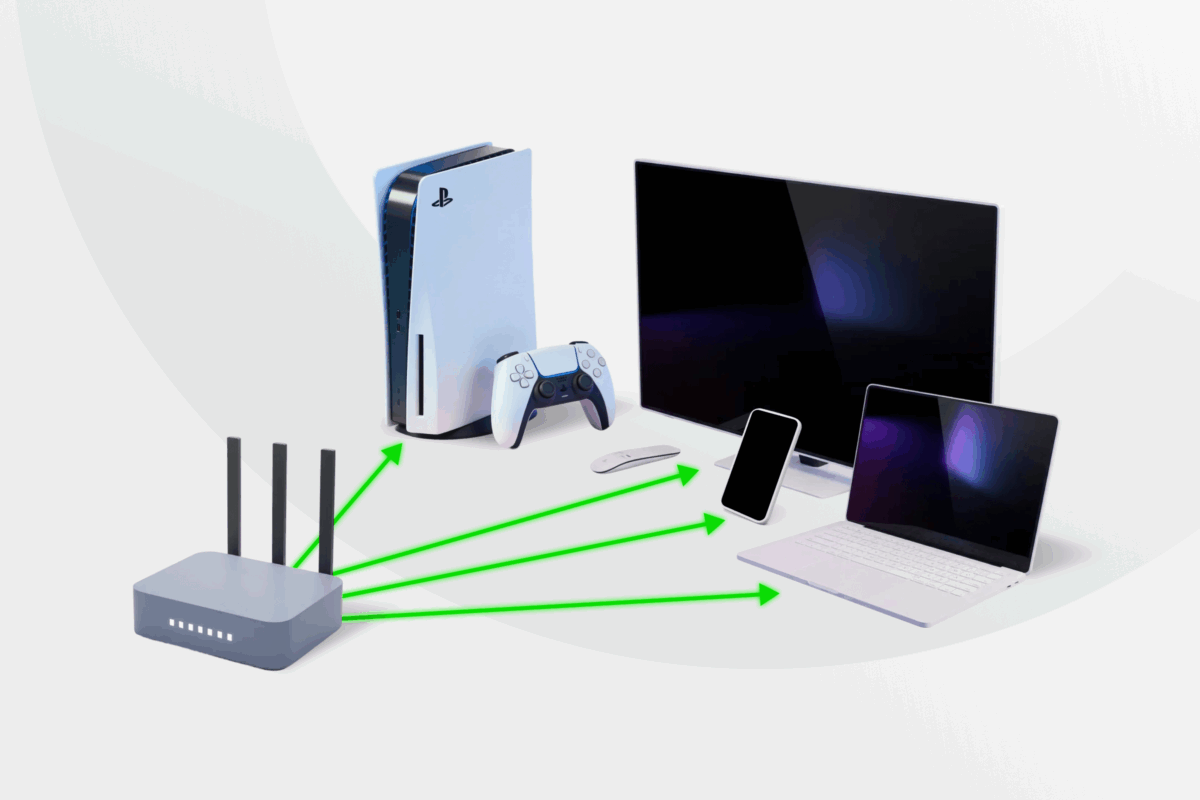
Many routers can handle multiple devices, but performance often drops under load. A single large download can slow down video calls or disrupt gaming on other devices. This isn’t always tied to your internet plan – it’s often a limitation of how the router manages connections. MU-MIMO helps by transmitting data to multiple compatible devices simultaneously instead of serving them one at a time.
This article breaks down MU-MIMO in plain language: what it is, how it compares to its predecessor SU-MIMO, and the different types available. We’ll also help you decide if your network can truly benefit from this technology.
What Is MU-MIMO?
Multi-user, multiple input, multiple output (MU-MIMO) is a wireless feature that lets a router send data to multiple devices efficiently. The name points to three parts of its functionality:
- Multi-user: The router serves more than one compatible device per airtime slice instead of cycling through devices one by one.
- Multiple input: Multiple transmit antennas and radio chains feed several spatial streams into the wireless channel simultaneously.
- Multiple output: Compatible devices receive one or more spatial streams from the wireless channel at the same time, improving overall network efficiency.
MU-MIMO differs from single-user MIMO (SU-MIMO) routers that focus their streams on one device per transmission window before switching to the next. While this switching happens quickly, performance can drop on busy networks as devices still have to wait their turn.
What Does MU-MIMO Do?
MU-MIMO routers handle three core tasks: they create multiple spatial streams, choose compatible devices to communicate with simultaneously, and shape each stream to reduce interference between transmissions.
Rather than serving devices one at a time, the router can use a single transmission opportunity (TXOP) to send separate spatial streams to multiple compatible devices in parallel, improving network efficiency and reducing congestion on busy Wi-Fi networks.
To pull that off, MU-MIMO routers use the following components and capabilities:
Technologies:
- Antennas: Multiple antennas and radio chains that let the router transmit several spatial streams at once.
- Spatial streams: Independent data lanes carried over Wi-Fi. The router can run several streams at once, but only within its stream limit (set by antennas and radio design).
Features:
- Client management: Groups compatible devices and schedules transmissions so active devices are served efficiently.
- Sounding: Measures how the Wi-Fi signal reaches each device, which helps the router optimize transmission paths.
- Beamforming: Directs signal energy toward specific devices or groups to improve signal quality and reduce interference.
- Airtime scheduling: Assigns available spatial streams to devices for an airtime slice, then repeats the process based on demand.
- Precoding: Adjusts signals before transmission to reduce interference between simultaneous streams.
Notably, MU-MIMO routers are backward-compatible with older devices that don’t support this technology. These devices still connect normally, but the router serves them using single-user (SU-MIMO-style) transmissions.
Types of MU-MIMO Devices
MU-MIMO devices fall into two categories based on stream direction and capacity.
Stream Direction Types
Direction means whether the router can handle traffic to or from multiple devices at once.
- Downlink MU-MIMO: Transmits data from the router to devices in parallel. This is the most common MU-MIMO implementation found in home Wi-Fi routers for everyday use.
- Uplink MU-MIMO: Allows multiple devices to transmit data to the router at the same time. It appears mainly in Wi-Fi 6 and newer networks, such as offices and public spaces with many connected users.
Uplink MU-MIMO also depends on client hardware. Many simpler devices cannot transmit in parallel cleanly, so the router schedules their uploads one at a time (even if it supports uplink MU-MIMO).
Capacity Types
Capacity means how many spatial streams the router can run in parallel.
- 2×2 MU-MIMO: Supports up to two spatial streams. This configuration is common in entry-level and mid-range routers and is typically suitable for lighter everyday use across a small number of devices, especially since many phones and smart home devices operate as single-stream clients.
- 3×3 MU-MIMO: Supports up to three simultaneous streams, offering additional flexibility for homes with several active devices streaming, browsing, or gaming at the same time.
- 4×4 MU-MIMO: Supports four simultaneous spatial streams. This is the highest MU-MIMO stream configuration supported under Wi-Fi 5 (802.11ac) and is commonly found in higher-end home routers built for busier households and heavier network traffic.
- 8×8 MU-MIMO: Supports up to eight simultaneous spatial streams, but this capability is more commonly associated with Wi-Fi 6 (802.11ax) rather than Wi-Fi 5. These higher-capacity configurations are typically found in premium routers and business-grade access points designed for high-density environments with many connected devices.
What Are the Benefits of MU-MIMO?
MU-MIMO primarily helps devices exchange data within the same transmission window, resulting in several benefits for your Wi-Fi network.
- Increased performance: MU-MIMO allows the router to exchange data with multiple devices simultaneously instead of serving them one at a time. This improves overall Wi-Fi throughput and helps connected devices maintain steadier speeds and more reliable performance, especially on busy networks with lots of active traffic.
- Fewer buffering issues: Videos stay smoother because streaming devices receive data on time instead of getting stuck behind other traffic.
- Reduced ping (latency): Delays between your device sending and receiving data shrink, which is particularly important in online gaming or video calls.
- Device compatibility: MU-MIMO routers can exchange data even with older devices by serving them through older SU-MIMO transmissions.
What Are the Disadvantages of MU-MIMO?
Like any technology, MU-MIMO also has some downsides:
- Higher router costs: Routers with more antennas and stronger signal processing usually cost more than SU-MIMO models, and higher-end multi-antenna designs consume more power.
- Little sense in small networks: There’s little benefit to MU-MIMO if you use only one device and everything else sits idle.
- Limited balancing on uploads: Many routers prioritize MU-MIMO on downlink, so heavy uploads (that send data back to the router) will still fight for traffic.
- Ineffective on unsupported devices: Devices without MU-MIMO support won’t receive data in parallel and instead will be served one at a time (like on an SU-MIMO router).
- Room layout affects quality: The router struggles to distinguish signals for devices blocked by physical objects or that are close together in the same direction.
Some MU-MIMO Wi-Fi implementations have been linked to vulnerabilities involving beamforming and channel feedback mechanisms that attackers may exploit under specific conditions. This can become a significant issue on public Wi-Fi networks which can attract snoops and cybercrooks. It’s always best to encrypt your internet traffic with a reputable VPN on shared networks, as this makes it much harder for anyone to see what you do online.
Popular MU-MIMO Use Cases
Households with Many Active Users
A MU-MIMO router can provide a more stable performance if multiple people are streaming, gaming, and sharing files. In an SU-MIMO setup, devices may experience constant delays or even slow to a halt when someone downloads a large game update.
Setups with Smart Devices
Smart devices, such as cameras, sensors, or robotic vacuum cleaners, generate constant background traffic. In a MU-MIMO setup, these smaller data streams are less likely to interfere with higher-bandwidth activities on other devices.
Offices That Use Real-Time Apps
Companies can run into Wi-Fi slowdowns when many people use real-time tools at once, like video calls, screen sharing, and cloud apps. MU-MIMO can help distribute data more efficiently across multiple devices.
Publicly Available Hotspots
Cafés, airports, hotels, and education facilities can have hundreds of connected devices using the same network. Multi-user routers can handle this simultaneous demand more efficiently, though overall performance still depends on bandwidth and network configuration.
A good quality VPN is the best tool for protecting traffic on a shared network. PIA VPN supports unlimited simultaneous connections and works on all popular operating systems. You can also set up PIA on MU-MIMO routers to extend coverage to devices that don’t natively support VPN apps like consoles, Chromecasts, and old smart TVs.
Differences Between MU-MIMO and SU-MIMO
SU-MIMO and MU-MIMO can both deliver fast wireless speeds. The main difference between them is how they distribute wireless capacity between connected devices.
| SU-MIMO | MU-MIMO | |
|---|---|---|
| Definition | Sends multiple data streams to one device at a time before switching to the next device | Sends data to multiple devices during the same transmission window |
| Network performance | Delivers strong speed to one active device, but performance drops in networks with many active devices | Improves total throughput in crowded networks by serving devices in parallel |
| Limitations | Creates wait time when many devices stay active, since the router must cycle through clients | Stays limited by antenna and spatial stream caps, and performance depends on signal conditions |
| Standards | Used across Wi-Fi generations as the baseline mode (including Wi-Fi 4, Wi-Fi 5, and Wi-Fi 6) | Introduced in Wi-Fi 5 for downlink and expanded in Wi-Fi 6 with stronger support for uplink |
| Compatibility | Works with every Wi-Fi-compatible device | Falls back to SU-MIMO routing on unsupported devices |
| Use cases | Fits smaller homes or quieter networks where one device needs peak speed at a time | Fits busy homes and shared spaces with many active devices |
FAQs
What is MU-MIMO in Wi-Fi?
MU-MIMO (multi-user, multiple input, multiple output) technology allows Wi-Fi routers to transmit data to connected devices in parallel. Without MU-MIMO, the router handles devices one by one, which adds waiting time when many devices need data.
Is MU-MIMO necessary for my network?
No, it’s not required for Wi-Fi to work, but MU-MIMO can improve the stability of busy networks. You might want to use MU-MIMO if your network has several devices that constantly stream videos, play online games, or use real-time cloud apps.
How does MU-MIMO improve wireless performance?
A MU-MIMO router communicates with multiple devices in a single radio transmission, rather than servicing them sequentially. This parallel data exchange reduces Wi-Fi congestion and prevents waiting time between devices, which can make the network feel more responsive.
What devices support MU-MIMO technology?
Many modern routers support MU-MIMO, especially newer Wi-Fi 5 Wave 2, Wi-Fi 6, and Wi-Fi 6E models. The technology is available across a wide range of routers from major brands, including ASUS (DSL-AC88U and GT-AC5300), TP-Link (Archer AX6000 and AX11000), D-Link (DIR-895L/R AC5300 and DIR-882 AC2600), and Netgear (Nighthawk RAX80 and RAX120).
Since MU-MIMO was optional in Wi-Fi 5 Wave 2 and not included in all devices, it’s best to confirm support on the router’s official product page.
Is MU-MIMO better than Wi-Fi 6?
MU-MIMO and Wi-Fi 6 are related but different technologies. MU-MIMO allows a router to communicate with multiple devices simultaneously using separate spatial streams, while Wi-Fi 6 is a broader wireless standard that introduces several efficiency improvements, including OFDMA and enhanced MU-MIMO support.
OFDMA works differently from MU-MIMO by dividing a Wi-Fi channel into smaller resource units so multiple devices can share the channel more efficiently at the same time. In many Wi-Fi 6 routers, OFDMA and MU-MIMO work together to improve performance in busy networks with many connected devices.
Does using a VPN affect MU-MIMO Wi-Fi performance?
VPNs add some overhead because they need to reroute and encrypt your internet connection through third-party servers. However, the impact depends on your router, VPN network, server proximity, and tunneling protocols.
PIA VPN operates on a fast 10-Gbps network spanning 112 countries with no noticeable impact on your connection speed. VPN encryption can also help prevent activity-based ISP throttling, improving your internet speeds during peak hours.
