What Is Network Scanning? How It Works and Why It Matters
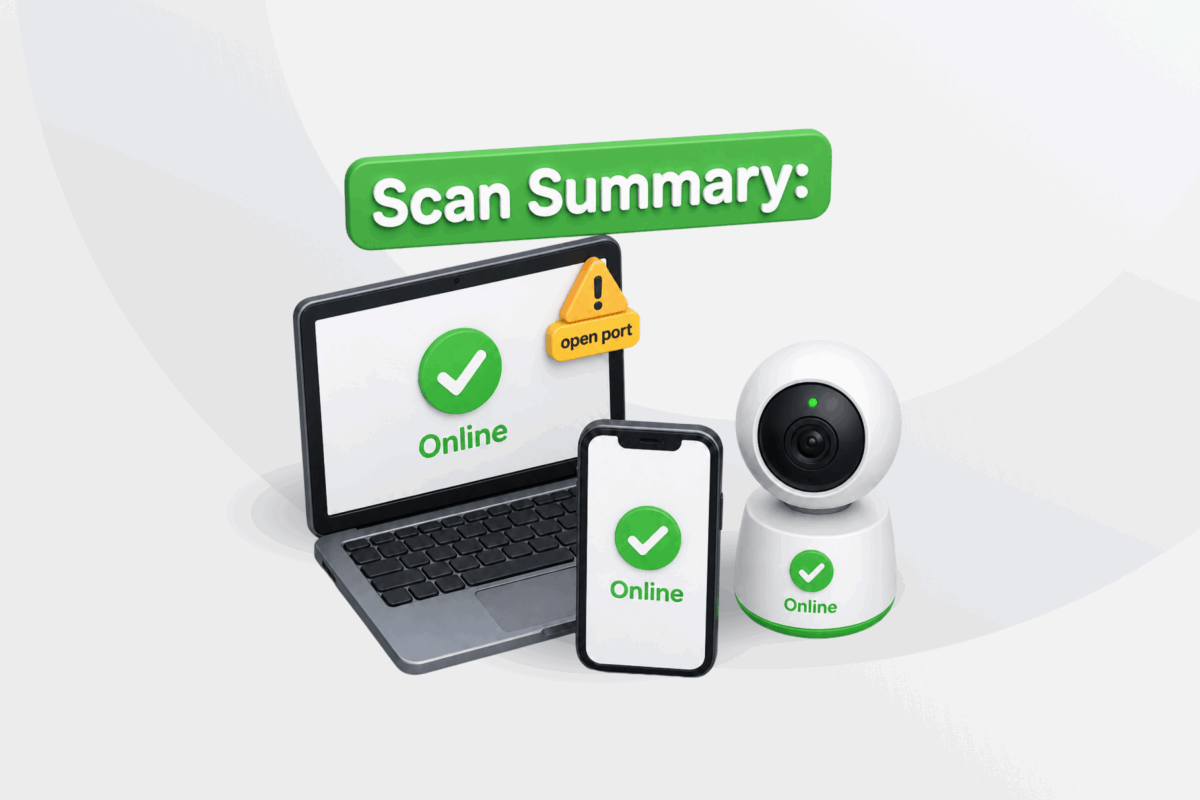
Your home or office network likely has more connected devices than you realize. Phones, laptops, tablets, printers, smart TVs, security cameras, and other smart devices all share the same network, and it’s easy to lose track of what’s connected.
Knowing what’s on your network is the first step toward managing and securing it. That’s where network scanning comes in.
In this guide, you’ll learn what network scanning is, how it works, what it can reveal, how it differs from vulnerability scanning, and how to better protect your network.
Table of Contents
What Is Network Scanning?Why Is Network Scanning Important for Security?
How Does Network Scanning Work?
How Attackers Use Network Scanning
How to Reduce Your Network’s Exposure
FAQ
Network Scanning Explained
Network scanning is the process of using software to check a network, discover connected devices, and collect information about them. Depending on the type of scan, the results typically show details such as:
- Connected devices and their IP addresses
- Likely operating systems
- Open ports and the services running on them
- Shared services, such as file or printer sharing
- Web or administration interfaces hosted on devices
- Network infrastructure, such as wireless access points
- Guest or IoT devices connected to your network
Network Scanning vs. Vulnerability Scanning
While network scanning and vulnerability scanning serve different purposes, many security tools combine them into a single process. You can think of network scanning as the discovery stage and vulnerability scanning as the assessment stage. For example, a network scan might discover a web service running on a device. A vulnerability scan builds on those findings by checking whether the service has any security issues that should be addressed.
The table below highlights the key differences between the two:
| Network Scanning | Vulnerability Scanning | |
| Shows 📌 | What’s connected and reachable | Which of these may have security weaknesses |
| Focus 🔍 | Devices, ports, and services | Software versions, configurations, and known vulnerabilities |
| Results 📋 | A snapshot of your network | A prioritized list of issues to address |
| Next step ➡️ | Review what’s connected | Update, reconfigure, or secure affected devices |
Why Is Network Scanning Important for Security?
Networks rarely stay the same. Devices are added and removed, services change, and configurations evolve over time, making it easier to overlook changes.
Network scans give you an up-to-date view of your network, making it easier to:
- Manage connected devices and confirm network changes.
- Troubleshoot network problems.
- Investigate findings that may indicate security issues.
Periodic scanning helps you detect those changes early, reducing the chance that they develop into bigger security problems.
How Does Network Scanning Work?
Network scanning can use two main approaches:
- Active scanning: Sends requests or probes to devices and analyzes their responses to gather information about them.
- Passive scanning: Observes network traffic to learn about devices as they communicate. This means that devices that aren’t communicating may not be detected.
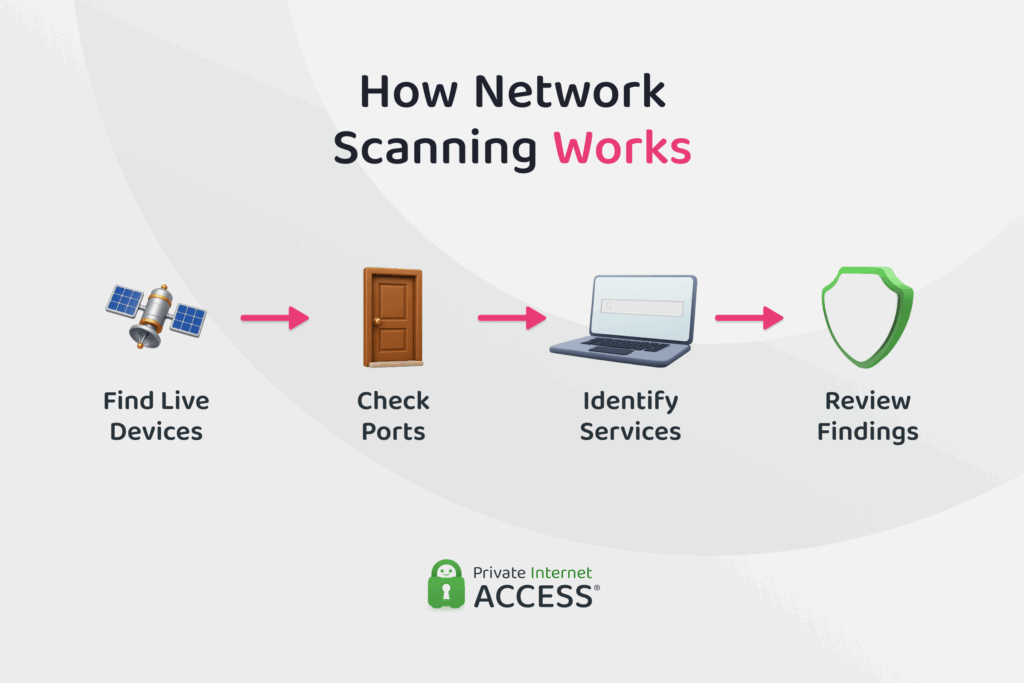
Active scanning is a common approach. Here’s how it typically works:
- Discover connected devices: Responses to the scanner’s initial probes reveal which devices are currently reachable. This stage is often called host discovery.
- Check open ports: Ports allow applications and services to receive network traffic, and the scan identifies which ones are open and accepting connections.
- Identify services and operating systems: Responses can indicate which services are running and, where possible, which operating system a device uses.
- Review the results: The findings are presented in a list, table, or visual view, so you can see what was discovered and identify anything that requires investigation.
Not every finding requires action. Many devices and services are expected to be present on a network. They only become a concern if they’re unexpected, unnecessary, outdated, or unintentionally exposed.
Related:
Common Network Scanning Tools
Many home routers include built-in network scanning features that let you view the devices connected to your network from your router’s web interface or app.
Dedicated network scanning tools are also widely available, offering additional scanning features and greater control over how scans are performed. Some popular tools include:
- Nmap: A highly configurable network scanner widely used by network administrators and security professionals.
- Angry IP Scanner: A lightweight, beginner-friendly tool for fast IP address scanning across local networks.
- Fing: A beginner-friendly tool focused on monitoring and managing devices on home and small office networks.
Related:
How Attackers Use Network Scanning
Network scanning isn’t only used to manage and secure networks. Attackers can use the same techniques for reconnaissance, gathering information about a network before running a vulnerability scan and deciding where to focus their efforts. Scan results can help identify reachable systems and services that may warrant closer attention.
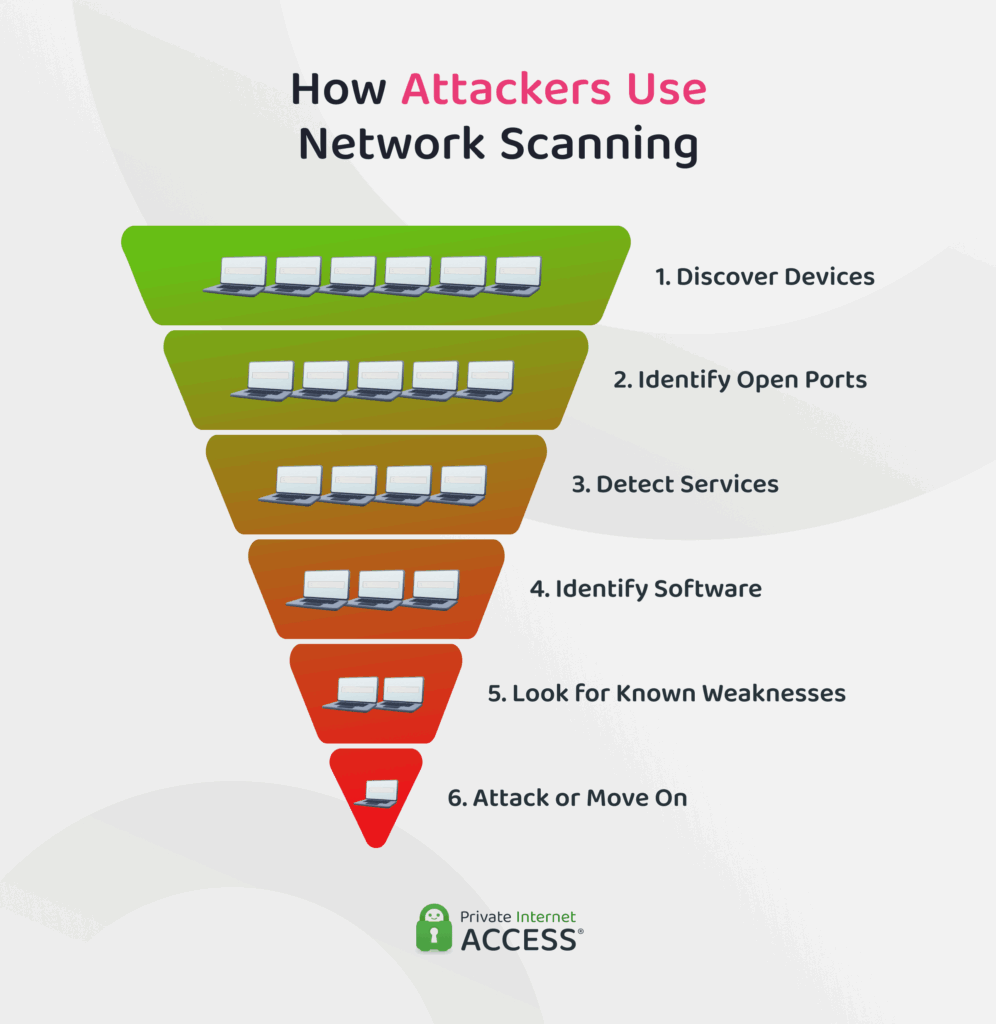
Attackers can also use automated tools to scan large numbers of systems exposed to the internet for potential targets, such as exposed remote access services. Automation allows them to search at scale rather than manually checking each system.
⚠️ Is network scanning legal?
Network scanning is generally legal when you scan networks or devices you own or have permission to assess. Running scans against someone else’s network without authorization may violate laws or terms of service.
How to Reduce Your Network’s Exposure
The best way to reduce your exposure depends on where a scan is coming from. Some protections help limit what can be discovered from the internet, while others protect you on local networks, such as shared Wi-Fi.
Understanding the difference makes it easier to choose the right approach.
Internet Scanning vs. Local Network Scanning
Network scans reveal different information depending on whether they’re performed from outside or inside your network.
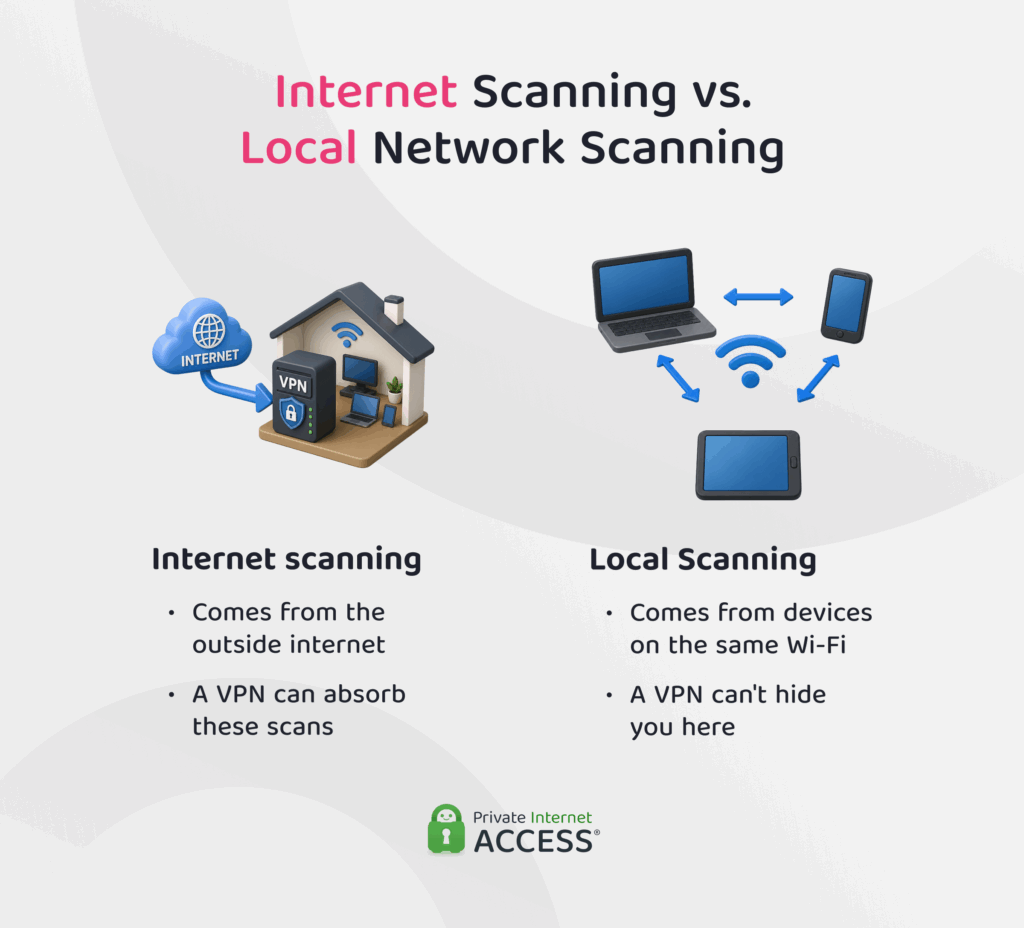
Internet scanning is performed by someone on the internet. It can only identify devices and services that are accessible from the internet. For most home networks, that usually means whatever your router makes accessible to the outside world. Anything else is generally protected from unsolicited connection attempts by your router or firewall.
Local network scanning is performed by a device that’s already connected to the same network, such as your home Wi-Fi or a public hotspot. Because it’s already part of that network, it can identify other connected devices, such as printers that are visible to local users.
On shared Wi-Fi, this means devices belonging to people you don’t know may be able to discover your device or services it makes available on the local network, which can create additional security risks.
How VPNs Help
A VPN works best alongside other security measures. The table below summarizes where a VPN helps and where other protections are still needed:
| A VPN helps… | A VPN doesn’t… |
| ✅ Mask your public IP address with the VPN server’s IP | ❌ Automatically hide your device from local network scans, such as those on shared Wi-Fi |
| ✅ Encrypt your internet traffic, helping prevent its contents from being read in transit | ❌ Fix security weaknesses, such as outdated software or weak passwords |
| ✅ Limit what internet scans can discover about your connection | ❌ Replace a firewall, secure router settings, or regular software updates |
VPNs mainly help against internet scanning. Depending on the VPN, devices on the same local network may still be able to discover yours, which is particularly relevant on shared networks where you don’t control the other connected devices.
That said, some VPN apps, including Private Internet Access (PIA), let you control whether local network traffic is allowed while you’re connected, which can help restrict communication with other devices on shared networks.
PIA also includes a kill switch, which helps prevent your real IP address and traffic from being exposed if the VPN connection drops.
Related:
Other Ways to Reduce Exposure
You can further reduce your network’s exposure by taking a few additional security measures:
- Enable your firewall: Firewalls control which network connections are allowed to reach your device and help block unwanted access attempts.
- Keep software and firmware updated: Installing updates addresses known vulnerabilities and reduces the risk of them being exploited.
- Disable unused sharing features: File and printer sharing can make services accessible to other devices on the network.
- Remove old or unused devices: Fewer connected devices mean fewer potential targets.
- Use strong Wi-Fi encryption: WPA3 or, if unavailable, WPA2 and a strong Wi-Fi password help prevent unauthorized access.
- Disable unnecessary remote access features: Remote management tools can provide additional entry points for attackers if they’re accessible from the internet.
FAQ
What is network scanning?
Network scanning maps the devices and services on a network. It can identify connected devices, open ports, and which services are running on them, helping you spot anything that may need further investigation.
What is network vulnerability scanning?
A network vulnerability scan takes what a network scan finds and checks those devices and services for known security weaknesses. For example, while a network scan may identify an open port, a vulnerability scan can identify known vulnerabilities affecting the service behind it.
How does network scanning help assess operations security?
Network scanning can help provide a starting point for security investigations by giving you a current picture of what’s on a network. This can help you to spot unauthorized devices, exposed services, and other findings that may require further investigation.
How can using a VPN protect against malicious network scanning?
A VPN helps reduce your exposure to malicious internet scanning by masking your public IP address, so scans see the VPN server’s IP instead. Some VPN apps, like PIA, also include features that can restrict local network traffic, providing additional protection against scans from other devices on the same network.
Does a VPN hide my device from network scans?
Not always. A VPN can mask your public IP address from internet scans, but your device may still be discoverable on the local network. However, some VPNs, including PIA, can also control whether local network traffic is allowed while you’re connected.
Can network vulnerability scanners detect devices behind a VPN?
Yes. Connecting to a VPN doesn’t necessarily hide your device from scanners on the same local network. Your device can still have a local IP address that a scanner may detect, while the VPN masks your public IP address from scans coming from the internet.
How does a VPN improve security during vulnerability assessments?
If an assessment is performed remotely over a VPN, the encrypted connection helps protect traffic between the tester and the network. The VPN secures the connection but doesn’t perform the assessment or address any vulnerabilities found.
