What Is a Shared IP Address? Examples, Benefits, and Risks
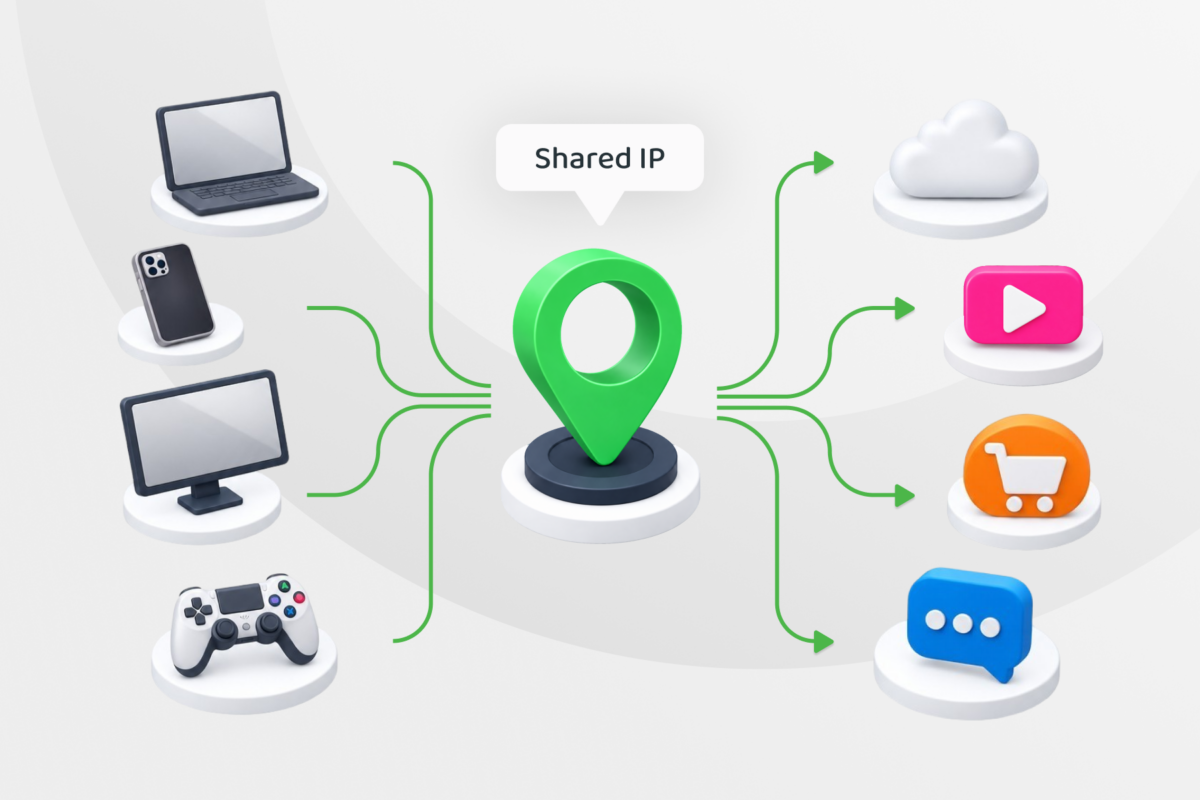
Shared IP addresses are common in VPNs, home networks, and web hosting. If you’ve come across the term, you may be wondering whether that’s a good thing, a bad thing, or just how the internet works. The answer depends on what you’re using it for.
You could be sharing an IP with devices on your home network, other internet provider subscribers, users on a VPN server, or websites on a hosting plan. We’ll explain how each type of IP sharing works, where it helps, where it can cause problems, and when a dedicated IP may make more sense.
Shared IP Address Explained
A shared IP address is a public IP address used by more than one device, person, or website. It’s an address visible to other services online, even though the individual devices or websites using it remain distinct.
Sharing an IP address doesn’t necessarily mean sharing a network or seeing someone else’s traffic. For example, two websites can use one hosting IP address while keeping separate domains and content. Likewise, people connected to a VPN server can appear to browse from the same public IP while using separate connections.
How Does IP Sharing Work?
A public IP address tells an online service where to send a response. When several devices or users share that address, the network equipment or service managing it keeps track of which connection each response belongs to. For websites on shared hosting, the server instead uses the requested domain to identify which site to show.
With a Home Network or Through Your ISP
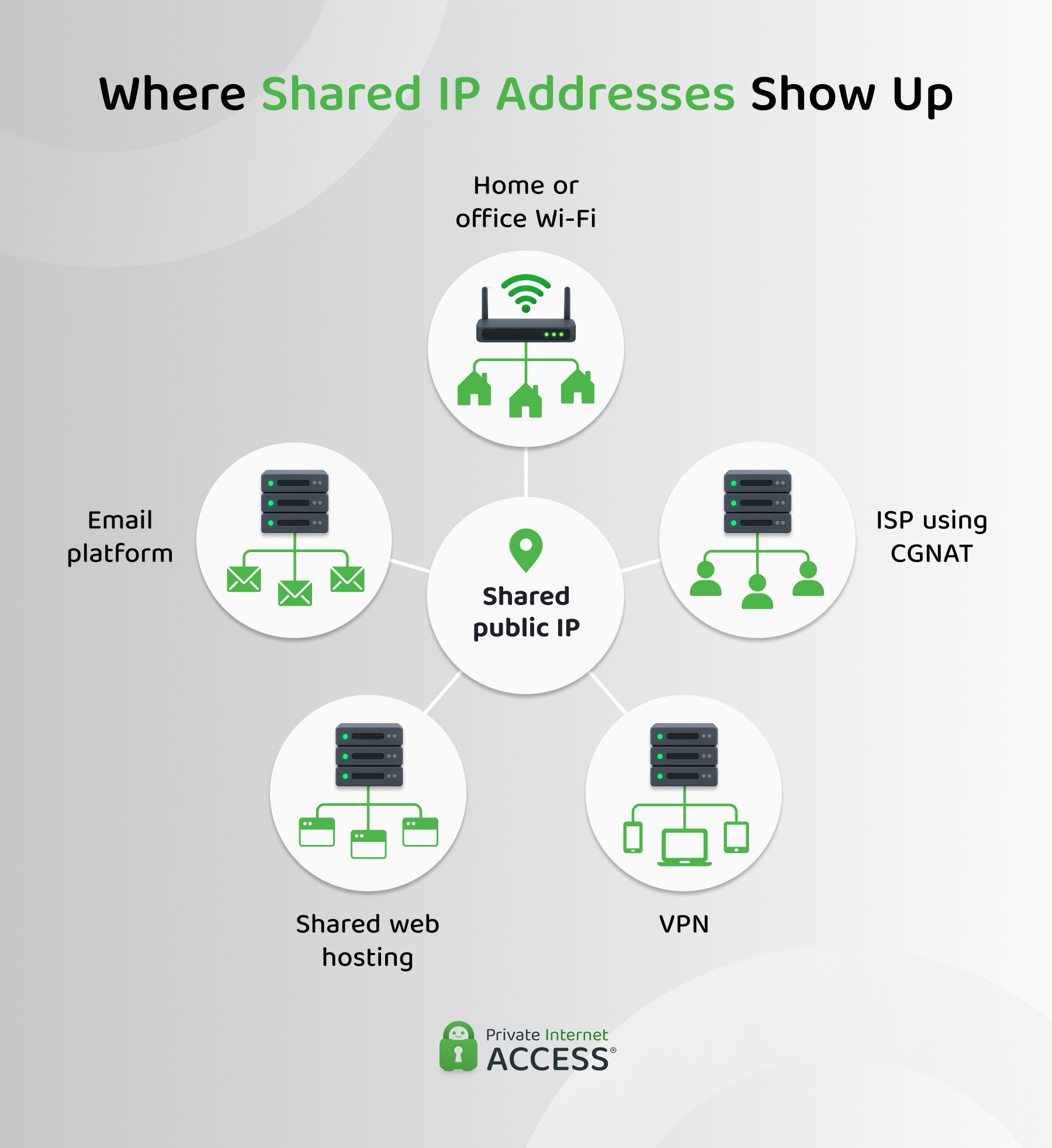
Your phone, laptop, and other devices each have a local IP address on your home network. Your router uses Network Address Translation (NAT) to send their traffic through its public IP address, keeping each connection distinct so a response to your phone doesn’t end up on your laptop.
Your household may also share a public IP with other households. Some ISPs use carrier-grade NAT (CGNAT) to do this, helping them make the most of a limited supply of public IPv4 addresses.
Everyday browsing usually works as expected, but CGNAT can complicate incoming connections. For example, forwarding a port on your home router may not be enough to host an online game or reach a device at home remotely.1
With a VPN
When you connect to a VPN, your traffic travels through a VPN server before reaching websites and online services. The server sends it onward using one of its public IP addresses, which other VPN users may be using at the same time. The VPN server keeps the connections separate and routes each response back to the right user.
To the website, those visitors appear to come from the same VPN IP address rather than their own home IP address. Sharing the address makes it harder to tell users apart by IP alone, though signing into an account or accepting cookies can still identify an individual visitor.
With Web Hosting
A shared hosting IP address can be used by several websites with different domain names. When a visitor opens a site, their request includes the domain they want, which the hosting server uses to deliver the correct website.
The websites remain separate, with their own pages and content. Sharing an IP also doesn’t mean sharing every server resource or setting. The amount of control you have over software, ports, and DNS-related settings depends on your hosting provider and plan.
With an Email Platform
An email platform may send messages for various customers through the same public IP. The platform keeps their accounts and campaigns separate, while receiving mail services see messages arriving from the shared sending address.
Those services may consider the IP’s sending history when deciding how to handle a message. If other customers send spam or generate complaints, it could affect the IP’s reputation and your email delivery.2 Your domain’s reputation and the content and authentication of your messages also matter.
Common Misconceptions About Shared IPs
These claims about shared IPs might sound correct, but here’s the truth:
| Claim | Reality |
| ❌ A shared IP lets other users see my traffic. | ✅ Sharing a public address alone doesn’t give other users access to your connection. |
| ❌ Shared and dynamic mean the same thing. | ✅ Shared describes who uses an address. Dynamic describes whether the assigned address may change. |
| ❌ A dedicated IP makes a connection private or secure. | ✅ An IP assignment alone doesn’t encrypt traffic or secure a device. |
| ❌ A shared hosting IP prevents a site from using HTTPS. | ✅ Several websites can use HTTPS on one IP; check your host’s certificate and configuration support.3 |
How to Tell Whether You’re Sharing an IP Address
First, decide which IP you mean: the public IP seen by websites, your router’s internet-facing address, or the address assigned to a hosted site.
- For a home connection: Check the internet-facing IP in your router’s settings and compare it with the public IP shown by an IP lookup page. Different addresses can be a sign of upstream NAT, but aren’t conclusive proof of CGNAT. Your ISP can confirm whether it uses CGNAT on your connection.
- For a VPN: Check your VPN plan or ask the provider whether it has shared server IPs. An IP lookup alone generally can’t tell you how many people use an address.
- For a website: Check your hosting dashboard or plan details. Several domains resolving to one IP suggest shared hosting, but your host can confirm what resources and settings you share.
This check is more useful than trying to infer ownership from an IP address alone. It tells you who to ask and which limitation might affect your task.
Benefits of a Shared IP Address
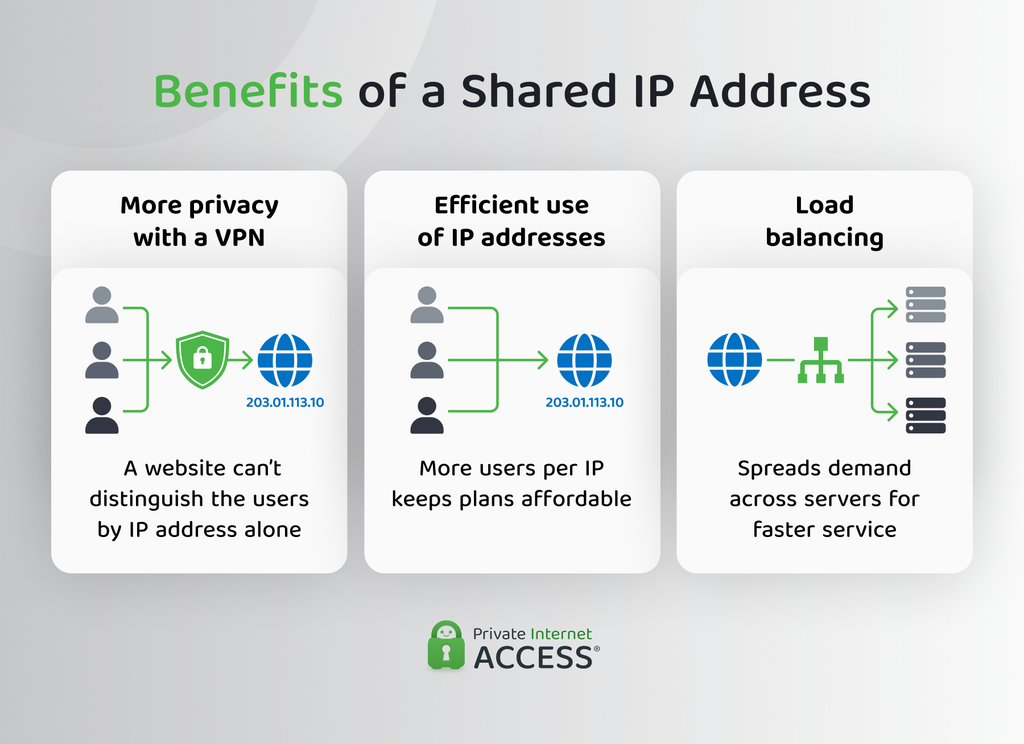
The benefits depend on how providers share the address. For VPN users, sharing an IP can add a layer of online privacy. For providers, it helps make efficient use of available addresses.
More Privacy When Browsing Through a VPN
When many people use the same VPN IP address, a website sees one address associated with many visitors. It can’t identify which person made a request from the IP address alone. This makes a shared VPN IP useful if you’d rather avoid exposing your home IP to every site you visit.
Sharing an IP doesn’t make your connection more secure, however. PIA VPN encrypts your traffic between the device and its VPN server to help prevent your ISP or anyone with access to your network from snooping on your activity.
Lower Cost and More Efficient Use of Addresses
There’s a limited supply of public IPv4 addresses, so assigning a separate one to every device, VPN customer, or hosted website isn’t always practical. Sharing lets providers serve many customers with the addresses they have.
That efficiency can help keep standard VPN and hosting plans more affordable than options that reserve an address for one customer. The exact price difference depends on the provider and plan. A static or dedicated IP can be helpful in scenarios where using a consistent address is important for an allowlist.
Load Balancing Across Servers
A provider can place a shared public entry point in front of multiple servers, then use a load balancer to direct requests between them. If one server is busy, the load balancer can send new requests to another server, depending on how the provider configures the system. This can help the provider manage demand and maintain responsiveness.
The load balancer provides this benefit, not the shared IP by itself. A home router, shared VPN IP, or shared hosting IP won’t distribute traffic across servers because more than one user uses the address.
Risks and Limitations of a Shared IP Address
A shared IP is suitable for many everyday uses, but the trade-offs differ between browsing and hosting:
- IP address reputation: If others misuse an address, websites may show CAPTCHAs or restrict requests from it. Email sent through a shared IP may also be affected by other senders’ behavior.1
- Less predictable access: A shared VPN IP may change, and other users’ activity can prompt verification checks. It may be inconvenient when a service requires an IP allowlist.
- Incoming connections: If your ISP uses CGNAT, ordinary router port forwarding may not make a home server or game session reachable from the internet. Ask your ISP about a static public IP or consider another connection method, such as VPN port forwarding.
- DNS control limits: A shared hosting plan may let you edit your domain’s DNS records, but it might not let you control reverse DNS for the shared IP. Check the host’s policy if that setting matters for your service.
- Hosting and configuration limits: Shared hosting plans may restrict server software, ports, or IP-specific settings. These come from the specific plan and provider, not from shared IPs in general.
Shared IP vs. Dedicated IP
A provider reserves a dedicated IP address for one customer or account. It can offer a consistent address for IP allowlists or a hosting setup that needs more control. It doesn’t mean full control over the server, DNS, or the address’s past reputation.
| Features | Shared IP | Dedicated IP |
| Users | Multiple users, devices, or sites | Reserved for one customer or account |
| Browsing privacy | Activity is harder to distinguish by IP alone | Activity may be easier to associate with one address |
| IP reputation | Can be affected by others using the address | Easier to manage your own usage, though past reputation may matter |
| Consistency | Depends on the provider and plan | Usually intended to remain consistent |
| Cost | Commonly included in standard plans | Often costs extra |
For everyday browsing, a shared VPN IP address is often enough. If you need a consistent IP for an allowlist or want fewer interruptions linked to other users’ behavior, PIA VPN’s add-on provides you with a Dedicated IP assigned by a privacy-first token system, making it difficult to trace it back to your VPN account.
Which IP Setup Is Right for You?
Use a shared IP if you want a straightforward connection for browsing or a standard hosting plan that meets your site’s needs. Check the provider’s terms if you want dependable incoming connections, specific server settings, reverse DNS, or an address that stays the same for an allowlist.
PIA VPN offers shared server IPs and a Dedicated IP option, so you can choose the best option that fits how you use your connection.
FAQ
Is a shared IP address safe?
Sharing a public IP doesn’t make your device or website unsafe. Security depends on your network, software, provider, and configuration. Other users’ activity may still affect how websites treat the shared address.
Can someone track me through a shared IP address?
A shared IP address can improve your online privacy and make it harder to determine a user based on the IP address alone. However, it doesn’t make you anonymous to websites and web admins. They may be able to identify you based on your account information, cookies, or other identifying data.
Why do ISPs use shared IP addresses?
Some ISPs use CGNAT so a number of customers can use a limited pool of public IPv4 addresses. This can complicate incoming connections, including some home hosting and gaming setups. Ask your ISP whether your connection uses CGNAT if you need those features.
How can I share an IP address on my network?
Devices connected through the same home router typically share its public IP for internet access. Each device still has its own local address on the network. If your goal is to make a device reachable from the internet, check whether your ISP uses CGNAT before setting up port forwarding.
Resources:
