What Is Pharming? How It Works, Types, and Prevention
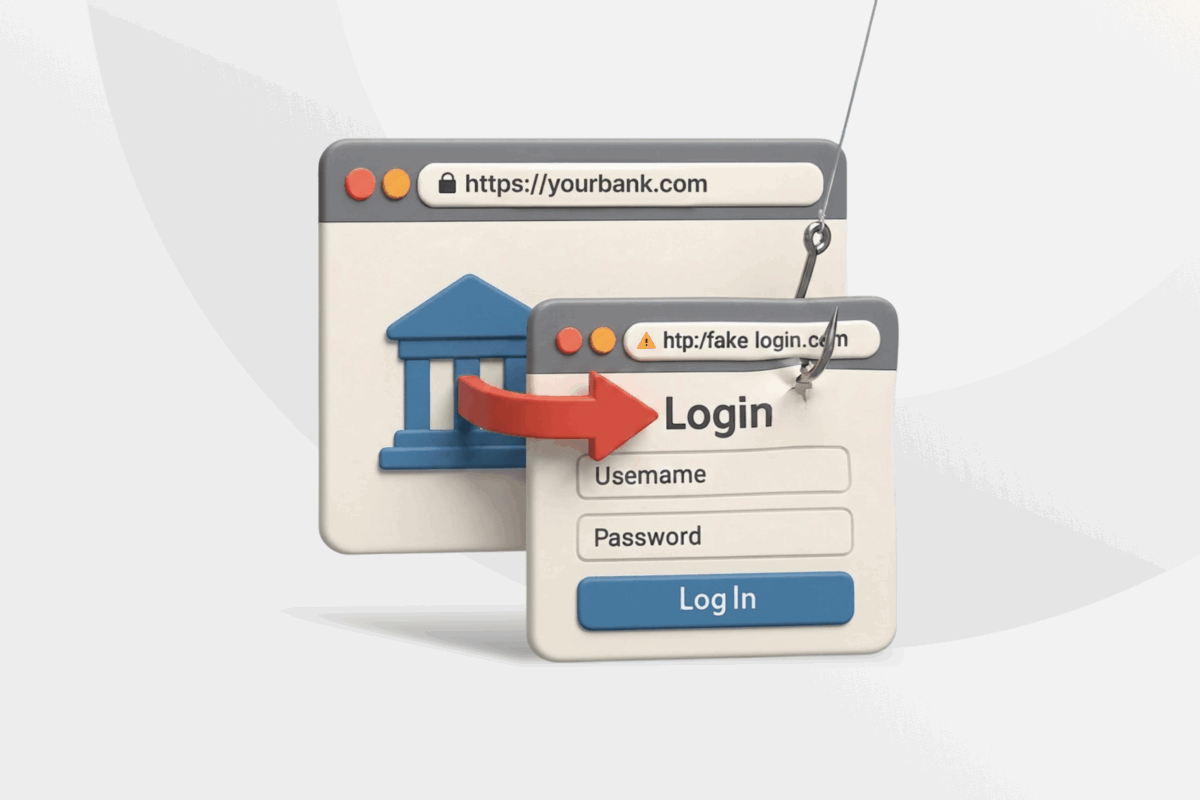
Pharming attacks are often more dangerous than regular phishing attacks because they can happen without any direct action from you. That makes them much harder to detect. You can be careful online, type a trusted address into your browser, and still end up on a fake page.
This guide explains how pharming works, the warning signs to watch for, and ways to better protect yourself against it.
What Is Pharming?
Pharming is a cyberattack that redirects you to a fake website built to steal your information or trick you into downloading malicious software.
When you type a website address, like www.google.com, your device needs to find its numerical IP address. It does this using the Domain Name System (DNS), which translates the website names into the correct addresses so your browser can connect to the intended site.
A pharming attack interferes with this lookup process. Instead of reaching the real site, your browser may open a fake one, even if you entered the correct address.
If you try to sign in or make a purchase on these fraudulent sites, attackers can steal your username, password, banking details, or other sensitive data. Some pharming pages can also attempt to push malicious downloads, such as spyware, keyloggers, or ransomware.
Pharming vs. Phishing: Key Differences
Phishing depends on social engineering and deception. Attackers often impersonate trusted people or organizations through emails, texts, calls, ads, or fake alerts. Their goal is to trick you into clicking a malicious link, opening an attachment, downloading malware, or sharing sensitive information.
Pharming directs you to a fraudulent site in a different way. As with phishing, pharming attackers design fake sites to resemble real services.
The key difference is that pharming can happen without any direct action from you. Attackers may tamper with a DNS server, your router settings, or a local device setting that controls how websites are reached. Even typing the correct URL can lead to a fake page if the underlying system has been tampered with.
Types of Pharming Attacks
We categorize pharming attacks by how they’re carried out (attack vector) and which systems they affect (targets).
Pharming Types Based on Attack Vector
Hackers can alter system behavior in several ways:
- Malware-based pharming: Happens after you download and open malicious software (a virus, trojan, or worm) that alters your system settings.
- Remote compromise pharming: Attackers gain unauthorized access to a device or network equipment and alter its configuration.
- Physical intrusion: Direct access to your device, router, or local network equipment allows manual changes to settings.
Pharming Types Based on Target
These attacks can affect either your local systems or broader DNS infrastructure outside your control.
Host-Based Pharming
This type targets devices or local networks by altering how domain lookups are handled.
- Hosts file manipulation: Changes the hosts file on your operating system, which stores manual mappings of domains to IP addresses. When your computer looks up a website, it checks this file before asking an external DNS server. If an attacker changes it, your browser may open a malicious site instead of the real one.
- Local DNS settings: Alters the DNS settings on your device or phone, redirecting all domain lookup requests to a fraudulent DNS server that then connects you to phishing sites.
- Router DNS settings: Replaces the legitimate DNS server settings on your router with malicious ones, which can affect every device connected to that router.
DNS-Based Pharming
This targets DNS infrastructure outside your local network, making it broader in scope and often harder to detect.
DNS servers maintained by ISPs and organizations temporarily store IP address records to speed up website loading. Instead of performing a full lookup each time, your device relies on this cached data.
A common attack method here is DNS poisoning (or DNS cache poisoning), where attackers corrupt these stored records so that legitimate domain names point to malicious IP addresses.
Attackers can poison DNS records in several ways:
- Exploiting weaknesses in DNS software
- Injecting false records into DNS caches
- Gaining unauthorized access to a DNS server to change settings or records
- Manipulating Border Gateway Protocol (BGP) routing to redirect traffic through attacker-controlled servers
This can compromise large numbers of users and redirect them to dangerous sites instead of legitimate ones.
Popular Examples of Pharming Attacks
Pharming attacks have affected government organizations, businesses, and ordinary users over the years.
- Brazilian DNS pharming attacks (2011): Large-scale DNS manipulation attacks targeted Brazilian ISPs and millions of internet users.1 Attackers compromised network infrastructure to redirect users to malicious servers, exposing them to fraudulent websites and malware.
- South Korean online shopping hack (2014): Ecommerce users were hit by DNS-based redirections that sent shoppers to counterfeit websites2. Hackers collected personal data from users attempting to manage accounts or complete purchases.
- Polish SOHO router pharming attacks (2014): Cybercriminals compromised more than 300,000 SOHO routers and altered their DNS settings to redirect online banking users to fraudulent websites designed to steal login credentials and other sensitive financial information.3
- MyEtherWallet route hijack incident (2018): Hackers temporarily redirected traffic intended for Amazon Route 53 by abusing weaknesses in BGP’s trust model through a route hijack.4 Criminals were able to impersonate MyEtherWallet and send users to a fake version of the site, where they stole cryptocurrency worth about $150,000.
What Makes Pharming Dangerous?
Secrecy and large-scale automation are the defining traits of pharming. The manipulation happens at the infrastructure level rather than through an obvious fake link or message. This makes pharming more dangerous than many other cyberattacks:
- Affects cautious users: You can know how to avoid social engineering and still be affected by pharming, especially if a hacker has altered a third-party DNS server.
- Steals data at scale: A compromised DNS server or enterprise router can redirect every connected user to a malicious site, giving attackers a chance to capture data from large numbers of people at the same time.
- Collects data over time: On a fake site, you can enter usernames, passwords, payment information, or account recovery details without noticing anything unusual for a long time.
- Hard to detect: Pharming is harder to detect because you may be visiting a website you normally trust, and the domain name in the browser may look correct. You may discover the attack too late to limit the damage unless you recognize the warning signs early.
How to Detect If You’ve Been Pharmed: Key Signs
There are still small mismatches and warning signs that can help you spot a pharming attack:
- Firewall and antivirus reports: Alerts about unauthorized DNS changes, suspicious traffic, or dangerous site visits.
- Unusual redirects: Something may be wrong with the website lookup process if you land on a different site or an unexpected login screen after trying to open a trusted service.
- Missing HTTPS or a broken padlock: Check whether the site uses HTTPS and displays valid security indicators in your browser’s address bar. Missing or unusual security warnings may signal a problem.
- Unexpected certificate warnings: If a site you frequently visit suddenly shows a warning about an invalid, expired, or untrusted SSL certificate, you may have reached a fake domain.
- The design is slightly off: Fake pages often copy the real site closely, but they may still show outdated branding, unusual spacing, blurry icons, missing menus, or odd fonts. Comparing the same site on another device or network can help.
- Altered web address: Read the full URL carefully, looking for extra letters, swapped characters, or unusual punctuation, because some pharming attacks pair the redirect with a lookalike domain.
- Requests for information: Pharming sites can display pop-ups or forms that ask for your credentials, location data, personal information, or device access rights, such as access to your camera or microphone.
- Duplicate domains in your browser history: Review recent history if you suspect something, looking for websites that seem identical at first but are logged as different domains.
- Repeated login prompts: If you are redirected back to a login page immediately after signing in, the fake site may have captured your password and then passed you to the real service.
- Unusual account activity: Watch for login notices, password reset messages, or financial activity you do not recognize. This may mean that someone has already captured your information.
Cybersecurity Tips to Prevent Pharming Attacks
It’s not always possible to eliminate pharming attacks entirely, especially when they involve ISP-level or DNS server compromise. However, following these steps can reduce exposure:
- Scan files with a good antivirus: Detect and remove malware that edits your hosts file or changes your DNS settings.
- Update your operating system and browsers: Install the latest updates for your browser, router, operating system, and cybersecurity software.
- Turn on built-in security features: Modern browsers can flag deceptive sites, unsafe downloads, and suspicious redirects before you interact with them.
- Enable multi-factor authentication (MFA): This adds an extra verification step beyond passwords, helping to protect your accounts in the event of a data breach.
- Secure your router with a stronger password: Change default admin credentials and keep firmware updated.
- Use a trusted DNS service: Services such as Google Public DNS can reduce exposure to poisoned or malicious DNS responses.
- Avoid unknown files and links: Even on familiar sites, avoid clicking unexpected pop-ups or opening unknown executable files.
- Use a trustworthy VPN: The best VPN services send your DNS requests through an encrypted tunnel instead of exposing them to your network or ISP. This reduces the chance that someone on the local network path can tamper with those requests.
Private Internet Access (PIA) VPN includes private DNS by default, which means your DNS lookup requests go to its own highly secure resolvers. This can reduce exposure to tampering and network-level redirection attacks.
FAQs
What is pharming?
Pharming is a cyberattack that redirects you to a fraudulent website when you try to open a real site. The attack alters your device settings, router configuration, or external DNS servers. These fake pages often copy trusted services and can steal your login details or push harmful downloads without obvious warning signs.
What does pharming mean in cybersecurity?
In cybersecurity, pharming means a hidden redirection attack that sends you to a fake page. Normally, your network uses the Domain Name System (DNS) to convert a website name, like google.com, into a numerical IP address. Hackers tamper with your device, local network, or third-party DNS servers, after which you may be redirected to a fraudulent destination designed to steal your personal information.
What is a pharming attack, and how does it work?
A pharming attack works by corrupting the systems that translate site names into IP addresses, redirecting you to dangerous sites when you try to access legitimate ones. Attackers may change settings on your device, your router, or your internet provider’s DNS servers, which are responsible for connecting you to the correct websites and services.
How is pharming different from phishing?
Pharming changes your device or network settings to redirect you to dangerous sites without your knowledge. Meanwhile, phishing attackers try to impersonate trusted entities through messages or personal interactions to trick you into opening a dangerous file or visiting a phishing site.
What are common signs of a pharming attack?
Small mismatches can help you detect pharming. When visiting a trusted website, look for anything unusual, like a missing padlock icon in your browser’s address bar, certificate warnings, unusual redirects, an altered address, or a blurry page design. A fake site may also ask for unusual personal details or device permissions, or may immediately redirect you to a login page. Also look for antivirus alerts, strange browser history entries, or unusual account alerts.
Can a VPN or secure DNS help reduce the risk of pharming?
Yes. VPNs encrypt your traffic, which makes it much harder for attackers to intercept and tamper with your data. Some, like PIA VPN, also route your DNS requests through their own secure servers, which reduces the risk of DNS poisoning and other DNS-based attacks.
Switching to a secure DNS provider such as Google Public DNS or Cloudflare DNS may also improve security compared to relying solely on your ISP’s default DNS service.
References
- Brazilian ISPs Hit with Large-Scale DNS Attack – SecurityWeek
- KRBanker Targets South Korea Through Adware and Exploit Kits – Unit 42 (Palo Alto Networks)
- SOHO pharming attack hit more than 300,000 devices worldwide – Security Affairs
- Suspicious Event Hijacks Amazon Traffic for 2 Hours, Steals Cryptocurrency – Linux.com
