
VPN for Snapchat: A More Secure Way to Snap and Chat
- Keep your Snaps, Stories, and Streaks activity more private
- Get fast, stable connections for uninterrupted video calls
- Hide your real IP address to limit tracking across apps
- 30-day money-back guarantee for new subscribers

Protection For All Your Devices
How to Set Up a Snapchat VPN in 3 Steps
How to Set Up a Snapchat VPN in 3 Steps
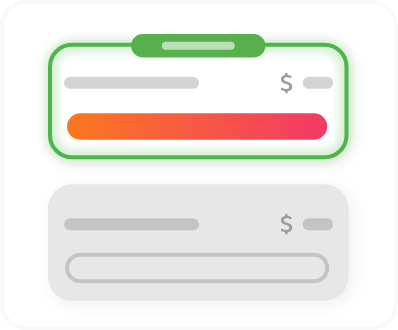
Getting started with PIA VPN is as easy as sending a Snap
Step 2
Download the app for your device.
Step 3
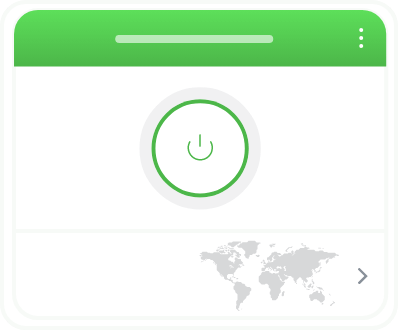
Connect to your preferred server and start snapping.
What Is a Snapchat VPN?
A VPN is a cybersecurity tool that encrypts your connection and masks your real IP address behind one from a VPN server. This helps prevent your ISP, network admins, and anyone else snooping on your network from monitoring your Snapchat activity.
Once you’ve set it up, you can leave it running in the background, or control it via an easy-to-use app on your phone.


Why It’s Worth Having a VPN for Snapchat
Snapchat protects what’s inside your Snaps, but your connection can still give you away. On shared Wi-Fi at school, work, or a café, the network owner (or anyone who wants to know) can see when you’re online, that you’re using Snapchat, and how active you are.
A VPN encrypts your traffic so all snoops get to see is your connection to a VPN server. It also gives you a new IP address, which can help to disrupt trackers and advertisers who might want to serve you targeted ads based on your location.
Add a Privacy Filter With a VPN for Snapchat

Make Your Activity Disappear
Snapchat isn’t the only app that deletes your messages. PIA’s RAM-only servers wipe any stored data every time they reboot. It’s in line with our strict No-Logs policy, which guarantees we won’t store your browsing activity data anywhere on our systems. That means you can chat all you like while minimizing your online trail.
Lock Down Your Connection
Add an extra layer of protection to your Snapchat messages and keep your activity to yourself. PIA’s top-notch AES encryption makes it difficult for anyone on the same network to see what you’re doing online. For even more protection, our Kill Switch blocks your traffic if your connection ever drops, so your Snaps won’t send without that extra security.
Snap Safer on Public Wi-Fi
Avoid inadvertently exposing your connection on unsecured shared Wi-Fi networks in cafés, hotels, airports, and other public spaces. You can set automation rules in the PIA app to connect whenever you join a new or unsecured network. That way, you don’t have to remember to turn on the VPN every time you want to maintain better Snapchat privacy.
Cover Up Your Real Location
Increase your protection against tracking and stalking. Interacting with certain services linked in Snapchat messages can reveal your general location, which bad actors can use to send you unwanted messages, ads, or even threats. Connecting to any of PIA’s VPN VPN servers masks your real IP address, helping to keep your real life and your online life separate.
Reduce Lag on Video Calls
Catch up with your friends and followers on video calls without the worry that you’ll miss out on conversation because of choppy video. Connecting to a PIA VPN server that’s close to your real location helps to minimize the lag that can lead to frozen frames, as does using the fast, lightweight WireGuard protocol to protect your traffic.
See Fewer Targeted Ads
Make it more difficult for targeted ads to find their way into your feed. The location associated with your IP address is one of the signals Snapchat uses to decide which ads to show you. Using PIA VPN to mask your IP address can reduce the accuracy of targeted advertising and give you more privacy from marketers.
How to Change Your Location with a VPN for Snapchat
Snapchat uses your phone’s GPS to place you on the Snap Map and unlock location-based filters, and your location only changes when you physically move. A VPN changes your IP address, not your GPS, so it can’t move your Bitmoji on its own.
To control what friends see, open Snap Map, tap the settings gear, and turn on Ghost Mode or choose exactly who can see your location. You can also switch off Snapchat’s location access in your phone’s settings before connecting to PIA to keep your IP-based location private.

Add PIA VPN to Your Snapchat Best Friends List

Global Network
Find protection when you’re snapping at home or traveling abroad with PIA’s global network spanning 113 countries.

Super-Fast Servers
Keep your Snaps and Spotlight videos loading quickly, even at busy times, with PIA’s network of NextGen 10-Gbps servers.

Tough Encryption
Improve your Streaks protection and get the best balance of speed and security with industry-standard protocols WireGuard and OpenVPN.
.png)
Premium Privacy
Keep your Snapchat activity data to yourself with PIA’s court-proven No-Logs policy and RAM-only server setup.

Unlimited Bandwidth
Snap, scroll, and make as many video calls as you like without the worry that you’ll hit a VPN data cap and lose protection.

24/7 Support
Contact PIA’s VPN experts via live chat or email 24/7 for help with everything from customizing your app to choosing a server.
A Snapchat VPN that Works on All Your Devices
Protect more than your phone. One PIA subscription covers unlimited devices at the same time, from your iPhone or Android device to your laptop, tablet, smart TV, and gaming console. Install the app on each compatible device, or set up PIA on your router to cover every device connected to your home Wi-Fi at once.
Snapchat VPN: Frequently Asked Questions
The best VPN for Snapchat protects your privacy without slowing you down. Look for a proven no-logs policy, strong encryption, a kill switch, and fast servers near you. PIA offers all four, plus RAM-only servers and easy-to-use apps for iPhone and Android.
Your VPN might not work with Snapchat if the app has flagged the server’s IP address for misuse or your network isn’t compatible with VPN traffic. Try a different server, switch protocols, or update the app.
Yes. A VPN works with Snapchat on your phone and on Snapchat for Web. The app will run as usual, but Snapchat will see your VPN server’s IP address and the VPN will encrypt your traffic to help keep your traffic safe as it travels over your network.
If you value your privacy, you may be better off with a premium VPN. Some free VPNs make money by logging and selling your data, which defeats the point of using a VPN for privacy. Others cap your data or overload their servers, which can lead to laggy Snap loading and video calls. PIA offers proven privacy, fast speeds, unlimited data, and a 30-day money-back guarantee for new subscribers.
Snapchat might recognize that you’re connected to the app through a VPN because some VPN server IP addresses can be publicly listed. It could also register a sudden change to your IP address that signals you’re connected through a VPN.
You can change your IP address for Snapchat, and a VPN is the simplest way to do it. Open the PIA app, pick a server, and tap connect. Your IP address changes right away, helping keep your real one private from Snapchat, advertisers, and the other sites and apps you use.
Trusted By Millions Of Satisfied Customers
Here's a small sample of our most positive user reviews. All Trustpilot reviews are available here.
{"tweetsBtnText":"{Tweets}","userBtnText":"{User Reviews}","influencersBtnText":"{Influencers}","techReviewsBtnText":"{Tech Reviews}"}REVIEWED BY:


Choose The Plan That's Right For You
 All Plans Are Covered By Our 30-Day Money-Back Guarantee
1 Month
$11.95/mo3 Years + 3 Months EXTRA
$2.03/mo1 Year
$3.99/mo Covered By Our 30-Day Money-Back Guarantee*
All amounts are shown in USD, and any discounts reflect a reduction based on the current monthly service pricing at $11.95 per month.
*The 30-day money-back guarantee is available to new subscribers only; for subscriptions purchased via third-party app stores (e.g., Apple App Store, Google Play Store), refunds are subject to their respective terms and conditions.
Don’t Let the Past
Haunt You®
Try PIA Risk-Free
New users are covered by our 30-day money-back guarantee.
If you’re not satisfied, request a refund.

Per our Terms of Service, using PIA VPN for illegal purposes is prohibited.