Facebook Marketplace Scams: Warning Signs and Prevention Tips

A combination of convenience and popularity makes Facebook Marketplace a hunting ground for fraudsters. They target active buyers and sellers with scams that can spread across the rest of Facebook.
Though it’s impossible for this guide to cover every conceivable scenario, we discuss the most common scams on this platform. Learning to spot the red flags associated with Facebook scams early can help you catch fraudulent behavior before making a payment, shipping an item, or sharing sensitive details.
- What Are Facebook Marketplace Scams?
- Common Types of Facebook Marketplace Scams
- Other Common Facebook Scams
- Why Do Facebook Marketplace Scams Work?
- How to Spot a Scammer on Facebook
- How to Avoid Facebook Marketplace Scams
- How to Report Facebook Scams
- What to Do if You Got Scammed on Facebook Marketplace
- FAQ
What Are Facebook Marketplace Scams?
Facebook Marketplace scams are deceptive schemes that use fake listings, fraudulent buyers, or manipulated payments to steal money, goods, or personal information from people buying and selling on the platform.
Common Types of Facebook Marketplace Scams
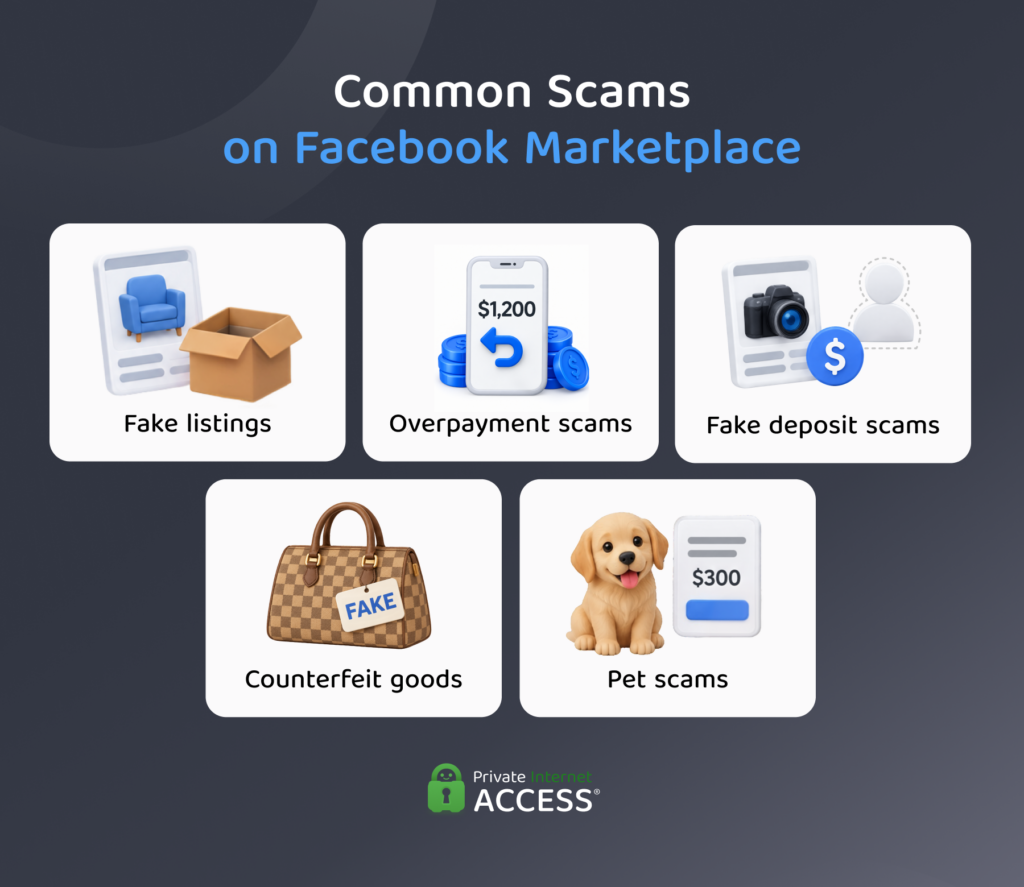
Facebook Marketplace scams generally fall into a handful of types, and knowing what they are makes it easier to spot and avoid them.
Fake or Non-Existent Products
In a fake listing scam, scammers advertise fake products or items they don’t own or can’t deliver. Victims pay for an item that never arrives, and the money can be hard or impossible to recover.
Overpayment Scams
Overpayment scams target sellers rather than buyers. A fraudulent buyer uses a fake transaction receipt or screenshot to claim they sent a payment larger than the agreed price and asks the victim to refund the difference.
Believing the transaction is real, the seller refunds it, resulting in a loss of money and often the item, too. This is such a common scam that Meta’s Marketplace safety page flags this exact pattern, warning sellers to stay alert.
Deposit Scams
In a fake deposit scam, the seller says they can’t meet in person, often citing excuses like being out of town, serving in the military, or handling a relative’s estate. They then ask for a deposit to hold or ship the item. Once you pay, they disappear and the item never arrives.
Rental Scams
Rental scams use fake listings for apartments or homes, often copied from real ads and posted with the scammer’s contact details. The scammer pressures you to pay a deposit, application fee, or rent before you can see the property, then vanishes.
Since 2020, people have reported nearly 65,000 rental scams to the FTC, with about $65 million in losses. About half of the people who reported a rental scam in the past 12 months up until to June 2025 said it started with a fake ad on Facebook.1
Counterfeit and Bait-and-Switch Listing Scams
Counterfeit listing scams involve sellers passing off fake goods as genuine. In a bait-and-switch version, the listing shows real photos of the item, but the buyer receives a counterfeit, a lower-quality item, or nothing at all. Once the seller stops replying, the buyer has no recourse.
Pet Scams
Pet scams have grown in recent years. The Better Business Bureau (BBB) reported only 680 instances in 2022, but nearly 2,000 from January to September 2025.2 Scammers advertise pets with appealing photos, sometimes running fake screening questions to appear legitimate, then ask for deposits and further payments. The pet never arrives, and the requests for more money keep coming.
Other Common Facebook Scams
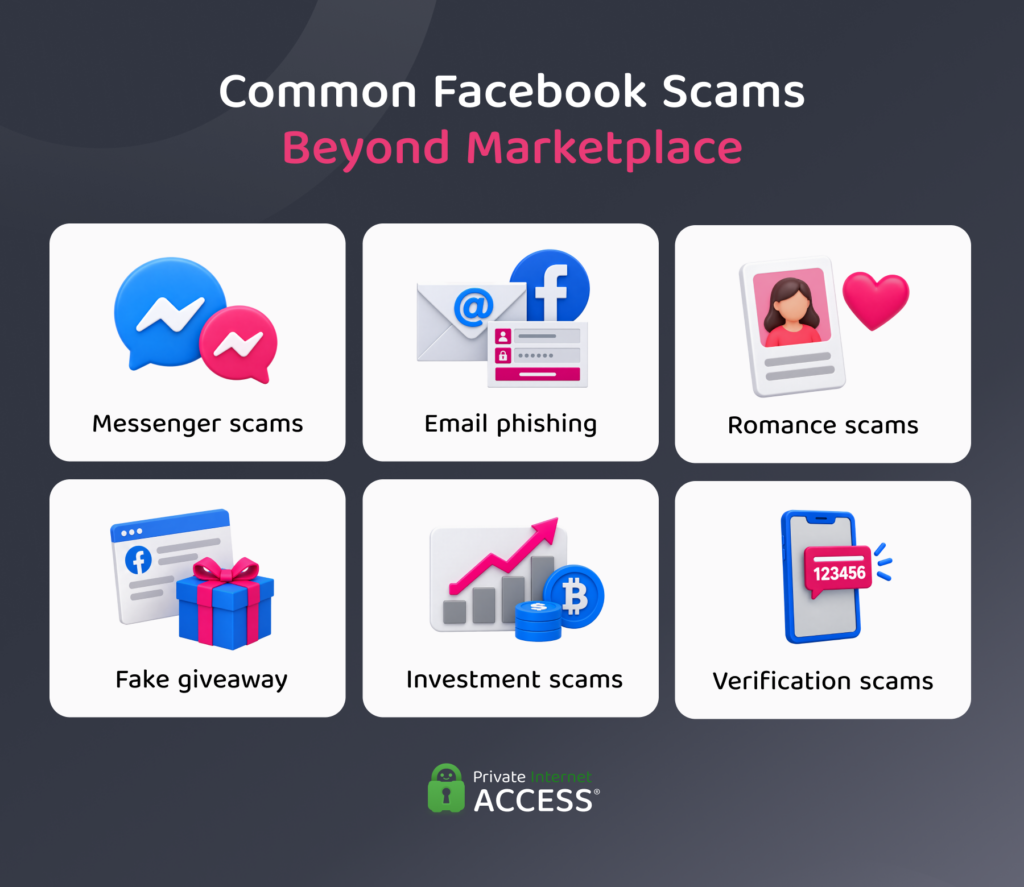
Marketplace isn’t the only part of Facebook that scammers exploit. Fraud on the platform also spreads through private messages, email inboxes, and fake profiles built to look like real people or companies. Here are some of the most common examples.
Facebook Messenger Scams
Facebook Messenger scams involve a hacked or cloned account reaching out to the real owner’s friends and family, often asking for money or sending links that lead to phishing pages designed to steal login credentials or financial details.
Victims who pay or enter their details can lose money or their own Facebook account, which scammers take over in order to target more of their friends.
Romance and Dating Scams
Facebook dating scams involve scammers posing as attractive, successful people with business backgrounds and sending the same opening message to large numbers of people at once. Once you reply, they spend time building trust before asking you to send money or invest in a fraudulent opportunity.
Social media plays a big role in these scams. The FTC reports that nearly 60% of people who lost money to a romance scam in 2025 said it started on social media.3
Fake Giveaways, Lottery, and Prize Scams
Fake giveaway posts promise a chance to win expensive prizes in exchange for a like, a share, or a completed survey. Scammers then either harvest personal data through the survey or ask you to pay taxes, shipping charges, or processing fees before disappearing. Victims lose the fee and may have their personal details misused.
Investment Scams
Investment fraud on Facebook capitalizes on current events and economic shifts to target victims with made-up opportunities in assets like real estate or cryptocurrency. They entice victims with promises of little-to-no risk, massive returns, or exclusive access available only to select groups. Victims who send money usually can’t get it back.
Verification Code Scams
Verification code scams mostly target people selling items. A supposed buyer says they want to confirm that the seller is a real person, then texts them a Google Voice code and asks them to read it back. Once the seller does this, scammers can link a Google Voice number to their phone number and use it to scam others while hiding their identity.4
Why Do Facebook Marketplace Scams Work?
Most Facebook scams rely on social engineering, a technique that creates an appearance of legitimacy and manipulates people’s emotions to get them to act. Scammers often create realistic profiles, including plenty of friends, tagged photographs, profile information, likes and comments, and a convincing post history.
Combined with selecting payment methods that are hard to reverse, scammers can walk away with significant amounts of money. According to the FTC, people reported losing roughly $2.1 billion in 2025 to scams that started on social media platforms,5 with Facebook accounting for the largest number of losses.3
How to Spot a Scammer on Facebook
Since most scammers rely on a few repeated tactics, the same warning signs show up again and again, making them easier to spot.
Marketplace Listing Red Flags
- Unusual payment methods: The seller will only accept gift cards, wire transfers, payment apps, or cryptocurrency, which are harder to reverse once sent.6
- Off-platform requests: The seller or buyer pushes you to move the conversation or the transaction off Facebook, which can remove your recourse under Meta’s purchase protection policies.
- Buyer claims to have made payment: A buyer says they’ve paid, but you can’t confirm the money has landed. Payment screenshots are easy to fake.
- Prices far below market value: A product advertised at a price significantly lower than its market value while being in supposedly new or perfect condition is a significant red flag.
- Generic or staged photos: The photos look staged, generic, or reused, especially for a used item.
- Excuses for not meeting: The seller always has a reason you can’t see the item in person or on a video call and asks for a deposit first.
Red Flags in Messages
- Urgent or pressuring language: Scammers may urge you to act quickly or urgently, citing things like a soon-to-be-expiring offer or a limited stock.
- A “trusted” person with an odd account: You may receive a message from someone you know asking for money, but the account behind it might be new, with a friends list that barely has any mutuals.
- Bad grammar or generic phrasing: The message has awkward grammar or generic wording that doesn’t sound like the person it claims to be from.
- Requests for verification codes: Anyone asking you to share a one-time code is likely attempting a verification code scam.
- Suspicious emails: Genuine emails from Meta or Facebook representatives will always end with domains like fb.com, facebook.com, facebookmail.com, instagram.com, meta.com, metamail.com, or a subdomain of one of these. Receiving an email by someone claiming to be a company representative with a different domain is a clear red flag.
How to Avoid Facebook Marketplace Scams
The following steps can help you avoid scams on Facebook Marketplace and across the wider platform:
- Limit contact: Restrict who can see your posts and friends list to people you know. A locked-down profile gives scammers less material to use if they attempt to impersonate you.
- Stay on the platform: Check out through Facebook Marketplace, where Meta’s purchase protection policies cover eligible purchases.
- Check profiles before transactions: Look at the other person’s profile before agreeing to anything, focusing on things like how long they’ve used the platform, whether you have any mutual friends, and if they have past marketplace activity.
- Run a reverse image search: Check whether the listing photos appear elsewhere online. Stolen or stock photos are a common sign of a fake listing.
- Keep verification codes to yourself: Never read out a one-time verification code to anyone, whether you’re a buyer or seller.
- Avoid clicking links: Don’t click on any links that people send in Facebook Messenger, as they could be phishing scams or may redirect to malicious websites.
- Inspect items: Whenever possible, inspect whatever you’re buying in person at pickup, before handing over payment.
- Confirm payment before anything: If you’re a seller, wait until the payment has reached your account before handing over the item.
How to Report Facebook Scams
If you spot a suspicious Marketplace listing or receive suspicious messages, report them using Facebook’s built-in tools. Marketplace listings and Facebook Messenger have a built-in report function that you can access by going into the settings of a specific chat.
If you’re receiving suspicious emails, Facebook also has a dedicated [email protected] email where you can report any suspected phishing attempts. Meta’s Safety Center has more details on reporting suspicious buyers, sellers, listings, or anything else that violates its community standards.
If you’re a victim of fraud involving financial loss or identity theft, the Federal Bureau of Investigation’s (FBI) Internet Crime Complaint Center (IC3) collects reports of internet-enabled crime from the public and shares them with law enforcement and partner agencies for possible investigation.
If you’re based in the US and have inadvertently shared sensitive details like your Social Security number, file a report through IdentityTheft.gov, the FTC’s dedicated resource for reporting and recovering from identity theft.
What to Do if You Got Scammed on Facebook Marketplace
If you do fall victim to a scam on Facebook Marketplace, you need to act fast to minimize damage. The steps you must take depend on how the scam unfolded, and the following table covers what to do in each scenario:
| Scenario | Action |
| Shared a password or login code | Change your account password immediately, including on other accounts where you reused it. Sign out of unfamiliar sessions, secure your email account, and enable multi-factor authentication (MFA). |
| Paid with a credit or debit card | Contact your bank, card issuer, or payment provider immediately to request a payment reversal or chargeback. |
| Paid by wire transfer, payment app, gift card, or cryptocurrency | Contact the relevant provider to check whether the payment can be stopped. Keep any transaction records you can for when you file a formal report with authorities. |
| Clicked a suspicious link or downloaded a file | Run a full antivirus scan to check for malware, then change the passwords for accounts you’ve used on the device. |
| Shared sensitive financial information | Contact your bank and ask them to check for suspicious activity, and monitor your accounts, reporting anything unusual. |
| Shared personal information, like your Social Security number | Report it at IdentityTheft.gov to get a recovery plan from the FTC and consider placing a fraud alert or credit freeze. |
FAQ
What are some current common scams on Facebook?
Common scams on Facebook include Marketplace fraud, phishing messages designed to steal login credentials, romance scams that build trust before asking for money, and fake investment pitches.
How can you tell whether someone is a scammer on Facebook?
Common signs of a scammer on Facebook include pressure to act quickly, requests for money or personal information, and unusual payment methods like gift cards or cryptocurrency.
How can you report a scam that happened on Facebook?
You can report a suspicious listing, message, or profile through Facebook’s built-in reporting tools, and forward suspicious emails to [email protected]. If you think you’re a victim of a scam, file a report with the FBI’s IC3 or the FTC’s ReportFraud.ftc.gov.
How do Facebook scams work?
Facebook scams rely on social engineering to manipulate you. This can involve pressuring you to buy a too-good-to-be-true listing, pretending to be someone you know, or using urgent language so you don’t pause to think before acting.
References:
- Rental scams hit home with $65 million in reported losses – FTC
- Puppy Scams 2025 Study Update – Better Business Bureau
- Reported losses to scams on social media eight times higher than in 2020 – FTC
- The Google Voice scam: How this verification code scam works and how to avoid it – FTC
- How to spot the top scams that started on social media – FTC
- A way to spot scams: how someone asks you to pay – FTC
