What Is a Reverse Proxy?
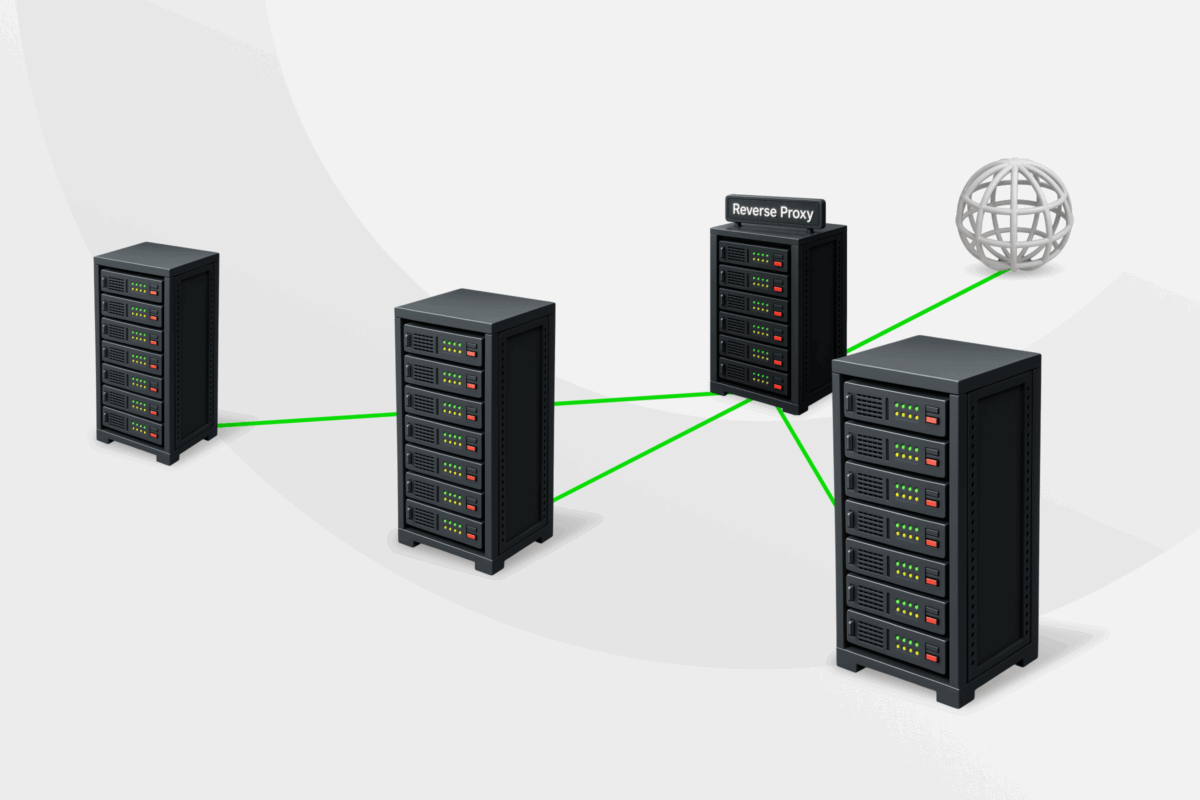
A reverse proxy is a server that sits between the internet and a website’s backend servers, managing and controlling incoming traffic on the website’s behalf.
You might never see a reverse proxy in action, but it plays a major role in keeping websites responsive, secure, and available, protecting infrastructure while keeping user experiences smooth and reliable.
In this blog post, we’re looking at what a reverse proxy server is, how it works, what it’s used for, and the benefits it can provide.
- How Proxy Servers Work
- What Is a Reverse Proxy Server?
- What Is a Reverse Proxy Used For?
- The Benefits of a Reverse Proxy
- What’s the Difference Between a Reverse Proxy and a Forward Proxy?
- Is a Reverse Proxy Different from a CDN?
- Is a Reverse Proxy or VPN Better for Online Security?
- How to Set Up a Reverse Proxy
- FAQ
How Proxy Servers Work
Before we get into what a reverse proxy server is, it helps to understand how a normal proxy server (also called a forward proxy server) works.
A proxy sits between a private network and the open internet, acting as a middleman for all the requests sent from the computers – also called clients – on that network to servers on the web.
For example, when a computer wants to load a webpage, it sends that request to the proxy. The proxy checks the request, applies rules or filters, and reaches out to the target server on the client’s behalf. When the response comes back from the internet, the proxy sends it to the client.
During this process, the server on the internet only sees the proxy server’s IP address, not the client’s IP address. This IP masking creates a layer of separation between your internal network and the wider web, helping to reduce exposure to certain cyberattacks.
The setup of the proxy server also helps to block known malicious sites and regulate traffic. Proxies can inspect incoming and outgoing traffic for signs of malicious activity (e.g., malware, phishing attempts, or suspicious data transfers). They can also log web requests to give administrators insights into network usage patterns.
On top of that, a proxy can help with load speeds. It caches data for frequently used services, so instead of fetching the same data over and over again, it can just deliver cached data directly to the client.
What Is a Reverse Proxy Server?
A reverse proxy is the opposite of a forward or standard proxy. It’s also placed on a network, but instead of regulating outgoing traffic, it regulates incoming traffic. Where a forward proxy protects clients, a reverse proxy protects servers.
The reverse proxy sits between the open internet and one or more servers. When a user tries to access a website or online service on those backend – or origin – servers, they connect to the reverse proxy rather than communicating directly with the host server.
This setup changes how incoming traffic reaches a network without changing how users experience the service. Everything works as usual when you interact with the front end, but requests are filtered through an additional backend security layer.
How Do Reverse Proxy Servers Work?
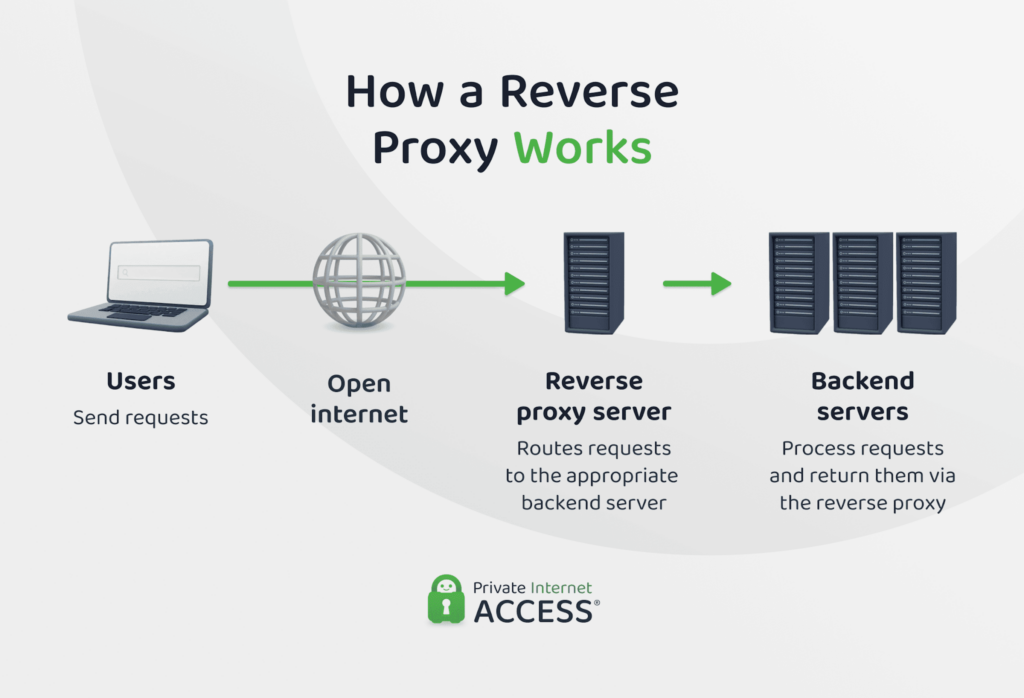
In most deployments, the reverse proxy acts as the primary gateway through which public client requests reach backend servers.
For example, if you have a private network with servers that clients need to connect to access certain data (e.g. retrieving a website or accessing a database) you can place a proxy server to accept incoming connection requests.
There are three phases here:
- Decision phase
- Routing phase
- Response handling phase
When someone tries to access your service, the reverse proxy will apply its decision logic to the request. This involves inspecting details like the requested resource, headers, or connection type. Based on that information, it determines how the request should be treated.
Next, the reverse proxy applies routing logic, directing the request to the appropriate server in the network. When it receives a response from the server, the proxy uses handling logic to deliver the response back to the client.
Depending on how the proxy server is configured, this might include adjusting headers, enforcing consistency across responses, or applying additional processing before data leaves the network.
Simply put, a reverse proxy server receives and fulfills client data requests, putting a barrier between the open internet and origin servers.
What Is a Reverse Proxy Used For?
Reverse proxy servers are used where organizations need tighter control over how incoming traffic reaches their servers. Here are some of the most common use cases for these proxies:
- Creating a single point of entry for incoming traffic: All external requests are received through one gateway instead of connecting directly to origin servers.
- Routing requests to the correct internal server or application: Requests can be forwarded based on URLs, domain names, or request types.
- Handling HTTPS connections for backend servers: The reverse proxy manages SSL/TLS encryption and decryption on behalf of internal servers.
- Supporting application updates and infrastructure changes: Traffic can be directed between different servers during deployments or maintenance.
- Providing services without exposing underlying server structure: Public access remains consistent even as internal servers change or scale.
- Caching frequently requested content: Select JavaScript, CSS, images, and other files can be cached by the reverse proxy and served without contacting the backend server for every request, reducing load and improving response times.
The Benefits of a Reverse Proxy
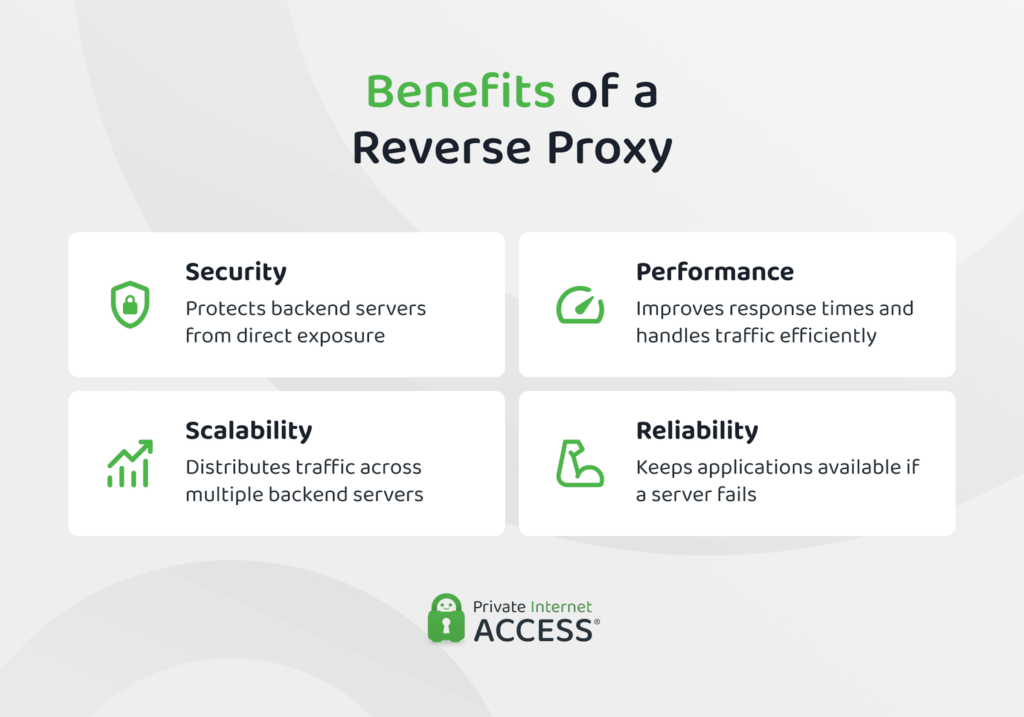
Using a reverse proxy can deliver a range of security and reliability benefits for websites and online services.
Enhanced Security
A major plus of using a reverse proxy is the additional layer of security it creates between the public internet and backend servers.
One of the ways it increases security is by hiding the IP addresses of the servers clients are requesting data from. This means attackers can’t directly identify or target the underlying infrastructure, which significantly reduces the attack surface.
Reverse proxies can also be used to identify and block malicious traffic before it reaches the origin server. As all incoming requests have to pass through a single control point, the reverse proxy can detect suspicious patterns (e.g., unusually high request volumes or malformed requests) and filter traffic accordingly.
This is particularly relevant for defending against distributed-denial-of-service (DDoS) attacks, where large volumes of requests are targeted to overwhelm a server. By absorbing, rate-limiting, or rejecting these malicious requests early, the reverse proxy helps keep backend systems online.
That said, the level of protection a reverse proxy provides depends on how it’s deployed. Placing it on a properly segmented network, limiting the services it protects, and keeping software up to date are all important. As are security rules, traffic thresholds, and filtering policy configurations.
Improved Network Performance
A reverse proxy can help to improve network performance by improving data transfer times.
One way a server can do this is by leveraging caching. Rather than storing copies of content itself, the reverse proxy can check whether a requested resource has changed since the client last received it. If nothing has changed, it can tell the client to simply reuse the version it already has, instead of relaying the request to the backend server. This simultaneously reduces the number of requests that need to reach the origin server and shortens response times.
Another tactic is SSL offloading. Instead of every backend server handling encryption and decryption for HTTPS traffic, the reverse proxy can manage these secure connections on their behalf, which can reduce the processing burden on origin servers.
Besides caching and offloading, a reverse proxy can also compress responses before sending them from the origin servers to clients. This reduces the amount of data transferred over the network, which can help to improve load times for users.
As with security, the performance gain that a reverse proxy can yield will depend on how it’s set up. Caching rules need to be carefully defined, SSL configurations must adhere to the latest standards, and compression should only be applied to relevant traffic.
Better Scalability and Reliability
Besides security and performance, a reverse proxy can also help websites and online services scale reliably as traffic grows.
In most production environments, incoming requests aren’t handled by a single server, but by multiple servers working together. Without a coordinating layer, some servers can become overloaded while others sit underused.
A reverse proxy acts like a traffic officer here, distributing incoming requests across available servers instead of sending everything to one place. This load balancing helps to prevent individual servers from becoming overloaded and lower the risk of outages during traffic spikes.
It can also manage traffic when maintenance and updates are being carried out. When a backend server needs to be taken offline for updates or repairs, the reverse proxy can temporarily stop routing requests to it and redirect to other servers instead.
When configured correctly, a reverse proxy helps services to stay responsive and stable as demand changes.
What’s the Difference Between a Reverse Proxy and a Forward Proxy?
The key difference between a forward proxy and a reverse proxy comes down to which side of the connection they manage and what they’re designed to protect.
A forward proxy sits between users (or clients) and the open internet. It handles requests leaving a private network and is typically used to control outbound traffic, apply usage policies, log user activity, or mask client IP addresses when accessing external services.
A reverse proxy, on the other hand, sits between the internet and one or more servers. It manages requests coming into a network and acts on behalf of the server. Instead of protecting clients, it protects backend infrastructure by controlling how traffic reaches internal systems.
| Forward Proxy | Reverse Proxy | |
| Position in the network | Between a client and the internet | Between the internet and servers |
| Primary role | Manages outbound requests | Manages inbound requests |
| Acts on behalf of | Clients (users or devices) | Servers (backend infrastructure) |
| What it protects | Client identities and internal users | Origin servers and internal systems |
| Typical use cases | Controlling internet access, enforcing usage policies, logging user activity | Managing incoming traffic, routing requests, handling server-side tasks |
| Visibility | External servers see the proxy instead of the client | Users see the proxy instead of the server |
| Common environments | Corporate networks, schools, restricted networks | Websites, APIs, cloud services, web applications |
Is a Reverse Proxy Different from a CDN?
A reverse proxy and a content delivery network (CDN) are closely related, but they’re not the same thing.
A CDN is a geographically distributed network of servers designed to deliver content from locations closer to users. Most CDNs use reverse proxy technology at the edge of their networks, but their defining feature is a worldwide network of edge servers. These servers reduce latency for global audiences and help websites maintain fast, consistent performance regardless of where visitors connect from.
In other words, a CDN often includes a reverse proxy, but a reverse proxy isn’t necessarily a CDN. If your goal is to manage traffic to your own servers, a reverse proxy may be all you need. If you also want to improve global performance by serving content from locations around the world, a CDN can provide additional benefits.
| Reverse Proxy | CDN | |
| Position in the network | In front of your origin server(s) | Distributed across edge locations worldwide |
| Primary purpose | Manage, route, and secure incoming traffic | Deliver content from the location closest to each visitor |
| Geographic distribution | Not required; can run from a single location | Core to how it works |
| Typical provider | Self-hosted (NGINX, Apache) or cloud-managed | Dedicated CDN services, often built on reverse proxy tech |
Is a Reverse Proxy or VPN Better for Online Security?
A reverse proxy and a VPN both improve security, but they do so in very different ways and are designed for different situations.
A reverse proxy protects the servers behind a website or online service, making it a good choice for organizations that need to secure public-facing services and control how incoming traffic is handled.
A VPN is closer to a forward proxy in that it’s designed to protect users rather than infrastructure. When you connect to a VPN, it encrypts your traffic and routes it through a secure tunnel, masking your IP address from the websites and apps you connect to.
It helps protect your data on untrusted networks, reduce exposure to tracking, and prevent eavesdropping on your connection.
If you’re running a website or application and want to secure your servers and manage incoming traffic, a reverse proxy is the right tool. If you’re an individual looking to protect your connection and privacy while browsing online, a VPN is the better fit.
How to Set Up a Reverse Proxy
The exact process for setting up a reverse proxy will vary depending on the software and environment you’re using, but most setups follow the same basic sequence:
- Define what traffic you want to process: Start by identifying the websites or services you want to expose, along with their internal addresses and protocols (for example, HTTP or HTTPS) to establish what the reverse proxy needs to handle.
- Choose a reverse proxy solution: Select software that fits your environment, such as NGINX, Apache, or a cloud-managed option. This choice will influence the way you configure the proxy, but not the setup process in general.
- Deploy the reverse proxy as the entry point: Place the reverse proxy so all incoming internet traffic reaches it first. Backend servers should only be accessible through the proxy, not directly from the internet.
- Configure routing and HTTPS: Set rules that map domains or paths to the correct backend servers, and enable HTTPS at the reverse proxy. This ensures requests are forwarded correctly and connections are encrypted.
- Test, monitor, and harden the setup: Verify that traffic flows as expected, apply basic rate limiting or access controls, and monitor logs to catch issues early. Adjust the rules over time as traffic patterns change.
FAQ
What is a reverse proxy?
A reverse proxy is a type of server that accepts incoming requests from clients on the internet and forwards them to one or more backend servers on behalf of those clients. The client doesn’t experience any difference, but the proxy adds a layer between them and the backend servers.
What does a reverse proxy server do?
A reverse proxy server intercepts client requests, examines them, and decides how to handle them. It forwards accepted requests to the appropriate backend server and returns the server’s response to the client, masking the origin server from direct contact.
How is a reverse proxy used?
There are many reverse proxy use cases. They can centralize and manage incoming web traffic, route requests to the right servers, balance load across multiple servers, and conceal backend infrastructure details from users and attackers.
How does a reverse proxy improve performance and security?
By caching frequently requested content, handling encryption tasks, and distributing requests across servers, a reverse proxy can reduce backend load and speed up response times. It also hides server details and can filter out malicious traffic before it reaches backend systems. These are two of a reverse proxy server’s main benefits.
Can a VPN or proxy server work as a reverse proxy?
A VPN and a standard (forward) proxy serve different purposes than a reverse proxy. VPNs protect user connections by encrypting all traffic, while forward proxies act on behalf of clients. Neither inherently does what a reverse proxy does: manage inbound traffic to servers.
