What Is the Purpose of the OSI Model? A Guide to the 7 Layers
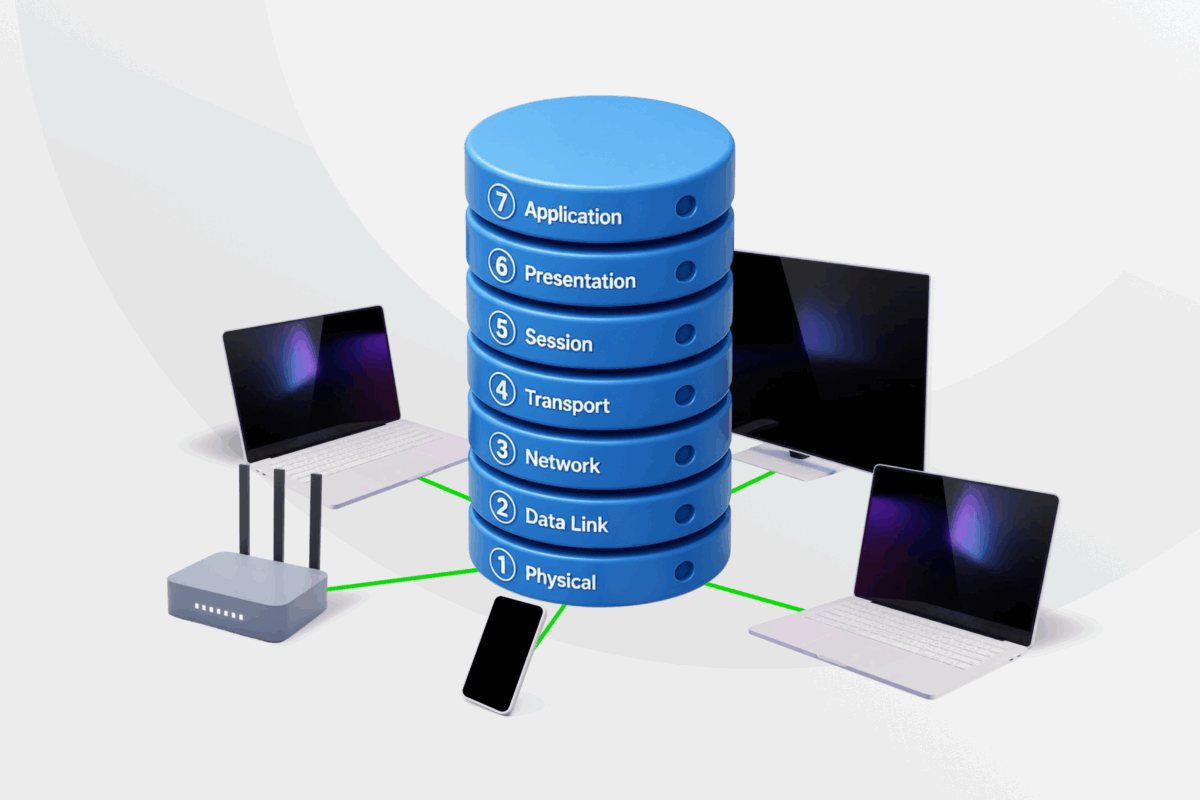
The Open Systems Interconnection (OSI) model is a conceptual framework for understanding network communication. Although modern networks use TCP/IP, the OSI framework remains widely used for learning, designing, and troubleshooting networks.
In this guide, we’ll explain its purpose, examine the seven layers, and explore its benefits along with how it compares with TCP/IP.
Table of Contents
The OSI Model ExplainedHow Data Flows Through the OSI Model
What Are the 7 Layers of the OSI Model?
Benefits of the OSI Model
OSI Model vs. TCP/IP Model
How VPNs Relate to the OSI Model
FAQs
The OSI Model Explained
The International Organization for Standardization (ISO) published the Open Systems Interconnection (OSI) model as a standardized framework for network communication¹.
It divides network communication into seven layers, making it easier to understand network functions, identify communication issues, and support interoperability between systems and technologies from different vendors.
How Data Flows Through the OSI Model
When two devices communicate, data moves down the OSI layers on the sending device and back up the layers on the receiving device. This process consists of two stages:
- Data encapsulation (sending): When you send a message, it begins at Layer 7 and moves down through the OSI layers. As it travels, each layer adds control information used for tasks such as addressing, routing, and error checking. By the time it reaches Layer 1, the data is fully prepared for transmission.
- Data decapsulation (receiving): When the data reaches the receiving device, the process reverses. As the data moves back up through the layers, each layer reads and removes the information added during encapsulation until the original message reaches the application.
What Are the 7 Layers of the OSI Model?
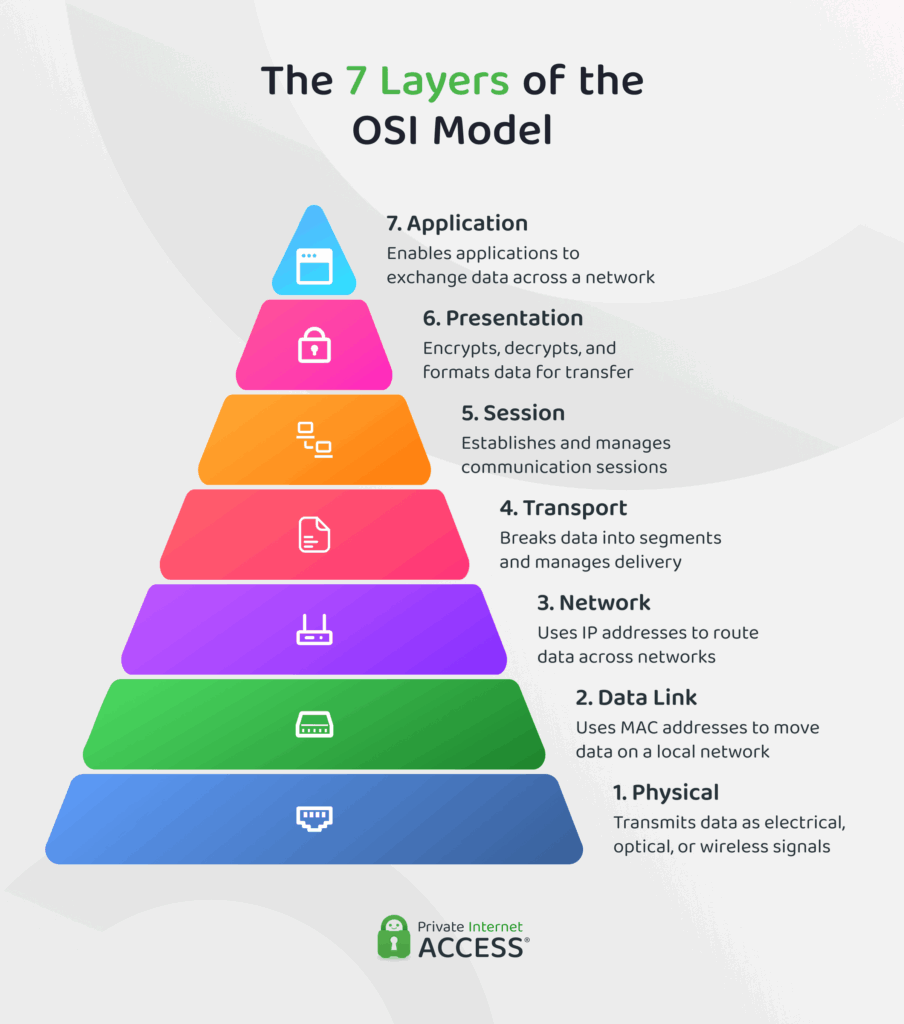
Each layer of the OSI model performs a specific function that helps move data between devices. When you send or receive information online, that data passes through all seven layers before reaching its destination.
The layers are typically organized from top to bottom, starting with the applications used and ending with the physical hardware that carries the data. As the data moves through the layers, it’s referred to by different names, including segments, packets, frames, and bits.
Here’s what happens at each layer:
Layer 7: The Application Layer
The “first” layer enables applications to exchange data across a network. This includes activities like loading a webpage, sending an email, or transferring a file.
The Domain Name System (DNS) also operates at this layer. It translates domain names into IP addresses, allowing devices to identify the correct destination for their data.
Layer 6: The Presentation Layer
This layer prepares data for transmission by translating the application data into a format that the receiving device can understand. It can also compress and encrypt the data before transit. The receiving device decrypts and converts the data back into its original format.
Layer 5: The Session Layer
The fifth layer establishes, manages, and ends connections between devices.
For example, when you start a video call, log in to a remote server, or sign in to a web app, it helps maintain the connection while information is being exchanged. Once the exchange is complete, it ends the connection.
Layer 4: The Transport Layer
This layer controls how data moves between devices. It breaks data into smaller units called segments and manages how it’s delivered across the network.
Two protocols commonly operate at this layer:
- Transmission Control Protocol (TCP): TCP prioritizes accuracy. It checks that data arrives in the correct order and requests missing data if needed. This makes it useful for activities where complete data delivery matters, such as downloading a file.
- User Datagram Protocol (UDP): UDP prioritizes speed. It sends data without confirming individual packet deliveries, reducing delays. This makes it ideal for real-time activities such as online gaming.
Read more: TCP vs UDP – Protocol and Port Differences
Layer 3: The Network Layer
The Network Layer determines how data travels between networks. It uses IP addresses to identify devices and relies on routers to direct data packets to their destination. This allows data to move between different networks until it reaches the intended device.
Layer 2: The Data Link Layer
Unlike the Network Layer, the Data Link Layer handles communication between devices on the same network. At this stage, it packages data into units called frames for transmission across the local network.
This layer uses Media Access Control (MAC) addresses to identify devices on the local network and help ensure each frame reaches the correct destination. The Data Link Layer also performs basic error checking to help detect corrupted data during transmission.
Layer 1: The Physical Layer
Finally, this layer manages the physical transmission of data across a network. It includes technologies used to transmit data, such as Ethernet cabling, Wi-Fi, and fiber optic connections.
This stage reduces data to bits and transmits it as electrical, optical, or wireless signals between devices. Once those bits reach the receiving device, the data moves back up through the OSI layers until it reconstructs the original message.
Benefits of the OSI Model
The OSI model remains widely used because it provides several practical benefits.
- Troubleshooting: Narrows potential issues to a specific layer, helping technicians identify the likely source of a fault and avoid unnecessary testing.
- Network design: Makes it easier to develop, update, and manage network technologies without having to redesign the entire network.
- Security planning: Helps security teams understand where different protections operate and where potential vulnerabilities may exist within a network.
- Learning and education: Provides a clear framework for understanding how data moves across a network and where technologies such as virtual private networks (VPNs) add protection.
OSI Model vs. TCP/IP Model
While the OSI model is a conceptual framework for understanding networking, the TCP/IP model is a practical framework based on the protocols used on the internet. Used for real-world communication, it combines several OSI layers into broader categories while covering many of the same networking functions.
The TCP/IP model groups several OSI layers into four broader layers2:
- Application layer: Combines OSI Layers 7, 6, and 5. It handles application services, data formatting, and session management.
- Transport layer: Corresponds to OSI Layer 4 and manages end-to-end data delivery.
- Internet layer: Matches OSI Layer 3 and handles IP addressing and routing.
- Network access layer: Combines OSI Layers 2 and 1 and handles local network communication and physical data transmission.
The OSI and TCP/IP models describe many of the same networking functions, but they organize them differently. The table below highlights the main differences between them:
| Model | Primary role | # of layers | Layer organization |
| OSI Model | Conceptual framework used to understand and troubleshoot networking | 7 | Functions separated into distinct layers |
| TCP/IP Model | Protocol framework used for real-world network and internet communication | 4 | Functions combined into broader layers |
How VPNs Relate to the OSI Model
While it can vary by protocol, many VPN technologies operate at the Network Layer (Layer 3), where they encrypt and encapsulate data before routing it through a protected tunnel to a VPN server.
Some VPN services also include DNS filtering tools that operate at the Application Layer (Layer 7). These tools can help block requests to known malicious domains before they can establish a connection.
Because VPNs work within the network communication process, the OSI model provides a useful framework for understanding where VPN encryption and tunneling take place.
Read more: What Is a VPN Tunnel and How Does It Work?
FAQs
What is the OSI model?
The Open Systems Interconnection (OSI) model is a seven-layer framework that describes how data moves between devices across a network. It’s widely used to understand, design, and troubleshoot network communication.
What is the purpose of the OSI model?
The Open Systems Interconnection (OSI) model provides a common way to describe network communication. By organizing networking functions into seven layers, it helps explain how different technologies work together and where problems can occur.
What is Layer 2 of the OSI model?
Layer 2 is the Data Link Layer. It manages communication between devices on the same local network and uses Media Access Control (MAC) addresses to help ensure data reaches the correct device.
What is Layer 7 of the OSI model?
Layer 7 is the Application Layer, where applications interact with the network. It supports activities such as web browsing, file transfers, and emails.
How is the OSI model used to troubleshoot network issues?
IT professionals use the OSI model to troubleshoot network problems by investigating one layer at a time. A common approach is to start with Layer 1 and work upward through the model until they identify the source of the issue.
Where do VPNs fit within the OSI model?
Many Virtual Private Networks (VPNs) operate at the Network Layer (Layer 3). They encrypt traffic and route it through a VPN server before it reaches its destination, helping protect data in transit while making websites and online services see the VPN server’s IP address instead of your own.
References
