What Is a VPN Number? Myths, Facts, and What It Actually Means
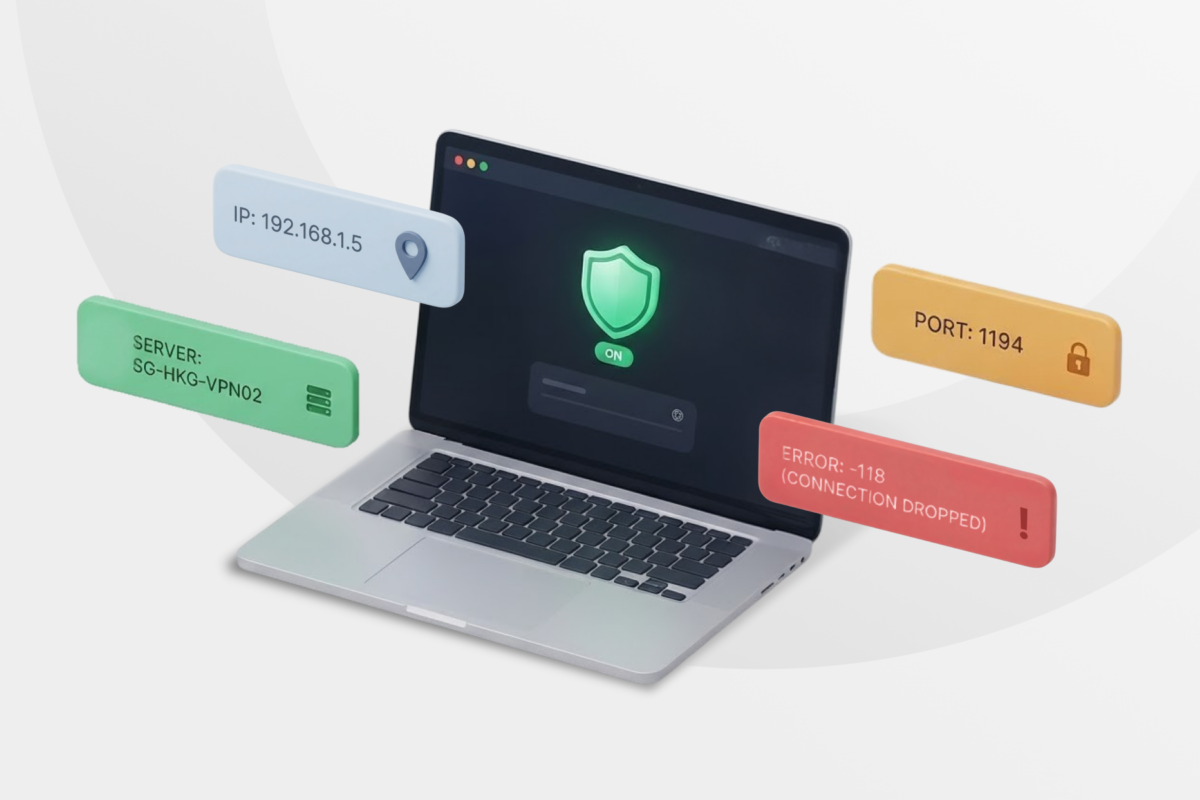
You may have heard someone mention a “VPN number,” or you may have encountered the term in a blog post or AI-generated answer. What you won’t find is a reputable VPN provider using it as an actual technical term. That’s because no organization has officially designated a “VPN number.”
There are, however, plenty of real numbers associated with VPN connections, including IP addresses, port numbers, DNS server addresses, and error codes. Someone using the phrase “VPN number” is probably referring to one of these.
We’ll cover every likely meaning and explain what each number does, where to find it, and whether it’s integral to how your VPN works.
What Could Someone Mean by “VPN Number”?
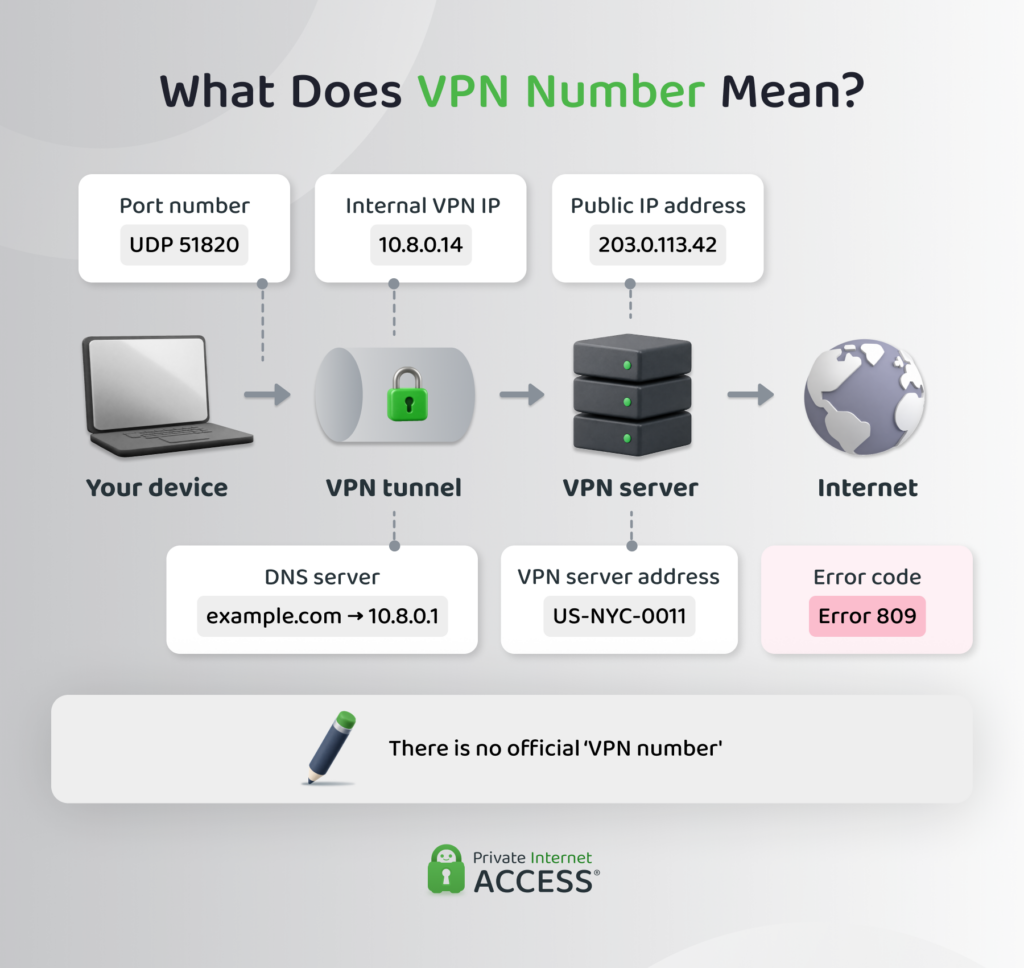
This table can help you identify what this could mean:
| VPN category | What It Is | Where to Find It |
| VPN IP address | The public IP address of the VPN server | VPN app or IP lookup tool |
| VPN port number | The port used to establish the VPN connection | VPN settings or configuration file |
| VPN server address | The hostname or IP address your device connects to | VPN app, provider website, or configuration file |
| Internal VPN IP address | The address assigned to your device inside the VPN | Device settings or network administrator |
| DNS server address | The server that processes domain-name requests | VPN or device network settings |
| Error code | A code identifying a connection problem | VPN app or operating system message |
Most people using a commercial VPN app never need to find or enter these details. The app manages them automatically. You’re more likely to encounter them when manually configuring a VPN, connecting to a workplace network, or troubleshooting a problem.
Your VPN IP Address Is the Most Likely Answer
When someone mentions a VPN number, they’re most likely talking about the public IP address of the VPN server you’re connected to.
Your internet provider assigns your connection a public IP address. Websites need this address to send data back to your device, but it can also reveal your approximate location and internet provider.
A VPN routes your traffic through a VPN server before sending it to its destination. Websites generally see the VPN server’s public IP address instead of the address assigned to you by your internet provider.
Some people informally call this their VPN number. The correct term is a VPN IP address or VPN server IP address.
Privacy primer: While masking your regular IP address gives you more privacy online, it doesn’t make you invisible or untraceable. Websites may still recognize you through account activity, cookies, browser fingerprinting, and other methods.
How to Find Your VPN IP Address
You can compare your public IP address before and after connecting to the VPN:
- Disconnect from your VPN.
- Visit the PIA VPN IP address page.
- Record your IP address.
- Connect to a VPN server.
- Refresh the IP address test and compare the results.
The second address should be different and correspond with the VPN server location you selected.
An unexpected location doesn’t always mean your VPN isn’t working. IP geolocation databases can be inaccurate or outdated, so they may associate the server’s IP address with a nearby city or a previous location.
If the address doesn’t change at all, reconnect to the VPN and check again. You can also use an IP leak test to investigate whether your regular public address remains exposed.
VPN Number Could Also Mean a Port Number
A VPN port number is a real networking term. It identifies a logical communication endpoint used to send VPN traffic between your device and a server.
You can think of an IP address as identifying the correct building and a port number as directing traffic to the correct door. The VPN protocol and provider configuration determine which port the connection uses.
Common VPN Port Numbers
Different VPN protocols often use different ports:
| VPN Protocol | Common Ports |
| OpenVPN | User Datagram Protocol (UDP) or Transmission Control Protocol (TCP) 1194, with other ports possible |
| Internet Key Exchange version 2/Internet Protocol Security (IKEv2/IPsec) | UDP 500 and 4500 |
| WireGuard | Commonly UDP 51820, but configurable |
| Layer 2 Tunneling Protocol/IPsec (L2TP/IPsec) | UDP 1701, 500, and 4500 |
| Point-to-Point Tunneling Protocol (PPTP) | TCP 1723 and Generic Routing Encapsulation (GRE) |
These are common values rather than rules every VPN provider must follow. A provider or network administrator can configure a protocol to use a different port.
Most people using a consumer VPN app don’t need to know their VPN port number. The app selects the required protocol, server, and port in the background.
How to Find Your VPN Port Number
If you need the port for a manual setup or firewall rule, check:
- Your VPN app’s advanced settings
- The configuration file supplied by the VPN provider
- Your VPN provider’s support documentation
- Your router’s VPN settings
- Instructions from your workplace or school
- Your organization’s network documentation
For example, an OpenVPN configuration file may contain a remote entry identifying the VPN server and port. Don’t select an arbitrary port if your instructions don’t specify one. The connection won’t work unless the server accepts traffic through that port.
Privacy primer: Don’t confuse a VPN port number with VPN port forwarding. Your VPN uses a port to communicate with its server. Port forwarding allows unsolicited incoming connections through the VPN server to reach a specific application or device.
Other Numbers Associated With VPNs
Besides an IP address or port number, there are a few other possibilities.
- VPN server address: This tells your device which server to contact. It may be a numerical IP address or a hostname, such as server.example.com. You may need it when manually configuring a VPN on a router, operating system, or third-party VPN client.
- Internal VPN IP address: A workplace VPN may assign your device an IP address inside the organization’s private network. This allows internal systems to identify your device and route data to it.
- Domain Name System (DNS) server address: The DNS translates domain names into IP addresses. A VPN may send your DNS requests through the encrypted tunnel to DNS servers operated or selected by the VPN provider.
- VPN error code: The number may be part of an error message rather than a connection setting. Error codes can identify authentication failures, unreachable servers, blocked connections, expired certificates, and other problems.
There’s no universal list of VPN error codes. Their meanings depend on the VPN app, operating system, and protocol. Search the provider’s official support documentation using the complete error message rather than the number alone.
Be Careful When Someone Asks for VPN Information
Be cautious if a stranger or unexpected message asks you to provide a “VPN number.” The vague wording may mean that the sender doesn’t understand what they’re requesting, but it could also be an attempt to obtain sensitive account or network information.
Don’t share your:
- VPN password
- One-time authentication code
- Recovery code
- Private encryption key
- Complete VPN configuration file
- Workplace VPN credentials
A public VPN server IP address isn’t normally secret. Passwords, private keys, and authentication codes are different because they could provide access to your account or private network.
Verify unexpected requests through your VPN provider’s official support channel or your organization’s IT department.
FAQ
How do I get my VPN number?
You can’t get a VPN number because it isn’t a real technical identifier. If you mean a VPN IP address, connect to a VPN server and use an IP lookup tool to see the public address visible to websites. For a port or server address, check your VPN’s settings or setup documentation.
What is a VPN number used for?
A VPN number has no defined purpose because it isn’t an official networking term. Someone using the phrase may mean an IP address, port number, server address, DNS server address, or error code. You’ll need to know the context to identify the correct information.
What is my VPN port number?
Your VPN port number depends on the VPN protocol and provider configuration. You may find it in the app’s advanced settings, a manual configuration file, or your provider’s support documentation. Most consumer VPN apps select the appropriate port automatically.
Is a VPN number the same as an IP address?
No. A VPN number isn’t a recognized technical term. However, someone using the phrase may be referring to the public IP address of the VPN server you’re connected to.
Does a VPN give you a phone number?
No. A VPN can replace the public IP address visible to websites, but it doesn’t provide, replace, or conceal your telephone number. You need a separate virtual phone service to obtain another phone number.
