What Is a Zero-Day Exploit and How Can It Affect You?

Zero-day exploits are among the harder cyber threats to defend against because attacks begin before a fix exists. The software developer might not know about the flaw yet, or may be working on a patch while attackers are already exploiting it.
That creates a dangerous window where people and organizations run vulnerable apps, devices, browsers, or systems without knowing they’re at risk.
This guide explains how a zero-day exploit works, why it’s dangerous, and ways you can reduce exposure.
Table of Contents
Zero-Day Exploits ExplainedThe Lifecycle of Zero-Day Exploits
Why Zero-Day Threats Are Hard to Defend
Common Targets for Zero-Day Exploits
Real-World Examples of Zero-Day Exploits
How Security Teams Find and Contain Zero-Day Attacks
Practical Ways to Lower Your Zero-Day Risk
FAQ
Zero-Day Exploits Explained
A zero-day exploit is a method attackers use to take advantage of an unknown or unpatched flaw before a fix is available. The term “zero day” refers to how much time the vendor has to resolve the issue.
Zero-Day Vulnerability vs. Zero-Day Exploit vs. Zero-Day Attack
| Term | What It Means | Example |
| Zero-day vulnerability | An unknown or unpatched flaw in software, hardware, or firmware | A bug in a browser that allows someone run malicious code |
| Zero-day exploit | The method used to take advantage of the flaw | Code or a technique designed to abuse that browser bug |
| Zero-day attack | Real-world use of the exploit | A cybercriminal using the exploit to target vulnerable devices |
The Lifecycle of Zero-Day Exploits
Regardless of the point of attack, the basic lifecycle of a zero-day exploit follows the same general pattern.
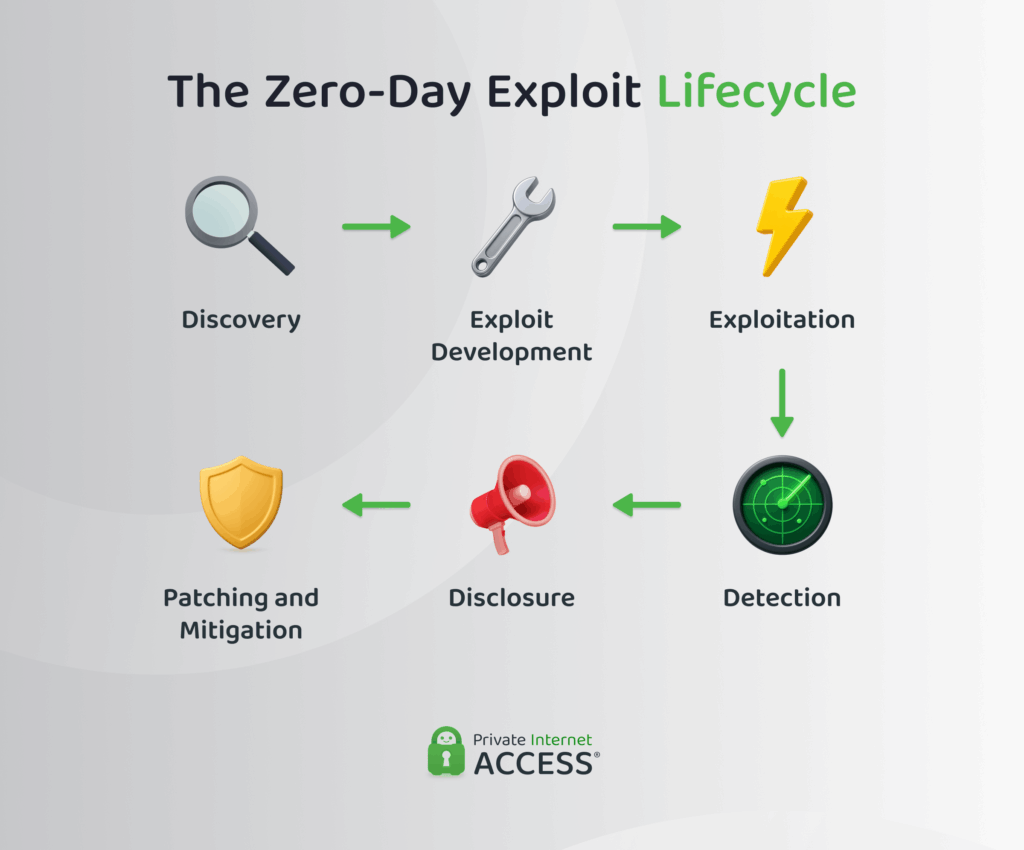
- Discovery: Attackers or researchers discover a vulnerability in software, hardware, firmware, or an online service.
- Exploit development: Once attackers find and understand the weakness, they develop an attack method to take advantage of it.
- Exploitation: Attackers use the exploit against affected systems to launch the cyberattack. The target depends on where the flaw exists and what access the exploit can provide.
- Detection: Security teams, vendors, researchers, or affected organizations may notice suspicious activity before they understand the vulnerability. Signs may include abnormal network traffic, unexpected system changes, and unusual login behavior.
- Disclosure: Once they confirm the flaw, the vendor or a security authority may publish an advisory. Some vulnerabilities also receive a common vulnerabilities and exposures (CVE) identifier, giving security teams a standard way to track the issue.
- Patching and mitigation: The vendor releases a patch, workaround, configuration change, or other guidance to reduce risk. Organizations then need to test, prioritize, and apply the fix across affected systems.
Why Zero-Day Threats Are Hard to Defend
Zero-day exploits begin before anyone even realizes there’s a weakness, let alone a patch to fix it.
That doesn’t mean every zero-day exploit leads to a major breach. It means defenders may have less time, less visibility, and fewer ready-made fixes than they would with a known security vulnerability.
Detection Often Comes Late
Many security tools rely on known threat signatures. They look for files, code, or behavior that someone has already identified as malicious. Since a new zero-day exploit won’t match those known patterns at first, defenders often need to look for suspicious behavior instead.
This is one reason zero-day attacks can stay hidden. Mandiant Consulting’s M-Trends 2025 report found that the global median dwell time (the period between an attacker gaining access and someone detecting it) rose to 11 days in 2024 and externally detected intrusions had a median dwell time of 26 days1. Dwell time doesn’t only apply to zero-day attacks, but it shows why early detection matters when attackers gain access before defenders notice.
One Flaw Can Affect Many Systems
A zero-day vulnerability can create wide risk when it affects software, devices, or services that many people and organizations use. Google’s Threat Intelligence Group tracked 75 zero-day vulnerabilities exploited in 2024 and reported a continued shift toward targeting enterprise technologies, especially security and networking products2.
Attackers may use zero-day exploits for espionage, data theft, malware delivery, ransomware, or unauthorized access. The impact depends on the flaw, the target, and how quickly vendors and users respond.
Common Targets for Zero-Day Exploits
Zero-day exploits can affect many types of technology because security flaws can exist almost anywhere code runs. That includes browsers, mobile apps, business systems, cloud platforms, routers, firewalls, and connected devices.
Browsers and Computer Operating Systems
Browsers and operating systems are common targets because people use them often. Browsers are a convenient way to deliver payloads because they handle untrusted web content by design. A browser exploit is rarely the end goal on its own, though. Attackers typically use it to break out and compromise the operating system itself.
Mobile Devices and Apps
Mobile zero-day exploits can target phones, mobile operating systems, messaging apps, or other apps that handle sensitive data. These attacks are serious because phones often store personal messages, location data, photos, and credentials for banking, email, and other accounts.
Enterprise Software and Cloud Services
A flaw in an enterprise platform can create broad risk because one vulnerability may affect many organizations at once. These systems are also attractive targets when they manage identity, remote access, customer data, or internal workflows.
IoT and Connected Devices
IoT devices include connected cameras, smart TVs, smart home devices, printers, sensors, and other hardware connected to a network. These devices may receive fewer updates than phones or laptops, and some people keep using them long after the manufacturer stops supporting them, which increases risk.
Real-World Examples of Zero-Day Exploits
The impact of zero-day exploits depends on where the flaw exists and how often people use the affected product. These examples show that zero-day risk can affect any type of device, app, or organization.
- Log4Shell: Log4Shell was a serious vulnerability in Apache Log4j, a popular Java logging library. Because Log4j handled logging across thousands of platforms, a single flaw gave attackers a potential foothold in systems far beyond Apache itself, creating broad risk across many services and applications3.
- Google Chrome: In January 2024, Google released an emergency Chrome patch to address an actively exploited out-of-bounds memory access vulnerability in the V8 JavaScript engine. Attackers could exploit it to corrupt browser memory and potentially take control of the affected systems4.
- Ivanti Connect Secure: In early 2025, CISA reported active exploitation of a critical stack-based buffer overflow in Ivanti Connect Secure, a widely used enterprise remote access product. The flaw let attackers execute code remotely on internet-facing devices5.
How Security Teams Find and Contain Zero-Day Attacks
Zero-day exploits are difficult to detect, but not impossible. Instead of only looking for known threat signatures, security teams look for unusual activity, also known as behavior-based detection. That can include abnormal network traffic, system changes, login attempts, file activity, or account activity.
Once an organization suspects a zero-day exploit, the first goal is usually containment. Security teams may try to isolate affected systems or adjust firewall rules to restrict suspicious traffic while they work to identify the vulnerability.
The next step is investigation. Teams review logs, identify affected systems, check whether attackers exposed any data or accounts, and look for signs of lateral movement into the network.
When the vendor releases a patch or workaround, organizations should apply the fix as quickly as possible. After that, they can review what happened, update their response plan, and improve monitoring for similar attacks.
Practical Ways to Lower Your Zero-Day Risk
You can’t prevent every zero-day exploit from affecting the software or devices you use. The goal is to limit your exposure and minimize the damage if an attack occurs.
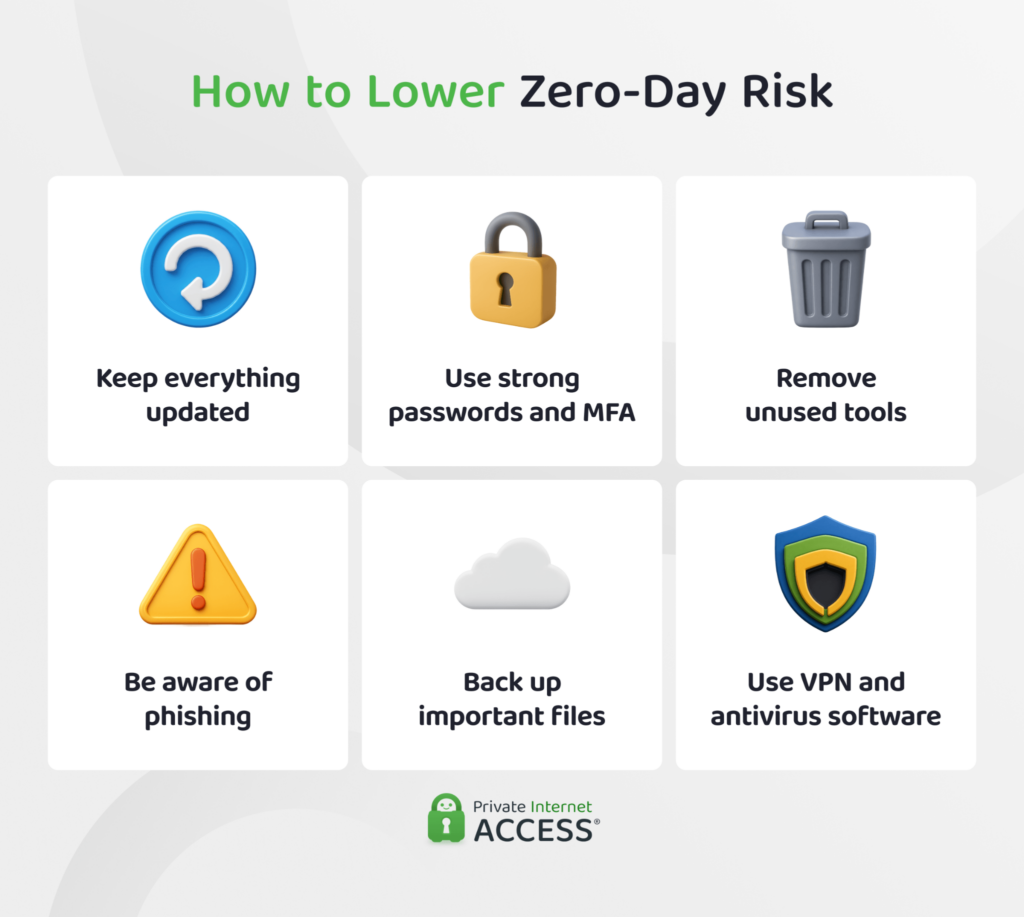
A few habits make a real difference:
- Keep everything updated: Turn on automatic updates for your operating system, browser, apps, and firmware. Patch management is one of the most important ways to reduce the time between a vendor releasing a fix and you protecting your device.
- Use strong account protection: Strong passwords and multi-factor authentication (MFA) can help limit the damage if attackers exploit a vulnerability to reach your accounts.
- Reduce your attack surface: Remove apps, browser extensions, and connected devices you no longer use. Fewer tools with access to your data means fewer potential weak points.
- Be careful with files, links, and prompts: Zero-day exploits can arrive through phishing messages containing malicious links and files, drive-by downloads from compromised websites, or fake update prompts.
- Back up important files: Backups won’t block a zero-day exploit, but if an attack damages, deletes, or encrypts your data, you may have a chance to recover your data.
- Use layered security: Security tools that monitor unusual behavior can spot suspicious activity, even when a threat doesn’t match known malware signatures. Organizations can add stronger controls, such as network segmentation, vulnerability scanning, intrusion detection, and incident response planning.
FAQ
What Is a zero-day exploit?
A zero-day exploit is a method attackers use to take advantage of a vulnerability in software, hardware, or firmware before a patch exists. The vendor may not know about the flaw yet or may still be working on a fix.
How does a zero-day exploit work?
A zero-day exploit targets an unknown or unpatched security flaw. Attackers may use it against vulnerable apps, browsers, devices, servers, or internet-facing systems before defenders know exactly what to block. Once the vendor confirms the issue, it usually releases a patch, workaround, or mitigation.
What’s the difference between a zero-day vulnerability and a zero-day exploit?
A zero-day vulnerability is the flaw itself. A zero-day exploit is the method attackers use to take advantage of that flaw. When someone uses the exploit against a real target, that’s called a zero-day attack.
Why are zero-day exploits so dangerous?
Zero-day exploits are dangerous because the attack occurs before anyone realizes there’s a vulnerability. Security tools may also miss the activity if they rely only on known threat signatures, giving attackers a window to target vulnerable systems before users, vendors, and security teams can respond.
How do organizations detect and respond to zero-day exploits?
Organizations often detect zero-day exploits by looking for unusual behavior rather than known malware signatures. Signs include abnormal network traffic, system changes, logins, or file activity. Response usually involves containment, investigation, temporary mitigations, and emergency patching once a fix is available.
Can using a VPN reduce exposure to certain attack paths for zero-day exploits?
A VPN can’t prevent zero-day exploits, but it can reduce exposure to some network-level risks by encrypting traffic in transit and protecting your connection on public Wi-Fi, where attackers are more likely to intercept unprotected data.
References:
- M-Trends 2025: Data, Insights, and Recommendations From the Frontlines – Google Cloud
- Hello 0-Days, My Old Friend: A 2024 Zero-Day Exploitation Analysis – Google Cloud
- Mitigating Log4Shell and Other Log4j-Related Vulnerabilities – CISA
- CVE-2024-0519 Detail – NIST
- Ivanti Releases Security Updates for Connect Secure, Policy Secure, and ZTA Gateways – CISA
