
VPN Chrome Extension for More Browsing Privacy
Put your browser on security detail with PIA’s advanced Chrome VPN extension
- Get a lightning-fast connection to servers around the world
- Keep ads in check, limit tracking activity, and reduce WebRTC exposure
- Shield your camera and mic behind a digital curtain
- 30-day money-back guarantee for new subscribers
*Requires Chrome v48 or Newer

Protection For All Your Devices
What Is a VPN Chrome Extension?
A VPN extension is a lightweight VPN add-on for your Google Chrome browser. Like a full VPN app, it reroutes your browser traffic and masks your IP address so you can explore the web with more privacy. VPN browser extensions only help protect your browser traffic, though, unlike a full VPN app which covers your entire device.
PIA’s VPN Chrome extension takes your protection to the next level. You can set it to help prevent websites from accessing your camera, microphone, and location. You can also use our integrated MACE feature to block known ads, trackers, and malware.

Take Your Privacy to the Next Level

Strong Protection
Shield your personal identity and location to make it harder for online services to profile you based on your IP address. PIA’s Chrome VPN Extension gives you a new IP address from one of our secure network locations, helping you stay more private online.
RAM-Only Servers
Lean back and relax. Our global network of RAM-only servers never write information to a hard drive, and all browsing data is deleted with every reboot. Even if the authorities request browsing data, we have nothing to share.


No-Logs Policy
Browse with confidence knowing that PIA’s strict, court-proven No-Logs policy has been independently audited by Deloitte. We publish quarterly transparency reports to show exactly how we’ve protected your data.
Set Up PIA VPN for Chrome in 3 Steps
Installing PIA’s VPN Chrome extension is a breeze. Add easy Chrome protection in 3 simple steps:
Step 2
Search for PIA VPN in the Chrome Web Store and add the extension.
Step 3
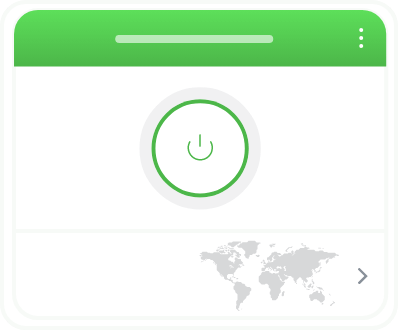
Connect to a server and start browsing with more protection.
All the Features You Need in a VPN for Chrome

Anti-Tracking Tools
Block tracking scripts, cookies, and URLs to help reduce how websites follow your browsing activity.


WebRTC Protection
Get extra protection for your IP address to reduce browsing leaks with PIA’s WebRTC detection blocking.

Force HTTPS
Automatically convert connections to unsecured websites to HTTPS for more protection while you browse.
.png)
Network Prediction Blocking
Stop your IP address and other data being shared with sites you don’t visit with PIA’s predictive loading prevention feature.

Full VPN App Access
Get VPN protection on all your apps and devices. PIA gives you access to our full range of apps with every subscription.
How PIA VPN for Chrome Compares to Free Extensions
Free VPN Chrome extensions may seem like a good deal, but they often lack important features, and may even track your browsing data and sell it to advertisers. PIA VPN for Chrome gives you more protection and 30 days to try it risk-free if you’re a new subscriber.
PIA VPN for Chrome
- Includes full VPN app
- No-Logs policy
- Server locations worldwide
- Blocks known ads
- Blocks known trackers and malware
- WebRTC protection
- Optimized for fast connections
- Unlimited bandwidth and data
- 24/7 Customer Support
Free VPN for Chrome
- Only works in Chrome
- May sell your data
- Limited server locations
- Ad-supported
- May contain malware
- IP may be exposed
- Slower, less reliable connections
- Limited data transfer
- No support
Why Choose PIA VPN for Chrome?

Digital Privacy
PIA masks your IP address and encrypts your data to help protect every aspect of your digital identity.
VPN Expertise
We’ve spent 10+ years developing a world-class VPN with cutting-edge security features.

Trusted Transparency
Our VPN apps are 100% open-source, so you can see for yourself we have nothing to hide.

Speed
We use 10-Gbps connectors and lightning-fast protocols for consistently fast and stable connections.
Unlimited Devices
One PIA account gives you unlimited simultaneous device connections to help protect your digital life.

24/7 Customer Support
Our VPN experts are available 24/7 via on-page chat or email to resolve all your PIA-related issues.
When Should I Use the Chrome VPN Extension vs the VPN App?
When you’re casually surfing the web or streaming, use the Chrome Extension. It masks your IP for more privacy and blocks known trackers and ads while giving you a streamlined connection. When privacy really matters, and especially when you’re using multiple apps, you’ll need the full VPN.

Isn’t Chrome’s Incognito Mode Enough?
Chrome’s incognito mode doesn’t offer much protection at all. It only clears cookies and trackers and stops the browser from recording new ones. It doesn’t stop third parties from seeing your data. Only a VPN extension for Chrome helps to shield your personal data online.
VPN for Chrome: FAQ
If you’re having issues getting a VPN to work on Chrome, your VPN might need an update. Allowlisting your VPN on your antivirus can also solve the problem. If you’re having trouble changing your location, try clearing your browser cookies, as some cookies store information about your location, which sites can still read. Finally, make sure you’re using a reputable VPN like PIA.
Most VPN apps make it easy to see when your VPN is running. When you open the app or the extension, it will usually say Connected and display the VPN server location you’re connected to. You can also use a free IP address checking tool to see your digital location. If it’s different from your actual location, you’re connected to a VPN server.
A VPN better secures all your device traffic, including your shopping, streaming, gaming, banking, and social media apps. A VPN extension is a lightweight alternative that secures only your browser traffic. To protect the traffic across all your apps, you need a full VPN app. If you only need some extra privacy and security when browsing, an extension would do the job.
PIA offers a great range of safety features. In addition to masking your IP address, PIA VPN for Chrome can block known trackers, ads, and malware, and stop your browser from auto-filling your address and credit card details. You can also set the extension to limit website access to your camera, mic, and location. Your subscription also gives you access to our full VPN app.
PIA’s Chrome VPN extension makes it super-easy to change your IP address right from within your browser. To start, subscribe to PIA VPN and download the extension from the Chrome Web Store. Then, open your browser and click the puzzle piece icon at the top right of your screen to find the PIA extension and sign in. Select your preferred server location, and click connect.
A Chrome VPN extension can slightly affect browsing speed because it reroutes your connection through a remote server first. With PIA VPN, you probably won’t even notice the difference. Our 10-Gbps next-gen servers are built to support fast, stable connections throughout our global network.
Trusted By Millions Of Satisfied Customers
Here's a small sample of our most positive user reviews. All Trustpilot reviews are available here.
{"tweetsBtnText":"{Tweets}","userBtnText":"{User Reviews}","influencersBtnText":"{Influencers}","techReviewsBtnText":"{Tech Reviews}"}REVIEWED BY:


Choose The Plan That's Right For You
 All Plans Are Covered By Our 30-Day Money-Back Guarantee
1 Month
$11.95/mo3 Years + 3 Months EXTRA
$2.03/mo1 Year
$3.99/mo Covered By Our 30-Day Money-Back Guarantee*
All amounts are shown in USD, and any discounts reflect a reduction based on the current monthly service pricing at $11.95 per month.
*The 30-day money-back guarantee is available to new subscribers only; for subscriptions purchased via third-party app stores (e.g., Apple App Store, Google Play Store), refunds are subject to their respective terms and conditions.
Don’t Let the Past
Haunt You®
Try PIA Risk-Free
New users are covered by our 30-day money-back guarantee.
If you’re not satisfied, request a refund.

Per our Terms of Service, using PIA VPN for illegal purposes is prohibited.