
VPN for Fortnite – Reduce Lag and Play Securely
Reduce kicks, rubberbanding, and missed shots with PIA – the best VPN for Fortnite
- Get a stable, low-ping VPN connection for gaming
- Mask your IP to help protect against DDoS attacks
- Encrypt your traffic to help reduce content-based throttling
- 30-day money-back guarantee for new users

How to Use a VPN for Fortnite in 3 Steps
How to Use a VPN for Fortnite in 3 Steps
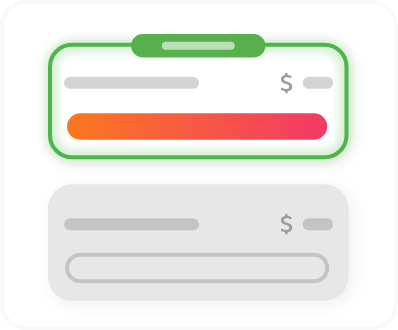
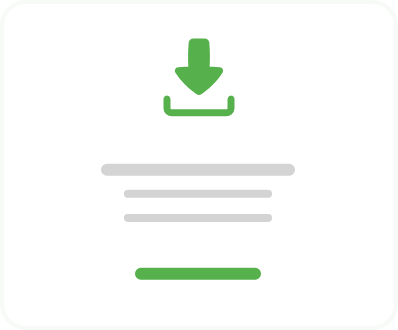
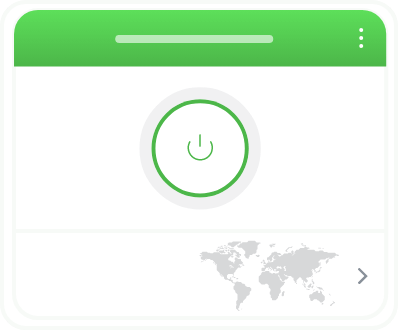
Setting up PIA is easier than dropping a map marker
Step 3
Play Fortnite and claim a Victory Royale!
Console gamers can configure PIA on a compatible router to enjoy all the VPN benefits.
Get All the Features You Need in Fortnite VPN

Servers Worldwide
Get a low-ping connection to your nearest Fortnite server with PIA’s global network spanning 104 countries.

Fast, Reliable Connections
Reduce freezing, rubberbanding, and sudden spikes during intense fights with PIA’s fast VPN connections.

DDoS Protection
Avoid being kicked by DDoS attacks. PIA hides your IP address so sore losers can’t target your home connection.

Throttling Resistance
Avoid activity-based slowdowns with PIA’s strong encryption that stops your ISP monitoring your gaming traffic.

Unlimited Data
Grind challenges and play event nights without hitting VPN data or usage limits.

24/7 Support
Get help via live chat or email whenever you need setup tips or help choosing the best server.
Why Use a VPN for Fortnite?

Get a Stable Connection
Your ISP’s network might not offer a stable enough connection to be competitive. Congested servers and poor routing can slow your connection down, causing you to miss easy shots. Connecting to PIA gives you a fast, stable connection so you can work on your K/D ratio.
Help Prevent DDoS Attacks
Don’t let trolls kick you from the game with DDoS attacks. PIA hides your real IP address, making it more difficult to target your network with DDoS attacks. If you’re targeted while you’re connected to one of our servers, it will absorb the attack, leaving you free to keep playing.


Resist ISP Throttling
Sneak past throttling and increase your chances of a Victory Royale. If you’ve got a fast connection, but Fortnite always feels laggy, ISP throttling might be to blame. A VPN hides your activity from your ISP with encryption, helping you avoid gaming-traffic throttling.
Play Safely on Public Wi-Fi
Keep your Fortnite account, progress, and voice chat secure while gaming on open networks. A VPN encrypts your connection, so you can focus on building, battling, and completing challenges without worrying about snoopers or unsecured Wi-Fi.
.png)

Can a VPN Reduce Ping in Fortnite?
Ping, measured in milliseconds, is the time it takes your data to reach the game server. Lower ping means more responsive gameplay, while high ping leads to lag.
When your ISP uses an indirect route or has poorly configured servers, connecting to a VPN server near your Fortnite match region can shorten the path and reduce ping. This gives you smoother, more reliable gameplay — which is why many pro gamers use VPNs to manage their ping.
What Is Fortnite?
Fortnite is a free, multiplayer battle royale by Epic Games. Every match sees one hundred players drop in, gear up, and try to be the last one standing, while an encroaching deadly storm gradually shrinks the map, forcing closer encounters. Unique building mechanics add an extra layer of strategy, providing cover or high ground, but also potentially revealing your position to opponents.

Download a Fortnite VPN for All of Your Devices
Add a VPN to your Fortnite loadout on PC, Mac, Android, or iPhone with one of PIA’s easy-to-use apps. Console player? You use our VPN on your PS5 or Xbox by installing it on your router or creating a virtual router.
Fortnite VPN: Frequently Asked Questions
Install PIA VPN on your device or on a compatible router if you’re playing on a console, then connect to a nearby server and launch Fortnite. For best results, first check your in-game region without the VPN, close the game, connect to the server nearest that region, and relaunch.
Fortnite doesn’t have any rules against using a VPN to play, and they won’t ban you for simply doing that. However, you can still get banned for using a VPN to break in-game rules or etiquette.
Under the right circumstances, yes. If your ISP takes an indirect route to the Fortnite server you’re playing on, connecting to a VPN server nearby can help improve your connection. PIA’s large 10 Gbps network makes it easy to find a server close to your game, keeping your connection fast, stable, and less prone to lag during intense matches.
A VPN subscription can cost anywhere from $3–15 per month, depending on the provider and subscription tier. PIA costs from as little as per month and comes with a 30-day money-back guarantee for all new users, so you can try it for yourself completely risk free.
Using a gaming VPN to stabilize your connection or for more privacy online probably isn’t going to get you banned, so long as you don’t use it to break the rules. Bans usually relate to cheating, automation, or abusive behavior.
The most common reasons are to stabilize routes and reduce ping spikes, help protect against DDoS attacks, protect personal data on shared networks, and join lobbies with friends in different regions.
Fortnite doesn’t kick players for using a VPN. The most common causes are being idle, connection problems/packet loss, and triggering anti-cheat systems. Assuming you’re active in the game and playing by the rules, the best server is one close to the Fortnite server you’re playing on. PIA offers servers in 170 locations worldwide, making it easy to find one wherever you need it.
In theory, yes, but free VPNs tend to be too slow for fast-paced games like Fortnite. You’re better off with a high-quality gaming VPN. PIA’s blazing-fast server network covers 104 countries worldwide, making it ideal for connecting to your preferred Fortnite server with low latency. New subscribers can try it risk free with a 30-day money-back guarantee.
Choose The Plan That's Right For You
 All Plans Are Covered By Our 30-Day Money-Back Guarantee
1 Month
$11.95/mo3 Years + 3 Months EXTRA
$1.89/mo1 Year
$3.99/mo Covered By Our 30-Day Money-Back Guarantee*
All amounts are shown in USD, and any discounts reflect a reduction based on the current monthly service pricing at $11.95 per month.
*The 30-day money-back guarantee is available to new subscribers only; for subscriptions purchased via third-party app stores (e.g., Apple App Store, Google Play Store), refunds are subject to their respective terms and conditions.
Don’t Let the Past
Haunt You®
Try PIA Risk-Free
New users are covered by our 30-day money-back guarantee.
If you’re not satisfied, request a refund.

Per our Terms of Service, using PIA VPN for illegal purposes is prohibited.