
GeForce NOW VPN: Low Ping and Secure Servers Worldwide
Play your favorite games on GeForce NOW while protecting your connection and online privacy
- Get stable connections with low-lag servers in 104 countries
- Avoid DDoS attacks and interruptions during cloud gaming sessions
- Keep your account data and gameplay activity private
- 30-day money-back guarantee for new users

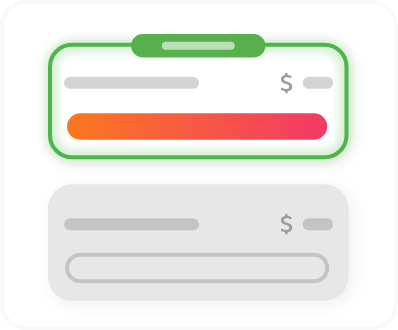
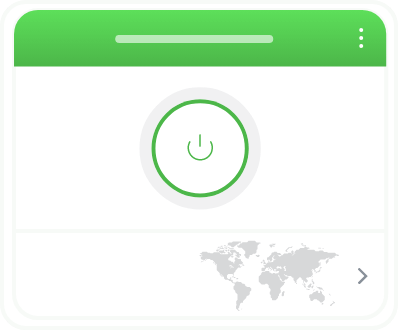
How to Play on GeForce NOW with a VPN in 3 Steps
How to Play on GeForce NOW with a VPN in 3 Steps
Follow these three simple steps to get smoother, safer connections while you play

Why Use a VPN for GeForce NOW Gaming

Lower Latency for More Responsive Cloud Gaming
Reduce ping and minimize lag spikes during gameplay by connecting to one of PIA’s servers closer to your preferred GeForce NOW region. If your current connection takes inefficient hops to NVIDIA’s data centers, PIA can help improve consistency by sending your connection through better-optimized routes than your ISP’s default path. Our optimized 10-Gbps network helps you avoid server overcrowding and maintain fast speeds for 1080p+ streaming.
More Stable Performance During High Traffic
Maintain stable image quality and avoid resolution drops on GeForce NOW, even during peak internet usage. Internet providers often slow down data-heavy activities, and cloud gaming is one of the most bandwidth-intensive services. PIA encrypts your traffic, making it harder for ISPs to identify and selectively deprioritize your streaming or gaming data.


Protection Against Connection Disruptions
Reduce the risk of DDoS attacks and sudden disconnects during multiplayer cloud gaming. While GeForce NOW itself runs on protected infrastructure, your home connection can still be targeted if your IP address is exposed through voice chat or P2P features. PIA masks your real IP address and routes your traffic through secure VPN servers designed to absorb traffic spikes without interrupting your game.
Keep Your Cloud Gaming Activity Private
Prevent third parties from monitoring what you play, when you play, or how long your sessions last. While GeForce NOW already encrypts your game visuals and inputs, your DNS requests can still reveal which servers or games you connect to. PIA encrypts all your traffic and provides DNS leak protection, helping you prevent your ISP or network observers from tracking your activity, especially on public Wi-Fi.


What Countries Is GeForce NOW Available In?
GeForce NOW covers a large number of countries across the US, Europe, the Middle East, Africa, and parts of Asia, and continues expanding with local partners. However, it’s not everywhere yet – some regions (like parts of Africa, much of Asia, and some countries with strict regulations) still lack official support.
How to Change Your GeForce NOW Region
You can change your GeForce NOW region directly in the app by going to Settings and selecting a different Server/Service Location instead of Auto. However, choosing a server that’s far away can increase latency, cause lag, or reduce stream quality, so it’s best to test nearby regions and switch back to Auto if performance drops.
You can also change regions using a VPN, which can help you land on less congested servers compared to relying only on the in-app region selector. PIA lets you switch locations in just a few clicks.

Use a VPN for GeForce NOW on All Your Devices
Secure every GeForce NOW session by installing PIA directly on your Windows PC, Mac, Android, or iOS device – with unlimited simultaneous connections, one PIA subscription can cover your entire household. You can also set it up on a compatible router to protect all devices on your home network, including your NVIDIA Shield TV.
Choose The Plan That's Right For You
 All Plans Are Covered By Our 30-Day Money-Back Guarantee
1 Month
$11.95/mo3 Years + 3 Months EXTRA
$2.03/mo1 Year
$3.99/mo Covered By Our 30-Day Money-Back Guarantee*
All amounts are shown in USD, and any discounts reflect a reduction based on the current monthly service pricing at $11.95 per month.
*The 30-day money-back guarantee is available to new subscribers only; for subscriptions purchased via third-party app stores (e.g., Apple App Store, Google Play Store), refunds are subject to their respective terms and conditions.
GeForce Now VPN: Frequently Asked Questions
Yes, a good VPN can help you avoid DDoS attacks, reduce ping, and prevent ISP throttling while gaming on GeForce NOW. PIA offers fast 10-Gbps servers in 104 countries, including regions where GeForce NOW is available, so you can use your account as usual while your connection stays stable and protected. As long as you’re not doing anything against GeForce NOW Terms of Use, you can use PIA without any issues.
PIA is compatible with GeForce NOW. With servers in 170 locations, you can always find a nearby option to minimize ping and game safely. Simply download the PIA app on your PC or another device you use for accessing GeForce NOW, and connect to a server. PIA shows the estimated latency for each server in the app, so you can quickly find the fastest option to maximize your performance.
No, using a VPN isn’t explicitly against the GeForce NOW Terms of Use. You’re free to use a VPN like PIA to secure your gaming sessions and minimize ping by connecting to a PIA server near your preferred gaming server. However, using a VPN to try to access GeForce NOW from an unsupported region is against the GeForce NOW Terms of Use.
If your ISP is using inefficient paths to NVIDIA’s servers, a VPN can help reduce your ping by routing traffic through low-lag servers near the server you’re playing on. PIA shows the estimated latency next to each server in the app, so you can quickly choose the fastest one.
The best VPN server location is the one closest to the actual GeForce NOW server you’re connecting to. This minimizes distance and helps keep ping low, which is the most important factor for cloud gaming performance. PIA offers servers in over 170 locations around the world, so you can find a nearby option for any GeForce NOW region.
Yes, but free VPNs often limit speed and data or sell usage logs. They can cause lag or disconnects mid-game. You can try PIA risk-free instead. PIA offers fast servers, unlimited bandwidth, and a 30-day money-back guarantee for new users.
Don’t Let the Past
Haunt You®
Try PIA Risk-Free
New users are covered by our 30-day money-back guarantee.
If you’re not satisfied, request a refund.

Per our Terms of Service, using PIA VPN for illegal purposes is prohibited.