
What Is a VPN and Should You Use One?
A VPN, or virtual private network, sends your internet traffic through an encrypted tunnel to give you more security online
- Help protect your personal information on public Wi-Fi
- Reduce exposure of your IP address
- Make your activity difficult for your ISP to monitor
- 30-day money-back guarantee for new subscribers


What Does a VPN Do?
A personal VPN combines data encryption and IP address masking to make your online activity harder to link back to you.
It encrypts all the traffic leaving your device and redirects it to a remote VPN server, making it harder for your ISP or anyone else on your network to inspect your browsing activity. This can improve your privacy on public Wi-Fi. And because websites see the VPN server's IP address instead of yours, a VPN can make it seem like you're connecting from another location.
Why Use a VPN?

Browse from a Different Location
If you connect through another region, websites see the VPN server’s location instead of the approximate location tied to your usual IP address.

Reduce ISP Visibility
Get an extra layer of privacy from your ISP or network operator when you encrypt traffic between your device and the VPN server.

Make Public Wi-Fi Safer to Use
Connecting to a VPN on airport, hotel, or cafe Wi-Fi makes it harder for cybercrooks on the same Wi-Fi network to intercept your data.

Stream With More Privacy
Watch your usual subscriptions through an encrypted connection, helping keep your streaming habits out of network logs.

Game Online With Less Risk
Mask your IP address with a gaming VPN, reducing the risk of DDoS attacks that flood your network with traffic and knock you offline.

Scroll Like You’re Back Home
Stay connected to local search results and social updates when traveling abroad by connecting to a VPN server in your home country.
What Can You Do With a VPN?
A VPNs acts like a safety buffer between your device and the websites or applications you connect to.
- Your traffic is encrypted
- Your IP address is private
- You can easily change your IP address
- You have more protection from cybercriminals
- Advertisers will struggle to profile you
- Data brokers can’t profit from your browsing activity
- Your traffic is exposed
- Your IP address is public
- You can’t easily change your IP address
- You’re more exposed to cyberattacks
- Advertisers can easily profile you
- Data brokers can profit off of your browsing activity


What Is a VPN Server?
A VPN server is a physical or virtual server configured with VPN software to deliver a VPN service. It’s what allows you to change your IP address to one from another country. When you connect to a VPN server it randomly assigns you a new IP address and hides your real IP address so it seems you’re elsewhere.
The wider the server network, the wider your location choice. PIA VPN has servers in 113 countries across the Americas, Europe, Asia, the Middle East, and Africa. You can use PIA VPN to change your IP address to almost anywhere in just a few clicks.

Worldwide Server Network
Get access to VPN servers in all 50 states and over 180 locations in 113 countries.

RAM-Only Servers
Rest easy knowing our volatile RAM-only servers will never store your data.

NextGen 10-Gbps Servers
Steam, game, and torrent without lag or interruptions, even during peak traffic times.

Streaming-Optimized Servers
Avoid being blocked from Netflix, Hulu, HBO Max, and other platforms.

How Does a VPN Work?
When you turn on a VPN, it encrypts your connection to a VPN server by creating a protected route called a VPN tunnel. Here's how it works:
- Your app establishes the connection: It connects to the VPN server and encrypts traffic before sending it.
- Your internet provider carries the traffic: The VPN’s encryption helps keep the contents unreadable along this part of the route.
- The VPN server forwards your request: It removes the VPN encryption and sends the request to its destination, masking your usual IP address with the server’s IP address.
- The response returns through the server: The server encrypts the reply for the journey back to your device.
Your device sends information across the internet in small pieces called packets. A VPN tunnel wraps these packets inside new ones as they travel through the encrypted connection. The server removes this extra wrapping before forwarding the traffic.
Unlike a typical browser proxy extension, which only affects browser traffic, a VPN app can route traffic from other apps on your device, too.
What a VPN Can and Can’t Hide
A VPN can limit what your ISP and other people on shared networks can see, but it doesn’t make you completely invisible online.
| Who Can Still See Information | What Remains Visible |
| Your ISP | That you're connected to a VPN, when you connect, and how much data you transfer |
| Websites you visit | What you do on their sites, plus any personal information linked to your account when you sign in |
| Advertising networks | Cookies and browser characteristics that can help them recognize you across websites |
| Apps with location permissions | Your device's location, even when your VPN is connected |
| Someone with access to your device | Saved browsing history or activity recorded by monitoring software |
VPN Disadvantages and Limits
While a VPN can add privacy to your connection, the wrong type of VPN can come with potential trade-offs:
- Slower connections: Encryption and the extra route through a VPN server can reduce speeds, especially if you use a distant server.
- Compatibility issues: Some websites or apps may reject VPN traffic, so you might need to switch servers or temporarily disconnect.
- More CAPTCHAs: Shared VPN IP addresses may trigger more checks, because other people using the same IP address can affect its reputation.

What Is a VPN Server?
A VPN server is a computer configured to accept VPN connections and forward internet traffic. The server you connect to determines where your traffic exits the VPN network and which public IP address websites see.
Some VPN locations are virtual. This means the IP address corresponds to the location you select even though the physical server may be hosted in another country.
Need the same IP address whenever you connect? PIA offers Dedicated IP addresses in 25+ locations as a paid add-on.

NextGen 10-Gbps Servers
Our 10-Gbps network provides more than enough capacity for demanding online use.

Streaming-Optimized Servers
Enjoy UHD streaming via your usual subscriptions on servers built for reliable performance.

What Is a No-Logs VPN?
A no-logs VPN is a VPN that doesn’t record your browsing activity or keep connection records that could link you to what you do online. This reduces your digital footprint and makes the VPN provider a poor target for attacks designed to steal user data.
But how can you tell if a VPN actually follows its no-logs policy? Look for independent audits that examine how the provider handles user data. Court cases can offer further evidence of its logging practices.
At PIA, Deloitte independently audits our No-Logs policy on a regular basis. Our policy’s also been upheld in US courts multiple times.
What Are VPN Protocols?
A VPN protocol sets the rules for establishing and maintaining your connection. It determines how the VPN applies encryption and carries traffic between your device and the server. Commonly used protocols include OpenVPN, WireGuard, Internet Key Exchange version 2 (IKEv2)/Internet Protocol Security (IPsec), and Secure Socket Tunneling Protocol (SSTP).
With PIA, you can pick between two of the most secure and trusted protocols:
| What It Offers | When It Can Help | |
| WireGuard | WireGuard is a lightweight, open-source protocol that’s ultra-fast, stable, and secure. It’s perfect for data-intensive tasks like streaming, gaming, and torrenting | A practical choice when efficiency and performance matter. |
| OpenVPN | Over the years, security experts have contributed to OpenVPN’s overall integrity, which is why many people trust this open-source protocol. OpenVPN offers a balance between speed and security, making it a well-rounded protocol. | An alternative when you need to adjust how the VPN connects. |
What Are the Different Types of VPN?
There are three common types of VPN setups: personal, site-to-site, and remote access.
Personal VPN
A personal VPN is a VPN service made for individual users and is the type most people mean by "a VPN." You install an app on your device, then connect to a server that encrypts your traffic and masks your IP address. It covers the everyday uses described above, with control over which server location your connection uses.

Site-to-Site VPN
A site-to-site VPN connects two private networks over the internet. Each location uses a VPN gateway, which is the router or network device that creates the encrypted connection and sends traffic between the networks. Businesses often use this setup to connect office locations and allow employees to reach shared internal systems as if they were on the same private network.

Remote Access VPN
While a site-to-site VPN connects one network to another, a remote access VPN connects an individual user to a private network. Like a personal VPN, it requires a VPN client to access the private network securely. Remote employees often use it to access company resources and networks.
How to Choose a VPN
If you know what to look for, you can narrow down your options quickly.
Privacy Claims
Look for a provider that explains what it records and what it doesn’t. Independent audits can give you more evidence that its privacy claims match how the service works.

Transparency by Design
Transparency matters when an app handles your internet traffic. Open-source software lets independent researchers inspect the code instead of relying on the provider’s claims.

No Usage Limits
Check for limits before you subscribe. Some VPN plans restrict simultaneous connections or monthly data, which can become frustrating if you use several devices.

Advanced Security
Look beyond the basic VPN connection. Features such as a kill switch, split tunneling, or tracker blocking can give you more control over your online privacy.

Reliable Customer Support
Make sure help is available whenever you have a query. Check which support channels the VPN offers and when the team is available.

Fair and Clear Pricing
A free VPN can be tempting, but it can also mean being bombarded by ads or infected with malware. Go for a premium VPN instead and get the protection you pay for.
Why Choose PIA VPN?

Open by Design
PIA’s open-source VPN apps make their code available for inspection. Anyone can examine how the apps handle user connections.

Privacy-First Approach
Privacy matters to you, which matters to us. PIA never stores your browsing activity data and our RAM-only servers wipe data on every server reboot.

Extra Features
Get more control over your connection. PIA includes a Kill Switch to help prevent accidental leaks and an ad, tracker, and malware blocker.

Browse Without Limits
Use your VPN as much as you need on as many devices as you want with unlimited VPN bandwidth, data, and simultaneous connections.

Help Around the Clock
Run into a setup or connection issue? PIA’s support experts are available 24/7 through live chat and email whenever you need a hand.

Built on Experience
PIA has been developing VPN technology since 2010, refining its apps, network, and privacy tools along the way.
How to Set Up PIA VPN in 3 Easy Steps
Step 2
Connect to a server in one of our 113 supported countries.
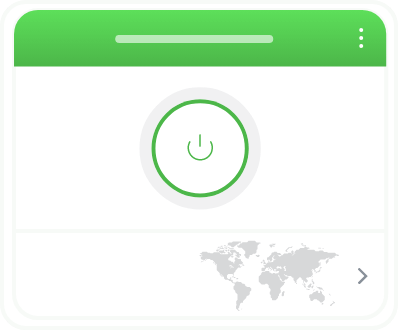
Step 3
Wait for the app to confirm your connection, then start browsing.
PIA VPN vs. Free VPNs
PIA VPN
- Open-source apps
- No usage logs
- Unlimited bandwidth
- High-speed global server network
- Dedicated apps
![undefined]()
- Powerful encryption
- Block ads, trackers & malware
- 24/7 live support

Free VPNs
- Limited transparency
- Log and track your activity
- Limited data
- Slow speeds
- Usually browser extensions only
- Outdated technology
- Sell data to advertisers
- No support
What Is a VPN? Frequently Asked Questions
When you connect to the internet with a VPN your traffic flows through an encrypted tunnel, which wraps your data in a cipher and helps protect your privacy. It makes it harder for your ISP, network admin, and other snoops on the network to see what you’re doing online. A VPN also masks your IP address with one from the VPN server, limiting what websites, trackers, and data brokers can trace back your real IP address.
Yes, some VPNs offer free plans, but they often limit data or server choice. Some reserve features for paid users and privacy practices can vary. Check what the service collects and how it makes money. PIA VPN is generally a better choice, as it includes all the premium features you need in one affordable payment. New subscribers can get a risk-free 30-day money-back guarantee.
Yes, VPN services are legal in most countries, but some governments restrict or ban them. Laws can change, so check local requirements before traveling and the terms of services for the apps you use before connecting. Always use VPNs within legal boundaries.
VPN prices vary by provider and subscription length. PIA’s 1-month plan currently costs USD, while longer subscriptions start at only per month. You can compare the total cost and renewal terms on the PIA pricing page.
Yes, you need an antivirus even if using a VPN as it doesn’t scan files or remove malware from your device. VPNs encrypt your internet traffic and mask your IP address for extra privacy. PIA Antivirus is available as a separate add-on for Windows users, allowing you to keep your PC security and privacy needs under one roof.
To turn on your VPN, open your VPN app and press the Connect button. Within the PIA VPN app, press the power button to connect to the closest server automatically. Additionally, you can choose a location from your Favorites list or open our full server list to search for your preferred location.
You can leave your VPN connected whenever you want its privacy benefits active. You may need to pause it for a network login page or a service that doesn’t accept VPN traffic. Here’s when it can make sense to keep a VPN on or turn it off.
Check your app’s connection status, then use an IP address checker to confirm the location your browser presents. If it matches the server you're connected to, your VPN is likely working.
Yes, a VPN can increase latency and may prompt certain websites to ask for extra verification steps or reject your connection because of known VPN IP addresses. Using a nearby VPN server can help reduce the speed impact, though your base connection still matters.
Choose the Plan That's Right for You
 All Plans Are Covered by Our 30-Day Money-Back Guarantee
1 Month
$11.95/mo3 Years + 4 Months EXTRA
$2.03/mo1 Year
$3.99/mo Covered By Our 30-Day Money-Back Guarantee*
All amounts are shown in USD, and any discounts reflect a reduction based on the current monthly service pricing at $11.95 per month.
*The 30-day money-back guarantee is available to new subscribers only; for subscriptions purchased via third-party app stores (e.g., Apple App Store, Google Play Store), refunds are subject to their respective terms and conditions.
Don’t Let the Past
Haunt You®
Try PIA Risk-Free
New users are covered by our 30-day money-back guarantee.
If you’re not satisfied, request a refund.

Per our Terms of Service, using PIA VPN for illegal purposes is prohibited.