SPI Firewall Explained: What It Does and How It Works
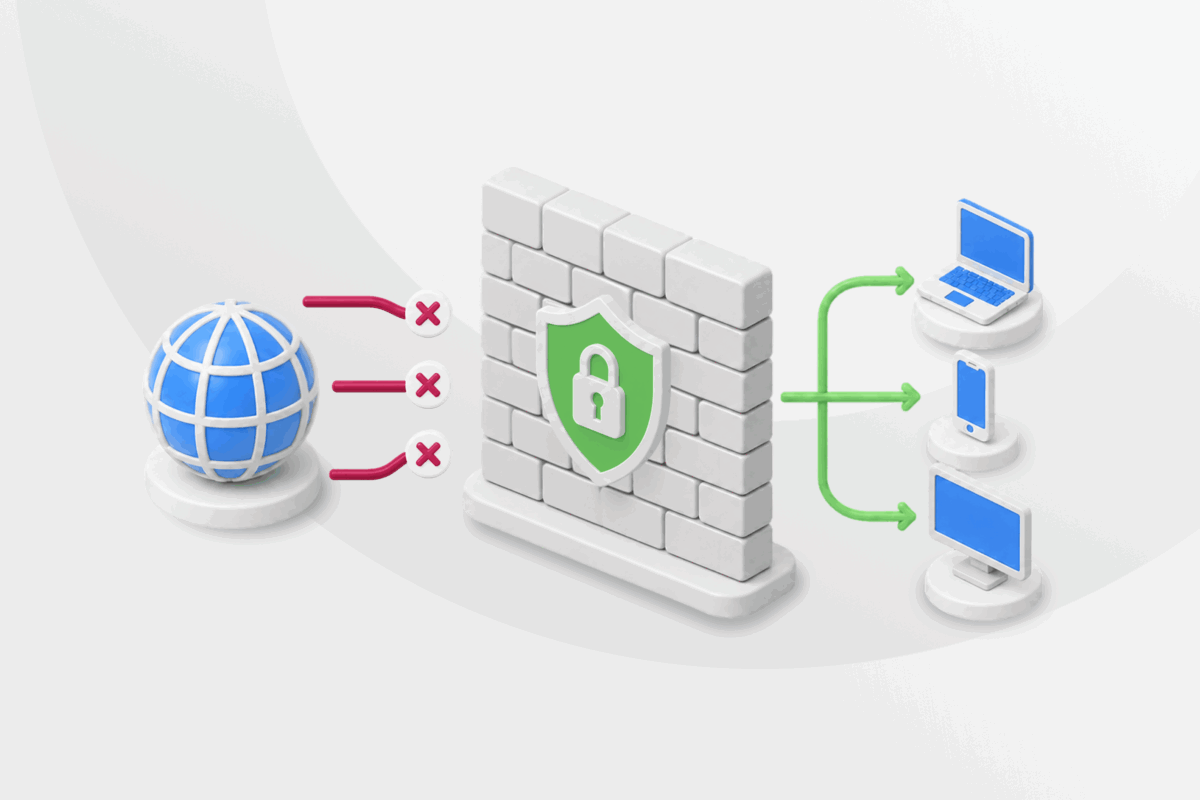
Every time your device communicates with a website, app, or online service, it exchanges small pieces of data called packets. An SPI firewall helps inspect and filter that traffic to protect your network.
In this guide, we’ll cover what an SPI firewall is, how it works, how it compares with other firewall technologies, and how it fits into a broader network security strategy.
Table of Contents
What Is an SPI Firewall?How Does Stateful Packet Inspection Work?
How Is an SPI Firewall Different from Other Firewalls?
Benefits and Limitations of an SPI Firewall
Should You Leave SPI Firewall Protection Enabled?
What Should You Combine With an SPI Firewall?
FAQ
What Is an SPI Firewall?
An SPI firewall (also called a stateful firewall or dynamic packet-filtering firewall) uses stateful packet inspection (SPI), a method that tracks active network connections to decide whether it should allow or block network traffic.
It remembers information about connections that are already in progress to help it distinguish expected traffic from unexpected traffic as it passes through the firewall.
Many of the devices and services you already use have built-in SPI firewalls. This includes operating systems such as Windows and macOS, home routers, antivirus software, and cloud platforms that host websites, applications, and other online services.
Related: What is a Firewall? A Full Guide
How Does Stateful Packet Inspection Work?
An SPI firewall keeps a running record of every active connection in something called a state table. It stores important details about each connection and updates this table in real time as devices open, use, and close connections.
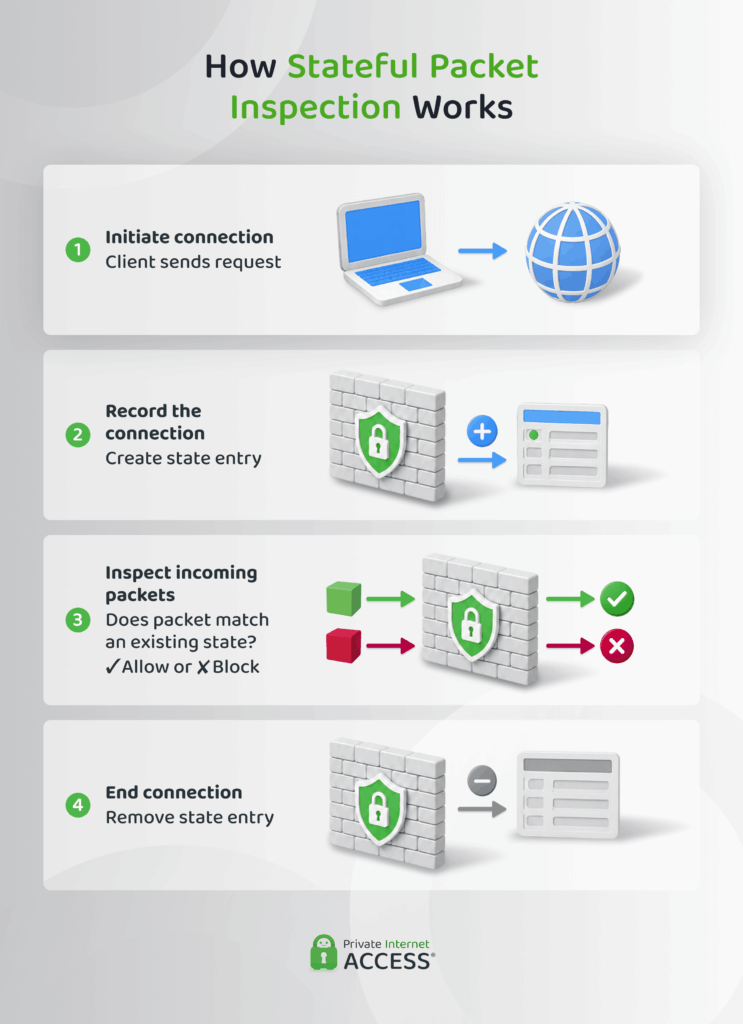
When packets arrive, it compares them against the state table. Here’s how the process works:
- Initiate a connection: Your device sends a request to another device or online service, such as a website.
- Record the connection: The firewall adds the connection to its state table, storing details such as the source and destination IP addresses, ports, and connection status.
- Check incoming packets: The firewall compares incoming packets against the state table. If they match an entry, they’re allowed through. If they don’t, they’re blocked.
- Remove the connection: The firewall removes the entry from the state table after the connection ends, so it only contains active sessions.
How Is an SPI Firewall Different from Other Firewalls?
SPI isn’t the only firewall technology available. Here’s how it compares with some of the other common approaches you’ll come across.
SPI vs. Stateless Firewalls
A stateless firewall evaluates every packet independently using a fixed set of rules based on information such as the source and destination IP addresses, ports, and protocol.
Because it doesn’t keep a record of active connections, SPI treats every packet as a new request. This means it bases its decisions only on the information in each individual packet, rather than in the context of an ongoing connection.
SPI vs. DPI
SPI and Deep Packet Inspection (DPI) are different methods that firewalls use to inspect network traffic. While SPI focuses on tracking network connections, DPI also examines the contents of packets. This gives firewalls a more detailed view of network traffic, but it also requires more processing than SPI.
SPI vs. NGFWs
Next-generation firewalls (NGFWs) build on SPI by combining stateful inspection with technologies such as DPI and other advanced security features. They’re typically used in business environments that need more comprehensive network protection.
Benefits and Limitations of an SPI Firewall
Like any security tool, an SPI firewall has strengths and limitations. Understanding what it can and can’t do helps you use it as part of a broader security strategy.
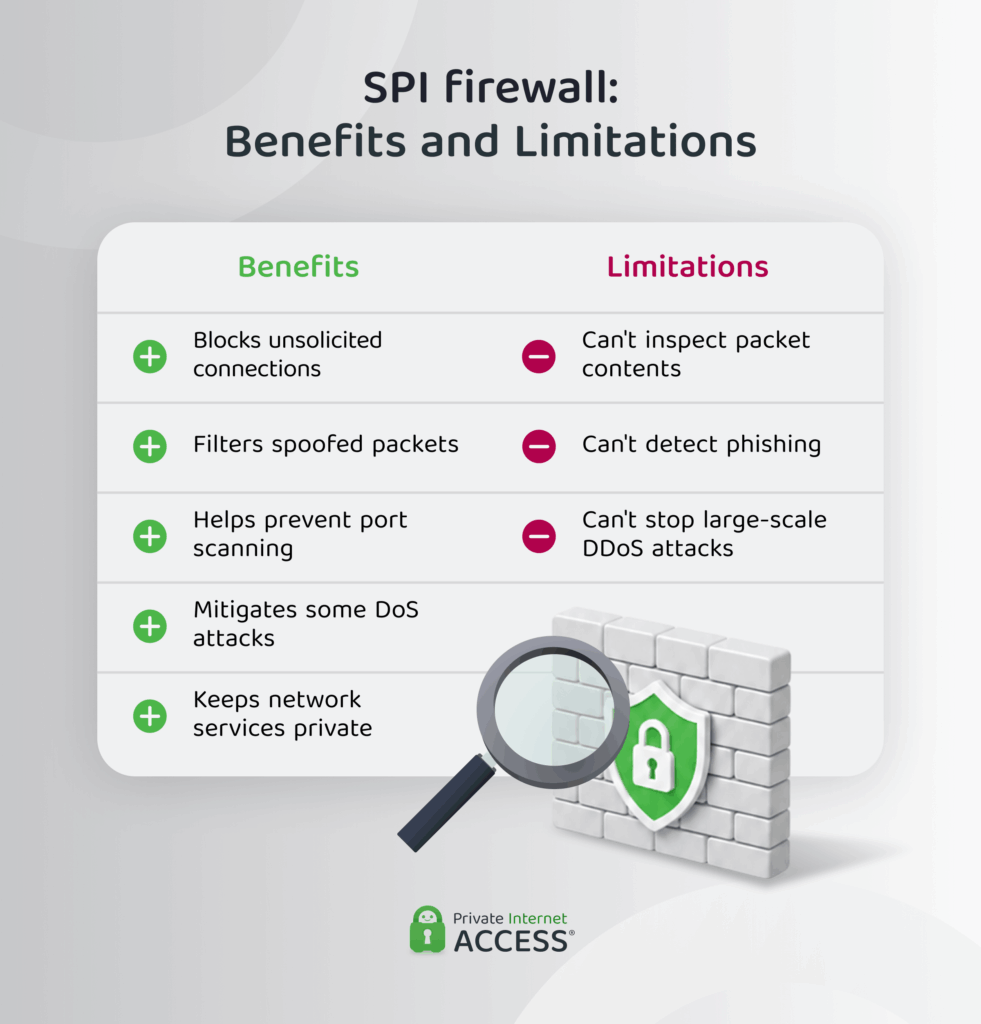
Benefits of SPI firewalls
✅ Blocks unsolicited connections: Prevents traffic that isn’t part of an existing connection from reaching your network, reducing the risk of unwanted access attempts.
✅ Filters spoofed packets: Rejects packets pretending to be part of a connection that your device never started, preventing attackers from bypassing firewall rules.
✅ Helps prevent port scanning: Makes it harder for attackers to identify open ports and network services that they could target.
✅ Mitigates some DoS attacks: Prevents some unwanted or invalid network traffic (used to overwhelm devices or networks) from reaching yours.
✅ Keeps network services private: Reduces unnecessary exposure to the internet, preventing others from reaching services running on your devices.
Limitations of SPI Firewalls
❌ Can’t inspect packet contents: The firewall won’t identify or block harmful files, malicious code, or other threats sent over a legitimate network connection.
❌ Can’t detect phishing: Fake websites and phishing emails can still reach users, even if they’re delivered over a legitimate network connection.
❌ Can’t stop large-scale DDoS attacks: Large attacks from many sources can overwhelm network resources, even when you enable stateful inspection.
Should You Leave SPI Firewall Protection Enabled?
Most routers enable SPI protection by default because it provides an important layer of network protection. In almost all cases, it should remain enabled.
In some cases, you might temporarily disable it while troubleshooting a connectivity issue or configuring a service that accepts incoming connections, such as hosting a game server or configuring remote access to a security camera.
Even in these situations, forwarding only the specific port the service needs is usually safer than disabling SPI protection for your entire network.
Does an SPI Firewall Affect Gaming or VoIP Calls?
SPI protection has little or no noticeable impact on gaming performance or VoIP call quality. The processing required for stateful inspection is minimal on modern routers and typically doesn’t affect latency.
If connection problems do occur, they’re usually caused by other network settings or application requirements rather than SPI itself.
What Should You Combine With an SPI Firewall?
An SPI firewall is an important part of network security, but it isn’t designed to protect against every type of cyber threat. To help protect against a wider range of threats:
- Use antivirus software: Detect and remove malicious files and apps that an SPI firewall can’t inspect.
- Install regular updates: Keep your operating system, apps, and router firmware up to date with the latest security patches.
- Practice safe browsing: Reduce the risk of malicious downloads and phishing attacks by being cautious with links, downloads, and unfamiliar websites.
- Use a VPN: Protect your privacy by making it harder for people on the same network (such as other public Wi-Fi users or your ISP) to see your online activity.
Related: VPN vs Antivirus: Can You Get Away With Just Having One?
Related: Benefits of a VPN: Pros, Cons, and Use Cases
Private Internet Access (PIA) VPN complements an SPI firewall because both apps protect different aspects of your online security. While the firewall helps provide security to your network, PIA encrypts your data in transit. PIA’s MACE feature also reduces exposure to ads, trackers, and known malicious domains.
FAQ
What is an SPI firewall?
An SPI (Stateful Packet Inspection) firewall uses information about active network connections to filter network traffic. Rather than evaluating each packet on its own, it checks whether packets match an existing or expected connection before deciding whether to allow or block them.
How does a stateful packet inspection firewall work?
An SPI firewall keeps track of network connections in a state table. It compares incoming packets against that information to determine whether they belong to an existing connection and filters the traffic accordingly. The firewall removes entries once the connection ends.
What is the difference between an SPI firewall and a stateful firewall?
There is no practical difference between an SPI firewall and a stateful firewall. A stateful firewall uses stateful packet inspection (SPI) to track active connections and make filtering decisions.
How does stateful packet inspection improve network security?
Stateful packet inspection helps protect networks by blocking unsolicited traffic that doesn’t belong to an established connection. It can also help reduce spoofed packets, unwanted connection attempts, and some network scanning activity.
Should I enable SPI firewall protection on my router?
Most modern routers enable SPI firewall protection by default. If your router includes this setting and you’d like to confirm it’s enabled, look for SPI Firewall Protection or IPv4 SPI Firewall Protection, depending on the manufacturer.
Can a VPN work alongside an SPI firewall for better security?
Yes. An SPI firewall and a VPN protect different aspects of your online security. An SPI firewall helps filter network traffic, while a VPN helps keep your traffic more private via encryption when routed from your device to the VPN server. Using both creates a more complete security setup than relying on either tool alone.
