Real or Fake? How to Spot a VPN Scam
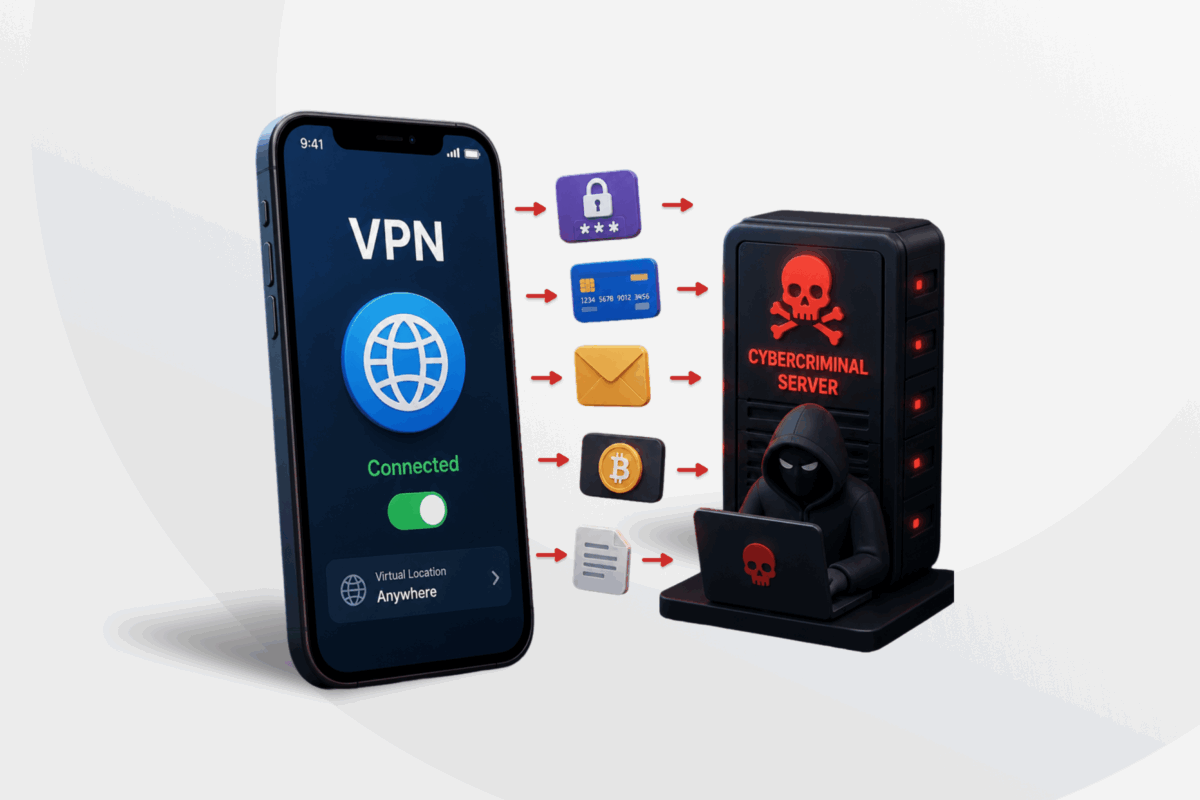
Every VPN claims to protect your privacy, but not all of them do. With more and more VPN scams cropping up online all the time, it’s essential to be able to tell which apps you can trust.
Fake VPN providers often convincingly copy the branding of well-known providers, make privacy promises they can’t prove, or hide behind fake reviews and misleading offers.
To help you spot these fake apps, we’ll share common VPN scam tactics, the warning signs to look out for, what a legitimate VPN should offer, and what to do if you’ve downloaded a fake app.
What Are VPN Scams?
A VPN scam is a service that poses as a legitimate VPN to take your money, your data, or both. The scam might be run from a fake VPN app or from a real one that’s been injected with malicious software.
This is a growing problem. Kaspersky discovered that 2.5 times more users came into contact with fake apps posing as free VPNs in Q3 of 2024 compared to Q2 of the same year1. Plus, in 2025, Google highlighted the risk when it warned users about fake VPN apps designed to steal data and money2.
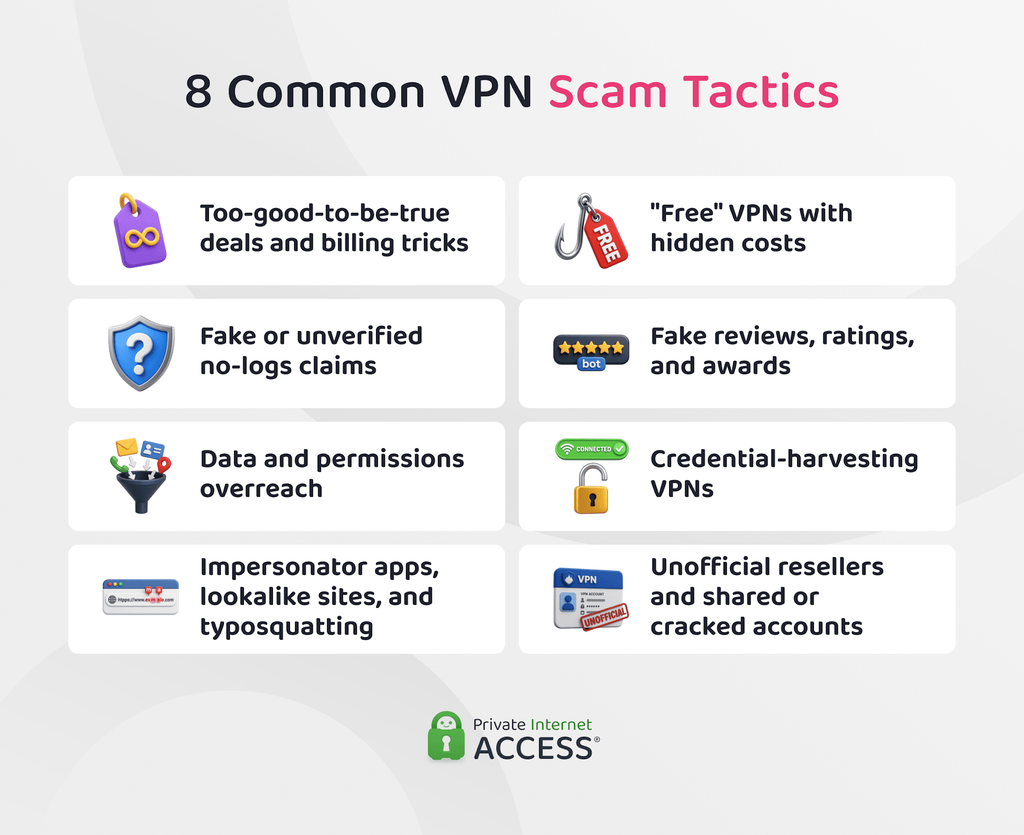
8 Common VPN Scam Tactics to Watch Out For
A reputable VPN is one of the best ways to add a layer of privacy and security to your online activity, but it can be challenging to tell the real apps from the fake ones. Here are 8 common VPN scam tactics to watch out for, and the warning signs that can help you avoid them.
1. Too-Good-to-Be-True Deals and Billing Tricks
A lifetime VPN subscription for a single, one-off fee is unlikely to provide the long-term service and protection you might expect.
In many cases, “lifetime” in these offers refers to the lifetime of the company. If the provider shuts down or is bought out, this could bring your plan to an end. Some fake VPN companies may even just cancel your subscription and move you onto a recurring plan without notice.
Scam VPNs may also use misleading pricing practices. They might charge more than advertised, gradually increase renewal prices, or automatically renew your subscription at a higher rate. These unfair provisions are often outlined in the provider’s terms and conditions, if they have any.
Phishing is another tactic scamsters might use. Even if you’ve signed up for a legitimate VPN service, you might receive emails claiming your payment failed or urging you to renew your subscription. These messages often link to websites designed to steal your login credentials or payment details rather than take you to the real VPN service.
2. “Free” VPNs With Hidden Costs
Not every free VPN is a fake. Many are real, working services. The issue is how they make their money.
A 2026 study from the University of Michigan analyzed 281 free Android VPN apps – many of which were popular and highly rated – and found that 29 leaked traffic, 61 transmitted data without encryption, and more than 80% contacted advertising or tracking domains3.
Running a VPN costs money. Setting up secure servers, maintaining infrastructure, and ongoing development all add up. That’s part of why there are trade-offs between free and paid VPNs. So, if a VPN is free, it’s worth investigating how the service is funded because the cost may be covered in ways that affect your privacy.
3. Fake or Unverified No-Logs Claims
A no-logs policy is a VPN provider’s promise that it doesn’t store records of your browsing activity. A scam VPN will usually make this claim, but won’t have anything to back it up. There won’t be an independent audit to show that their software does what they say it does or a transparency report showing how it handles data requests – both strong trust signals of a legitimate VPN brand.
💡 Privacy tip: No-logs doesn’t mean “no data.” Every VPN needs some information to run the service like your account details and payment information. A no-logs policy refers specifically to your online activity, meaning the provider doesn’t store records like your browsing activity data or other information that could identify what you do online.
4. Fake Reviews, Ratings, and Awards
A scam VPN may appear trustworthy thanks to glowing reviews, five-star ratings, and official-looking “best VPN” badges. This manufactured praise is designed to make the service appear to be established and reliable.
These tactics often aren’t confined to a provider’s own website. Fake reviews and ratings can show up in app stores, search results, and even review sites that appear to be independent, making them far harder to spot.
Remember that visibility isn’t the same as credibility. A VPN that ranks highly in search results or displays industry awards isn’t automatically trustworthy. Search rankings and awards can sometimes be influenced by factors outside product quality.
⚠️ Privacy tip: AI tools can create fake VPN websites and reviews, and impersonate brands faster and more convincingly than ever before. This makes it even more important to verify information using trusted sources rather than relying on appearances alone.
5. Impersonator Apps and Lookalike Sites
Some of the most convincing VPN scams simply imitate the brands you already trust. One common impersonation tactic is typosquatting. This is where scammers register web addresses that closely resemble a legitimate site, using subtle misspellings or swapped characters (e.g., changing “vpnprovider.com” to “vpnprovidrr.com”) to escape detection.
When the site loads, it looks almost identical to the legitimate one (e.g., a lookalike site), so most users don’t think twice before downloading an app or entering their details. But doing so could trigger a malware installation or expose login and payment information to scammers.
A 2026 TechRadar investigation identified more than 980 lookalike domains impersonating major VPN providers4. It found that around 14% were actively dangerous, serving phishing pages, malicious advertisements, or malware. When scammers use a name you already trust, it can be harder to spot the warning signs.
6. Credential-Harvesting VPNs
Some fake VPNs don’t function as VPNs at all. They display a reassuring “Connected” message without actually routing your traffic through an encrypted VPN tunnel. While HTTPS can still protect the contents of properly encrypted web sessions, these apps can still access a lot of valuable information by monitoring all the data flowing between your device to the open internet.
The idea is that, if you believe your connection is protected, you might be more inclined to log in to your bank account or share a variety of information when signing up for different services. Rather than helping to keep your data private, the malicious VPN captures the email addresses, passwords, or payment details you enter.
7. Data and Permission Overreach
A VPN usually only needs basic information, such as an email address and payment details, to set up an account. A service should provide a clear explanation of why additional information is necessary if it asks for extra information at signup.
The same applies to app permissions. A VPN needs permission to create a secure network connection. Access to your contacts, photo library, microphone, or precise location aren’t normally required for a VPN to work, so you should treat these permission requests with extra scrutiny.
8. Unofficial Resellers and Shared or Cracked Accounts
Some third-party marketplaces advertise premium VPN subscriptions at heavily discounted prices. They’re able to offer the service at a “bargain” rate because they’re offering access to stolen, shared, or cracked accounts instead of individual, properly licensed subscriptions.
One problem with this is that the seller usually retains control of the account even after you’ve paid. This means they could change the password and lock you out with no recourse. The credentials you’re given could also be in use by others, creating the risk that others could access your data.
There’s also the risk that your access may be revoked by the provider for violating their terms of service. And because you have no direct relationship with the VPN provider, you likely won’t be able to access their support and remediation channels.
How to Protect Yourself from VPN Scams
The number and types of VPN scams are constantly changing, so there’s no one check that’s sure to keep you from falling into the fake VPN trap. That said, cultivating a few security-focused digital habits can make it much harder for scammers to trick you.
- Research the provider before creating an account: Carefully inspect the VPN provider’s website, privacy policy, and the company’s ownership details before signing up. Scam operators often hide behind vague company details or contradictory privacy terms, and catching inconsistencies can reveal a fake service.
- Download VPN apps from official sources: Go directly to the provider’s website or a trusted app store instead of clicking links in ads, emails, or pop-ups. If you receive a renewal or payment email, open the provider’s website yourself instead of following the link.
- Check websites and app details carefully: Before entering payment details or downloading an app, check the web address for subtle changes, such as swapped characters or misspellings. On app stores, confirm the developer name matches the official provider.
- Look beyond ratings and reviews: Don’t rely only on testimonials or app store ratings. Compare reviews from independent technology publications, consumer organisations, and well-established review sites, being skeptical of feedback that looks unusually consistent or overly positive.
- Be cautious with unrealistic offers: Extremely cheap subscriptions, “lifetime” deals, and pressure to sign up quickly are common warning signs of VPN scams. Be sure to read the terms carefully before committing.
- Treat free VPNs with caution: Free VPNs aren’t automatically scams, but it’s important to get an understanding of how the provider funds the service. If it isn’t charging users directly, the provider may rely on advertising, data collection, or other privacy harming practices to keep the cash flowing.
- Use additional security tools: Firewalls, ad blockers and malware blockers can help reduce your exposure to malicious websites, phishing pages, and harmful downloads.
How to Find a Trustworthy VPN Provider
Spotting a legitimate VPN means knowing what to look for. The table below outlines what factors to consider when assessing a VPN.
| What to look for | Why it matters |
| Independent audits and transparency reports | These audits and reports provide outside verification of a provider’s privacy claims and show how it handles data requests |
| Open-source, inspectable apps | When app code is made publicly available, security researchers can review how the apps work and point out any weaknesses |
| Transparent jurisdiction and legal track record | A provider should explain how local laws affect your data and demonstrate how it handles legal requests |
| Genuine, verifiable security features | AES encryption, DNS leak protection, and a kill switch are all strong signals of a reliable VPN |
| Minimal personal data collection | The less information a provider collects at signup, the less data there is to expose or misuse |
| Transparent pricing and a money-back guarantee | Clear terms help you avoid unexpected charges and risk-free trials let you test the service before committing |
| Accessible support and clear company details | A legitimate provider should be identifiable and easy to contact |
What to Do If You’ve Downloaded a Scam VPN
VPN scams are getting more and more sophisticated by the day, which can make them difficult to identify. If you’ve been caught out by one, the following steps can help you to re-secure your digital life:
- Disconnect from the internet: This limits any ongoing data transmission from the software.
- Uninstall the app or remove the browser extension: Revoke its permissions and clearing any leftover app data from your device.
- Run a full scan with a trusted security tool: Detect and remove any malware before reconnecting to the internet.
- Change your passwords: Any account you accessed while the app was active could be vulnerable. Start with email and banking, and use a unique password for each.
- Report the app: Contact the store or platform you downloaded it from, and report any potential payment detail leaks to your bank.
FAQ
How can I tell if a VPN service is a scam?
Watch for claims a provider can’t back up and details that don’t add up, like a no-logs promise with no independent audit, uniformly perfect reviews, or a misspelled web address. Legitimate providers offer things you can verify, such as published audits and open-source app code.
What are the most common VPN scams to watch out for?
Common VPN scams include too-good-to-be-true deals; “free” VPNs that collect and sell your data; unsupported no-logs claims; fake reviews, ratings, and awards; impersonator apps and lookalike websites; non-functional VPN services; intrusive data or permission requests; and cheap premium accounts sold by third parties.
Are free VPNs more likely to be scams?
Not necessarily, but some free VPN apps have been found to have privacy and security issues. Running a VPN costs money, so a free VPN service often relies on advertising, data collection, usage limits, or paid upgrades to cover its costs. Research has found that some free VPN apps leak traffic or contact advertising and tracking domains.
How can I avoid fake VPN apps and fraudulent VPN providers?
To protect yourself from fake VPN apps, download only from the provider’s official site or a major app store. Be sure to check the web address and developer name before installing, and cross-check reviews against independent tech publications’.
What should I do if I think I’ve been targeted by a VPN scam?
If you think you’ve been targeted by a VPN scam, stop using the service immediately. Change any passwords you used to sign up, especially if you reused them elsewhere, and monitor your bank or card statements for unexpected charges. If you downloaded an app, uninstall it and run a malware scan on your device.
References:
- Kaspersky warns of a surge in potentially malicious apps posing as VPNs – Kaspersky
- Google’s November 2025 frauds and scams advisory – Google
- MVPNalyzer reveals security and privacy risks in popular mobile VPNs – University of Michigan
- Simple but dangerous — Top VPNs targeted by typosquatting as 14% of fake domains found to be malicious – TechRadar
