What Is Digital Footprint? A Guide to Online Identity

Searching for a nearby restaurant, liking a friend’s social media post, or opening a weather app can all generate data that can be used to build a picture of who you are and what you like. Add these moments up over months and years, and they form what’s known as your digital footprint.
This trail can reveal far more than you might realize, from your daily habits and location patterns to your shopping preferences and social circles. Advertisers, employers, and sometimes scammers can piece this information together to build a detailed picture of you.
This guide explains what a digital footprint is, how it forms, why it matters, and the practical steps you can take to keep yours under control.
Digital Footprint: Quick Rundown
- What is a digital footprint: An online profile that’s created by collecting data about your online activity.
- Active vs. passive: An active digital footprint comes from things you post yourself, while a passive digital footprint builds through tracking that happens outside of your control.
- Why it matters: Your footprint can affect your privacy, your reputation, the ads you see, and how vulnerable you are to scams like phishing.
- Digital footprint examples: Browsing history, social media, online shopping, and app tracking on smart devices.
- Protecting your digital footprint: You can’t fully erase your footprint, but privacy tools, careful sharing habits, and regular account cleanups can shrink it.
What Is a Digital Footprint?
A digital footprint is the trail of data left behind by your online activity, whether you deliberately share it or it’s collected without your direct involvement. It originates from activities like browsing websites, posting on social media, or wearing a smart watch.
Individually, these actions create a fragmented story. Together, they can reveal patterns about your habits, interests, location, and relationships that go well beyond what you may have intended to share.
How Your Digital Footprint Is Created
Using the internet generates a digital footprint. Some of it comes from direct interactions (e.g., logging into an account), but much of it comes from the invisible tracking technologies integrated into the platforms you use.
Cookies record which sites you visit and how you use them. Your IP address reveals your rough location and links separate browsing sessions to the same device. Account logins, device metadata, and app usage can add further detail.
Digital Footprint Examples
There are hundreds of everyday activities that contribute to building your digital profile. Here are some of the most common contributors:
- Internet browsing history: Whether it’s your browser, your internet service provider, or the site itself through analytics tools, somewhere there’s a log of every website you visit.
- Social media: Posts, likes, comments, and even the accounts you follow reveal your interests, opinions, and social connections.
- Email and messaging apps: The platforms you use store messages, attachments, and metadata like timestamps and recipient lists, often indefinitely.
- Cloud storage: Photos, documents, and backups you upload create a record of personal and professional information tied to your account.
- Online shopping: Purchase history, saved payment details, and browsing behavior on retail sites build a profile of your preferences and spending habits.
- Online banking: Login activity, transaction history, and linked accounts generate a footprint that’s particularly sensitive if it’s ever exposed.
- Mobile app activity: Apps track how often you use them, what features you access, and sometimes your location – even when running in the background.
- Subscriptions and newsletters: Signing up with your email address links your identity to your interests and can lead sites to share your data with third parties.
- Online gaming: Usernames, in-game purchases, chat logs, and connected accounts all contribute to a footprint tied to your gaming identity.
- Comments and forum answers: Posts on forums and comment sections are often public and searchable, sometimes long after you’ve forgotten writing them.
Active vs. Passive Digital Footprint
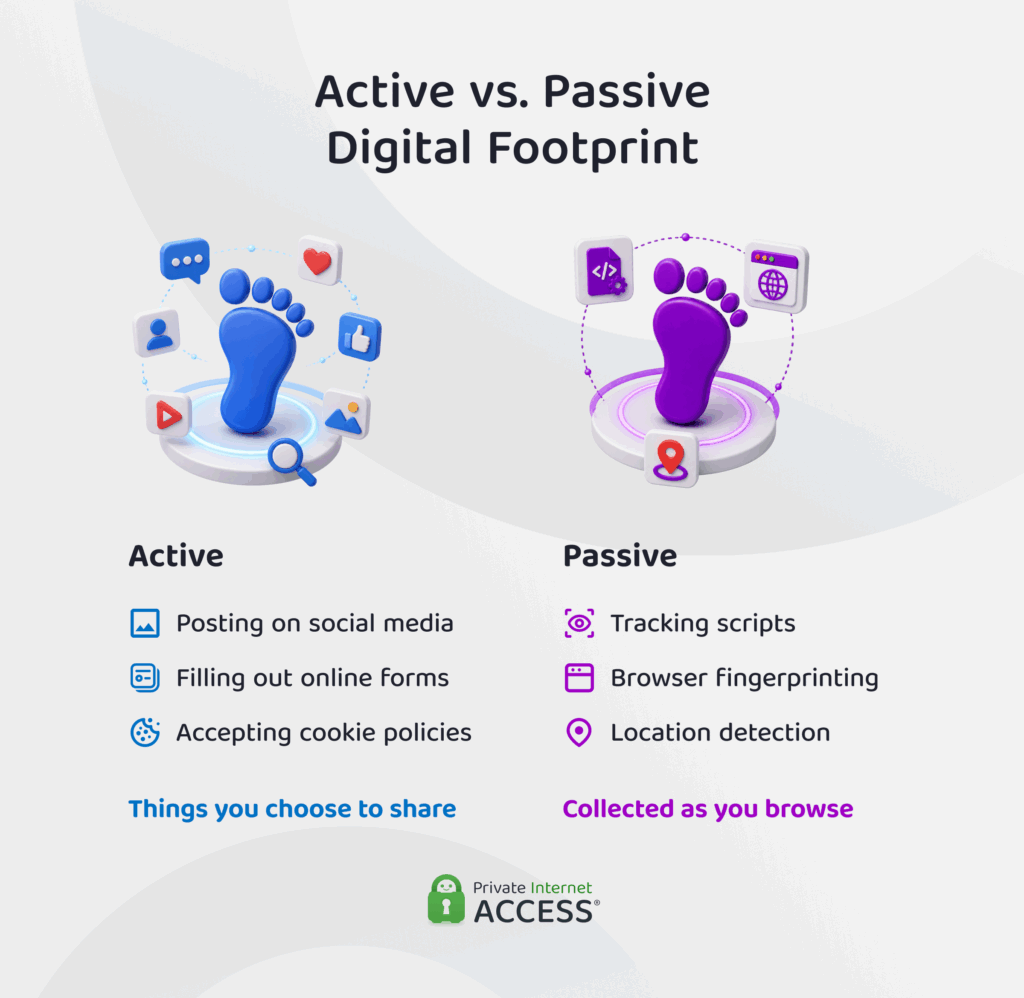
Digital footprints generally fall into two categories: active and passive. An active digital footprint forms when you share information. Posting a photo on social media, filling out an online form, or accepting a website’s cookie policy are all examples. As the name suggests, you provide your data to the entity collecting it.
Websites and apps create a digital footprint without your direct involvement and you’re likely unaware that it’s happening at all. Websites logging your IP address and browser fingerprint, apps collecting your location data in the background, and advertisers tracking your browsing habits (whether or not you consented to that tracking upfront) all contribute to this category.
Most people generate both types simultaneously. A single visit to an online store might involve searching for a product while advertising cookies passively track you in the background. Both types affect your digital privacy, since either can be combined with other data to build a more complete profile of you.
Why Should You Care About Your Digital Footprint?
Privacy and security are the most direct concerns when it comes to the size of your digital footprint. The more data that can be shored up about your online habits, the more there is for hackers, data brokers, and other bad actors to exploit if it’s exposed in a breach.
A larger digital footprint can make you a much easier target for scammers. Information like your job title, workplace, or family members’ names – which are often available to the public – gives scammers the details they need to make phishing, impersonation, or identity theft attempts convincing.
Your reputation is another major factor. Employers, landlords, and even romantic partners increasingly research people online before making decisions about them. An old social media post, embarrassing forum comment, or unflattering photo can all make people draw conclusions about who you are.
Besides telling third parties about who you are, your digital footprint also shapes what you see online. Advertisers can use your browsing and purchase history to build a profile of your interests, which is why the ads you’re served might feel oddly specific. This isn’t necessarily harmful, but it does affect your online experience.
As erasing information the internet collects about you is difficult, it’s worth considering what you share before it becomes part of your permanent digital record.
How to Minimize and Protect Your Digital Footprint
Having some kind of digital footprint is inevitable if you use the internet, but you can control how big it gets. All it takes is a few consistent habits and some key tools.
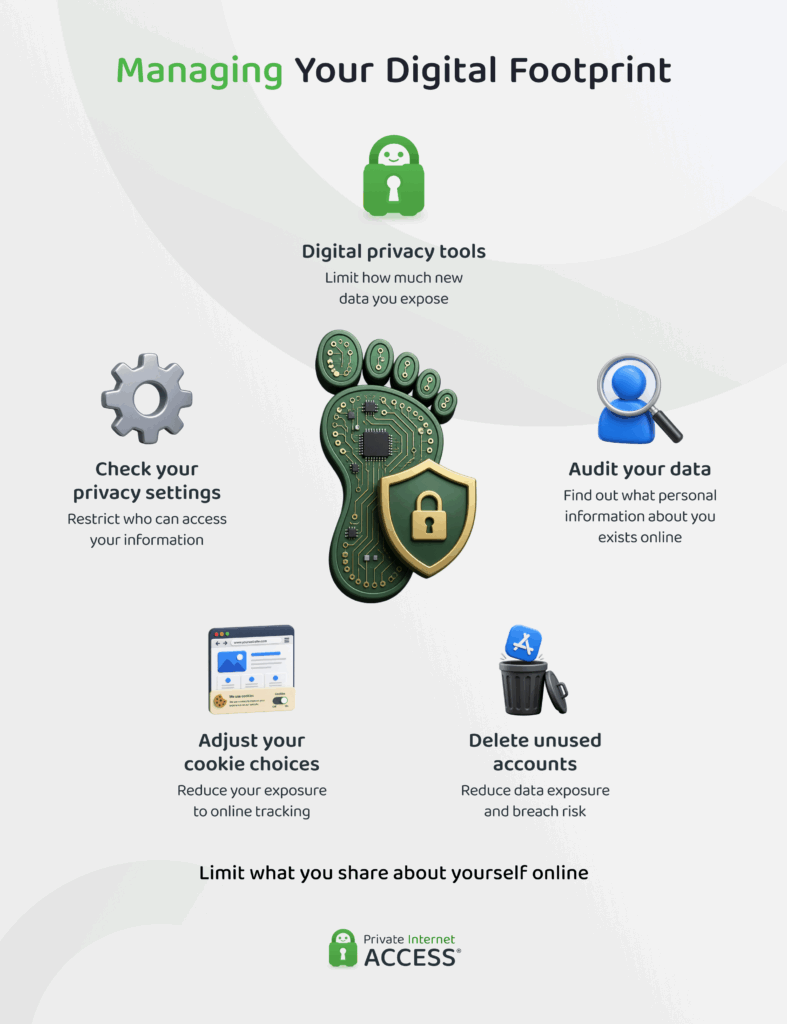
Use Privacy Tools
Before you start thinking of shrinking your existing digital footprint, it helps to cap the amount of information that can be collected about you.
A VPN is one of the most powerful tools for protecting your online privacy. It encrypts your internet traffic and masks your IP address, which limits your ISP’s ability to monitor your activity and helps keep your true location private from the websites you use.
Then there are private browsers, which block many third-party cookies and scripts by default, reducing the passive data collected as you browse. On top of that, anti-malware software can help to prevent spyware and other malicious programs from harvesting your data without your knowledge.
Used together, these tools reduce how much new data websites collect while you work on cleaning up your existing digital footprint.
Audit Your Online Life
Auditing your online presence lets you take stock of what information about you is accessible right now – and which of it you can actually scrub from the digital archives.
There are a variety of programs that claim to do this for you, but using them often involves handing over even more of your data to yet another platform. It’s often better to start with some simpler interventions:
- Search your name: Run your name (and variations like maiden names or nicknames) through a few different search engines to see what surfaces in the results.
- Review your social media: Check what’s visible to the public on each of your profiles, not what you see when you’re logged in.
- Check people-search sites: Aggregator sites often compile publicly available records, like your address, phone number, and relatives, into a single profile.
- Set up alerts: Google Alerts, and other similar tools, can notify you whenever your name appears in new content online.
Delete Unnecessary Accounts
Accounts you no longer use are a common source of unnecessary risk. An old account you’ve forgotten about can still be breached and, if it shares a password with accounts you do use, that breach can potentially expose a lot more data.
Deleting accounts you don’t need reduces the amount of your data sitting on other people’s servers, which shrinks your overall footprint and gives attackers fewer targets.
However, deletion has limits. Some services don’t offer true account deletion, only deactivation, which keeps your data intact behind the scenes. And even where deletion is available, some platforms retain certain information (e.g., transaction records or content you’ve shared), for a period after your account is gone.
Say No to Cookies
Many privacy laws now require websites to ask permission before collecting certain information through cookies. Under the General Data Protection Regulation (GDPR) in the EU, sites must get your consent before running non-essential cookies like trackers you don’t need for website functionality.1
Rules in the US vary more by state and tend to follow an opt-out approach. Businesses in the United States can generally collect data by default but must let you decline further use, particularly when they sell or share your information with third parties for advertising.
Most cookie banners offer some combination of accepting all, rejecting all, or customizing which categories you allow. It’s worth taking the extra few seconds to choose only what you’re comfortable with, rather than reflexively clicking accept.
Review Your Privacy and Sharing Settings
Most platforms let you control who sees your information, but the default settings are rarely the most private option. Reviewing these settings helps limit your exposure without requiring you to stop using the services you rely on.
On social media, check who can see your posts, profile details, and friend or follower lists, and adjust these to the smallest audience that still works for you. Review app permissions (like which platforms can access your camera, microphone, contacts, or location) on your phone based on what parts of your device the program really needs to function.
Set a reminder to repeat this check every few months, since privacy settings sometimes reset after app or platform updates.
Share the Bare Minimum
The simplest way to limit the size of your digital footprint is to reduce how much data you put into the internet ether in the first place. Before posting anything online, it’s worth asking whether you need to share that info and who might see it beyond your intended audience.
Consider how each piece of information connects to what’s already public about you. Even details that seem harmless on their own, like your workplace, your commute route, or your pet’s name, can be combined with other public information to answer security questions, guess passwords, or build a convincing scam.
It’s best to avoid sharing identifiable information like your full birth date, home address, and phone number unless it’s absolutely necessary.
How to Delete Your Digital Footprint
Unfortunately, completely erasing your digital footprint is nearly impossible. Even after you delete an account or ask a company to remove your data, copies can persist in backups, cached pages, or another user’s screenshots.
That said, you do have some options. Depending on where you live, privacy laws may require companies to delete your data if you request it.
Residents of the EU can invoke their right to erase it under the GDPR2 and people living in the US have similar rights to delete under various data privacy laws (like the California Consumer Privacy Act3 and Virginia Consumer Data Protection Act4).
Specialized data removal services can help by submitting opt-out requests to multiple data brokers on your behalf, though none guarantee that databases will scrub all your information.
FAQ
What does “digital footprint” mean?
A digital footprint is the trail of data your online activity leaves behind, made up of both information you share (active) and data collected in the background (passive). It includes information from things like your social media posts, browsing history, and app usage.
Can you erase your digital footprint?
Not entirely. Even after deleting accounts or requesting removal, copies can remain in backups, caches, or other people’s data. You can slow how much new passive data builds up by using a VPN to mask your IP address and encrypt your traffic. Bonus points if it’s PIA, which comes with a built-in ad, tracker, and malware blocker.
Who can see my digital footprint?
A number of people and companies can see the information that makes up your digital footprint. This can include your ISP, the websites you visit and apps you use to navigate the web, advertisers, and anyone who might access the data stores where your details are sitting.
Does your digital footprint include your photos?
Yes. Photos you post are part of your digital footprint. Besides giving people a view of what you look like, what you eat, or where you go, they often carry hidden metadata that adds to your passive footprint.
How do I check my digital footprint?
Start by searching your name across a few search engines and reviewing what’s visible on your social media profiles. People-search and data broker sites are also worth checking. PIA’s Identity Guard feature can help too, alerting you if your email address turns up in a known data breach.
References:
