What Is a VPC? How Virtual Private Clouds Work
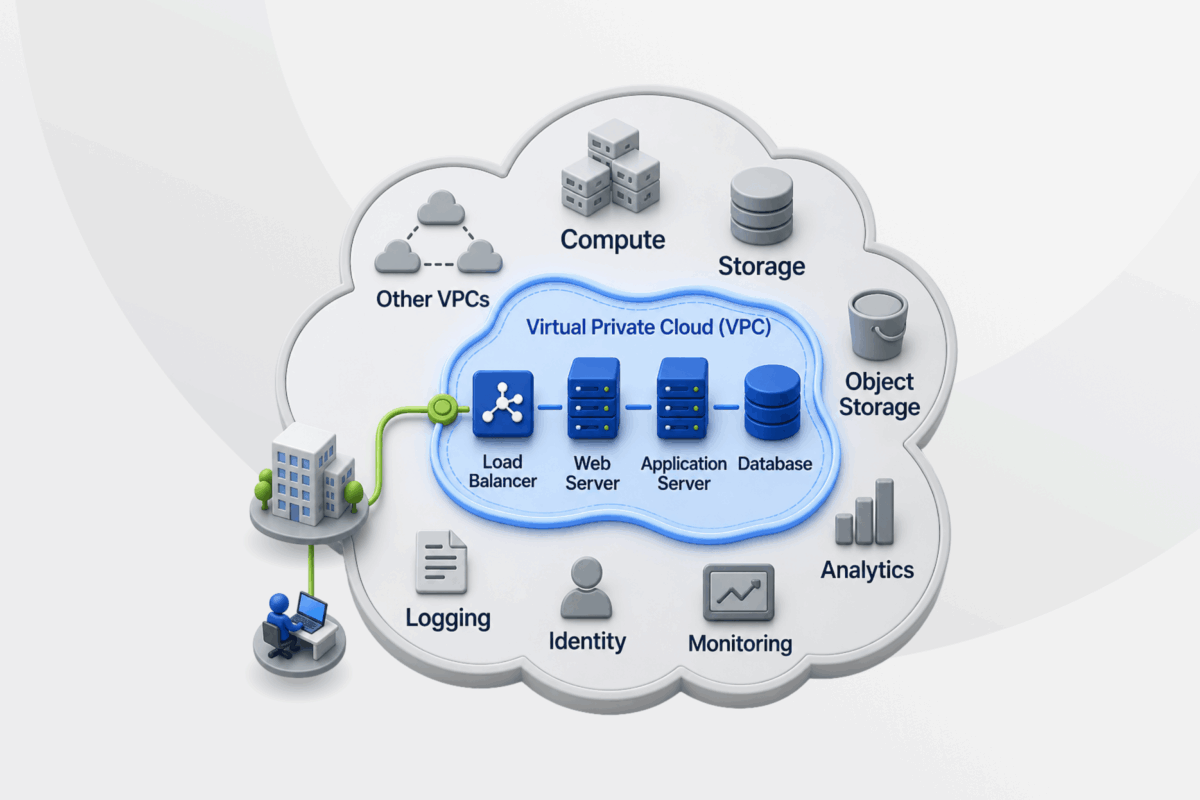
Businesses often run apps and store data in the public cloud, which can create challenges when you want them to connect or work as a single infrastructure. A virtual private cloud (VPC) offers a separate network space for organizing those connections.
This guide explains how VPCs work, what they cost, and when businesses should use them. You’ll also learn how they compare with VPNs and other private networking options.
What Is a VPC?
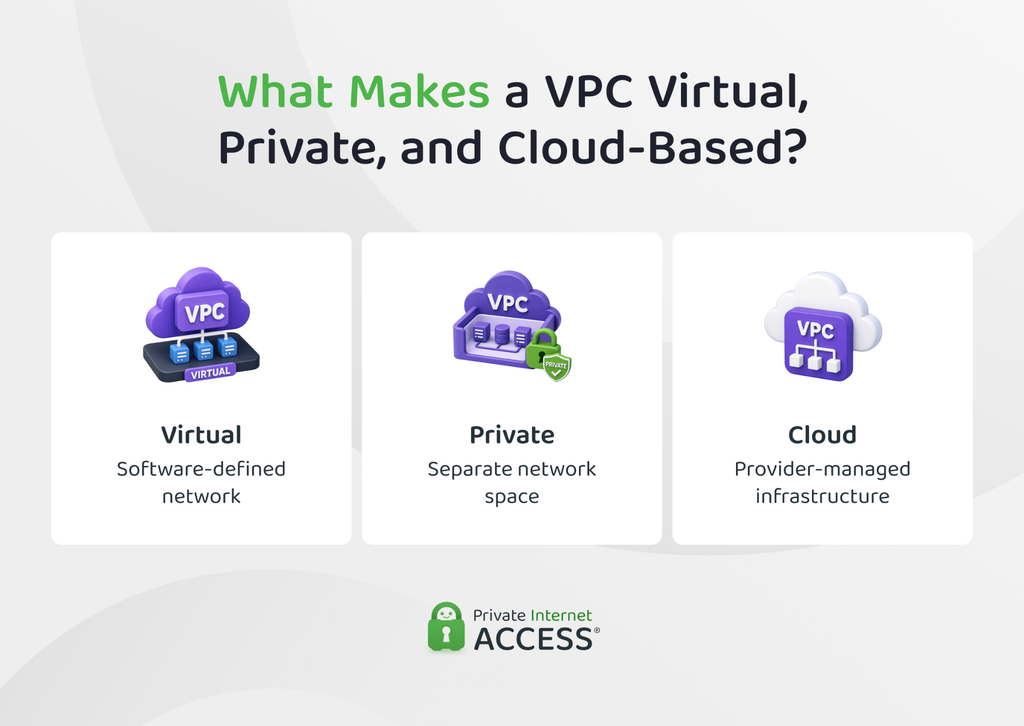
A VPC is a private network you create inside a public cloud platform. You can place cloud resources inside the VPC and decide how they connect, while the cloud provider takes care of the physical servers and networking equipment underneath. Each part of the name describes a different aspect of the technology:
- Virtual: Instead of using dedicated physical routers or switches, the network relies on software.
- Private: Your VPC has its own network space and settings, separate from unrelated cloud networks.
- Cloud: The network runs on remote infrastructure maintained by a cloud provider.
You can place virtual machines, databases, load balancers, and managed application services inside a VPC. Those resources share your VPC’s network setup rather than the network settings of other customers using the same cloud platform.
This doesn’t mean you get a set of physical servers reserved for your VPC. Think of the VPC as the network around your cloud resources. It connects them and gives you control over how they communicate.
How Does a VPC Work?
When you create a VPC, you make four main decisions: which private IP addresses it can use, how to divide the network into smaller sections, where traffic should go, and which connections should be allowed. The cloud provider turns those configurations into a virtual network on its infrastructure.
That gives you control over how resources inside the VPC communicate and how they connect to anything outside it. Another network can’t reach your VPC unless you create a connection and configure the VPC to allow the traffic.
How Does a VPC Use IP Addresses?
Every resource in a VPC needs an address so other resources know where to send traffic. When you create the VPC, you choose a range of private IP addresses for this purpose. Virtual machines and other resources inside the network then receive addresses from that range.
Cloud platforms write this range using Classless Inter-Domain Routing (CIDR) notation. You’ll usually see it written as an address followed by a slash and a number, such as 10.0.0.0/16. In IPv4, that number corresponds to a subnet mask, which is a method for identifying network groups. This determines the size of the address block, and “/16” means it provides 65,536 IP addresses.
It’s worth planning this range with future connections in mind. You need enough addresses for resources you may add later, and the range shouldn’t overlap with an office network or another cloud network you plan to connect.
If two connected networks use the same addresses, traffic can become ambiguous. The network may not know which location contains the resource it’s trying to reach.
How Do Subnets Divide a VPC?
You usually won’t want every resource in a VPC to have the same type of network access. Subnets solve that problem by dividing the VPC’s IP address range into smaller sections, so you can group resources based on the connections they need.
For example, imagine you’re running a web application. You might place its load balancer in a subnet that can receive internet traffic, keep the application server in another subnet that only accepts traffic from the load balancer, and put the database in a third subnet with no direct internet route.
This is why you’ll often hear subnets described as public or private. But putting a resource in a public subnet doesn’t make it accessible from the internet. It still needs a public address, a route to the internet, and security rules that allow the connection.
How Does Traffic Move Through a VPC?
Once your resources are in place, the VPC needs to know where to send traffic. This is where route tables come in. Each route matches a destination with the next connection traffic should use and different subnets can have different routes depending on where their traffic needs to go.
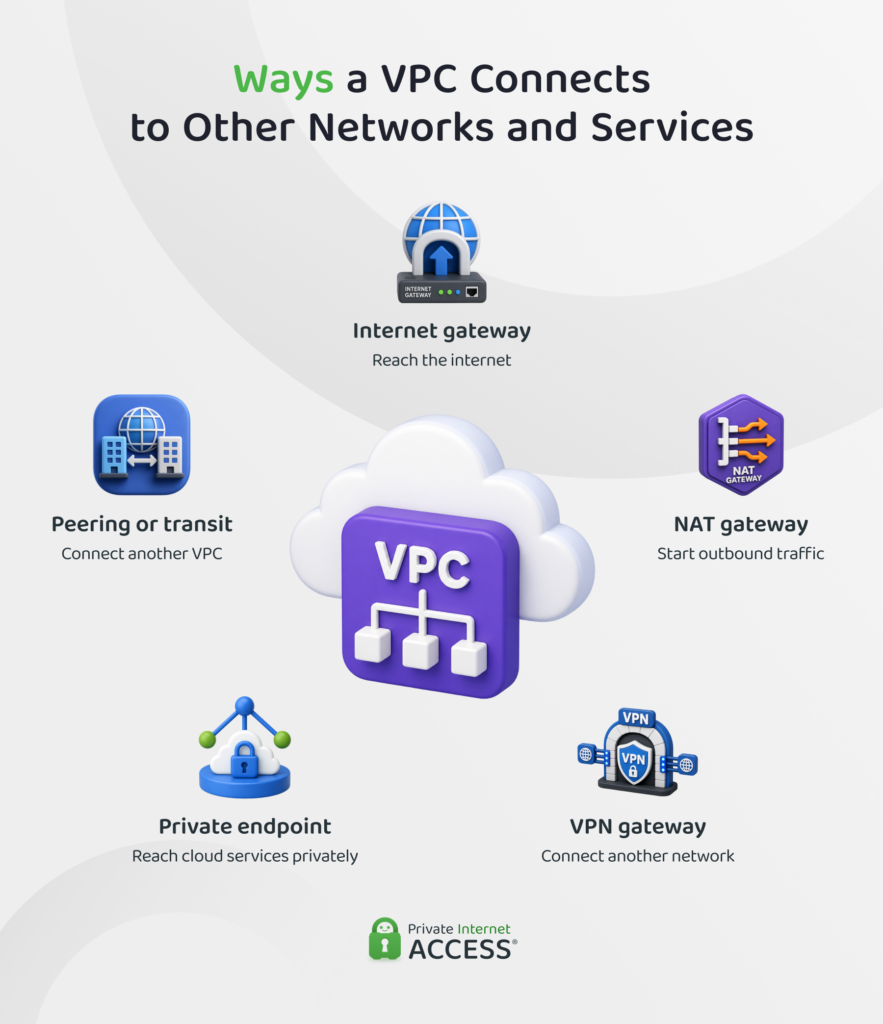
Routes can also send traffic beyond the VPC. To reach the internet, another private network, or certain cloud services, the VPC uses gateways, endpoints, and similar connections. For example:
- Internet gateway: Creates a path between properly configured VPC resources and the public internet.
- Network Address Translation (NAT) gateway: Lets private resources connect out to the internet without allowing internet users to initiate connections back through the gateway.
- VPN gateway: Connects the VPC to another network through an encrypted tunnel.
- Private endpoint: Gives resources a private path to a supported cloud service instead of connecting through its public internet-facing address.
- Peering or transit connection: Connects the VPC with another virtual network.
How Does a VPC Decide Which Traffic to Allow?
Getting traffic to the right destination is only half the job. While a route determines where this traffic can go, a firewall-style security rule controls whether it should be allowed through.
Depending on the cloud platform, you can apply these rules to individual resources or to a whole subnet. The names differ between providers, but the basic principle is that you describe the traffic you want to allow or block using details such as:
- Where the traffic comes from
- Where it’s going
- Which protocol it uses
- Which port it targets
- Whether it’s entering or leaving
That means a working route doesn’t guarantee a working connection. Traffic reaches its destination only when the network has a valid path and the relevant security rules allow it.
What Are the Benefits of a VPC?
A VPC can make cloud infrastructure easier to adapt and manage as an organization’s needs change.
- Faster network changes: Teams can adjust the virtual network through software instead of installing or reconfiguring physical networking equipment.
- Simpler expansion: New cloud resources can join an existing network structure without rebuilding the environment from scratch, but this depends on available address space and provider limits.
- Repeatable configurations: Infrastructure templates can reproduce the same VPC design across projects or environments, helping teams apply a consistent network setup.
- Centralized management: Administrators can manage the network from the cloud provider’s control panel or APIs, without needing separate tools for each physical device.
- Resilient architecture: Depending on the cloud platform, resources can run across separate availability zones or regions. When an application supports redundancy and failover, spreading it across zones can help it remain available if one location has a problem.
What Are the Limitations and Risks of a VPC?
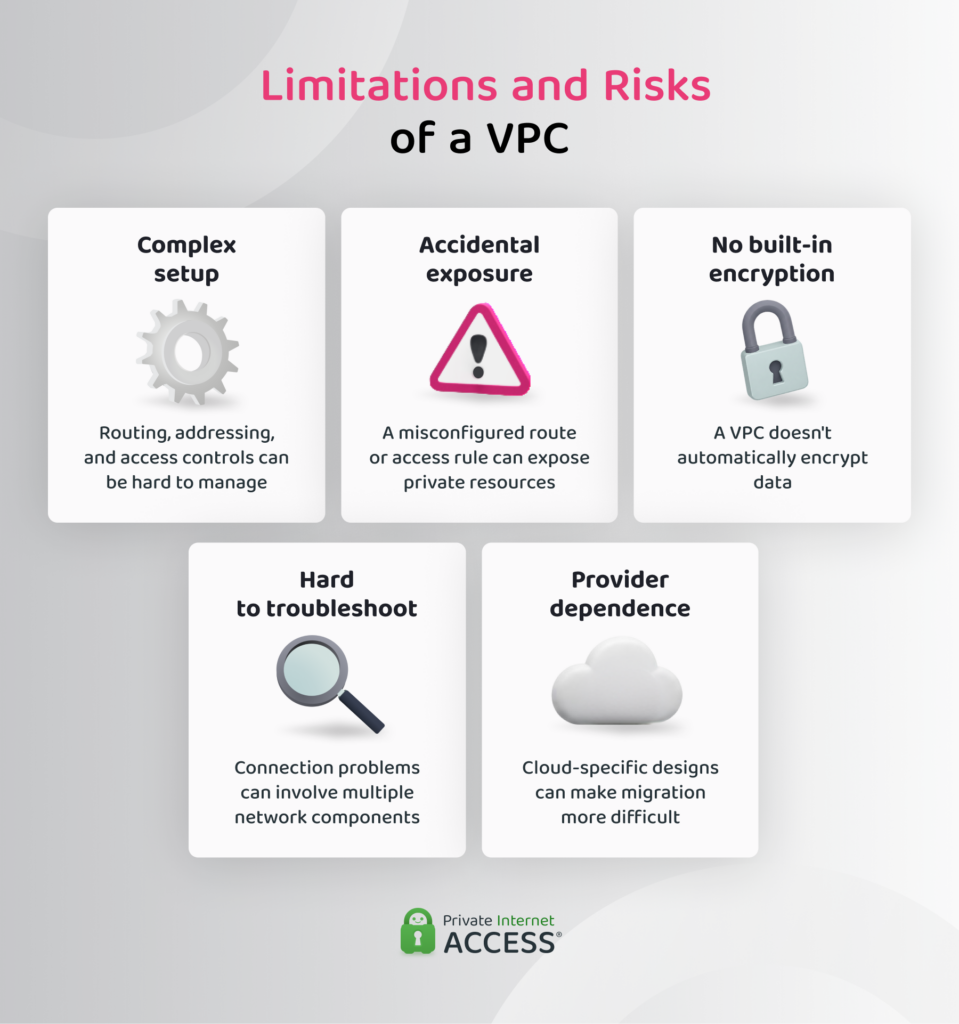
A VPC offers detailed network control, but it also requires careful setup and ongoing management. Some limitations include:
- Complex configuration: Setting up the network requires a solid understanding of private address ranges, traffic paths, and access controls. As the environment grows, keeping every connection working as intended gets harder.
- Risk of accidental exposure: A mistaken route or overly broad access rule can expose a private resource to the internet or another network. Because several systems may rely on the same settings, one change can have a wider effect than expected.
- No automatic encryption: A VPC being private doesn’t mean it encrypts everything inside it. Encryption for data in transit or at rest depends on the services and security settings you use.
- Difficult troubleshooting: A failed connection may involve several parts of the network. The cause could relate to addressing, Domain Name System (DNS) lookups, routing, or access rules, making faults harder to trace.
- Provider dependence: A VPC design may rely on services or behavior that are specific to one cloud platform. Moving the same setup elsewhere can require substantial changes.
How Much Does a VPC Cost?
Creating the VPC itself may cost nothing, but that doesn’t necessarily make the network free to run. Depending on your provider and setup, you can still pay for the resources and networking services the VPC uses. Common charges include:
- Network services: NAT gateways, VPN gateways, load balancers, public IP addresses, and private connections to other networks or cloud services.
- Traffic handling: Fees for processing data as it passes through certain gateways or managed services.
- Data transfers: Charges for traffic sent between availability zones, between regions, or from the cloud to the public internet.
- Network logs: Storage costs for flow logs that record connection details.
How providers calculate these charges varies. For example, a gateway may incur an hourly fee while it remains active, and the provider may then charge separately for the data that passes through it.
When Should You Use a VPC?
You should consider a VPC when you need to run several cloud resources inside a network you can structure and control. It’s most useful when those resources need different levels of access or must connect to other business systems.
- Multi-tier applications: A business needs separate network paths for public-facing services, application logic, and databases.
- Private internal systems: Dashboards, admin panels, or management tools can only accept connections through approved access paths.
- Hybrid infrastructure: Cloud resources need to communicate with systems in an office network or existing data center, such as through a site-to-site VPN.
- Separate operational environments: Development, testing, and production systems need clear network boundaries to reduce unintended interaction.
- Private access to cloud services: Workloads need to reach supported provider services without using their public endpoints.
- Recovery infrastructure: The business needs an isolated environment for standby systems as part of a wider recovery plan.
- Complex team environments: Different teams need controlled network areas without maintaining separate physical networks.
Not every cloud project needs a custom VPC. A managed service may be enough when the business wants a ready-made tool instead of running infrastructure. Smaller projects may also work well with the provider’s default network settings.
VPC vs. VPN, Private Cloud, and VPS
While a VPC provides the network environment for cloud resources, the other options handle secure connections, dedicated cloud infrastructure, or server computing.
VPC vs. VPN: What’s the Difference?
A virtual private network (VPN) creates an encrypted connection between two points, such as your device and a company network, rather than providing a virtual network for cloud resources.
| Features | VPC | VPN |
| Purpose | Connects and separates cloud resources | Protects traffic between connection points |
| What it provides | A cloud network environment | An encrypted tunnel |
| Resources | Can contain virtual machines and other cloud services | Doesn’t host resources |
| Routing | Defines traffic paths inside the cloud network | Carries traffic between connected devices or networks; routing still determines which traffic enters the tunnel |
| Encrypts traffic | Not automatically | Yes, inside the VPN tunnel |
A VPC and a VPN aren’t direct alternatives. A consumer VPN can help protect your privacy by masking your public IP address with a VPN server’s IP address. Businesses can use a VPN to give authorized users private access to a VPC.
A site-to-site VPN connects the VPC to another network, such as an office network, while a remote-access VPN lets approved users connect from outside the organization.
VPC vs. Private Cloud: What’s the Difference?
A VPC runs inside a public cloud platform, while a private cloud dedicates the entire cloud environment to one organization.
A private cloud may run on the organization’s own hardware or on dedicated infrastructure that a third party manages. It can provide more control over the underlying setup, but the organization or its provider must also manage more of that infrastructure.
Neither model is more secure. The better fit depends on whether the organization needs dedicated infrastructure and has the capacity to manage it.
VPC vs. VPS: What’s the Difference?
A virtual private server (VPS) is a virtual machine with its own operating system, memory, storage, and processing capacity. A VPC is the network environment around cloud resources, so it can contain several virtual machines and control how they communicate.
Basic VPS hosting may provide fewer networking controls than a full cloud platform. Major cloud platforms connect virtual machines to a virtual network, although the default setup and available controls vary by provider.
How to Secure a VPC
Securing a VPC starts with a simple question: which systems actually need to talk to each other? Once you know that, you can avoid unnecessary connections, keep private resources away from the public internet, protect administrative access, and monitor the setup for unexpected changes.
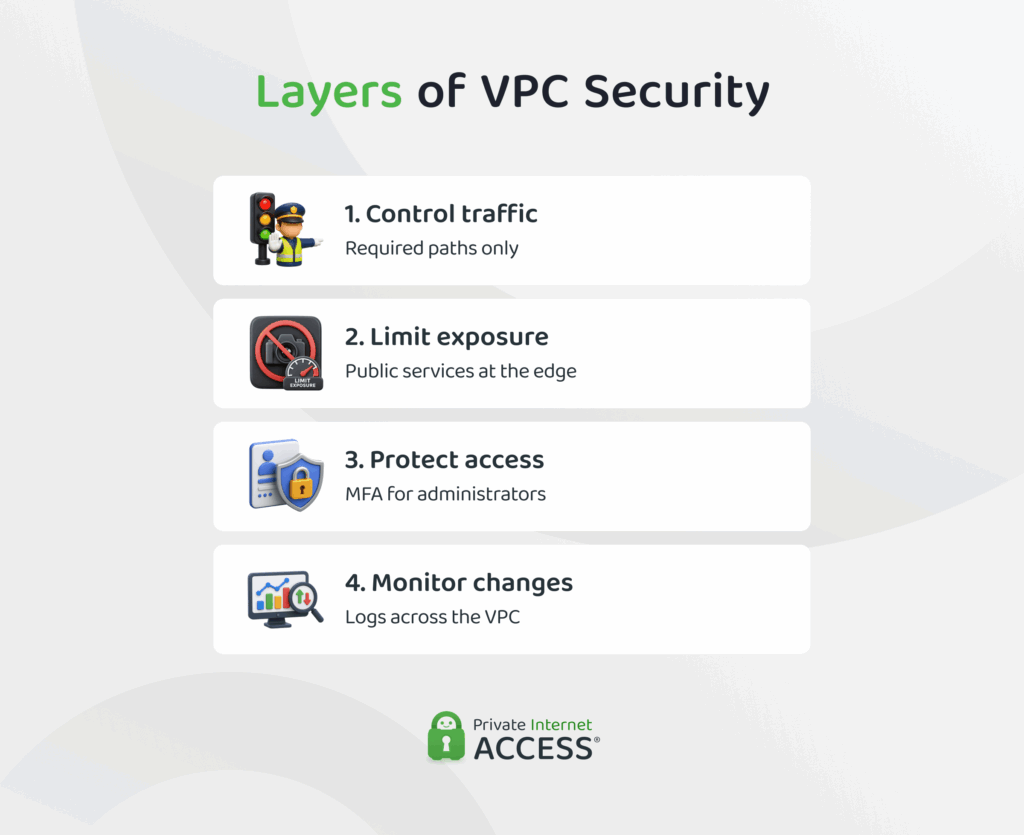
Design the Network Around Required Traffic
Start with a clear picture of which systems need to communicate. This helps you create only the connections the environment requires. The design usually accounts for:
- Required connections between each approved source and destination
- Exposure levels that keep public-facing services separate from internal systems
- Documented traffic paths that teams can compare with the live configuration
- Changes in ownership so the right people review new network connections
Segmentation can limit unnecessary traffic between systems, but it remains one layer of protection rather than a complete security boundary.
Give Public Access Only When Needed
You should only assign public connectivity to resources that need to receive traffic from the internet. Other workloads may be able to reach cloud services through private endpoints or use controlled gateways for limited external access. You can then tailor network rules to each resource’s actual role:
- Inbound access should come only from approved sources.
- Outbound access should cover only the destinations the resource needs.
- Protocols and ports should match the service in use.
- Remove temporary rules once the related task ends.
- Remove old rules from retired or replaced resources.
Protect Admin Access and the Systems Inside the VPC
Network rules can control who reaches a system, but they can’t secure the system itself. If you manage servers or applications inside the VPC, keep their admin interfaces limited to trusted users or networks and protect administrator accounts with multi-factor authentication (MFA).
The systems themselves need attention too. Encrypt connections that carry sensitive data, and keep operating systems and applications patched so known vulnerabilities don’t remain open.
Don’t place passwords or API credentials in application code. Store them in a secrets manager instead and give access only to the users and services that need them.
You should also keep backups separate from the live environment. Test them often so you know they can actually restore the systems they’re meant to protect.
Watch for Unexpected Traffic and Changes
Once the VPC is running, monitoring helps you catch activity that doesn’t match the setup you intended. Network flow logs give you a record of connection activity, including where traffic came from, where it was going, and whether the network accepted or rejected the connection. Look out for:
- Unexpected connection attempts
- Routes or gateways that change unexpectedly
- Added, removed, or widened access rules
- Resources that suddenly become publicly reachable
- Changes made outside planned maintenance
- The account that made each change and which resource it affected
Your cloud provider may flag risky settings or recommend improvements, but those checks don’t make the VPC secure automatically. The provider protects the cloud infrastructure underneath it, while you’re responsible for how you configure the VPC, secure the systems inside it, and protect the data they handle.
FAQ
What is a VPC?
A virtual private cloud (VPC) is an isolated virtual network that shares physical infrastructure with other networks via a public cloud platform. A business can deploy cloud resources inside it and control how those resources connect to each other and to outside networks.
What does VPC stand for?
VPC stands for virtual private cloud. “Virtual” means software creates the network, while “private” refers to its separation from other cloud networks. “Cloud” means the network runs on physical infrastructure hosted and managed by a cloud provider rather than in the customer’s own data center.
How does a Virtual Private Cloud (VPC) work?
A VPC gives a business a private network it can organize and control within a cloud provider’s infrastructure. The business chooses the network’s address range, divides it into smaller sections, and sets rules for how resources can communicate and connect to other networks.
What is the difference between a VPC and a VPN?
A VPC is a network environment that contains and connects cloud resources, while a VPN can provide private access to that VPC. For example, a company might run its internal apps inside a VPC and use a VPN to allow employees to connect securely from home.
What is the difference between a VPC and a private cloud?
A VPC is a private network within a public cloud, where the underlying infrastructure may be shared with other customers. A private cloud is a complete cloud environment dedicated to one organization. A VPC provides network separation within a shared cloud, while a private cloud provides dedicated infrastructure and greater control over the overall environment.
Why do businesses use VPCs?
Businesses use VPCs to run cloud resources that need controlled communication or different levels of network access. A VPC can also support private internal systems and connections between cloud resources and an existing office or data-center network.
