Multi-Hop VPN: What It Is and When You Should Use One
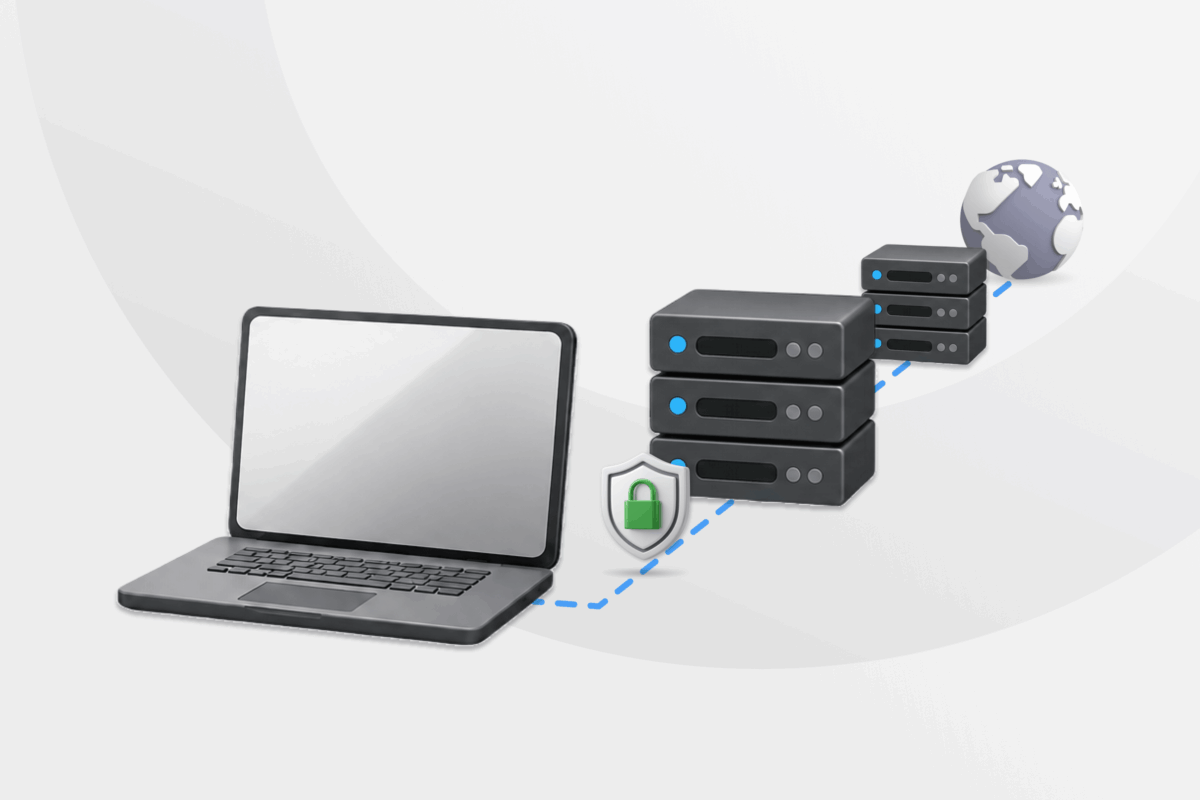
If one VPN server helps protect your connection, sending your traffic through a secondary server must be even better, right? That’s the idea behind a multi-hop VPN. This privacy feature is sometimes called a double VPN, double-hop VPN, VPN chain, or cascading VPN, although these terms don’t always describe identical setups.
In this guide, we’ll explain how multi-hop VPNs work, how they compare to VPN over VPN setups, and when the extra hop is actually worth it.
What Is a Multi-Hop VPN?
Multi-hop is a VPN feature that routes your internet traffic through two or more intermediary servers before it reaches its destination.
“Double VPN” and “double-hop VPN” mean two hops, while “VPN chain” and “cascading VPN” are usually other names for the same multi-hop idea. Multi-hop is the most useful term, since it covers setups with more than two hops as well.
How Does a Multi-Hop VPN Work?
A regular VPN creates an encrypted tunnel between your device and a VPN server. The server replaces your IP address with its own and forwards your request to the website or online service you’re using.
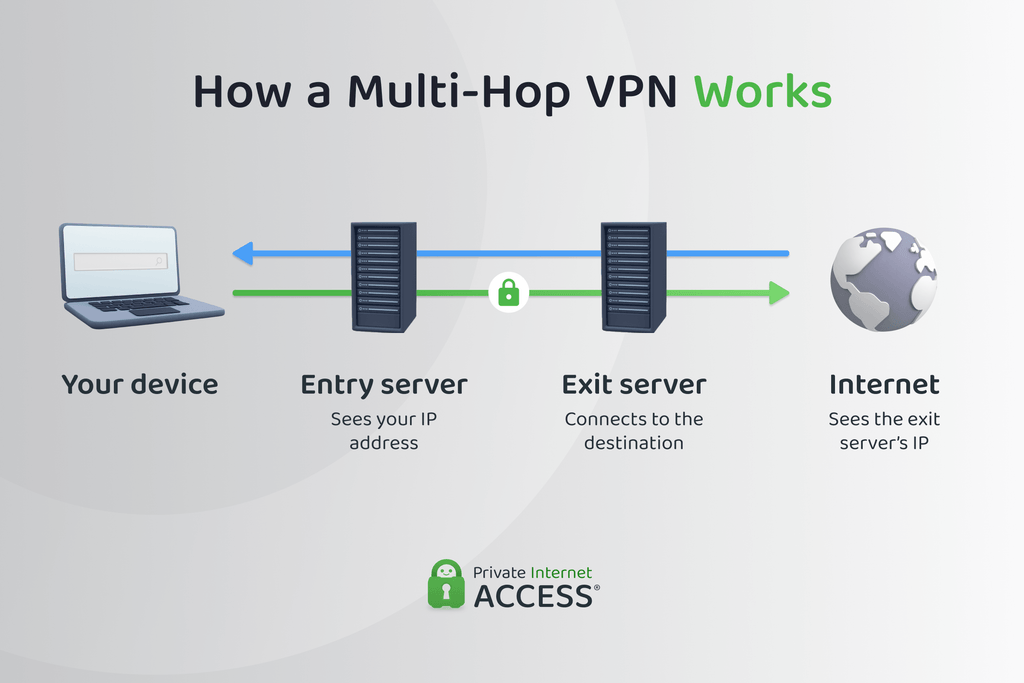
A typical double-hop VPN adds a second server to that route:
- Your VPN app encrypts your internet traffic.
- The encrypted traffic travels to the first server in the chain.
- The first server forwards it to a second server.
- The second server sends the request to its destination.
- The response returns along the VPN route to your device.
Some multi-hop systems use nested VPN tunnels or add an encryption layer for each VPN server. Others send a single VPN tunnel through an intermediary routing server or proxy. Therefore, multi-hop doesn’t necessarily mean double encryption.
Tech tip: Private Internet Access (PIA) VPN disguises your connection using the same encryption used by HTTPS websites before sending it to a Shadowsocks or SOCKS5 proxy. The proxy then forwards it to a VPN server, which in turn decrypts your data and forwards it to its destination. This makes your VPN connection look like regular web traffic, giving you more privacy from your ISP or network admin.
What Can Each Server See?
Visibility varies between connection points:
| Connection Point | Can See Your IP Address | Can See Your Destination |
| Internet service provider (ISP) or local network | ✅ | Usually sees the first hop, not the destination |
| First VPN server | ✅ | Usually sees the next VPN server |
| Second VPN server | Not usually | ✅ |
| Website | ❌ | Receives your request from the second server |
This separation can make it harder for someone monitoring one server to connect your original IP address with the websites you visit. However, it doesn’t guarantee anonymity. An observer monitoring both ends of the route may still compare the timing, size, and direction of traffic.
The VPN provider may also control both servers. That makes secure infrastructure, transparency, and a strong no-logs policy as important as the number of hops.
Multi-Hop VPN vs. Switching VPN Servers
When you switch VPN servers, your device disconnects from the current server and connects to the one you chose. This changes your VPN IP address.
Here are the differences at a glance:
| Characteristics | Switching Servers | Multi-Hop VPN |
| Active servers | One at a time | Two or more simultaneously |
| Changes your VPN IP | ✅ | ✅ |
| Separates entry and exit points | ❌ | Usually |
| Adds another routing hop | ❌ | ✅ |
| Effect on speed | Depends on the new server | Usually causes a larger slowdown |
| Typical use | Changing location or troubleshooting | Advanced privacy or obfuscation |
Is Switching Servers Secure Enough?
Switching servers is a good option if you want a different IP address or virtual location, or if you’re troubleshooting a slow VPN connection. Choosing a nearby server can also help reduce latency. However, it doesn’t provide the same routing separation as multi-hop.
For most everyday browsing, a trustworthy single-server VPN provides the better balance of privacy, performance, and convenience.
Multi-Hop VPN vs. Double VPN
A double VPN is a type of multi-hop VPN that uses exactly two VPN servers. VPN providers sometimes use “double VPN,” “double-hop VPN,” and “multi-hop VPN” to mean the same thing, but the name alone won’t tell you how the provider routes or encrypts traffic.
Before enabling the feature, check whether it:
- Uses two VPN servers or combines a proxy with a VPN server
- Creates nested VPN tunnels or uses one VPN tunnel
- Lets you select the entry and exit locations
- Uses servers operated by one or multiple organizations
- Supports your device and preferred VPN protocol
Multi-Hop VPN vs. VPN Over VPN
VPN over VPN involves running two separate VPN connections, often on different network layers, devices, or virtual machines. A built-in multi-hop feature manages the extra routing inside one VPN service.
| Characteristics | Multi-Hop VPN | VPN Over VPN |
| Setup | Enabled within one VPN app | Requires two separate VPN connections |
| Providers | Usually one provider | Can use different providers |
| Server selection | Limited to supported routes | Potentially more customizable |
| Encryption | Depends on the implementation | Usually creates nested VPN tunnels |
| Compatibility | Managed by the provider | VPN apps or routes may conflict |
| Performance | Slower than a regular VPN | Often slower and less predictable |
| Troubleshooting | Relatively straightforward | More complex |
| Trust model | Usually relies on one provider | Can divide trust between providers |
| Cost | Generally part of one subscription | May require two subscriptions |
One way to create a VPN over VPN connection is to connect your router to one VPN and run another VPN app on your device. Advanced users may also place one VPN inside a virtual machine while the host device uses another.
This setup can divide trust between two providers, but it can also introduce routing conflicts, connection failures, and the possibility of DNS or IP leaks if configured incorrectly.
Who Needs a Multi-Hop VPN?
A multi-hop VPN is useful for people who have greater privacy needs or a specific reason to prevent one server from seeing both ends of their connection. This can include:
- Journalists and researchers: It adds routing separation when communicating with sources or investigating sensitive subjects.
- Activists and people facing surveillance: Extra separation between entry and exit points can matter most when the risk of surveillance is especially high.
- Professionals handling confidential information: Lawyers, healthcare workers, and other professionals may want more privacy when accessing or transferring sensitive data.
- People using restrictive networks: Some multi-hop implementations can disguise the initial VPN connection, which may help when a network blocks or restricts VPN traffic.
- Anyone concerned about a monitored VPN server: Separating the entry and exit points limits how much an observer at one server can learn about the complete route.
A regular VPN is generally sufficient for browsing, shopping, downloading, video calls, gaming, and streaming with more privacy. It encrypts your connection and masks your IP address without the added slowdown and complexity of multi-hop routing. Multi-hop is usually a more specialized option to enable when you need it, not an upgrade that must remain active all the time.
Benefits of Using a Multi-Hop VPN
A multi-hop VPN isn’t necessary for most online activities. However, the additional route can provide meaningful benefits in certain situations.
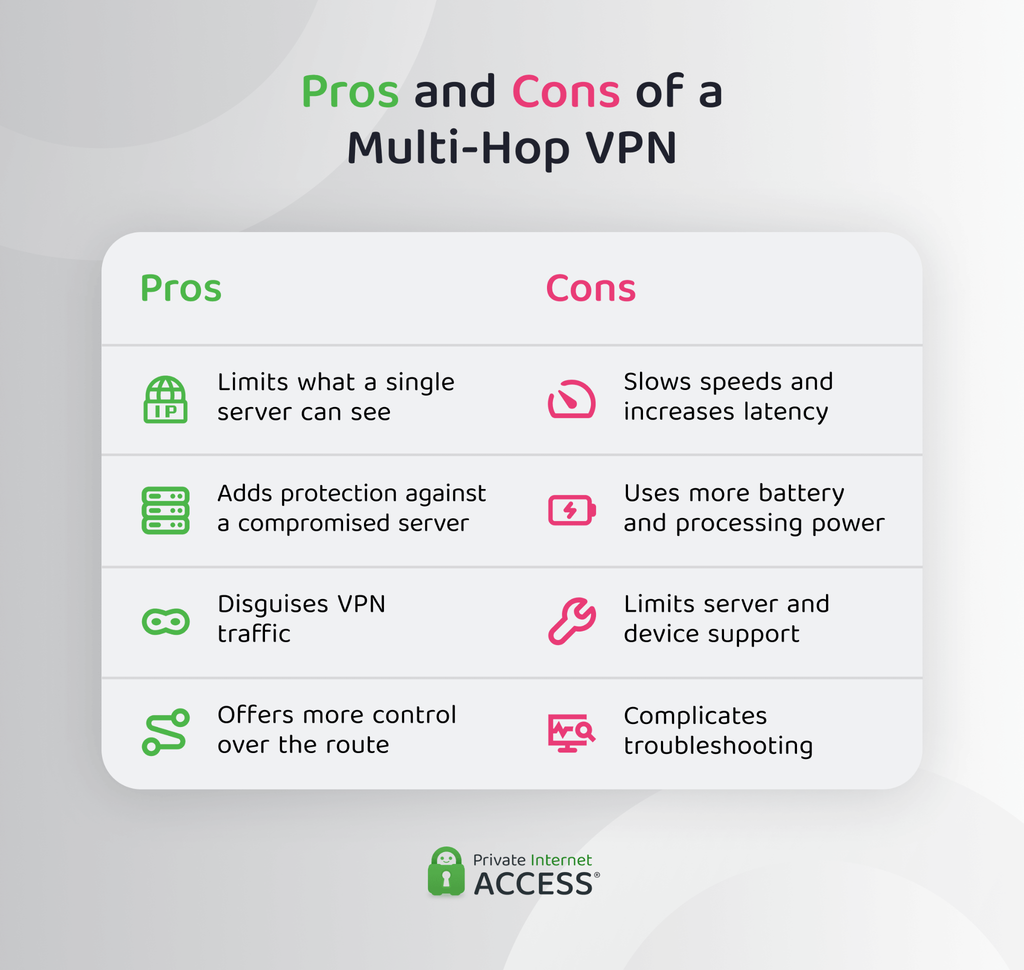
Limits What a Single Server Can See
A properly configured multi-hop connection divides information between the entry and exit points. The first server may receive your actual IP address without connecting directly to the destination. The exit server handles the destination request without receiving the connection from your device.
When the two hops operate independently, compromising one provider does not necessarily reveal the complete connection.
Adds Protection Against a Compromised Server
A regular VPN relies on one server to receive and forward your connection. If that server becomes compromised or monitored, an observer may gain more information about the traffic passing through it.
Multi-hop separates that entry-and-exit role across different servers instead of concentrating it in one. This can add protection against an observer with access to only one part of the route, although it won’t stop an adversary capable of monitoring both ends.
Tech tip: PIA VPN’s multi-hop feature includes an option to route your first hop through a third-party SOCKS5 server, splitting your hops across separate providers for more privacy and security.
Can Help Obfuscate VPN Traffic
Some multi-hop configurations send the VPN tunnel through an obfuscating proxy. This can make the initial VPN connection appear as ordinary internet traffic, which may help on restricted networks or if you want to keep your VPN use private from your provider.
Obfuscation and multi-hop aren’t the same. A double VPN may add a second VPN server without hiding the fact that you’re connected to a VPN.
Provides More Control Over Your Route
Some services let you choose separate entry and exit locations. You might select a nearby entry server to limit latency and an exit server in the location you want websites to see.
Other providers offer predetermined server pairs. These are easier to use but provide less control over the route.
Downsides of Using a Multi-Hop VPN
More servers don’t make every connection better off the bat. Multi-hop has several practical limitations that can outweigh its privacy benefits.
Slower Speeds and Higher Latency
Every extra server increases the distance your data must travel. Extra routing and encryption processing can also reduce speeds and increase latency.
The impact depends on the distance between servers, server load, VPN protocol, device performance, and your original connection. Choosing closer server locations can help, but multi-hop will generally be slower than a comparable single-hop connection.
Tech tip: PIA VPN operates a high-performance 10-Gbps server network that helps keep multi-hop slowdowns to a minimum.
Increased Battery and Processing Use
Maintaining additional encryption layers or nested VPN connections can require more processing power. This may increase battery consumption or cause older devices to become warmer during prolonged use.
The difference may be minor on a modern computer, but it can become more noticeable on phones and other battery-powered devices.
Limited Server and Device Support
Not every VPN server supports multi-hop routing. Some providers offer only a small selection of predetermined server pairs or limit the feature to certain apps and protocols.
Check platform support before subscribing for a multi-hop function. A feature available on a desktop app may not be available on the provider’s mobile, smart TV, or router apps.
Tech tip: PIA VPN gives you the choice of 6 Shadowsocks server locations for your initial hop, plus any of our regular VPN servers in 170 locations worldwide for your second hop. Alternatively, you can set up a SOCKS5 connection, which can route your first hop through any compatible third-party server of yoru choice.
More Complicated Troubleshooting
A multi-hop connection has more potential points of failure. A problem with either server, the route between them, or an intermediary proxy can interrupt your connection.
If websites stop loading or performance drops unexpectedly, switch to a standard VPN connection. This will help determine whether the extra hop is causing the problem.
Multi-Hop Can’t Make a Free Low-Quality VPN Secure
A multi-hop VPN won’t improve the security or privacy practices of an unreliable VPN. Another server can’t fix weak encryption, insecure software, invasive data collection, or a provider that doesn’t follow its stated logging policy.
It may route your information through more infrastructure controlled by the same untrustworthy company. Evaluate the VPN itself before considering how many hops it offers.
FAQ
Which VPNs support multi-hop routing chains?
PIA VPN offers multi-hop and obfuscation in its desktop apps as part of any subscription. Some other commercial VPNs also provide multi-hop routing as a premium feature, although availability varies by device and protocol. Implementations differ, so check whether the service uses multiple VPN servers or combines a proxy with a VPN server.
How do multi-hop VPNs actually protect my data compared to regular VPNs?
A regular VPN encrypts your connection and routes it through one VPN server. A multi-hop VPN adds another server, which may separate your original IP address from the destination or disguise the initial VPN connection. This can provide more privacy against someone monitoring one part of the route, but it doesn’t guarantee anonymity.
Can I chain two different VPN providers?
Yes, but a VPN over VPN setup requires an advanced setup, such as connecting a router to one VPN and running another VPN app on your device. Using separate providers can divide trust between them, but it can also cause routing conflicts, leaks, and significant speed loss. A built-in multi-hop feature is easier for most people to configure safely.
Is a double-hop VPN the same as a multi-hop VPN?
A double-hop VPN is a multi-hop configuration that uses exactly two VPN servers. Multi-hop is a broader term that can include two or more VPN servers or other intermediary systems. Providers sometimes use the two terms interchangeably, so check how the feature actually works.
