Telegram Scams: How They Work and How to Avoid Them
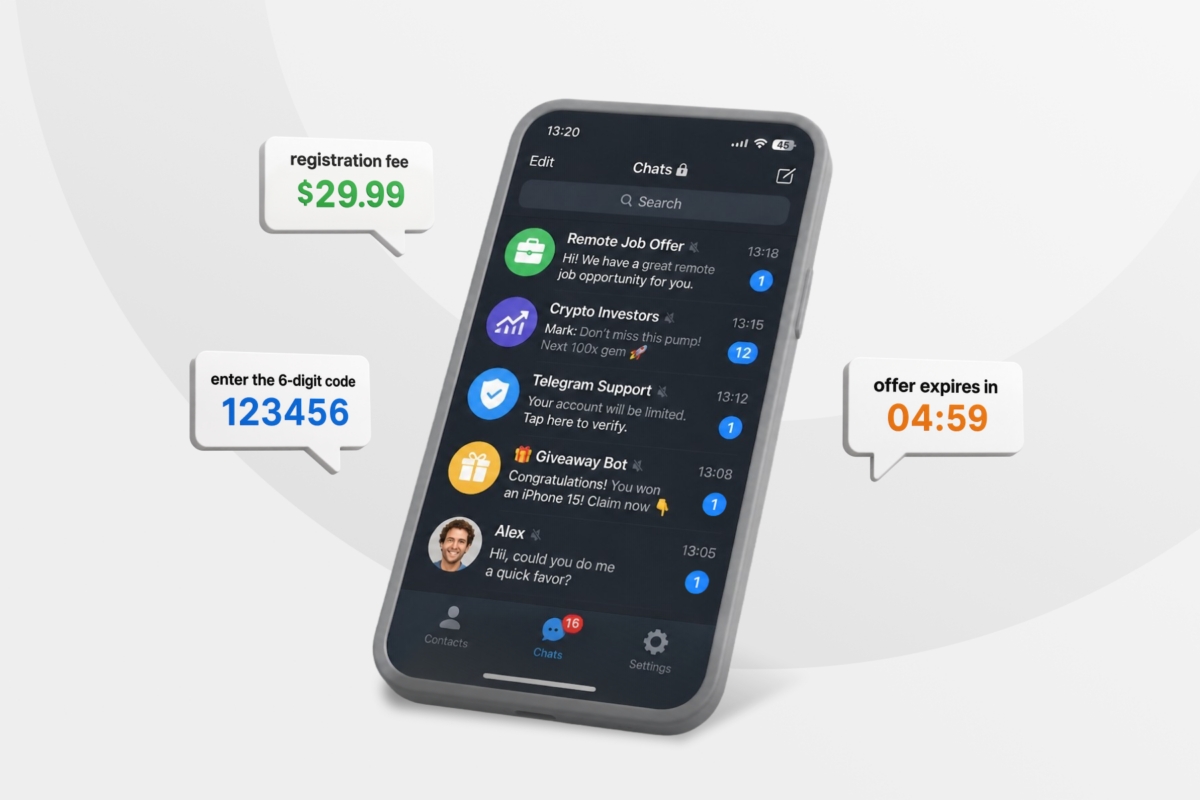
A Telegram message from a recruiter, support agent, investor, or familiar contact can seem harmless at first. But sometimes the person behind the account isn’t who they claim to be.
Telegram is a legitimate messaging service, but scammers can misuse it to reach potential victims. This guide explains how Telegram scams work, the main schemes to watch for, and how to check whether an account is genuine.
What Are Telegram Scams?
Telegram scams are fraudulent schemes where bad actors use social engineering, deceptive accounts, or malicious links to steal money, cryptocurrency, account access, or personal and financial data. Some install malware onto your device or use intimate material for blackmail.
They may start on Telegram or move there from another service, and they reach targets through several avenues, including chats, mini apps, shared files, or linked websites.
How Do Telegram Scammers Find You?
A scammer can find your profile directly on Telegram or use details from another source, such as:
- Shared groups: Anyone in a public group can open your profile and message you privately.
- Public usernames: A searchable username lets people find your Telegram account without knowing or seeing your phone number.
- Known phone numbers: A scammer may already have your number from a public listing, a previous transaction, exposed data, or another service.
- Compromised contacts: A criminal who takes over someone else’s account can message that person’s contacts from a profile those contacts already recognize.
- Other platforms: A conversation may begin on a job board, dating app, marketplace, social network, or forum before moving to Telegram.
- Public information: Work profiles, company pages, and social posts can reveal enough detail to identify potential targets or personalize an approach.
- Automated outreach: Bots, scripts, and networks of accounts can send unsolicited messages to large numbers of users.
- Earlier fraud attempts: Scammers may reuse information from previous scams or pass it to other criminals.
Common Telegram App Scams
Scammers can be surprisingly enterprising when it comes to parting you from your money or personal details. Here are the most common Telegram scams.
Telegram Job Scams and Prepaid Task Scams
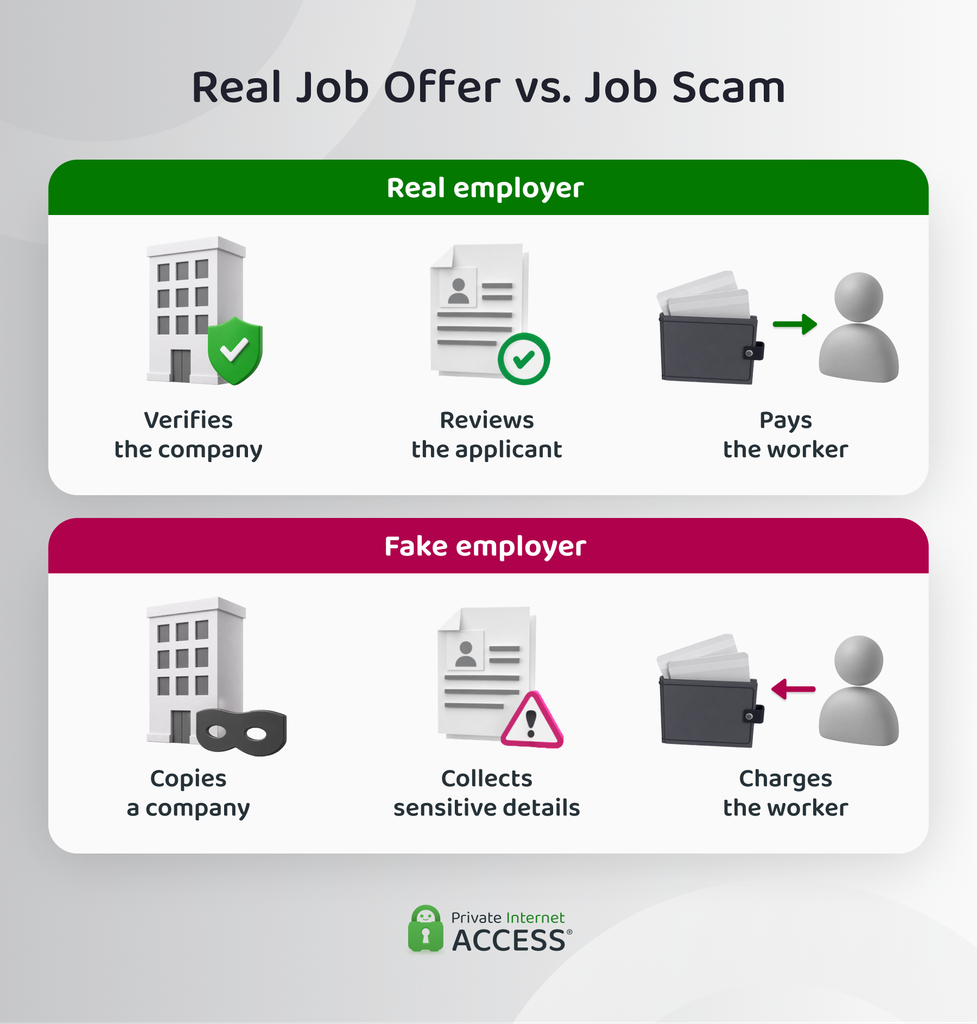
Telegram job scams use false work offers to collect money or sensitive records from applicants. They usually appear as fake recruitment or prepaid task schemes.
In fake recruitment scams, scammers impersonate a real employer. They may conduct the entire interview through Telegram, then send a forged contract or onboarding form. Requests can include identity documents, banking details, or tax information. Some ask applicants to pay for equipment, training, software, or background checks.
Prepaid task scams begin with simple assignments like rating products online. Victims may receive a small payment while a fake dashboard displays rising earnings. Later tasks require deposits, while the platform blocks further withdrawals unless the victim pays more.
Some scammers send counterfeit checks or fake reimbursements for work equipment. The applicant deposits the check, pays a supposed supplier, then learns that the original payment bounced. In every version, the clearest warning sign is money flowing from the worker to the employer.1
Telegram Crypto Scams and Fake Investment Groups
These scams persuade victims to send money or cryptocurrency into an investment system controlled by the scammer, such as:
- Trading signal groups run by fake analysts
- Pump-and-dump communities
- High-yield investment programs
- Fake token presales
- Fraudulent initial coin offerings
- Websites impersonating investment firms
The group may contain fake testimonials, staged discussions, and accounts posing as successful investors. Scammers also use altered screenshots or invented company records to make the offer appear established.
After the victim deposits funds, a controlled website may display fabricated profits. Some platforms allow a small early withdrawal to build trust. The platform then blocks larger withdrawals until the victim pays a supposed tax, commission, verification charge, or release fee.2
Fake Airdrops and Cryptocurrency Wallet Drainers
Fake airdrops and wallet drainers target cryptocurrency that the victim already owns. Scammers may clone a legitimate project’s Telegram account, promote free tokens, then direct users to a counterfeit claim page or bot. The next step depends on what the victim is asked to approve:
- Connecting a wallet: May reveal its public address and holdings.
- Signing a transaction: May authorize an asset transfer.
- Granting token approval: May let another address move certain assets later.
- Sharing a recovery phrase: Gives the scammer control of the entire wallet.
A fake claim page may hide a harmful action behind a button labelled Verify, Claim, or Connect, but your wallet’s approval screen will show what you’re actually authorizing. A legitimate project will never ask for your recovery phrase.
Phishing and Telegram Account Takeover Scams
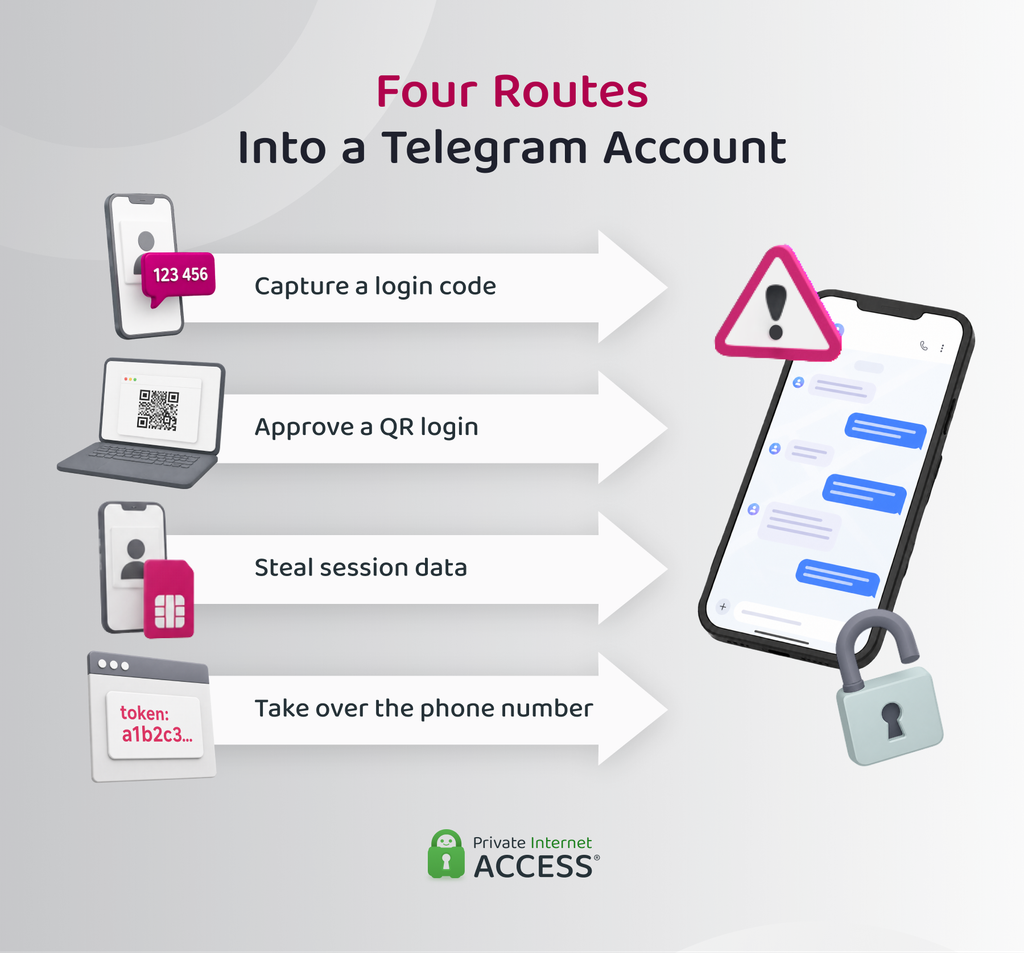
In a phishing or account takeover scam, an attacker tries to gain access to a Telegram account without the owner’s permission.
The victim may receive a false security warning, account verification request, policy notice, or copyright complaint. Other schemes use fake polls, contests, or voting pages that ask the user to sign in. The linked page copies Telegram’s design in order to trick the victim into entering their phone number or login code.
Another takeover method scammers use is a deceptive QR code. Scanning one can authorize a Telegram session on another device if the user approves the login prompt. After taking over an account, the attacker may:
- Read cloud chats available to the account
- Impersonate the owner
- Contact trusted connections
- Send further phishing links
- Search messages for useful personal information
Not all account takeovers involve a fake login page. Attackers may also use stolen session data or gain control of the victim’s phone number.
Fake Support, Admin, and Verification Scams
A fake support scam typically starts in a public group. A scammer lurks in the group, waiting for someone to ask for help, and responds immediately – before the real support team has a chance to. The account may claim to represent Telegram, a group admin, a crypto exchange, or another trusted service, copying an administrator’s photo, logo, or role title to look official.
The scammer might request sensitive account information or identity documents. Some demand a support fee or deposit before they can “verify” the account. Others redirect the victim to a phishing page or remote-access process.
The false role is the core of the scam. A seemingly trustworthy display name like “admin,” doesn’t prove that the account holds that position.
Friend, Family, Executive, and Celebrity Impersonation
A scammer may pose as a relative who needs urgent help, a manager requesting a private transfer, or a celebrity promoting an investment. They can copy a display name, profile photo, biography, and public details. If the scammer has compromised a real account, they may also have access to earlier conversations, which makes the impersonation more convincing.
The request depends on the identity being copied. A supposed friend may ask for money to deal with an emergency. A fake executive may send new bank details for an invoice, while a celebrity account may promote a fraudulent giveaway or investment.
Scammers can also produce convincing voice notes, images, and video using AI. A familiar voice or writing style no longer proves that the message came from the person it appears to represent.
Fake Channels, Giveaways, and Telegram Premium
Scammers also imitate entire channels, groups, promotions, and subscription services. A cloned channel may contain posts copied from a legitimate company or cryptocurrency project. An inflated member count and automated comments can make the community appear larger or more active than it is.
The channel may announce a prize that requires an entry, shipping, or processing fee. Other schemes advertise free Telegram Premium gifts, paid upgrades, or access to a private group that doesn’t exist.
These communities can look established because they reuse real branding and old content. The key difference from personal impersonation is that the scam is built around a fake space or promotion rather than one account pretending to be a known person.
Telegram Marketplace and Payment Scams
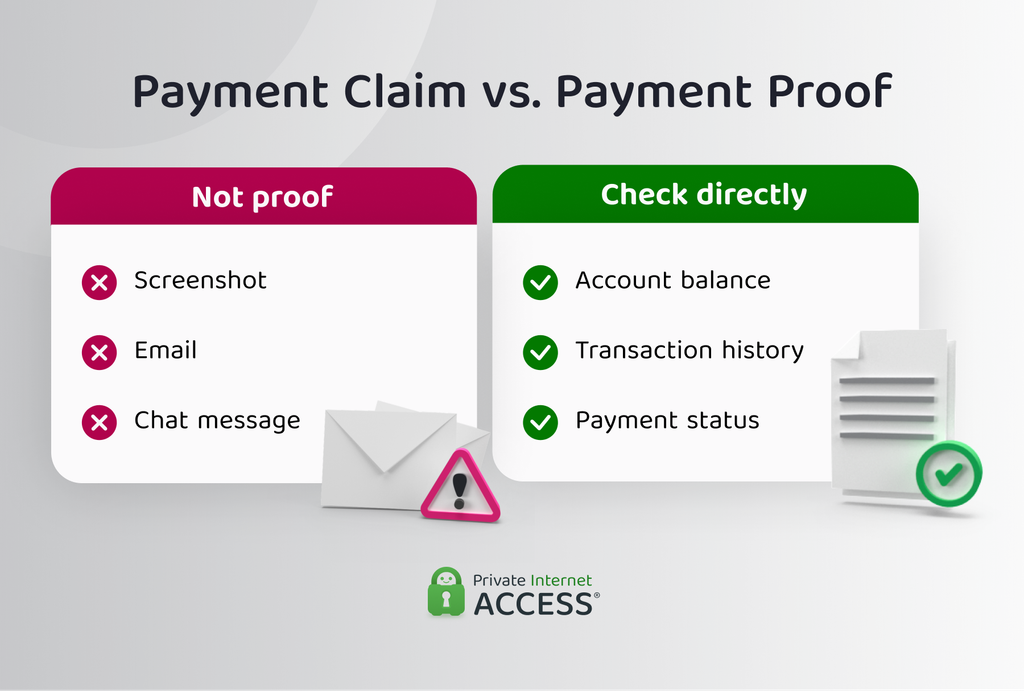
Marketplace scams target both buyers and sellers who arrange transactions through Telegram.
Fake sellers advertise goods that don’t exist, often using images copied from genuine listings. They may request full payment before delivery, then add shipping or insurance charges. Some move the buyer away from a protected marketplace or introduce a fake escrow service.
Fake buyers send forged payment confirmations or counterfeit emails from payment services. They may claim to have overpaid, then request a refund before any real money arrives. Other versions say the seller must pay a fee to upgrade or unlock their account.
A screenshot, email, or Telegram message doesn’t confirm that money reached the recipient. The scam depends on getting one party to act before checking the actual payment account.
Telegram Romance and Pig-Butchering Scams
Romance scams build emotional trust before introducing a financial request. The scammer may meet the victim on Telegram or move the conversation there from a dating platform or social network.
They create a detailed personal history, maintain frequent contact, and cultivate an emotional attachment. At the same time, they avoid situations that would allow the victim to confirm their identity in person.
The financial request is usually built around a story about a personal emergency. In pig-butchering scams, the scammer instead uses the relationship to steer the victim toward a fraudulent investment or cryptocurrency platform.
Once the victim is convinced, the scammer may continue escalating the financial demands or pressure them to invest more.3
Telegram Sextortion Scams and Blackmail
Telegram sextortion scams use threats involving intimate material, private information, or fabricated evidence.
The scammer may persuade you to share intimate images or record a private video interaction. They can also use material stolen from another account or service. The threat usually involves sending the content to your relatives or social contacts unless you pay. There are two main forms of this:
- Material-based sextortion: The scammer possesses genuine intimate content.
- Bluff-based blackmail: The scammer claims to have compromising material that may not exist.
Bluff-based messages sometimes include an old password or public detail to make a false hacking claim sound credible. Paying doesn’t put an end to the blackmail. Scammers typically continue making demands once they know the victim will pay.
Malicious Files, Fake Telegram Apps, and Remote Access Scams
A file disguised as a resumé, invoice, trading tool, or verification document can compromise a device if opened. Other schemes distribute unofficial Telegram clients, modified installers, or malicious browser extensions.
A scammer may also tell the victim to copy a command from the chat and run it, or to install software that gives another person remote access. A successful compromise can lead to:
- Credential or session theft
- Clipboard monitoring
- File access
- Screen viewing
- Remote device control
- Installation of further malicious software
Reading an ordinary Telegram message doesn’t compromise a device. The risk increases when you open a file, install software, run a command, or follow a link from an untrusted source.
Fake Charity and Fundraiser Scams
Fake charity scams use real tragedies or invented emergencies to collect donations. The scammer may impersonate an established charity, create a false medical fundraiser, or exploit a disaster or conflict. Other campaigns use stolen photographs and personal stories to support a fabricated cause.
Some fundraisers are completely invented, while others copy a genuine organization but replace its bank details or cryptocurrency donation address with one controlled by the scammer.
This category differs from a friend-in-need scam because the payment is presented as a charitable donation rather than personal help for someone the victim knows.
How to Verify a Telegram Account, Group, or Channel
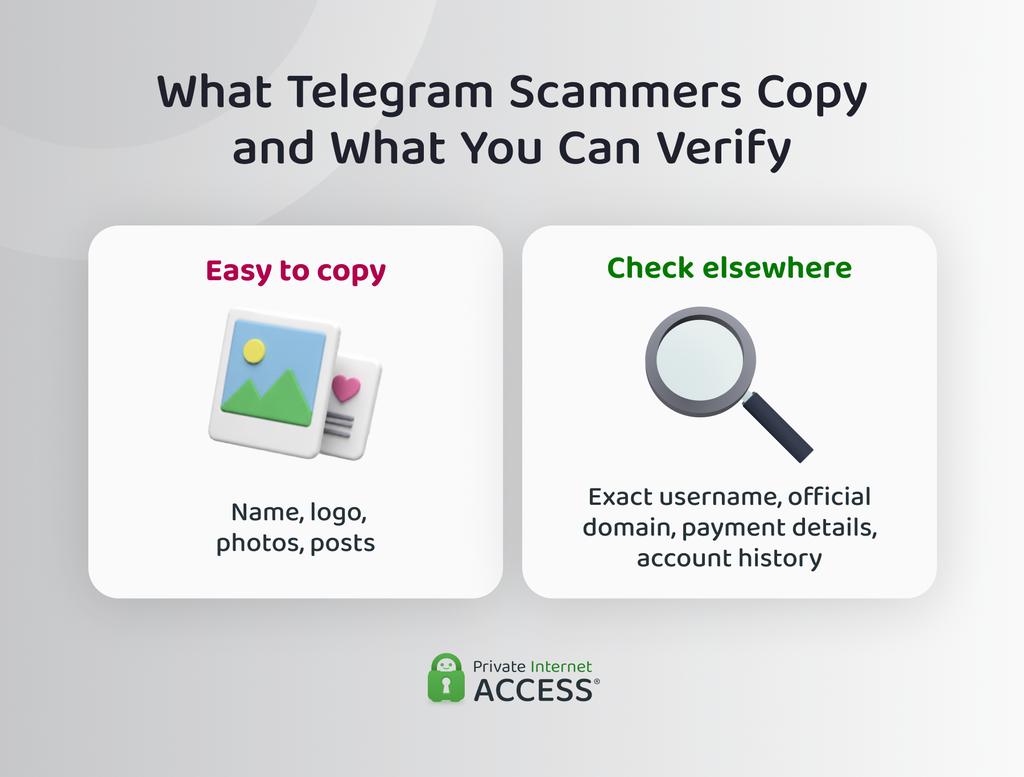
A convincing profile or channel isn’t proof that it’s genuine. Use these checks to confirm whether its identity, links, and claims match reliable information elsewhere.
- Compare the exact username: Telegram usernames are unique, so one changed character can point to a different account. Check the spelling, numbers, underscores, and similar-looking letters.
- Trace it from an official source: A company may link to its Telegram account from its website, official app, contact page, or established social profile. That connection provides stronger proof than a link sent in a chat.
- Check linked domains: The website should use the organization’s real domain rather than a close variation or unrelated address. Its published contact details should also match.
- Review its history: An established account usually has a consistent name, topic, and posting record. Missing older posts or an abrupt change in content may suggest it was copied or repurposed.
- Confirm the person elsewhere: A known phone number, work email address, or existing conversation can help confirm whether a request came from the person it names.
- Check administrator status: Telegram groups display which accounts have administrator privileges. This is more reliable than a private message claiming someone represents the group.
- Cross-check payment details: Bank accounts and wallet addresses should match details published through an official source or used in an earlier verified transaction.
- Use badges and audience size as supporting clues: Verification badges and large member counts can add context, but they aren’t conclusive on their own. The account’s username, links, and history should also match.
What to Do If You’ve Been Scammed on Telegram
The right response depends on what the scammer gained access to or what action you took. Whatever the scam, acting quickly will usually limit further damage.
But before deleting the chat or blocking the account, save evidence of the incident, including usernames, profile/channel links, messages, payment instructions, transaction records, wallet addresses, file names, and timestamps.
If Someone Accessed Your Telegram Account
If you’re still signed in on a device you control, you can use it to remove the unauthorized session.
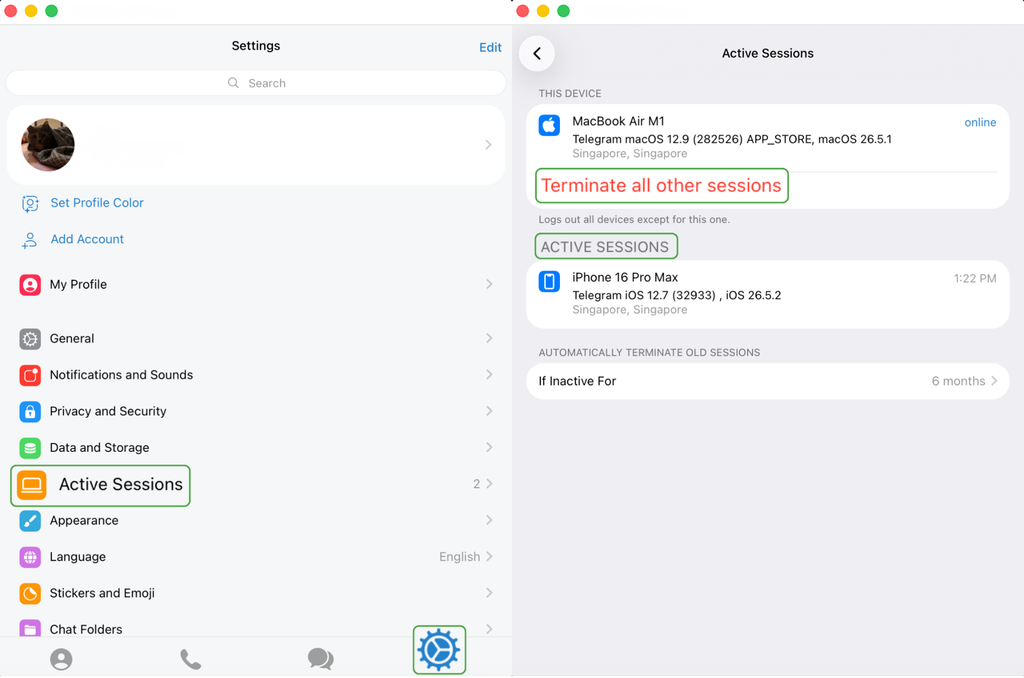
To see active sessions, open Telegram, click the cogwheel icon on the bottom right to open the settings, and go to Active Sessions. There, check for any devices you don’t use. If you see any, tap Terminate all other sessions.
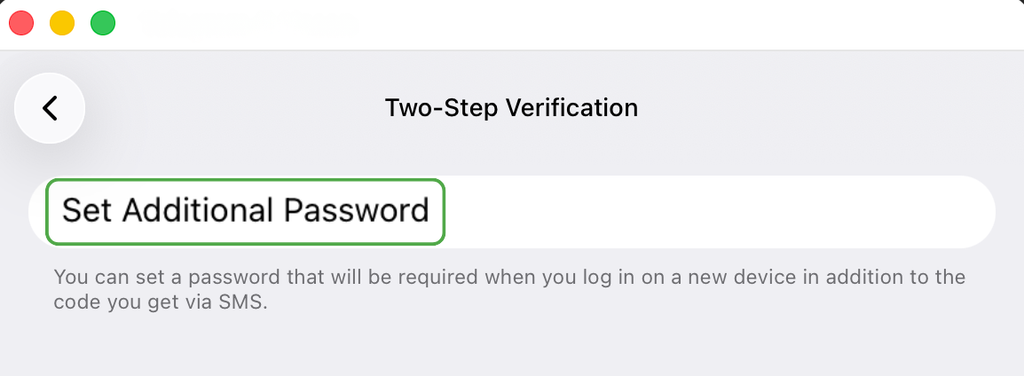
Next, enable two-step verification. Navigate to Telegram’s settings, click Privacy & Security, then Two-Step Verification. This adds an extra password alongside an SMS code you need to enter when logging in from any new device.4
You should also:
- Secure your email account: Change the password to the email connected to your Telegram account and set up 2FA, especially if it uses a potentially compromised password.
- Check your phone number: Contact your mobile carrier if the number stopped working or you suspect an unauthorized SIM transfer.
- Review recent chats: Look for messages or payment requests sent without your knowledge, then alert any contacts who received them.
If You Sent Money or Cryptocurrency
The available options depend on how the payment was sent. No provider can guarantee recovery, but an early report may give them more options to investigate, stop, or reverse the transfer.
- Bank transfer, card, or payment app: Contact the provider’s fraud team and give them the transaction reference. Explain that the payment resulted from a scam, then ask whether it can be stopped, recalled, disputed, or flagged.
- Cryptocurrency transfer: Contact the exchange used to send the funds and provide the receiving wallet address and transaction hash you saved earlier. Report the destination address to any other service involved.
- Possibly compromised wallet: Review the wallet for approvals you don’t recognize. If the recovery phrase was exposed, move remaining assets to a new wallet created with a new phrase.
Be cautious of anyone who later promises to recover the money for an advance fee. Recovery scammers often target people who have already reported a loss.
If You Shared Personal or Financial Information
The next step should match the type of information exposed. Exposing an email address is less risky than a password or credit card number. Here’s what to do based on the information you shared:
- Passwords: Change the exposed password and replace it on every other account where it was reused. Sign out of sessions you don’t recognize and set up two-factor authentication where supported.
- Bank or card details: Contact your bank, review recent activity, and replace affected cards or credentials where necessary. Transaction alerts can help identify later misuse.
- Identity documents: Follow the official identity-theft process for your country. The issuing authority can advise whether the document should be replaced.
- Email address or phone number: Expect more targeted phishing attempts. Review the recovery settings and login protection on accounts connected to those details.
If You Installed an App or Opened a Suspicious File
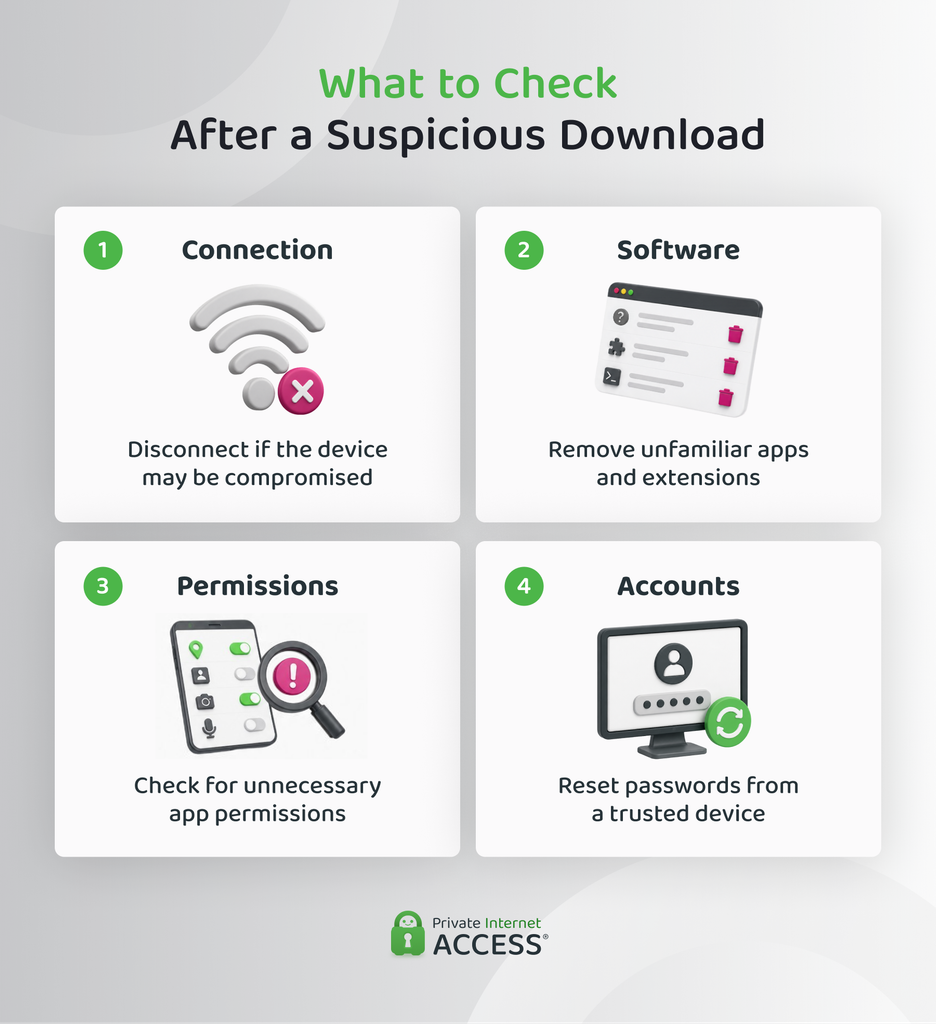
A suspicious attachment, browser extension, command, or remote-access tool can compromise your device and the accounts you use on it. If you notice someone controlling your device or deleting files, disconnect it from the internet to help stop further access.
Next, review any unfamiliar apps or extensions and check the permissions they use. A calculator app, for example, should not need access to your location or contacts. If something looks unusual, scan the device with trusted antivirus software and remove any threats it finds. You should also install available system updates to close known security gaps.
Once the device appears secure, reset the credentials for accounts used on it from another device you trust. Prioritize your primary email account because it often controls password resets elsewhere.
If Someone Is Threatening or Sextorting You
Threats can create pressure to act before thinking through the consequences. Paying or sending more material typically leads to further demands and doesn’t guarantee that existing content will be deleted. If you’re being threatened:
- Stop making payments or sending additional content.
- Secure any account the scammer may have accessed.
- Tell someone you trust, rather than managing the pressure alone.
- Review other services where the scammer could contact you and expect messages from new accounts.
- Contact local law enforcement when the threat involves a minor, stalking, physical danger, or serious coercion.
Telegram Privacy and Security Settings That Reduce Risk
Besides two-factor authentication, Telegram has built-in controls that can reduce unwanted contact and limit how much information other users can see.
- Create a passkey: A passkey uses your device’s PIN, fingerprint, or facial recognition to confirm a login. The Telegram account should still remain linked to a phone number you control.
- Lock Telegram on your device: An app passcode or biometric lock stops someone with access to an unlocked device from opening Telegram. It protects the app locally rather than securing a new login.
- Limit phone number visibility and discovery: Telegram lets you control who can see your number and who can find your account through it. People who already know the number may still connect it to your profile.
- Restrict group and channel invitations: You can limit who is allowed to add you to new groups or channels. This reduces unsolicited invitations from unfamiliar accounts.
- Review call permissions: Telegram lets you choose who can place voice or video calls to your account. Exceptions can be set for specific people without changing the main rule.
- Control profile-photo visibility: Restricting who can see your profile photos gives unknown users less personal material to view or reuse.
- Limit forwarded-message attribution: Telegram can prevent forwarded messages from linking back to your profile. The message text remains visible, but recipients won’t be able to open your account from it.
Can a VPN Protect You from Telegram Scams?
Mostly, no. Telegram scams typically rely on deception rather than someone intercepting your connection. A VPN can’t determine if an account is genuine, detect fraudulent messages, or stop you from sharing a login code or sending money.
A VPN encrypts traffic between your device and a VPN server, which limits what others on the same network can observe. It also masks your public IP address with the VPN server’s address.
FAQ
How do telegram scams work?
Telegram scams usually begin with an unsolicited message or a convincing fake account. The scammer builds trust or creates pressure, then asks the target to send money, disclose information, approve account access, or install software. Some schemes continue with extra fees or new demands after the first payment.
How to report scams on telegram?
You can use Telegram’s in-app report option on the relevant message, group, channel, or account. For illegal public content, Telegram also accepts reports at its abuse email when they include the exact link to the channel, group, or post. You can also contact @NoToScam when someone is impersonating you, and report any financial losses to the payment provider.
Why is telegram used for scams?
Scammers misuse Telegram because public groups and channels can reach large audiences, while usernames allow direct contact. Bots can automate interactions, and private chats let criminals move targets away from public discussion. Telegram also supports links, files, and mini apps, which scammers may use to direct people outside the platform or install malware.
How can you avoid telegram scams?
Telegram scams are easier to avoid when you know what to look for. Genuine employers don’t charge people to start work, and legitimate services won’t ask for login codes or wallet recovery phrases. It also helps to confirm unusual requests through a contact method you already trust and review wallet prompts before approving anything.
Can someone steal your info through Telegram?
Yes, but reading an ordinary message doesn’t normally give the sender access to your account or device. Information usually leaks when someone gains access to your account, or when you enter details on a phishing page, share them in a chat, submit them to a malicious bot, share a login code, or install harmful software.
How do you know if you are chatting with a scammer?
Common signs include unexpected contact, pressure to act quickly, requests for secrecy, or guaranteed profits. A supposed employer asking for payment is another strong warning sign. So are requests for login codes, gift cards, cryptocurrency, or further fees to release earnings or withdrawals.
References:
