What Is Credential Dumping? How It Works and How to Detect It
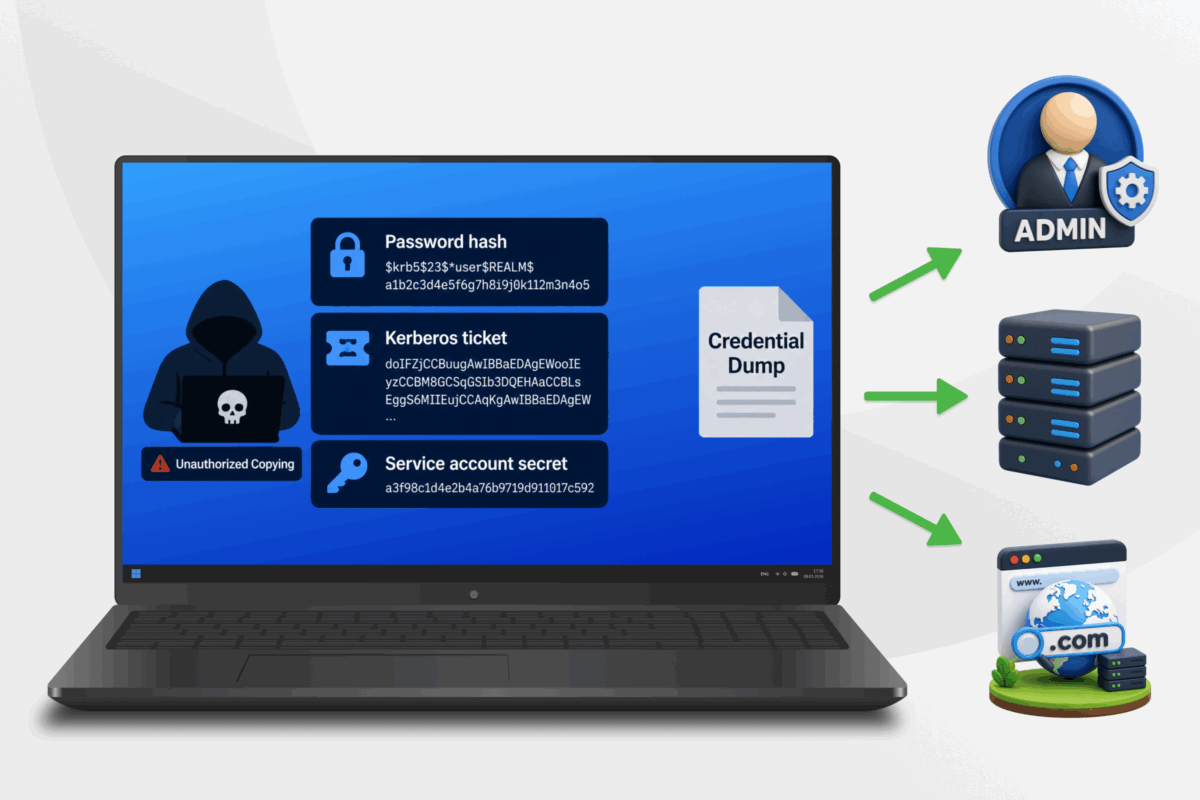
A single hacked device can give an attacker access to much more than the account they used to break in. It may also expose sign-in data tied to admin accounts or other systems in the same environment. That can turn one small breach into a much wider one.
Credential dumping is one of the ways attackers turn that kind of access into control over a system, and from there, into data theft, ransomware, or further breaches down the line.
This guide explains what credential dumping is, how it works, and what you can do to protect your own systems and data.
Table of Contents
Credential Dumping ExplainedHow Does Credential Dumping Work?
What Tools Are Commonly Used for Credential Dumping?
What Can Attackers Do With Dumped Credentials?
Credential Dumping vs. Similar Credential Attacks
How Can Organizations Detect Credential Dumping Attacks?
How to Prevent Credential Dumping
What to Do If You Suspect Credential Dumping
FAQ
Credential Dumping Explained
Credential dumping is a technique attackers use after they have already gained access to a device or operating system (OS). It involves extracting authentication material, the data a system uses to verify that someone can sign in as a certain user.
Here, “dumping” means copying that data from its original location into a form the attacker can inspect or move elsewhere. Even if the extracted material doesn’t reveal actual usernames and passwords, it may still let the attacker authenticate as the account, which makes it a powerful tool for accessing systems without authorization.
How Does Credential Dumping Work?
Credential dumping doesn’t follow a fixed method. Attackers adapt their method to the OS, what they can access, and the type of authentication data they want to reach. The process breaks down into four broad stages:
- Initial foothold: This means finding a way to run code or issue commands on the system. Malware, a software flaw, a compromised account, or abused remote access may provide that entry point, but none of these events alone count as credential dumping.
- Privilege escalation: Operating systems restrict access to sensitive authentication data, so the attacker may need higher permissions. The exact level depends on the source, and some forms of credential data may be available without full admin or system access.
- Credential extraction: This can involve reading process memory, copying protected account data, exporting sensitive system information, or misusing an administrative function that returns it.
- Dump collection: The data may end up in a file, briefly in memory, or on another system, ready to examine at once or stored for later.
How Does Credential Dumping Fit Into the MITRE ATT&CK Framework?
MITRE ATT&CK is a public knowledge base that organizes the methods attackers use during real-world cyberattacks. Security teams use it as a shared reference, so they can describe suspicious behavior with consistent terms.
The framework organizes aattacker behavior into three levels. A tactic describes the attacker’s goal. A technique describes the general method attackers use to reach that goal. A sub-technique identifies a more specific version of that method.
MITRE ATT&CK classifies OS credential dumping as Technique T1003 under the Credential Access tactic, covering Windows, Linux, and macOS. The material attackers target depends on the system and source, so the framework divides T1003 into eight sub-techniques.1
| MITRE ATT&CK ID | Sub-technique | What It Targets |
| T1003.001 | Local Security Authority Subsystem Service (LSASS) Memory | Authentication material held in the memory of a Windows security process |
| T1003.002 | Security Account Manager (SAM) | Password hashes for local Windows accounts stored in the SAM database |
| T1003.003 | New Technology Directory Services (NTDS) | Credential data stored in the Active Directory database on a domain controller |
| T1003.004 | Local Security Authority (LSA) Secrets | Secrets used by Windows services or other system functions |
| T1003.005 | Cached Domain Credentials | Local data that lets some domain users sign in when a domain controller is unavailable |
| T1003.006 | Domain Controller Replication Abuse (DCSync) | Credential data requested by simulating the replication behavior of a domain controller |
| T1003.007 | Process Filesystem (/proc) | Credential-related data exposed through the Linux process filesystem |
| T1003.008 | Password and Shadow Password Files (/etc/passwd and /etc/shadow) | Unix account details and protected password hashes stored in system files |
These sub-techniques describe different places or methods for obtaining operating-system credentials. They aren’t stages that an attacker follows in order. One attack may involve a single sub-technique, while a wider breach may involve several.
T1003 also doesn’t cover every form of credential theft. Passwords taken from a browser or password manager may fall under other MITRE ATT&CK techniques.2 The same applies to stolen session tokens or passwords captured through a keylogger.
What Tools Are Commonly Used for Credential Dumping?
Security teams can use credential-dumping tools for testing or incident response, while admins may use some for system troubleshooting. Attackers can abuse the same tools to access sensitive authentication data.
| Tool | Description | Credential dumping capability |
| Mimikatz | A Windows security research and testing tool | Can retrieve several forms of Windows authentication material |
| ProcDump | A Microsoft utility that creates process dumps for troubleshooting | Can copy process memory that may contain authentication data |
| Impacket SecretsDump | Part of the open-source Impacket network-protocol toolkit | Can retrieve certain Windows password hashes or domain secrets |
| Windows Credential Editor | A Windows credential-testing utility, also known as WCE | Can extract authentication material from Windows logon sessions |
| pwdump | A family of Windows password-auditing utilities | Can extract local account hashes from the Security Account Manager database |
| gsecdump | A Windows security-assessment utility | Can retrieve password hashes and secrets used by Windows services |
| LaZagne | An open-source tool that recovers passwords stored on Windows, Linux, and macOS | Can obtain credentials from operating-system sources, browsers, and other applications |
Attackers may also misuse trusted software already installed on an organization’s computers. Known as “living off the land,” the attacker relies on existing tools (called lolbins) rather than introducing obvious malware.3
What Can Attackers Do With Dumped Credentials?
Dumped credentials are useful only if they remain valid and the target system accepts them. Their value also depends on the account’s permissions.
Pass-the-Hash
Pass-the-hash is an attack that uses a stolen password hash to authenticate as a user. A hash is a one-way value created from a password. The attacker reuses this value instead of the actual password.
Attackers commonly use this technique against Windows systems that support NT LAN Manager (NTLM) authentication. It won’t work against every account or service. The target must accept the hash through the relevant sign-in method, and the account must still be active. The attacker also needs network access to the target and permission to sign in.
While creating strong passwords will always be solid cybersecurity advice, this method reuses existing authentication material created from a previous password entry. This bypasses cracking any passwords to gain access.
Pass-the-Ticket and Golden Ticket Attacks
Pass-the-ticket involves reusing a stolen Kerberos ticket, which is what Windows Active Directory domains use as their main authentication protocol. After a user signs in, the system issues tickets that let approved services confirm the user’s identity without requesting their password each time.
An attacker with a valid ticket may be able to act as the account linked to it. This access generally lasts until the ticket expires or the organization invalidates it. The account’s existing permissions still determine which resources the attacker can reach.
A Silver Ticket attack forges a Ticket Granting Service (TGS) ticket using the password hash of a specific service account. This grants access to that one service on that one machine.
A Golden Ticket attack goes further. It uses the password hash for the KRBTGT account, the account Kerberos relies on to issue Ticket Granting Tickets for the domain. With that secret, an attacker can forge tickets for any existing account in the Active Directory domain and assign powerful access rights to them.
The distinction is important. Pass-the-ticket reuses a ticket that already exists. A Golden Ticket attack creates a forged Ticket Granting Ticket.
Privilege Escalation
Privilege escalation means gaining the access rights of a more powerful account. A credential dump may expose authentication data linked to a local administrator, service account, server administrator, or a domain-level administrator.
The attacker can then act within the limits of that account. A local administrator may control one device, while a server administrator may reach a key business system. Domain-level credentials can provide much wider access across an Active Directory environment. That said, the impact depends on the account’s real permissions rather than its owner’s job title.
Lateral Movement
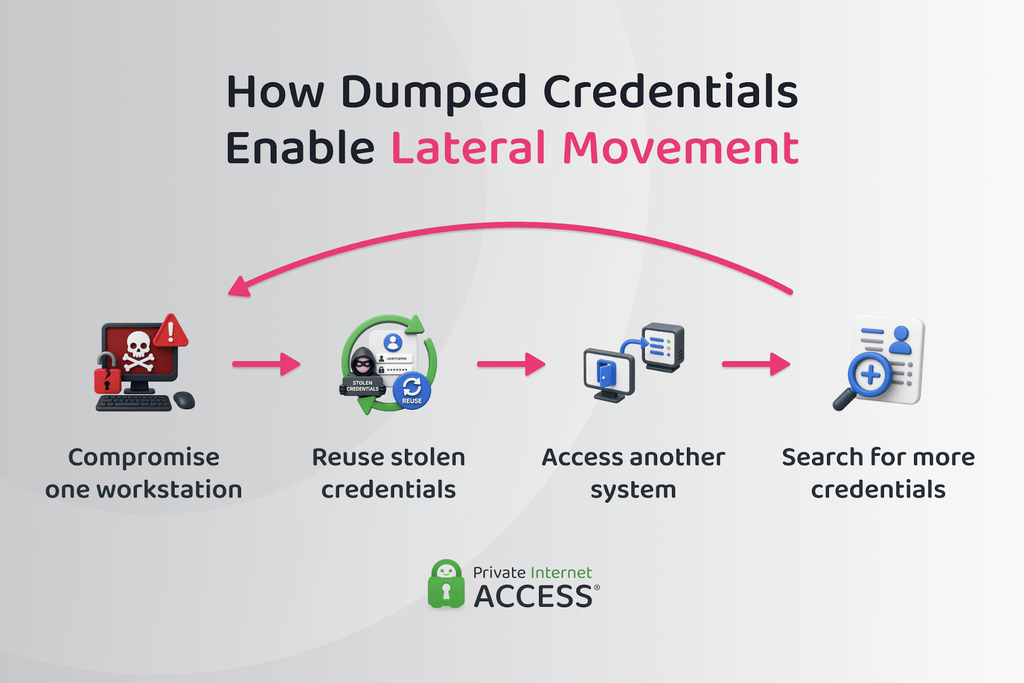
Lateral movement means using access to one system to reach another device or service inside the same environment. Stolen authentication material may let an attacker sign in through the normal process, which can make the activity resemble an approved login.
Depending on the account’s permissions, one exposed credential may provide access to another workstation, an internal server, a shared file store, or a remote administration service.
The attacker may then access the newly reached system for more authentication data. Repeating this process can expand the intrusion from one endpoint to a much larger part of the network. Dumped credentials can also support other outcomes:
- Persistence: Several compromised accounts can give the attacker another route back into the environment, even if the system disables one identity.
- Data theft: Stolen credentials may open sensitive file stores or internal applications. They may also provide access to backups or admin consoles.
- Ransomware: Privileged access can help ransomware reach more devices or interfere with backups. Credential dumping may support such an attack, but it doesn’t always lead to ransomware.
Credential Dumping vs. Similar Credential Attacks
Credential attacks can target the same end goal, but they obtain access in different ways. Some extract sign-in data from a compromised system. Others rely on password guessing, stolen login lists, or user deception. Here are the most common attacks:
- Credential stuffing: Leverages username-password pairs exposed in an earlier breach and tests them on other websites or apps. It relies on people reusing the same login details across services.
- Password spraying: Tries one common password against many accounts instead of making many guesses against one user. This approach aims to avoid account lockouts caused by repeated failed attempts.
- Brute-force attack: Repeatedly guesses passwords until one works. The attacker may target one account or spread guesses across several accounts, depending on the service’s login limits.
- Phishing: Uses a fake message or sign-in page to trick someone into revealing their login details. The attacker obtains the information from the user rather than extracting it from the operating system.
- Keylogging: Records what a person types, often through malware running on the device. It may capture a password as the user enters it into an app or website.
- Database dump: Copies account records from an application or online service database. The stolen data may include usernames and password hashes, but it doesn’t come from the user’s operating system.
- Token theft: Steals a valid session or access token that proves a user has already signed in. This may let the attacker access an account without entering the user’s password.
How Can Organizations Detect Credential Dumping Attacks?
Organizations manage security vulnerabilities and detect credential dumping by connecting events from the affected device with later account activity. One alert rarely proves an attack, since approved security software and diagnostic tools may access the same processes or files. That’s why security teams generally use three broad types of monitoring:
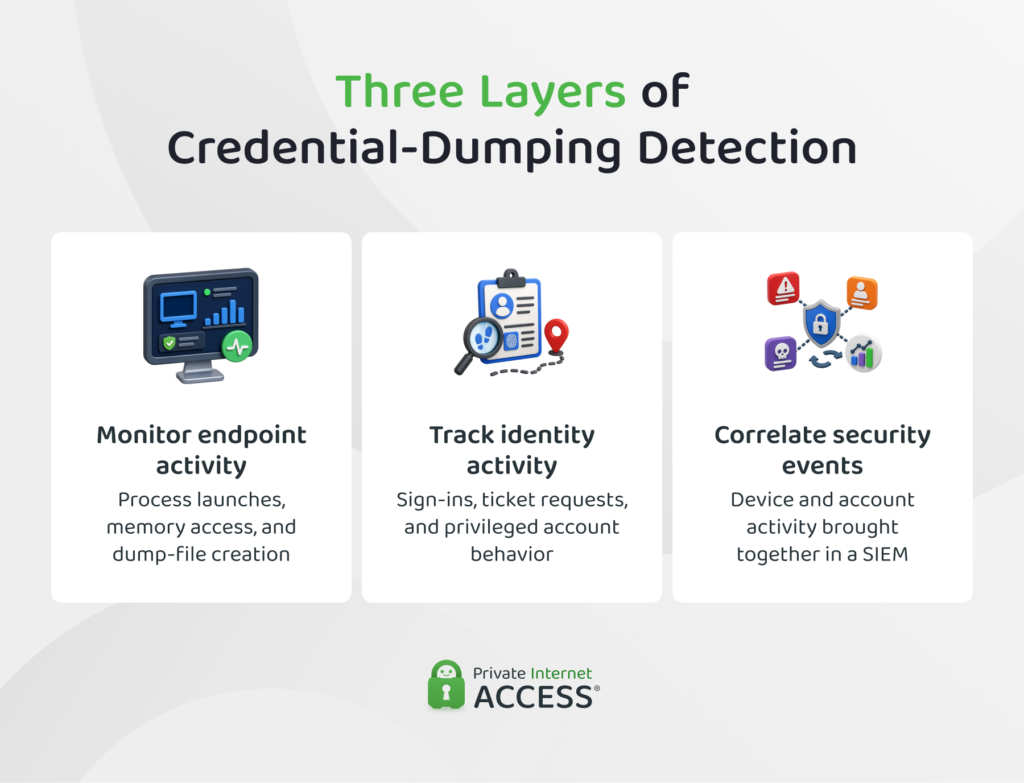
- Endpoint detection and response (EDR): Records activity on devices, including process launches and memory access. It can also track file creation or changes to the Windows registry.
- Identity monitoring: Records how accounts sign in and which systems they access. It can also flag unusual ticket requests or changes in how a privileged account behaves.
- Security information and event management (SIEM): Brings logs from several systems into one place. It helps analysts connect device activity with identity events that might otherwise look unrelated.
Suspicious Process and Memory Activity
Security teams should investigate programs that interact with protected authentication processes without a clear operational reason for doing so. A common warning sign is an unusual process requesting broad access to the memory of another process, then creating a memory-dump file soon after.
Other signs include an unfamiliar program using debugging functions or loading components linked to memory inspection. A security control may also record or block an untrusted attempt to access the LSASS. Security analysts need context to judge the activity, such as:
- Which process launched the program
- Which account ran it
- Where the file came from
- Whether it has a valid digital signature
- When the activity occurred
- What role the device serves
A trusted filename isn’t enough to confirm safe use. An attacker may run an approved utility from an unusual location or under an account that doesn’t normally use it.
Access to Protected Credential Stores
Organizations should monitor attempts to access or copy protected authentication data. Relevant sources include local Windows account data and Active Directory credential records. Protected registry areas may also require scrutiny. On Unix-like systems, defenders should watch password-hash files and sensitive process information.
The access becomes more suspicious when it comes from a device or process that doesn’t usually handle identity data. Examples include:
- A standard employee workstation accessing domain credential records
- An unfamiliar administrator account opening protected account data
- Access occurring outside an approved backup or maintenance window
- Unexpected copies appearing in temporary folders
- New archives containing protected system data
The surrounding activity matters, too. A scheduled backup service accessing an account database may be normal. The same access from an unsigned program on an employee laptop needs investigation.
Unusual Authentication Activity
A successful credential dump may become visible only when the attacker uses the stolen identity. Security teams should compare each sign-in with the account’s normal devices and working hours. They should also check whether the destination system matches the account’s usual role. Here are some suspicious patterns to look out for:
- A privileged account signing in from an unexpected device
- One account reaching several internal systems in a short period
- Remote administration not matching the user’s job
- Account activity continuing after isolating the original device
- Unexpected users or hosts requesting Kerberos tickets
- Someone uses a service account for an interactive sign-in
Analysts should judge Kerberos activity against the account’s normal pattern. An unusual ticket request may be harmless on one system but suspicious on another. These signs can support an investigation, but they don’t prove that credential dumping caused the account compromise.
How to Prevent Credential Dumping
Organizations can mitigate the risk by keeping privileged credentials away from low-trust devices. They should also protect the Windows processes that handle sign-in data, then limit what an exposed account can access.
Security updates and endpoint protection can help prevent malware, reducing the chance an attacker gains the access they need to start credential dumping. These measures support the controls below, but no single safeguard blocks every method.
How to Reduce Privileged Credential Exposure
High-value accounts should appear on as few devices as possible. An administrator who uses the same account for email and system management may expose powerful credentials to threats aimed at routine tasks such as web browsing. Organizations should:
- Separate standard and admin accounts: Staff who manage systems should use one account for daily work and another only for tasks that require higher access. Microsoft recommends dedicated admin accounts rather than using privileged credentials for standard user activity.
- Keep domain admins off employee devices: Domain-level accounts shouldn’t sign in to standard workstations. Where the risk justifies it, admins should use dedicated workstations built for sensitive tasks.
- Remove excess admin rights: Standard users shouldn’t have local administrator access unless their role requires it. Service accounts should also hold only the permissions needed for their assigned task.
- Disable unused accounts: Old user accounts or service accounts create extra credentials that an attacker may find. Removing them reduces the number of identities that need protection.
- Use distinct passwords: Using a password manager and unique passwords limits reuse on other accounts. However, it doesn’t prevent an attacker from extracting authentication data already stored on a compromised device.
- Enable multi-factor authentication (MFA): An extra sign-in factor can stop some attempts that rely on a stolen password, but it may not stop the reuse of an accepted hash. Stolen tokens and active sessions can also bypass some MFA checks.
Harden Access to Windows Credentials
Windows includes several controls that make protected sign-in data harder to reach. Each covers a different part of the problem, so organizations should assess which ones their devices support.
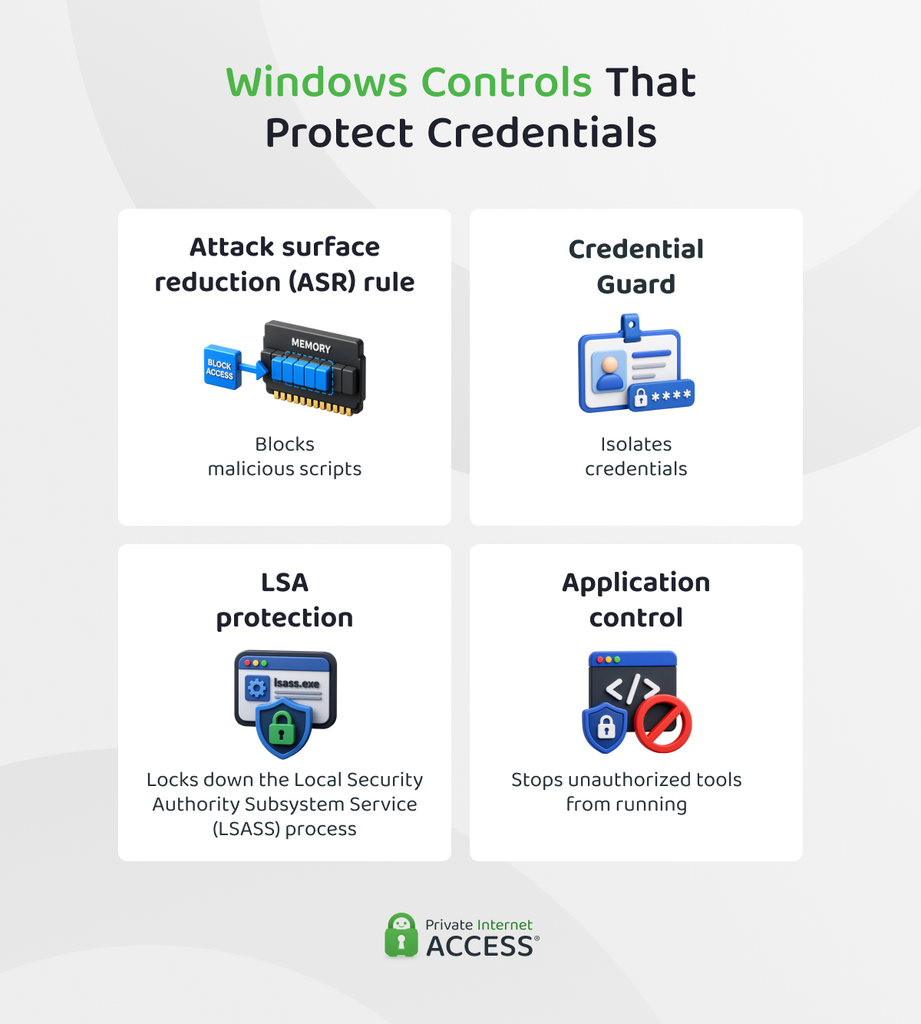
- Credential Guard: Credential Guard uses virtualization-based security to isolate NT LAN Manager (NTLM) hashes and Kerberos Ticket Granting Tickets. It doesn’t protect local Security Account Manager (SAM) data or the Active Directory database, and it can’t stop malware from using the signed-in account’s existing access.
- Local Security Authority (LSA) Protection: LSA Protection runs the Windows sign-in authority as a protected process, which blocks untrusted memory access and code injection. Organizations should test older password filters or plug-ins first because incompatible components may stop working.
- Attack surface reduction rule for LSASS: This Microsoft Defender rule blocks untrusted processes from gaining sensitive access to LSASS memory. However, legitimate software can sometimes trigger harmless alerts, and Microsoft says the rule adds no extra protection when an organization has already enabled LSA Protection.
- Application control: Application control limits which programs and scripts can run on managed devices. It can block known credential-dumping tools, but it can’t guarantee protection when an attacker abuses software the organization has already approved.
Limit Where Stolen Credentials Can Work
Security controls should also contain the damage if an attacker exposes authentication material. The goal is to prevent one account from opening a path across the whole environment. Organizations should:
- Apply least privilege: Admin accounts should reach only the systems required for their role. An account with narrow rights gives an attacker less access if someone dumps its credentials.
- Use different local admin passwords: Reusing one local administrator password across many devices lets a single exposed credential work elsewhere. Assign each device its own strong local administrator password and manage those passwords centrally.
- Separate sensitive systems: Standard employee devices shouldn’t have unrestricted routes to domain controllers or key servers. Network segmentation can narrow which systems a compromised account can reach.
- Restrict remote administration: Allow remote management only from approved devices or admin networks. This limits which systems will accept a stolen privileged credential.
- Protect domain controllers: Limit who can sign in to them. Organizations should also review which accounts hold directory replication rights, since those permissions can expose domain credential data.
- Reduce legacy authentication: Older methods such as NT LAN Manager (NTLM) can support pass-the-hash attacks. Organizations should reduce their use where software compatibility allows, rather than disabling them without first checking business systems.
What to Do If You Suspect Credential Dumping
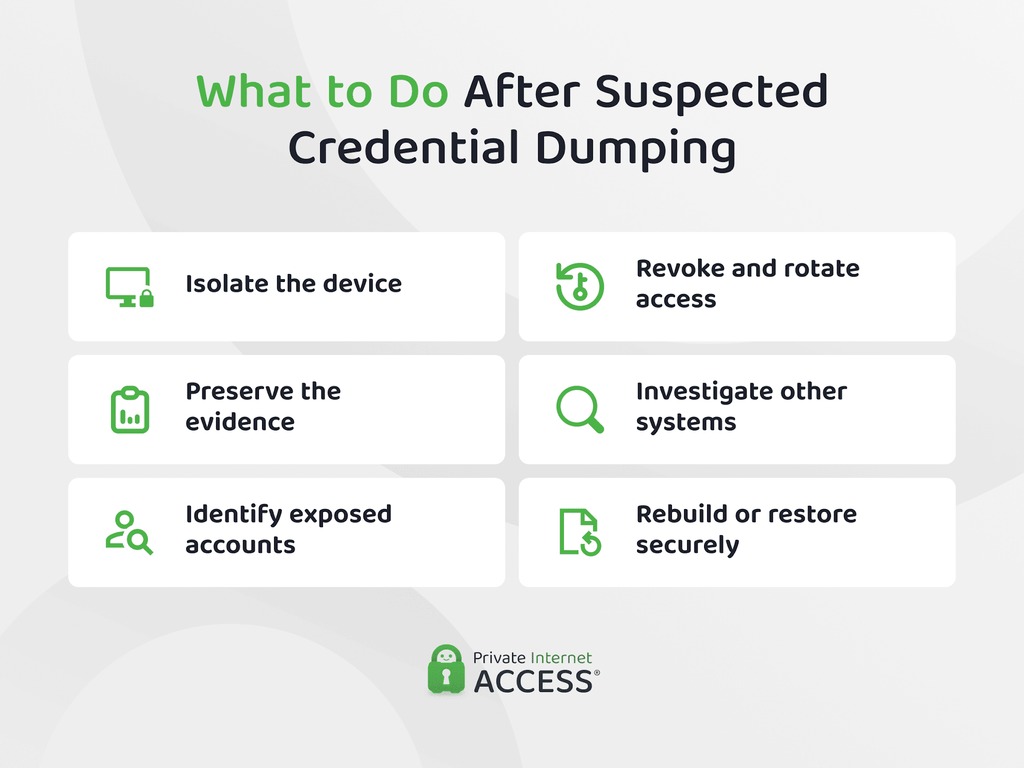
Organizations should treat suspected credential dumping as an active security incident because the attacker may still have access. Here’s what to do if you suspect there was a compromise:
- Contain the affected device: Organizations often isolate the device from the network to limit further access. Make sensitive sign-ins and password changes on a trusted system instead.
- Preserve evidence: Restarting, wiping, or reconfiguring the device can remove useful evidence. Active memory and security logs may help responders determine what the attacker accessed.
- Identify exposed identities: The review should cover users or administrators who signed in to the device. It should also include service accounts used by remote tools, scheduled tasks, or background processes.
- Revoke and rotate access: From a clean device, responders may end active sessions and revoke tokens where supported. They may also invalidate authentication tickets, then change exposed passwords or service secrets.
- Investigate the wider environment: Security teams should check whether the exposed accounts reached other systems. Useful signs include new accounts, unexpected privilege changes, unapproved remote access, or more compromised devices.
- Recover the device securely: If responders can’t confirm its integrity, rebuilding or restoring the device may be safer than returning it to service. Responders should also fix the original entry point before reconnecting the device.
FAQ
What does credential dumping mean?
Credential dumping is the extraction of sign-in data from an operating system’s memory, caches, or other protected structures. The data may include a readable password or a password hash, which can remain useful without exposing the original password. It’s a technique commonly used by cybercriminals to gain access to third-party systems and accounts.
How does a credential dumping attack work?
An attacker first gains access to a system, then reaches a source that holds authentication data. They copy or read that material and collect it for later use. How much access the attacker needs to extract that data depends on where it’s stored.
What tools do cybercriminals use in credential dumping attacks?
Common tools for credential dumping include Mimikatz, ProcDump, and tools in the Impacket toolkit. Some have legitimate uses in security testing or troubleshooting, so finding one on a device doesn’t prove malicious activity without further context.
What signs point to a credential dumping attack?
Organizations can look for unusual access to sensitive process memory or protected account data, especially when a dump file appears soon afterward. Stronger evidence comes from linking these events with unexpected account activity rather than relying on one alert.
Is credential dumping part of the MITRE ATT&CK framework?
The MITRE ATT&CK framework classifies OS Credential Dumping as Technique T1003 under the Credential Access tactic. T1003 covers Windows, Linux, and macOS, with eight sub-techniques for different credential sources or extraction methods.
Do VPNs prevent credential dumping?
A VPN can’t prevent credential dumping. It protects data travelling between networks, while credential dumping targets authentication material stored on the device or within its operating system.
References:
