What Is DNS Protection? What It Can (And Can’t) Protect You From
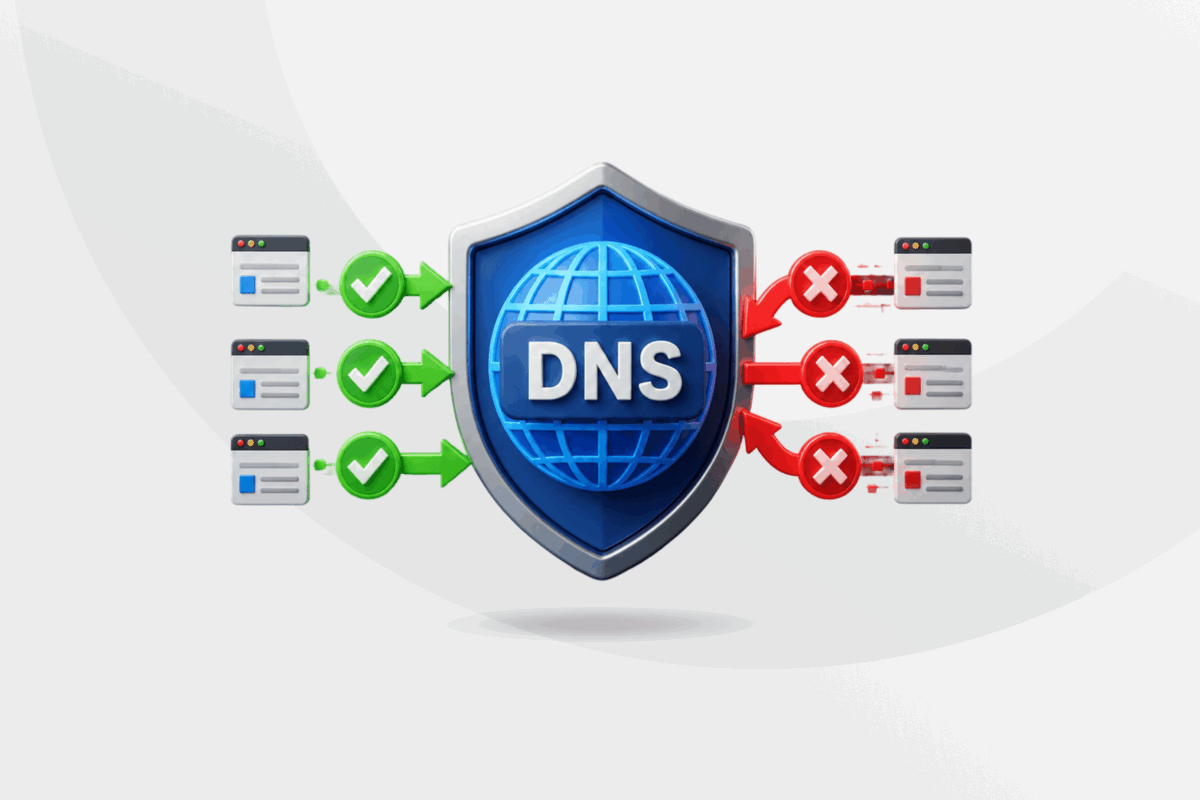
The domain name system (DNS) is responsible for translating web addresses into the IP addresses computers use to connect to each other, making it an essential part of the internet. DNS protection adds a layer of security to this process, blocking malicious sites before they load and helping you avoid phishing scams, malware, and other online threats.
This article breaks down DNS protection to show you how it works and what it does and doesn’t do. We’ll also help you make better decisions about your online privacy and security.
DNS Protection Explained
DNS protection is a security layer that filters malicious domain requests before allowing your device to connect. It automatically blocks malicious domains as well as certain categories, such as gambling or adult content, whenever you want to visit a website. This is why it’s also known as DNS filtering.
A DNS protection system monitors DNS queries, filters suspicious or unauthorized domains, and checks queries against continuously updated threat intelligence feeds. With a real-time database, several tools in this filtering system can mitigate more sophisticated threats as well.
Threat Mitigation
DNS protection can mitigate known threats and protect you from:
- Phishing and malware: It blocks access to known malicious domains. You can avoid falling for scams or downloading malware when you click on a link while browsing or in your email.
- Adware: Malicious ads on websites, apps, and pop-ups can quietly redirect you to unsafe sites or trigger unwanted downloads. DNS protection blocks the domains these ads connect to.
- Typosquatting: Malicious actors take advantage of typos in domains to target you by creating malicious websites with lookalike URLs, only changing a letter or number to appear trustworthy. DNS protection helps you avoid visiting suspicious or misspelled domains.
- AI phishing: Cybercriminals are using AI to make phishing attacks more convincing, often sending hyper-personalized messages at scale. While DNS protection can’t stop the AI-generated content, it can detect and block the malicious domains used in the attack.
- Botnet Command and Control (C2): It limits C2 communication with bot servers. Even if a device is already infected, DNS filtering can block communication with the attacker’s command-and-control servers. This limits further damage but doesn’t remove the malware itself.
DNS Security vs. DNS Protection
The term “DNS protection” is frequently used interchangeably with “DNS security;” however, in technical environments, they refer to different areas. DNS security is a broader term that includes DNS protection and other areas but focuses mainly on infrastructure protection.
DNS wasn’t originally built with security in mind. It was designed for speed and reliability, not to resist attackers.1 That gap is exactly why so many DNS-specific defenses exist today, from encryption protocols like DNS over HTTPS (DoH) and DNS over TLS (DoT) to filtering systems like PDNS.
DNS security focuses more on fixes for the DNS system itself. This cybersecurity area uses tools like DNSSEC (Domain Name System Security Extensions) – which authenticates DNS data using public key cryptography – and protocols like DoH (DNS over HTTPS) to encrypt queries.
DNS protection, on the other hand, relies on essential tools like a protected recursive resolver or PDNS (the DNS server that looks up addresses on your behalf), to make the DNS act as the first line of defense and prevent you from reaching malicious sites. It uses blocklists, threat intelligence integration, and DNS over TLS (DoT) to help prevent DNS attacks.
| DNS PROTECTION | DNS SECURITY | |
Goal | Block unsafe domains Protect users and devices from malicious actors Make sure you don’t visit harmful websites | Ensure DNS system integrity Protect DNS infrastructure from cyberattacks Make sure DNS responses are real |
Tools and methodology | Protected DNS resolver with blocklists and threat intelligence feeds Category filter Threat intelligence integration DoT and DoH | DNSSEC DNS monitoring DDoS defense 2FA on DNS DoT and DoH |
| Protects from | Malware, ransomware, and adware Phishing Typosquatting Botnet command-and-control networks | DNS spoofing or hijacking Cache poisoning Man-in-the-middle attacks DNS amplification (DDoS) |
How DNS Protection Works
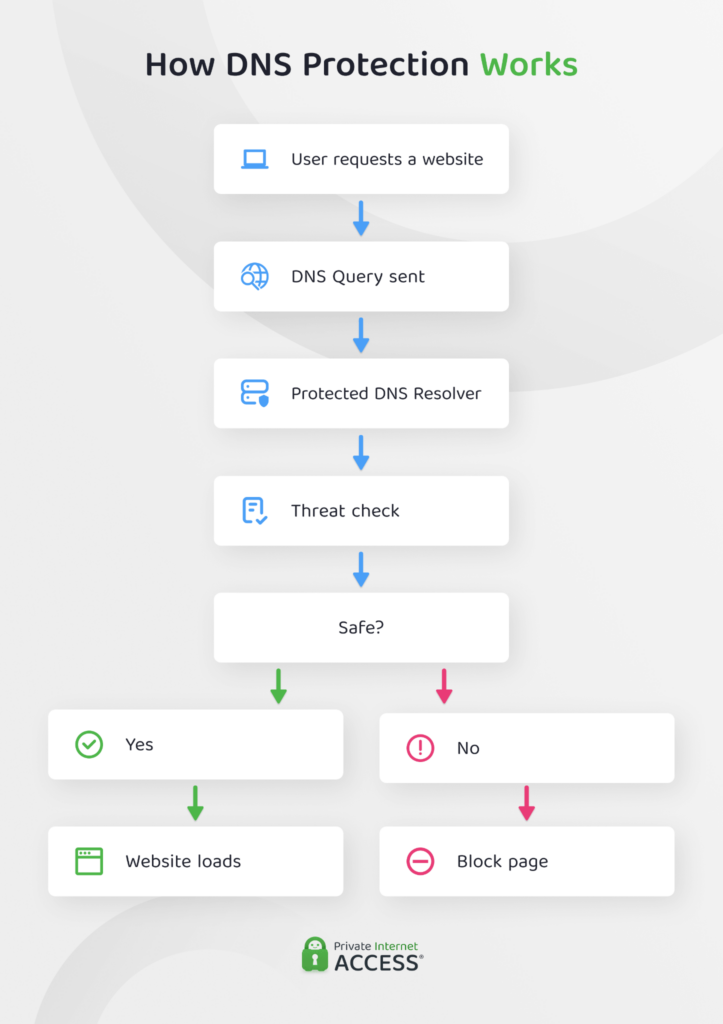
Protected DNS follows the same basic lookup process as traditional DNS process, but includes a verification step handled by a PDNS. This type of recursive resolver has a built-in blocklist and AI-driven security to protect your queries.
Depending on the PDNS provider, the process and categories might change. But, in general, here’s how it works:
- You type a URL, like example.com, into your browser’s search bar, which automatically generates a DNS query.
- Instead of going to your ISP or public resolver right away, a protected DNS sends your request to a secure resolver.
- Your secure DNS resolver analyzes the domain and uses real-time data to make sure that it’s not associated with malware or phishing lists, botnet command-and-control domains, or a restricted category like adult or gambling content. Certain DNS protection solutions use specialized AI technology to check against threat intelligence data.
- The resolver makes a decision:
- Safe: If it considers the domain to be a secure site, it will connect you to the correct IP address.
- Malicious: If the site you want to visit has been flagged, the resolver will not resolve the domain or will return a blocking response. It can also log the event for network administrators. You will not be able to connect to the site and might get a warning message in your browser.
- Policy violation: Networks in workplaces or academic institutions may block a number of domains. If you try to visit one while connected, you’ll typically see a warning on a block page.
- Safe: If it considers the domain to be a secure site, it will connect you to the correct IP address.
The process is very fast and usually only takes milliseconds to complete.
Key Aspects of DNS Protection
DNS protection usually involves different tools and strategies to optimize security.
PDNS providers
Protected DNS services are available from public providers, commercial vendors, and government organizations. Most fall into one of the following categories:
- Enterprise and government: Some popular products are Cisco Umbrella, Cloudflare, and DNSFilter, alongside delivery partners like Accenture that help government agencies, and the ones offered by government agencies2 such as the UK’s NCSC, CISA, and the NSA run their own protective DNS programs.
- Public providers: There are several popular ones known for their efficiency in blocking malicious content, such as Quad9 (9.9.9.9), Cloudflare (1.1.1.2), and AdGuard DNS, specializing in blocking ads.
- Customizable alternatives: Other organizations also offer DNS protection and allow you to control certain features like NextDNS and Control D.
- VPN-based DNS protection: Some VPNs build DNS protection into the connection itself. PIA, for example, routes your DNS queries through its own private, encrypted DNS servers rather than your ISP’s, and pairs that with MACE, a built-in feature that blocks known ad, tracker, and malware domains at the DNS level, with no separate PDNS sign-up required.
Each PDNS provider offers its own protection system and security features, and you can choose the one that best suits your needs.
Threat Intelligence Feeds
By including a real-time updated database in DNS protection, the system can detect new threats automatically. Global organizations and security researchers constantly share updates on threat intelligence feeds that can be integrated, keeping your PDNS up to date.
DoH and DoT Protocols
To enhance security, network managers may also consider encryption protocols for DNS protection. While these protocols are technically part of the DNS security area, many DNS protection services offer them as part of the service or included in a bundle.
The most used are:
- DNS over HTTPS (DoH): This security protocol routes your queries through an encrypted HTTPS connection instead of your unencrypted DNS. It also helps prevent ISPs from seeing DNS queries and snoops from viewing your domain lookups.
- DNS over TLS (DoT): Similar to DoH, DoT encrypts DNS queries using TLS (Transport Layer Security) but through its own dedicated channel. In this case, network admins may see DNS traffic metadata but not the contents of queries.
Depending on the risks and needs, you or an organization will determine which combination of features and DNS protection is more useful or relevant for safer browsing.
What DNS Protection Doesn’t Do
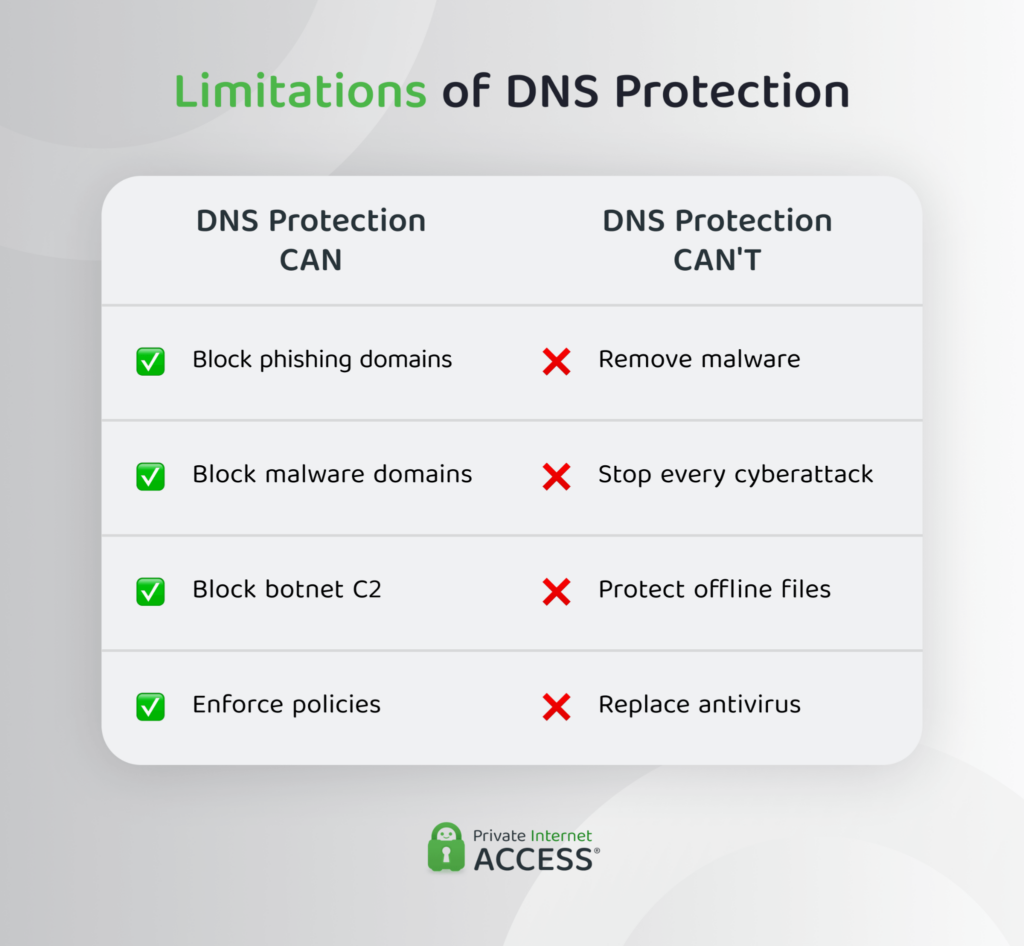
DNS protection isn’t a complete security solution on its own. It can’t stop threats that don’t rely on domain resolution, like a malicious file already on your device, so it works best alongside endpoint protection and, ideally, a VPN with built-in DNS security. To get started, check whether your VPN or router already offers protected DNS, or sign up with a public PDNS provider like the ones listed above.
FAQ
What is secure DNS?
It’s a DNS system that has implemented DNS protection or security to enhance protection and add privacy for browsing activities. With extra protection technologies, a secure DNS system can prevent certain threats and attacks, as well as malicious actors from exploiting or manipulating its ecosystem.
What is DNS protection?
DNS protection is a layer of security added to DNS systems to analyze DNS queries, block malicious domains associated with ads, websites, and content, and control access to allowlisted or blocklisted domains. It acts as a filter for domain requests.
What are protective DNS services?
Protective DNS (PDNS) services are security technologies that use protected recursive resolvers to enhance the DNS lookup process. This service is offered by multiple organizations for DNS protection, from public providers to companies and governments.
How does secure DNS improve online privacy and safety?
Secure DNS adds layers of protection and privacy for your online activity. It protects you from landing on malicious websites, cyberattacks, and other threats. Depending on the service, it may also include encryption protocols to add privacy to your DNS queries and prevent hackers or ISPs from tracking your domain lookups.
Can a VPN provide DNS protection as well?
Yes, but it depends on the VPN provider. Some VPNs include DNS protection as an additional layer. PIA VPN routes your DNS queries through its own private, encrypted DNS servers and includes MACE, a built-in feature that blocks known ads, trackers, and malware at the DNS level, alongside its encrypted VPN tunnel.
Resources:
- Using the Domain Name System for System Break-ins – Steven M. Bellovin
- Protective Domain Name Service (PDNS) – National Cyber Security Center (UK)
