Residential VPN: What Is It and Do You Need One?
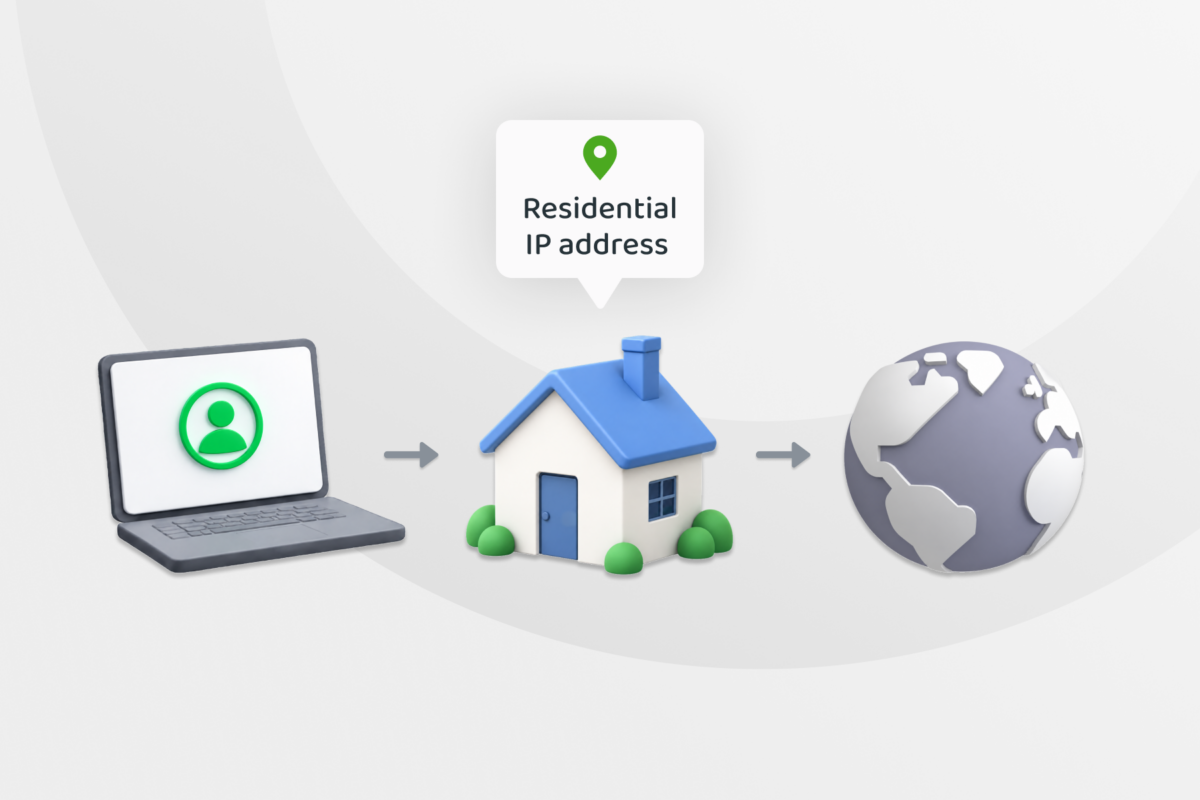
Residential VPNs can make your internet connection look more like ordinary home traffic to websites. That can be useful in some situations, but the way the service gets its residential IP addresses can impact privacy, security, and performance.
We’ll explain how a residential VPN works and when you might need one. We’ll also explore how secure this service really is and how it compares to commercial VPNs.
What Is a Residential VPN?
A residential VPN gives you an IP address linked to a home internet connection rather than a typical data center. Because of this, some websites can treat your connection more like normal household traffic.
In certain situations, this can reduce IP-based blocks or verification checks, but not always reliably. Sites can still flag or block residential IP addresses.
What Is a Residential IP Address?
A residential IP address is a public IP address assigned through a residential internet service provider (ISP). It’s the address websites see when you’re at home and connecting to the internet via your ISP connection.
This is not the same as a datacenter IP address you might have if you’re connecting from a corporate network, a VPN, or other web proxy. It’s also different from a private IP address, which identifies a device on a local network. A residential IP is a public IP address that identifies a connection on the internet.
How Does a Residential VPN Work?
When you connect to a residential VPN, your traffic travels through an encrypted VPN tunnel to an exit point that uses a residential IP address. Websites then see the exit point’s IP address instead of yours.
The VPN encrypts your data between your device and that exit point. From there, the traffic continues to the website or online service you’re using.
How providers get residential connections varies. Some source residential IP addresses through ISPs or other suppliers. In this setup, your traffic doesn’t necessarily pass through another person’s home device.
Others use peer-to-peer (P2P) VPN networks. Participating devices act as exit points, so other users’ traffic can leave through their home connections. Whether you share your own connection depends on the provider and service.
Residential VPN vs. Regular VPN
Residential and regular VPNs differ in the type of IP address and infrastructure they use. That can affect performance, pricing, and how websites treat the connection.
| Characteristic | Residential VPN | Regular VPN |
| IP address source | Uses an IP address from a home internet connection | Uses an IP address from a VPN server in a data center |
| Traffic protection | Protection depends on the VPN service and protocol, not the residential IP itself | Protection depends on the VPN service and protocol, not the type of IP address used |
| Performance | Can be less consistent, especially on P2P networks | Often more consistent because the provider controls the servers |
| Website compatibility | Looks more like a normal home connection | May be easier for websites to recognize as VPN traffic |
| Pricing | Often charged by data usage or IP address type | Usually charged as a monthly or long-term subscription |
Types of Residential VPNs
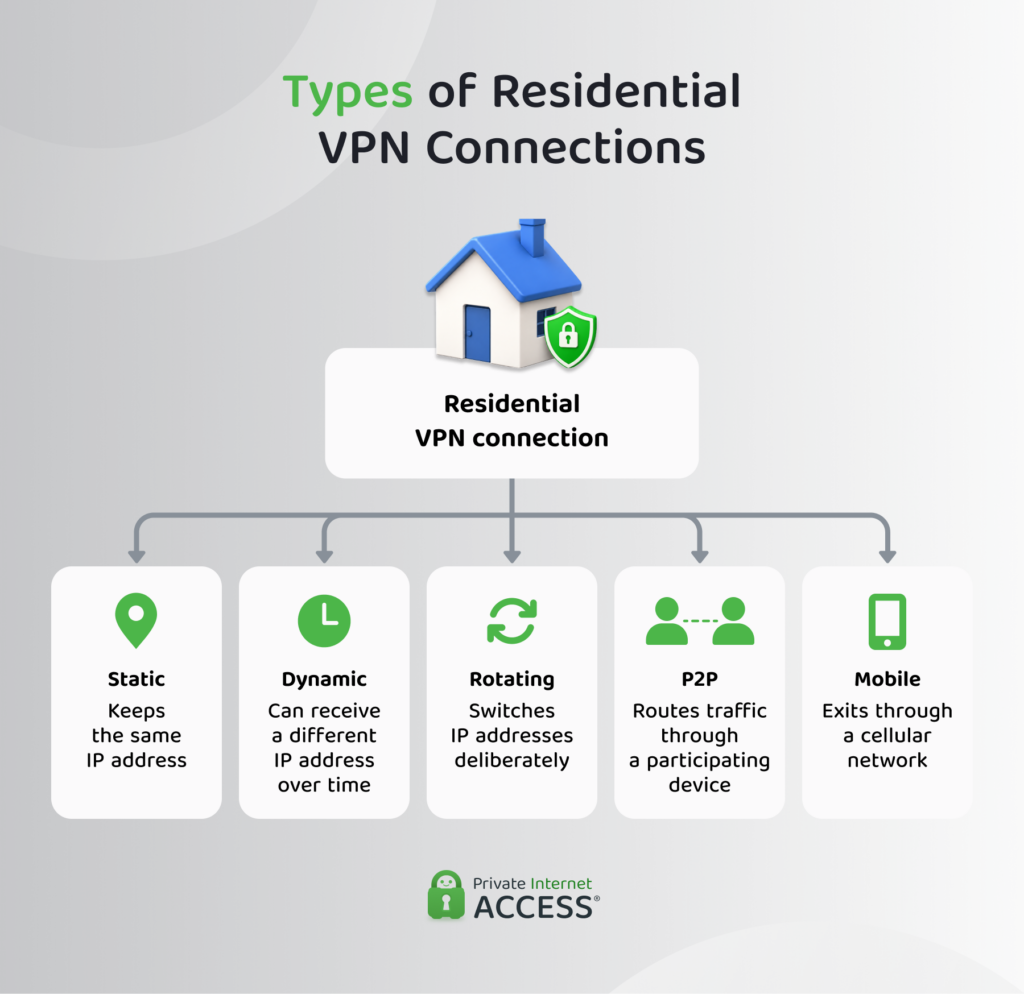
Residential VPNs have several types:
- Static residential VPN: You keep the same residential IP address instead of getting a new one. This can help when a website expects you to connect from the same IP address. However, you might share this static IP address with others users.
- Dynamic residential VPN: Your residential IP address can change over time. You might get another one when you reconnect or after the provider changes it. This means you can’t count on keeping the same IP address between sessions.
- Rotating residential VPN: The VPN changes your residential IP address on a set schedule or after certain actions, such as starting a new session. This can make IP-based tracking harder, but websites may still identify you in other ways. Changing IP addresses during an active session can also cause problems on some websites.
- Peer-to-peer (P2P) residential VPN: Uses other users’ devices as residential exit points. Depending on the provider, you may use the network without sharing your own connection.
- Mobile residential VPN: Your traffic exits through an IP address from a mobile carrier instead of a home broadband connection. Using a VPN on your phone doesn’t give you a mobile residential IP address. The VPN provider has to offer mobile exit connections.
What Is a Residential Proxy?
Similar to a residential VPN, a residential proxy routes your traffic through a residential IP address, so websites see that address instead of your own.
A proxy doesn’t provide an encrypted tunnel like a VPN, but that doesn’t mean your traffic isn’t secure. If you visit a website that uses Hypertext Transfer Protocol Secure (HTTPS), it can still encrypt the connection between your browser and that website.
Types of Residential Proxies
Residential proxies can vary in how providers assign and share their IP addresses:
- Rotating residential proxy: Changes your residential IP address after a request or at set intervals. Frequent changes can disrupt services that expect you to keep the same IP address.
- Shared residential proxy: Lets multiple customers use IP addresses from the same pool. Another user’s activity can affect the reputation or performance of an IP address you receive.
- Dedicated residential proxy: Gives one customer exclusive use of a residential IP address. Whether that address stays the same depends on the service’s rotation policy.
- Mobile residential proxy: Uses IP addresses from mobile carriers instead of home broadband connections.
When Should You Use a Residential VPN?
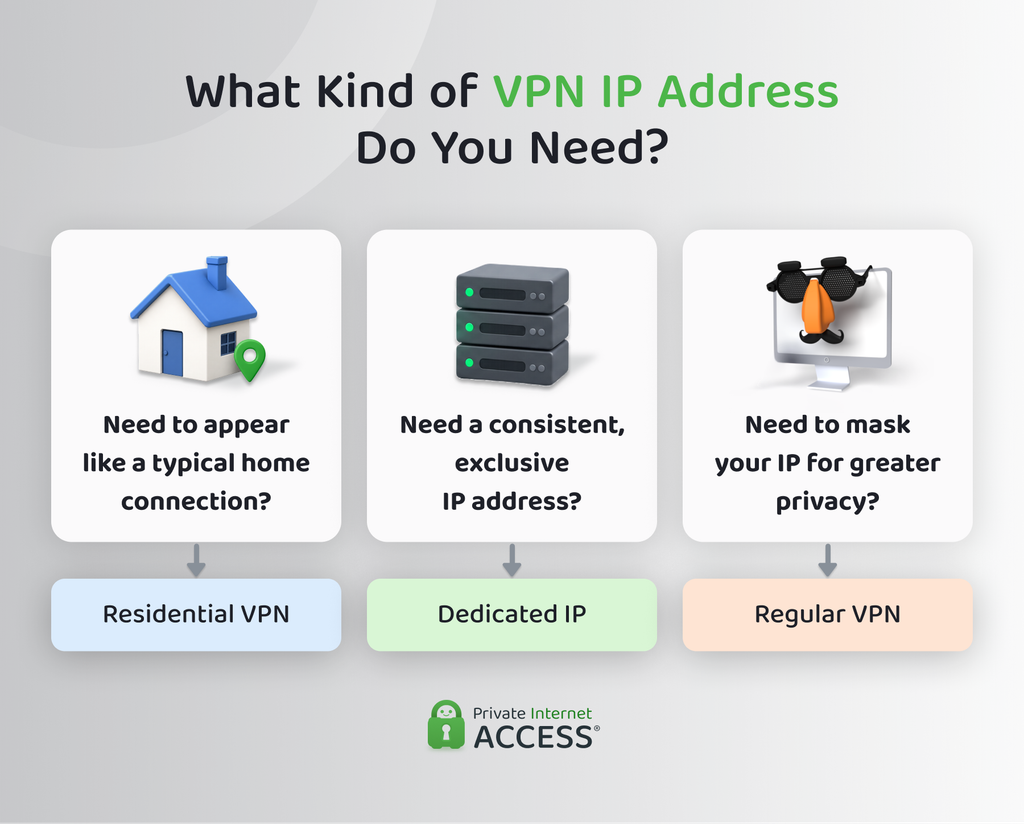
A residential VPN is useful when you need a residential IP address. If you don’t, a regular VPN should be good enough. You might need a residential VPN for:
- Testing localized websites and services: You can check how pages, ads, search results, online stores, or other location-based features appear to residential users in a particular area. This is useful for product testing and quality assurance.
- Using services that treat data-center IP addresses differently: Some websites apply extra checks to IP addresses linked to data centers or known VPN infrastructure. A residential IP can help you avoid some of those checks, though it’s not guaranteed.1
- Keeping the same IP address: If consistency is what matters, you may not need a residential VPN. A dedicated IP address can be a better fit.
- Everyday browsing privacy: You don’t need a residential IP address to encrypt VPN traffic or hide your usual IP address. A VPN already handles those things.
Is a Residential VPN Safe?
A residential VPN can be safe, but it depends on how the provider sources its residential IP addresses and handles your data. The residential label itself doesn’t tell you whether a service is trustworthy or whether the provider sourced its connections in an ethical way.
Also, note that using a residential IP address doesn’t make you anonymous online. Changing your IP address can make some IP-based tracking harder, but websites can still recognize you through cookies, browser fingerprinting, accounts you’re signed into, and other methods.
Non-Consensual IP Address Sourcing and Botnet Risks
Some residential networks may recruit devices without clear consent or use compromised devices. In more serious cases, those devices can become part of a botnet, which is a network of devices controlled without their owners’ knowledge. Networks could then use the devices as residential exit points for other people’s traffic.
There are instances where software built into apps added the user’s device to residential proxy networks. In many cases, the apps didn’t clearly explain that the device could be used to route other people’s traffic.2
But that doesn’t mean every residential VPN or proxy works this way. The important question is whether people knowingly agree to share their connection and can choose whether to take part.
Risks of Sharing Your Connection
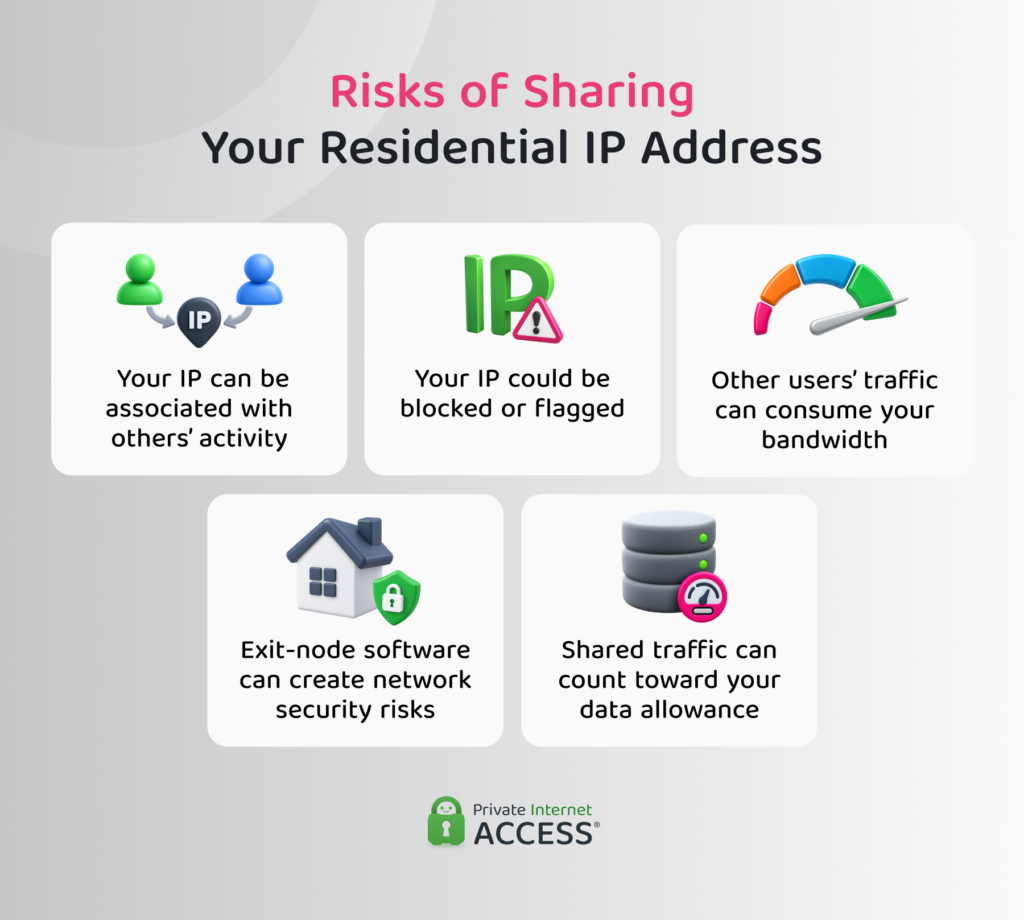
Using a residential VPN doesn’t always mean sharing your own connection. Some services may also ask you to let other users route traffic through it.
- Your IP address can be linked to someone else’s activity: Other users’ traffic leaves through your public IP address, so websites may see it as coming from your connection.
- Your IP address could be blocked or flagged: If another user abuses the connection, websites may restrict your IP address even though you didn’t generate the traffic.
- It can use your bandwidth: Other users’ traffic passes through your connection, which can reduce the bandwidth available for your own internet use.
- It can affect devices on your home network: Poorly designed or malicious exit-node software can create security risks for the device running it and, in some cases, other devices on the same network.2
- It may use up limited data: If your internet plan has a data cap, traffic routed through your connection can count toward that allowance.
How to Choose a Residential VPN Provider
You shouldn’t choose a residential VPN based only on its number of IP addresses or locations. Here’s what you should check before picking one:
- Where the IP addresses come from: The provider should explain whether it gets residential IP addresses through ISPs, participating devices, or another supplier. Be cautious if the sourcing is unclear.
- How people agree to share their connections: If the network uses other people’s devices, check whether they agreed to take part and can stop sharing at any time.
- Whether it shares your own connection: Find out if using the service lets other customers route traffic through your internet connection. Check whether sharing can continue after you disconnect.
- What the provider logs: Read the privacy policy to see what data it collects and how long it keeps it. A clear no-logs policy should explain what the provider does and doesn’t record.
- How the VPN protects your traffic: Check which VPN protocols it supports and whether it protects your whole device or only certain apps.
- What independent audits cover: An audit can be useful, but check what it actually tested. An audit of logging practices, for example, doesn’t prove that the provider sourced every residential IP address with consent.
- How the provider handles abuse: Look for a clear way to report misuse and information on how it deals with compromised or abusive connections.
- Whether it fits your needs: Check supported devices, available locations, IP type, data limits, and pricing before signing up.
Public documentation can help you judge how transparent a provider is. If important details about IP sourcing or connection sharing are missing, that’s worth treating as a warning sign.
How to Set Up and Check Your Residential VPN Connection
Once you’ve chosen a provider, setup is usually simple:
- Install the official app or supported VPN client: Download it from the provider or an official app store, then sign in.
- Choose a residential connection: Select the location or IP address type you need, if the service gives you those options.
- Connect to the VPN: Wait until the app confirms the connection is active.
- Check your public IP address: Use an IP address checker to confirm that your usual IP address has changed.
- Check your DNS requests: A DNS leak test can show which DNS servers are handling your requests and help you spot unexpected routing.
Does Private Internet Access Offer Residential IP Addresses?
PIA doesn’t offer residential IP addresses. Instead, it routes your traffic through its own VPN servers, which use IP addresses from servers in data centers rather than residential ones.
If you need an IP address that stays the same, PIA offers Dedicated IPs. A dedicated IP address is exclusively yours and allows you to connect with the same address each time. This way, your connection presents a consistent IP to the services you use instead of an IP that changes with each session. A PIA dedicated IP address is still a VPN IP address, not a residential one.
FAQ
Can I get a static residential IP address with a VPN?
Yes. Some providers offer static residential IP addresses that stay the same for longer periods. Check the fine print, because “static” doesn’t always mean the IP address is yours alone, and the provider may still change it under certain conditions.
Can I get a free residential VPN?
Yes, free residential VPNs do exist, but it’s worth checking how the provider funds its services. Some may limit how much data you can use, while others may involve connection sharing. A free plan doesn’t tell you whether the provider sources residential IPs responsibly.
Is a residential VPN legal?
Yes, it’s legal in many places, but the rules depend on where you live. Some countries restrict VPN use or require providers to follow specific rules. Always use VPNs within legal limits and within the terms of service of any platforms you use.
Can I use my own home IP address while traveling?
Yes, you can set up a VPN server at home and connect to it while traveling, so websites see your home connection’s public IP address. That device needs to stay online while you’re away, and you’ll need to set it up to act as the connection point for your traffic.
Resources:
