Why Use a VPN During the World Cup?
The World Cup only comes around every four years and 2026 is shaping up to be one of the most exciting tournaments in recent memory. From their couches at home or friends’ places, sports bars, fan parks, and even their desks between meetings, millions of fans will be online throughout the tournament.
It’s a rare moment of global unification. But all that online activity comes with risks. Every time you stream a match, check scores, or share a reaction, you’re potentially exposing personal data to third parties like hackers, data brokers, and advertisers.
The good news is that there’s a straightforward solution: using a VPN for the World Cup. In this guide, we’ll cover how a VPN works, why you should use one to watch matches and more, and how to get started on any device.
What a VPN Does When You’re Watching Sports Online
When you connect a VPN while watching the World Cup or other sports online, the tool creates an encrypted tunnel between your device and the internet. Any data you send or receive passes through that tunnel, making it much harder for third parties to see what you’re doing online.
It also masks your real IP address, replacing it with one belonging to the VPN server. This adds a layer of privacy to your browsing session so it’s more difficult for websites, apps, and other online services to tie your online activity back to you and target you with adverts.
A VPN helps to boost your World Cup online safety, protecting the personal data you’re sending and receiving every time you stream a match, check scores, buy tickets, or interact with sports apps.
Do You Need a VPN for the World Cup?
The World Cup brings fans online in huge numbers. And that comes with real privacy and security risks. You’ll likely benefit from using a VPN when watching the tournament if you:
- Connect to public Wi-Fi or unsecured networks to watch matches or check scores
- Use sports apps or official tournament platforms
- Share match reactions, photos, or content on social media
- Want to browse World Cup news, fixtures, and highlights with more privacy
- Are concerned about targeted advertising based on your online activity
- Use your phone or laptop to log into banking or payment apps while you’re watching
If any of the above sounds familiar, it’s worth considering using a VPN when you’re watching the World Cup. It can add a layer of protection to your fan activity without getting in the way of the experience.
Benefits of Using a VPN During the World Cup
There are a bunch of privacy and security benefits that come with using a VPN while following the World Cup. Let’s take a closer look at what that means in practice.
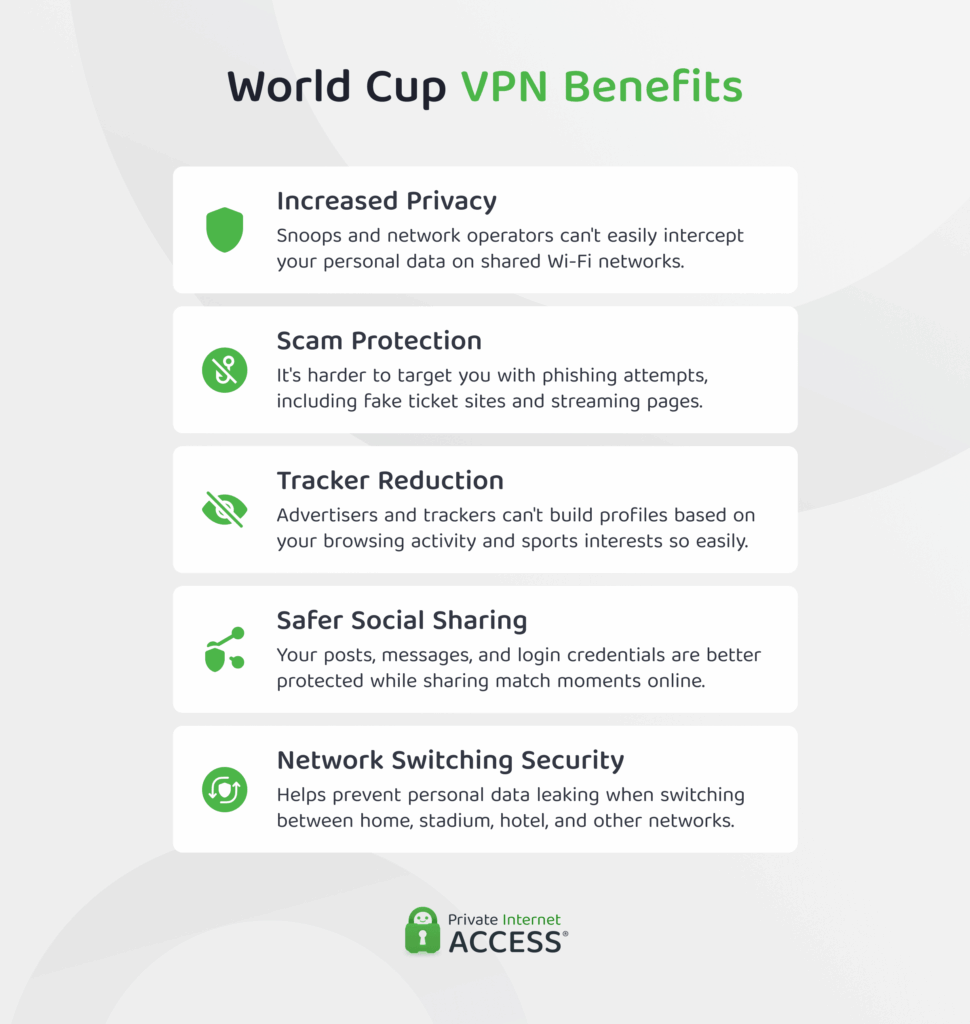
Increased Privacy
Every time you connect to a network you don’t control (think stadium, fan zone, or sports bar Wi-Fi), you’re sharing that connection with strangers. Most of the time there’s no harm in that, but public networks are a common target for bad actors looking to intercept data. And the risk increases during high-profile events like the World Cup.
By encrypting your connection, a VPN makes it significantly harder for anyone on the same network as you to intercept your activity and personal information. That means you can check fixtures, read match previews and reviews, watch games and highlights, and use sports apps more securely.
Scam Protection
Major sporting events are a prime hunting ground for scammers. You don’t just have to be aware of ticket scalpers outside of stadiums these days, cybercriminals are ready to target you online too.
The World Cup in particular tends to attract a wave of tournament-themed phishing schemes, from fake ticketing sites to spoofed sports pages and fraudulent streaming offers. They’re all designed to look legitimate and, during the excitement of a major tournament, it’s easy to click without thinking.
Using a VPN can help in two ways here. First, by encrypting your connection to make it harder for attackers to intercept your data if you do land on a malicious page. Second, by offering add-ons that block known malicious domains before your device ever connects to them.
Tracker Reduction
Whenever you browse, advertising networks and data brokers can track your activity and build a profile of your interests and behavior. Those trackers can follow you across platforms long after the final whistle and the data they collect can be used to target you with ads.
Masking your IP address with a VPN makes it harder for trackers to link your activity back to you specifically. Plus, with tools like PIA’s MACE, tracking requests can be blocked at the network level before they even load, reducing the amount of data third parties can collect about your browsing habits in the first place.
Safer Social Sharing
Sharing your World Cup experience online adds to the fun of the tournament. But when you’re doing this on public or shared networks, the personal data you transmit can be intercepted or harvested by third parties.
A VPN encrypts that data, helping to prevent anyone on the same network from monitoring what you’re posting, snooping on your social media profiles, or capturing your login credentials.
Network Switching Security
There’s plenty of opportunity to get out and about when the World Cup is on. You might watch some matches on the couch at home, catch a few in a stadium, or enjoy the action at a fan park or sports bar.
All that moving around means connecting to different Wi-Fi networks, which creates a window of vulnerability where your device switches to a new network. A high-quality VPN with a kill switch cuts your internet connection if the VPN drops unexpectedly, so your data isn’t left exposed when your network changes.
What a VPN Can’t Protect You From During the World Cup
A VPN is an effective way to boost your online security during the World Cup, but it can’t protect you from every kind of risk. Here are some to look out for:
Phishing scams: While PIA’s MACE feature blocks domains known for hosting scams, a VPN can’t protect you from clicking on any phishing links or sharing your data with scammers. If you receive any offers via email or text, always double check to make sure they’re legit.
Weak passwords: A VPN helps protect your passwords as they travel over your network, but if you use easy-to-guess passwords or reuse the same password on many sites, you’re more vulnerable to credential stuffing and brute-force attacks. To reduce the risk of hacking, you should always use strong, unique passwords.
Malware already on your device: If your device is already infected before you connect to a VPN, the VPN won’t remove or neutralize it. For more comprehensive protection, make sure your operating system and apps are up to date and run a reputable antivirus tool alongside your VPN.
People looking over your shoulder: Also known as “shoulder surfing,” this is a purely physical threat that no VPN can defend against. If you’re accessing your accounts or entering payment details in a sports bar or stadium, someone nearby could easily see what you’re doing. Be mindful of your surroundings, and consider using a privacy screen for your device.
How to Choose the Best VPN for the World Cup
The best VPN for the World Cup comes down to more than an appealing price point. There are several factors worth weighing up and their importance will vary depending on how you follow the tournament and what you’re looking to protect.
Network Size
A VPN provider’s server network determines how many connection options you have and how reliably you can find a fast, stable server. The larger and more distributed the network, the less likely you are to experience congestion or slowdowns during high-traffic moments – like the opening match of a World Cup.
For example, PIA has servers across 104 countries in 170 locations, so there’s nearly always a nearby server available to help maintain a more secure connection while you’re watching.
Connection Speeds
Nothing kills the atmosphere of a final match quite like a buffering wheel on your screen. A VPN adds a small amount of overhead to your connection, so the speeds your provider delivers matter.
The best VPN providers invest in high-capacity server infrastructure to minimise this impact. Connecting to a server geographically close to you will generally deliver the fastest and most stable experience, too. Which means that the size of the server network also matters.
Encryption Protocols
Encryption is what helps protect your data should anyone intercept it, and the protocol your VPN uses determines how strong and efficient that encryption is.
WireGuard is widely regarded as the best option for most users. It’s fast, lightweight, and provides strong security, making it well-suited for everything from browsing to streaming. OpenVPN is a reliable alternative that’s been battle-tested over decades. For most World Cup viewing scenarios, either will serve you well.
Your VPN provider should offer at least one of these protocols. PIA VPN supports both WireGuard and OpenVPN, and allows you to customize their encryption settings to get in the right balance of speed and security for your needs.
Device Coverage
Not all VPNs work on every device. Some also cap the number of devices you can connect simultaneously, which can be frustrating if you’re switching between your phone, laptop, and TV throughout the tournament.
Before committing to a provider, think about which devices you’ll be using, what operating systems they run, how many you might need connected at once, and whether the VPN you’re considering is compatible with them.
It’s also worth looking for a VPN that supports router configuration. Installing a VPN directly on your router means every device that connects to it is automatically covered. With PIA, you get access to dedicated apps for all major platforms, router configuration capabilities, and unlimited simultaneous connections per subscription.
Data Allowance
Besides server capacity, hitting a bandwidth limit is a common cause of mid-match buffering. Some VPN providers impose data caps that limit how much traffic you can route through the VPN before speeds are throttled or the connection is cut off entirely.
That might not matter for casual browsing, but streaming live sport is data-hungry and a cap can kick in at the worst possible moment.
When choosing a VPN for the World Cup, look for a provider that offers unlimited data transfer. This ensures your connection won’t be artificially restricted during a match, regardless of how much you’ve streamed throughout the tournament.
Cost
You can’t put a price on online security, but budget is definitely a consideration when choosing a VPN service.
Most providers offer tiered pricing based on subscription length (e.g. monthly, annual, or multi-year plans) with longer commitments typically offering the best value per month. It’s worth looking out for introductory offers and free trial periods too, as these can significantly reduce the upfront cost of getting started.
The best price point will be different for everyone. A casual fan who only needs a VPN during the tournament has different needs to someone looking for year-round protection across multiple devices. But sometimes you can get a good deal that makes a longer term plan worth it.
Customer Support
If something goes wrong mid-match, the last thing you want is to spend the second half troubleshooting a dropped connection on your own.
Responsive, knowledgeable customer support can make a real difference here. Look for a provider that offers 24/7 live chat support, a comprehensive help centre, and clear setup guides for all major devices.
Customer Reviews
Specs and feature lists only tell part of the story. Customer reviews give you a more honest picture of what a VPN is actually like to use day-to-day, including how reliable the connection is, how responsive support is when things go wrong, and whether the speeds hold up under real-world conditions.
Look for reviews on independent platforms like Trustpilot, where verified users share their genuine experiences. Pay attention to patterns rather than individual outliers. A handful of negative reviews is normal, but consistent complaints about dropped connections, slow speeds, or poor support are worth taking seriously before you commit to a subscription.
Security Extras
Beyond the basics, some VPNs include additional features that can meaningfully improve your privacy and security. Here’s what to look out for:
- Ad and tracker blockers: A DNS-based blocker like PIA’s MACE prevents ads, trackers, and known malicious domains from loading, reducing data collection and cutting down on interruptions while you browse.
- Split tunnelling: Lets you choose which apps or traffic routes through the VPN and which use your regular connection. Useful if you want to protect your browsing while keeping other apps running at full speed.
- Kill switch: Automatically cuts your internet connection if the VPN drops unexpectedly, ensuring your real IP address and data are never exposed during a disconnection.
- DNS leak protection: Ensures your DNS requests (i.e. the queries your device makes to translate website names into IP addresses) are routed through the VPN rather than your regular internet provider to prevent accidental exposure.
- Automations: Allows you to set rules for when the VPN connects automatically; for example, switching on whenever you join an unsecured network.
- Obfuscation: Disguises your VPN traffic to make it look like regular internet traffic, which can be useful when you want to keep your VPN use private from your network provider.
- Multi-hop: Routes your connection through two servers instead of one, adding an extra layer of encryption and making it harder to trace your activity back to you.
Free VPNs vs Premium VPNs for Watching the World Cup
If you’ve asked yourself, “Should I use a VPN during the World Cup?” and answered, “Yes!”, you might be wondering whether to choose a free or premium service. While using a free VPN might be tempting, there are some important differences worth understanding before you decide.
| Free VPN | Premium VPN | |
| Server network | Limited number and locations | Large distributed network across many countries and locations |
| Connection speeds | Often slower due to crowded servers | Faster and more consistent thanks to high-capacity infrastructure |
| Privacy | May log and sell user data to third parties | Strong no-logs policies |
| Security | Strong encryption, but may lack other features | Strong encryption with a suite of security features |
| Device support | Limited device compatibility and connections | Broad device compatibility, often with unlimited simultaneous connections |
| Customer support | Limited or no customer support | 24/7 support with dedicated help resources |
How to Set Up a VPN to Watch the World Cup More Securely
A good VPN should be straightforward to set up, regardless of the device you’re using. Below are some quick guides to getting started on the most common devices fans use to follow the tournament.
Using a VPN on Your Mobile Device During the World Cup
1. Open the App Store (iOS) or Google Play Store (Android), search for “VPN by Private Internet Access”, and download and install the app on your device.
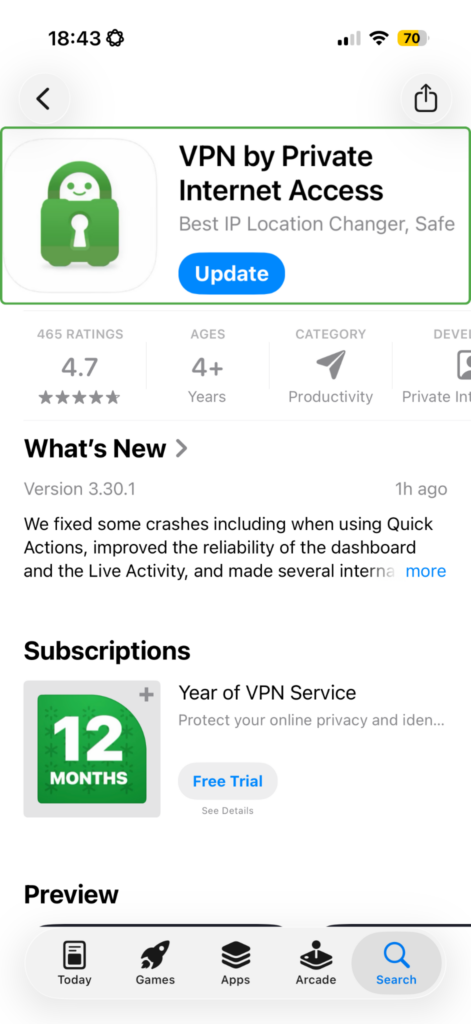
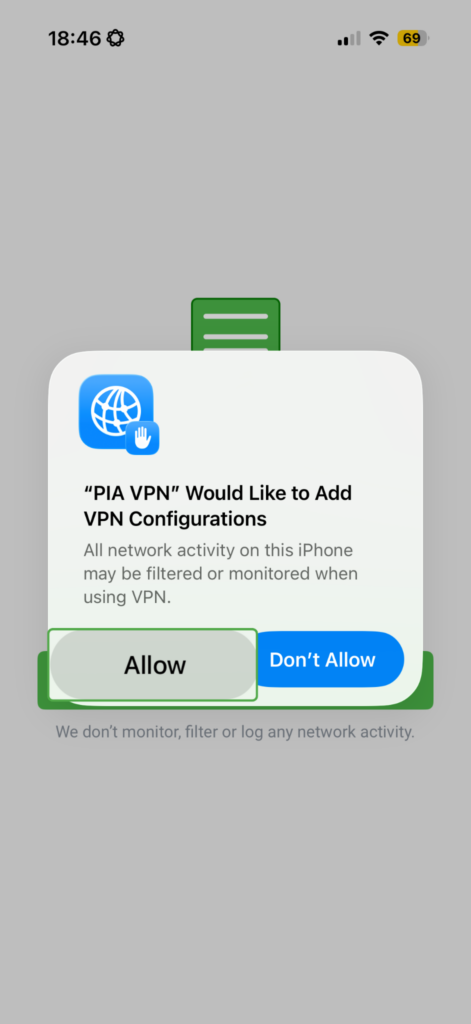
2. Open the app and create a PIA account, or tap log in to enter your credentials. Allow PIA VPN to add VPN configurations to your device, if prompted.
3. Once logged in, tap the power button to connect to the fastest available server. To choose a specific server location, tap the server selection menu and browse by country or region.
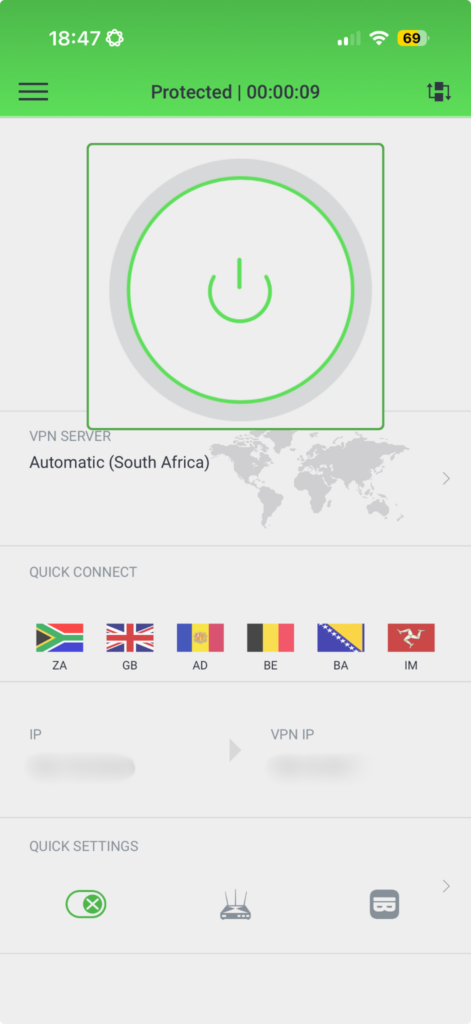
When you’re connected, PIA will run quietly in the background, protecting your connection while you watch, browse, and follow the tournament.
Watching the World Cup with a VPN on Your Laptop or Computer
1. Go to the Private Internet Access website and navigate to the downloads page for your device (Windows, Mac, or Linux) via the Download VPN dropdown in the main menu.
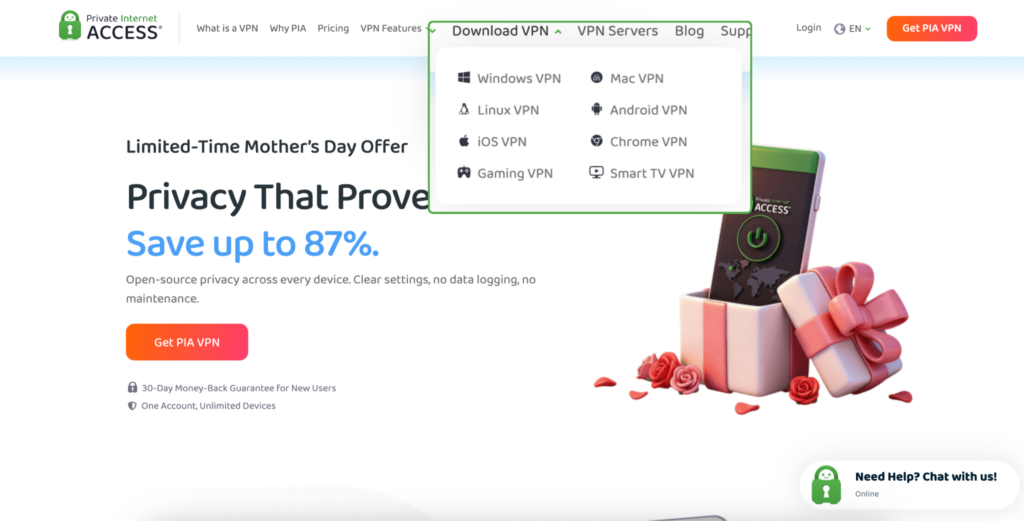
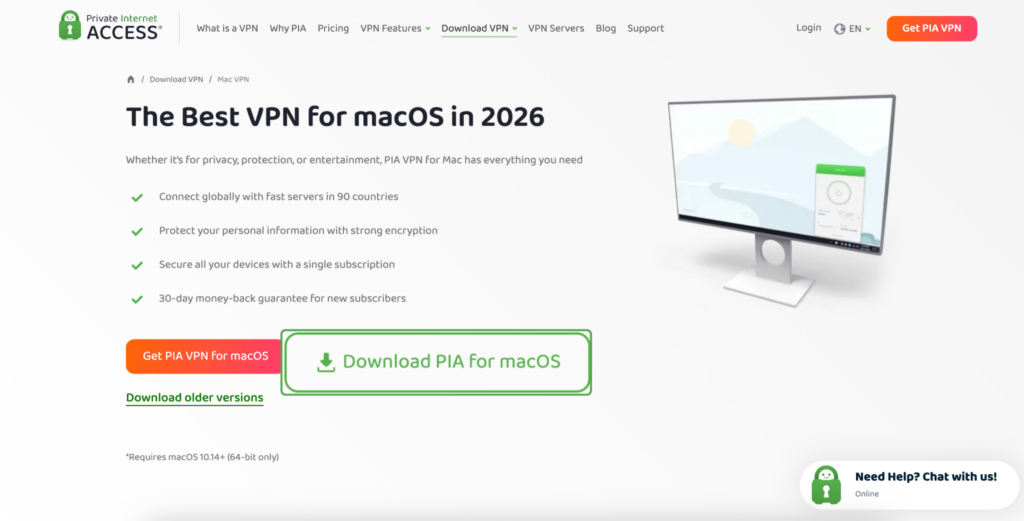
2. Download the installer, open the downloaded file and follow the on-screen instructions to complete the installation.
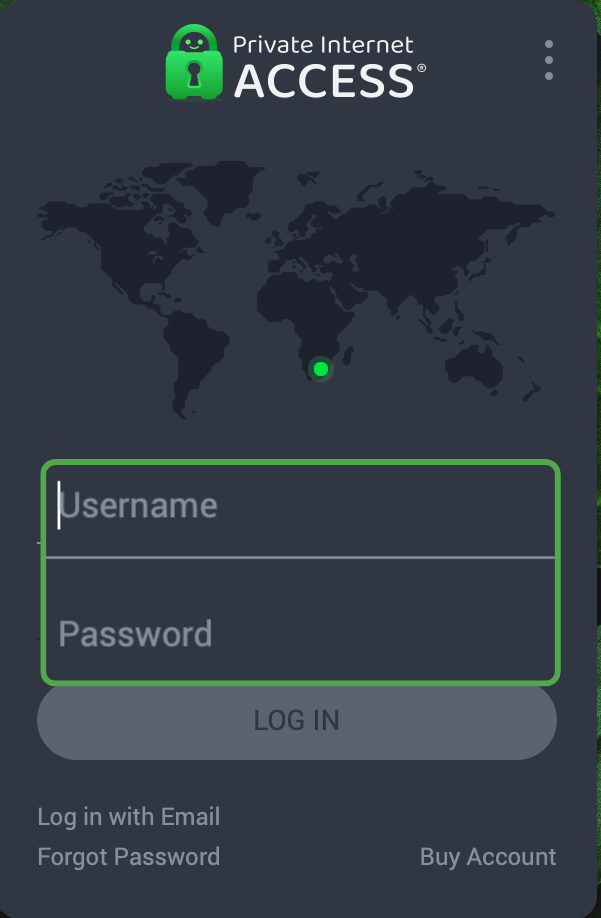
3. Launch the PIA app and create an account, or log in if you already have one.
4. Click the power button on the main screen to connect to the fastest available server. To select a specific server location, click the VPN server field and browse by country or region.
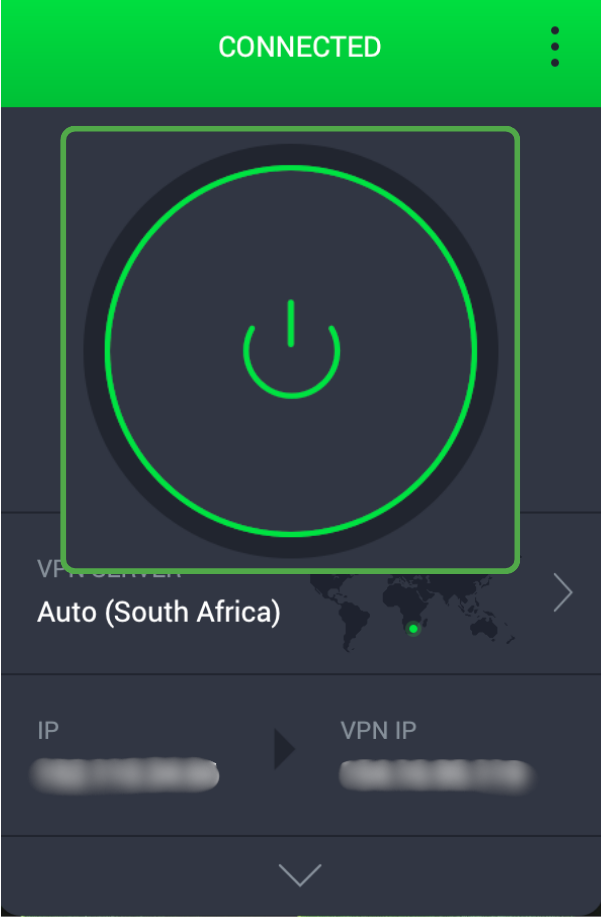
To configure additional settings, like your preferred encryption protocol, kill switch, or automation rules, you can head to the Settings menu
Adding a VPN to Your Smart TV Setup for the World Cup
In most cases, all you need to do to set PIA VPN up on your TV is search for Private Internet Access in your device’s app store, download the app, log in, and connect. However, some major smart TV brands don’t natively support VPN apps, which means a direct installation isn’t possible on these devices.
The most effective workaround is configuring your VPN at router level. When you set up PIA on your router, every device that connects to your home network – including your smart TV – is automatically protected without any individual setup required.
Router configuration is a little more involved than a standard app install, but it’s easy to do with clear instructions. You’ll need to log into your router’s admin panel, navigate to the VPN settings, and enter your PIA credentials and server details. The PIA website has detailed setup guides for a wide range of router models to walk you through the process.
Why Use a VPN for the World Cup? Frequently Asked Questions
Will a VPN slow down my World Cup streams?
A VPN can reduce your connection speed slightly due to the overhead of encryption, but a quality provider with high-capacity servers like PIA will keep any impact minimal. Connecting to a server close to your location and using a fast protocol like WireGuard will help maintain a smooth viewing experience.
What’s the difference between a free VPN and a paid VPN for the World Cup?
Free VPNs often come with data caps, slower speeds, limited server options, and weaker privacy protections. And some even log and sell user data. A premium VPN offers faster, more reliable connections, stronger security, and a genuine no-logs policy, making it a better choice for streaming live sports more privately.
When should I turn my VPN on during the World Cup?
Ideally, you should keep your VPN on whenever you’re online. During the tournament, be especially sure to add the protection when you’re connecting to public Wi-Fi or unfamiliar networks.
